Cloud software for law firms and legal departments
Legal management, finance and tasks on one platform
jaah law is cloud software that brings legal management, finance, tasks and much more onto one platform for law firms and legal departments.
- Works on every device
- Access rights per app
- A change log on the files

- Hearing in three days A to-do to prepare it is on each lawyer's list.
- Judgment lost An objection to-do goes to the case's lawyers.
- Invoice paid Posted to the firm's accounts.
jaah in numbers
- years of development
- 8
- apps on one platform
- 28
- legal apps
- 11
- ready dashboards
- 22
- printable legal reports
- 20
Figures as of October 2026.
One client, one file: everything links to it
Each client has one central file, and every consultation, case, contract and invoice links to it: one source of information for the whole team and every department.
Example: a client's file and what links to it
- Cases
- Hearings
- Consultations
- Contracts
- Enforcement files
- Powers of attorney
- Invoices
- Payments
- Requests
- Client portal

Legal management, finance, tasks and more… on one platform
28 apps on one platform, each with its place in the firm's work.
Legal management
-
 Law
Lawyers, courts, circuits, judges and practice areas.
Law
Lawyers, courts, circuits, judges and practice areas.
-
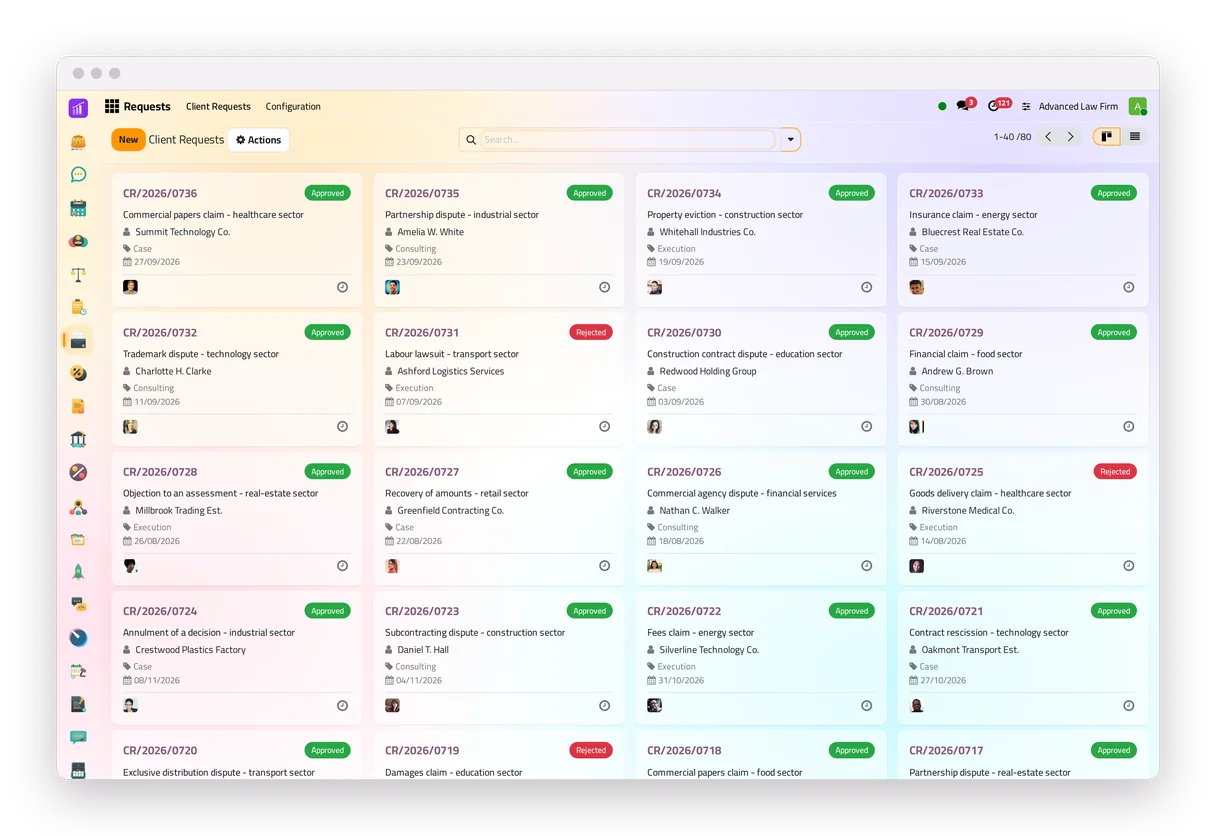
 Requests
Client requests from the portal or the website, routed to the lawyers.
Requests
Client requests from the portal or the website, routed to the lawyers.
-
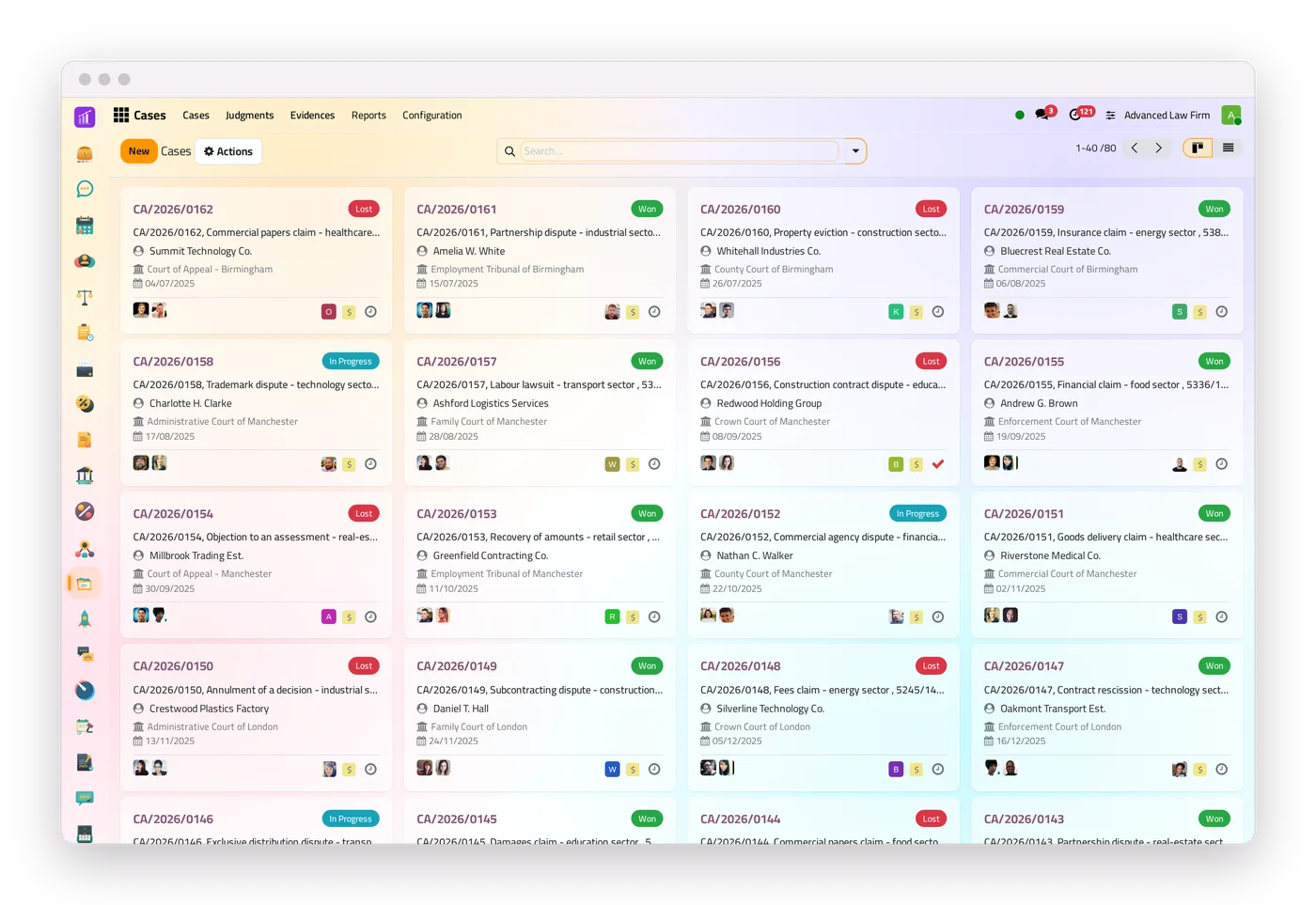
 Cases
The whole court file, from the opening to the final judgment.
Cases
The whole court file, from the opening to the final judgment.
-
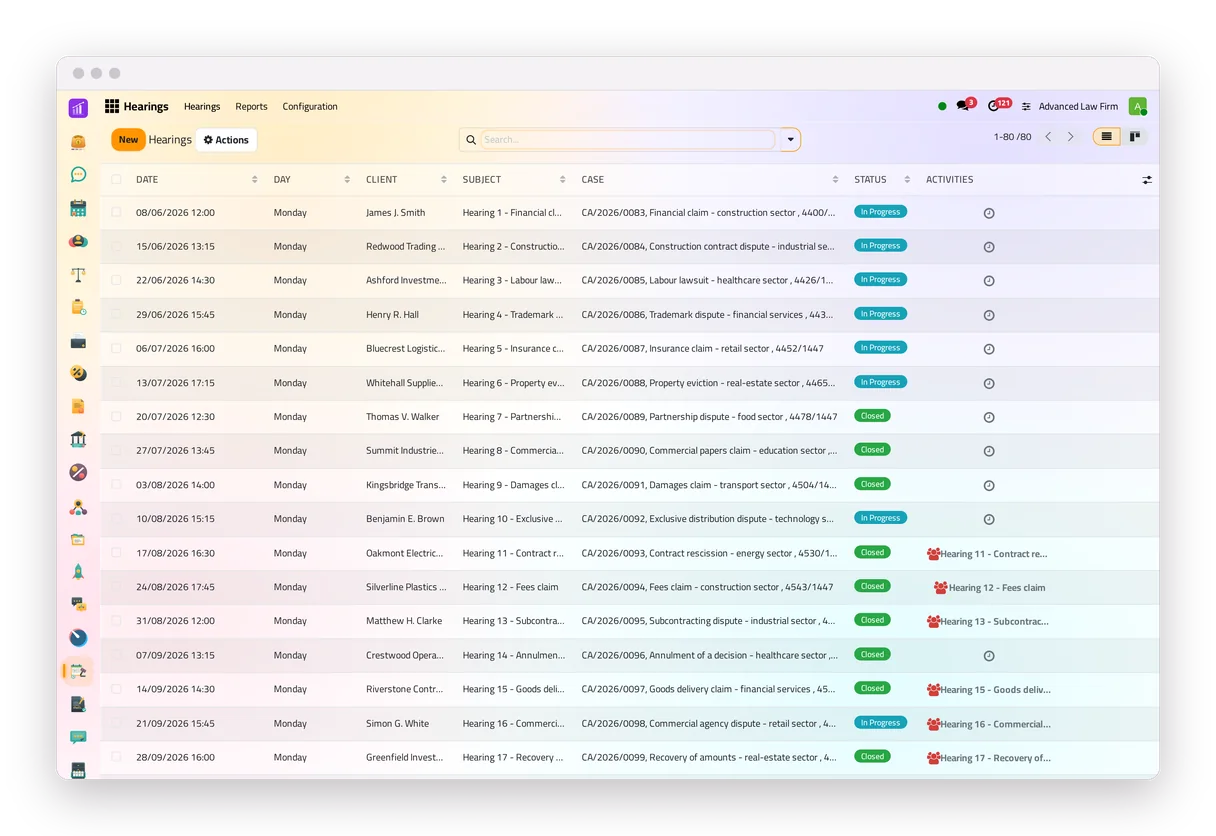
 Hearings
Dates, lawyers, requirements, minutes and the calendar.
Hearings
Dates, lawyers, requirements, minutes and the calendar.
-
 Consultations
From the question to the answer, with deadlines and billing.
Consultations
From the question to the answer, with deadlines and billing.
-
 Contracts
Templates, signing from a link and instalments.
Contracts
Templates, signing from a link and instalments.
-
 Enforcement files
Procedures, decisions, sessions and the money.
Enforcement files
Procedures, decisions, sessions and the money.
-
 Powers of attorney
Validity from the dates, checked at every hearing.
Powers of attorney
Validity from the dates, checked at every hearing.
-
 Work documentation
Memos and pleadings, with an approval step.
Work documentation
Memos and pleadings, with an approval step.
-
 Correspondence
Incoming and outgoing papers, and who holds each original.
Correspondence
Incoming and outgoing papers, and who holds each original.
-
 Collection
Debt-collection files with instalment plans and a debtor portal.
Collection
Debt-collection files with instalment plans and a debtor portal.
Financial management


Task management
-
 Tasks
One board for the firm's to-dos, with reminders and dependencies.
Tasks
One board for the firm's to-dos, with reminders and dependencies.
-
 Projects
Stages, milestones and status updates for larger matters.
Projects
Stages, milestones and status updates for larger matters.
-
 Timesheets
Hours on cases and consultations, against the plan.
Timesheets
Hours on cases and consultations, against the plan.
-
 Calendar
Meetings and hearings in every lawyer's calendar.
Calendar
Meetings and hearings in every lawyer's calendar.
-
 Chat
Channels, direct messages and each record's thread.
Chat
Channels, direct messages and each record's thread.
-
 WhatsApp
Alerts to the team and documents to clients.
WhatsApp
Alerts to the team and documents to clients.
Human Resources


Clients


Platform


The pricing page shows the apps and features each plan includes.
Legal management
Every consultation, case, contract and enforcement file in its own app
jaah law covers client requests, consultations, cases and their hearings, contracts, enforcement files and powers of attorney, each in its own app around one file per client. The law firm management software page explains each one.
-
One file for every case
The client and the opposing parties, the court and the case number, the lawyers, and buttons to the hearings, evidence, judgments and invoices.
-
Hearings with their to-dos ready
A to-do to prepare each hearing and one to write its minutes, created and closed by the system itself.
A hearing cannot be closed without its minutes or a session document.
-
Deadlines you set once
After a lost judgment, each lawyer of the case gets a to-do due the number of days the firm sets. A reminder: the lawyer confirms the legal deadline.
-
The power of attorney, checked at every hearing
Each hearing checks that the case's power of attorney is valid on its date and covers its lawyers, and warns if not.
Clients
Clients follow their files and send their requests from the portal
Clients sign in to follow their cases, hearings, consultations, contracts, enforcement files and powers of attorney, and write to the firm from a consultation, a contract or an enforcement file.
-
Requests that route themselves
A request from the portal or the website reaches the client's lawyers with a deadline and a to-do; approved, it becomes a consultation, a case or an enforcement file filled from it.
The request form can sit on any page of the firm's website.
-
Contracts signed online
The client opens the link in the e-mail, reads the contract and signs it, with no account needed.
-
WhatsApp, when the firm connects it
The system alerts the team automatically, and sends invoices, reports and updates to clients from the templates the firm turns on. See all the WhatsApp integration features.
Financial management
Invoices from the legal work, posted to the firm's accounts
The firm's books in one place, from customer invoices and payments to fixed assets, budgets and the reports that check them.
-
Bill from the file
Create the invoice from a case (in full or per hearing), a consultation, an enforcement file or a contract; the invoice names the file and its lawyers.
-
Contracts that bill themselves
Instalments are drafted every hour for the billing team to confirm, and their total cannot be entered above the contract's amount.
-
Know who owes what
Aged receivables, customer statements and overdue balances, and a weekly WhatsApp reminder when the firm connects a number and turns it on.
Clients pay online from the invoice or a payment link, with a connected payment provider.
-
Reports and controls
Profit and loss, the trial balance and the tax report per tax, with drill-down to the journal items and export to Excel, PDF or CSV.
Bank lines are reconciled with invoices and payments on one screen.
Fixed assets with straight-line or declining depreciation, budgets with revisions, exchange rates fetched automatically once turned on, fiscal years of any length and four access levels.

Task management
Tasks, time and the team, around the same client file
Tasks with a deadline, a priority and reminders, assigned to a team member. A task on a case, a consultation or a contract carries its client.
-
One board for the whole firm
Tasks from cases, consultations, contracts, requests and clients in one board, each with its owners, a supervisor, a client and a deadline.
Reminder rules send one summary before or after the deadline, by e-mail or WhatsApp.
Tasks can wait on each other, repeat on a schedule, or come from a checklist template.
-
Time on each file
Hours logged on a case or a consultation, with planned, spent and remaining time on the record.
Closing a hearing logs the time of each lawyer on it.
-
The team, in the same system
Employee files, attendance, time off with approvals, and expenses submitted, approved and paid.
Larger matters run as projects with stages, milestones and status updates.
-
Dashboards and reports
Ready dashboards for the legal, finance and people apps, a no-code builder with 21 widget types, and a KPI bar above the lists.
Case, hearing and judgment reports, and lists of cases and hearings, printed in the firm's own layout with its logo.

See the screens


Where it runs, and who sees what
In the cloud, on any screen
In the browser, on a computer or a phone, installable on the phone's home screen, in light or dark.
Your own database
Each firm's system runs on a database of its own, separate from the other firms'.
Access per app
Read only, own files or every file, set per app for each user, and the changes to the legal records logged in their history.
Nothing lost by mistake
Deleted records go to a recycle bin and come back in one step, for 30 days by default.
Reports in your layout
20 printable legal reports, in the firm's own layout with its logo.
Your records, brought in
Clients, cases and contacts imported from spreadsheet files (Excel or CSV).
How a firm starts
Four steps, and the user guide for the legal apps at your side.
Sign up
Choose a plan on the pricing page and sign up.
Bring your records
Import clients, cases and contacts from spreadsheet files.
Learn as you go
The user guide explains the legal apps step by step, with screenshots.
Ask us
Support answers from the contact page.
Firms that work on jaah
Law firms, companies and legal departments that run their work on jaah, as they appear in its records.
Common questions about jaah
What is jaah law?
jaah law is jaah's cloud software for law firms and legal departments: the legal work (requests, consultations, cases and hearings, contracts, enforcement files, powers of attorney), the finances and the team's tasks, in one system around one file per client.
Does jaah law replace my accounting software?
It covers the day-to-day books: invoices created from the legal work, payments, bank reconciliation, fixed assets, budgets, and reports such as the profit and loss, the trial balance and the tax report, with export to Excel and PDF.
Can my team work on their phones?
Yes. jaah law runs in the phone's browser with the same data and permissions, laid out for the phone, and can be added to the home screen as an app. The interface comes in light and dark.
Can several lawyers work on the same case?
Yes. A case can have several lawyers; each of them sees the case, gets its to-dos, and the reminder after a lost judgment.
Does each firm have its own database?
Yes. Each firm's system runs on a database of its own, separate from the other firms'.
Can I bring in my existing records?
Yes. Records such as clients, cases and contacts can be imported from a spreadsheet file (Excel or CSV), and deleted records can be restored from the recycle bin.
How does the team get reminded?
By to-dos the system creates itself (a hearing to prepare, minutes to write, an objection deadline), by e-mail, and by WhatsApp when the firm connects a number.
Is there a user guide?
Yes. The jaah law user guide explains the legal apps step by step, with screenshots, and courses show the work on screen.