Law firm management software
jaah is a specialised system for organising and managing the work of law firms and legal departments: it brings the clients' data, cases, consultations, contracts, powers of attorney, enforcement files, billing and tasks into one platform, to follow the legal work, keep the procedures in order and raise the firm's efficiency.
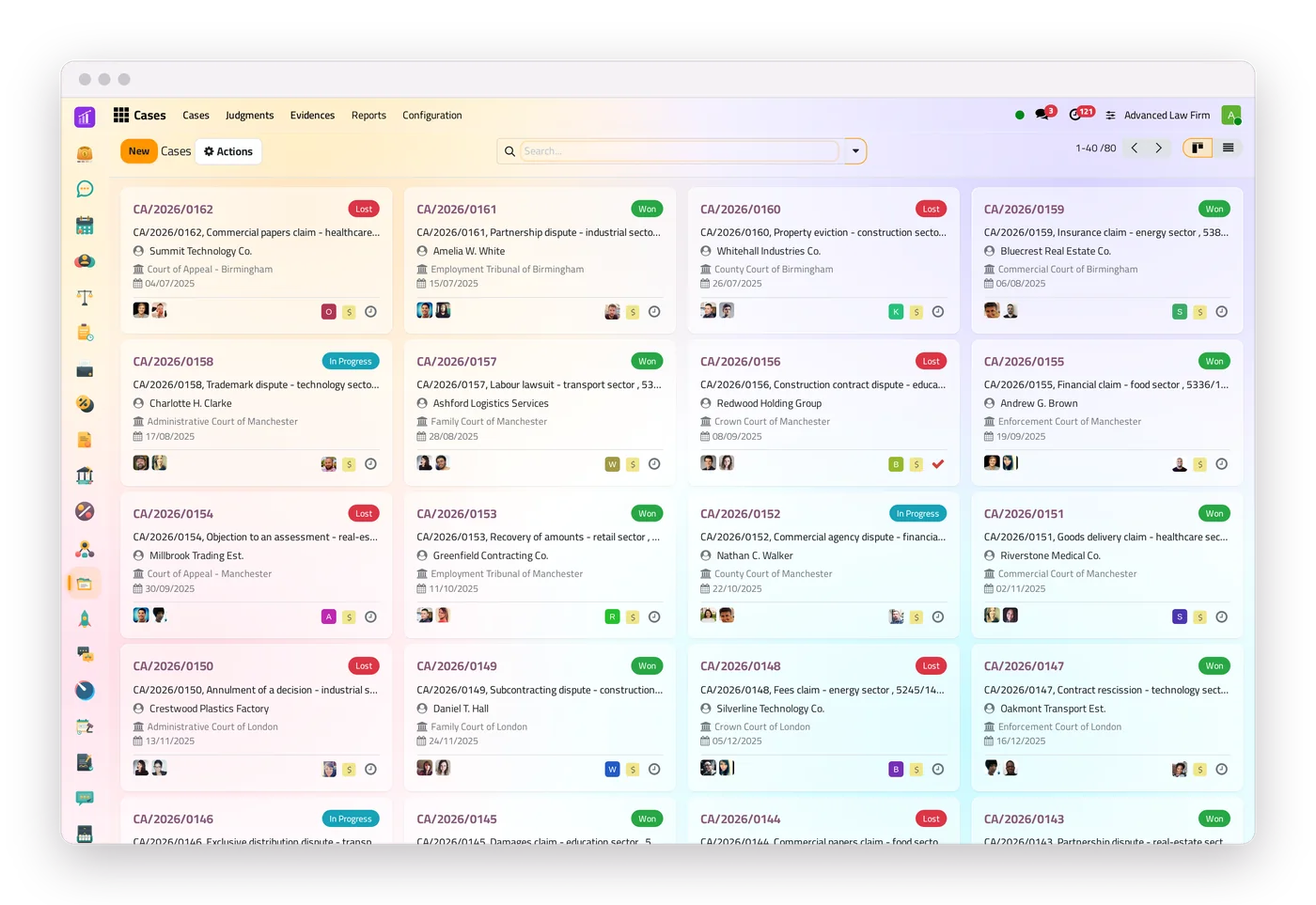
The legal apps
Eleven apps for the legal work, each with its own screens and access rights, all around the same client file; twenty printable reports between them.
-
 Law
Lawyers, courts, circuits, judges and practice areas.
-
 Requests
Client requests from the portal or the website, routed to the lawyers.
-
 Cases
The whole court file, from the opening to the final judgment.
-
 Hearings
Dates, lawyers, requirements, minutes and the calendar.
-
 Consultations
From the question to the answer, with deadlines and billing.
-
 Contracts
Templates, signing from a link and instalments.
-
 Enforcement files
Procedures, decisions, sessions and the money.
-
 Powers of attorney
Validity from the dates, checked at every hearing.
-
 Work documentation
Memos and pleadings, with an approval step.
-
 Correspondence
Incoming and outgoing papers, and who holds each original.
-
 Collection
Debt-collection files with instalment plans and a debtor portal.
From the first request to the last invoice
A request comes in
From the portal, from a form on the firm's website, or recorded by the firm, and it reaches the right lawyers with a deadline.
It becomes a file
Approved, it becomes a consultation, a case or an enforcement file, filled from the request.
The work is followed to its end
Hearings and judgments, the consultation's answer, the contract's signatures, the enforcement file's payments.
It is invoiced from itself
Contracts, cases, consultations and enforcement files are invoiced from their own screen, and the payments land in the firm's accounts.
One client, one file: everything links to it
Each client has one central file, and every consultation, case, contract and invoice links to it: one source of information for the whole team and every department.
Example: a client's file and what links to it
- Cases
- Hearings
- Consultations
- Contracts
- Enforcement files
- Powers of attorney
- Invoices
- Payments
- Requests
- Client portal

Cases
Every case and its stage: first instance, reconsideration, appeal, final.
One file for every case
The client and the client's role, the opposing and third parties, the court, the court case number and the circuit, the lawyers. Buttons lead to the case's hearings, evidence, judgments, invoices and power of attorney.
A decided case can be sent to an enforcement file that keeps the link.
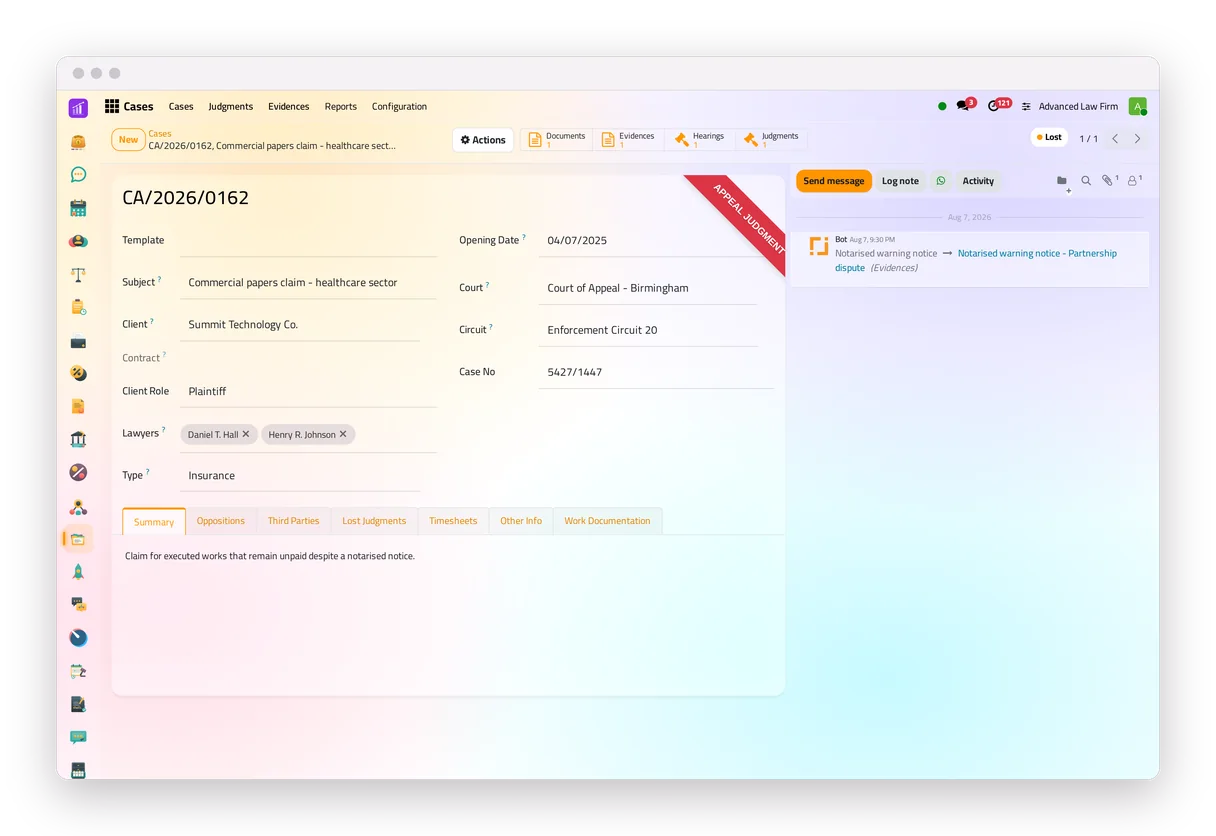
Stages and appeals
After a first-instance judgment, the case offers an appeal or a reconsideration; after an appeal judgment, a revocation request. The court change is kept in the case's history, and a ribbon shows the stage at a glance.
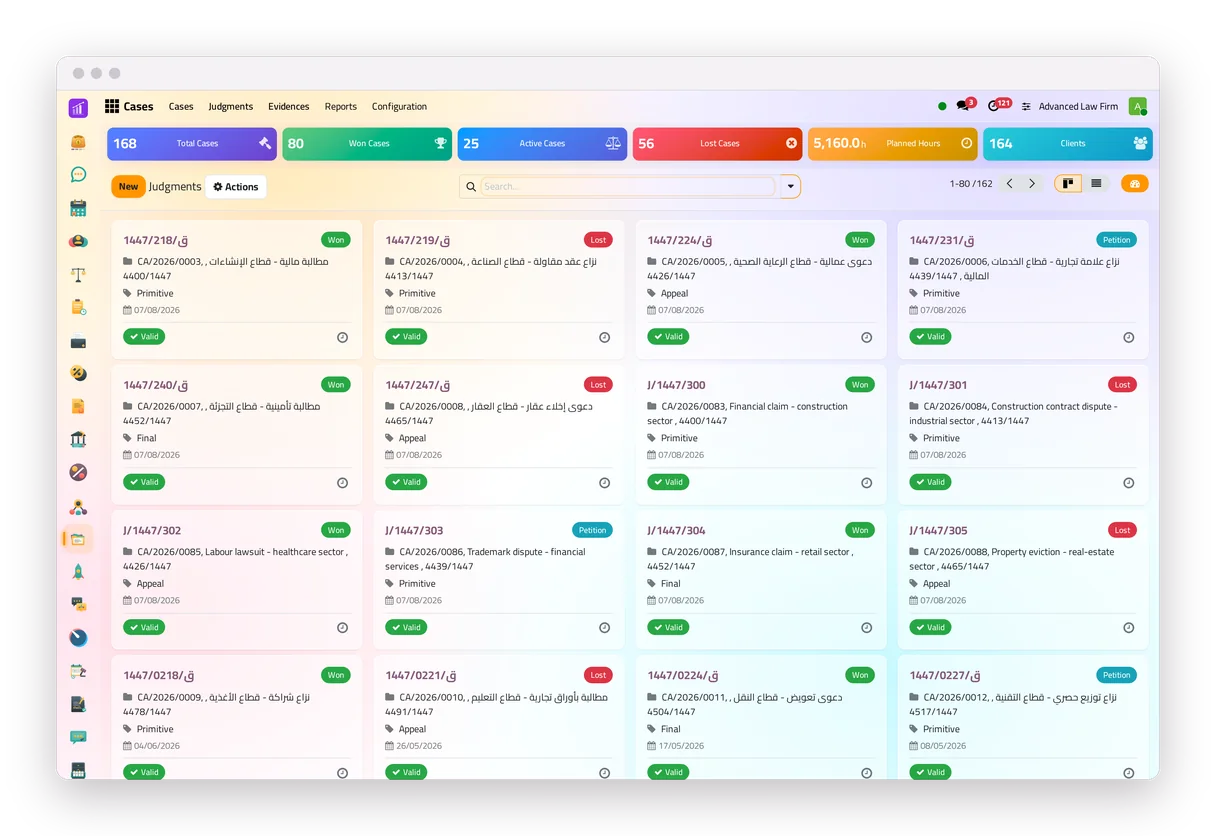
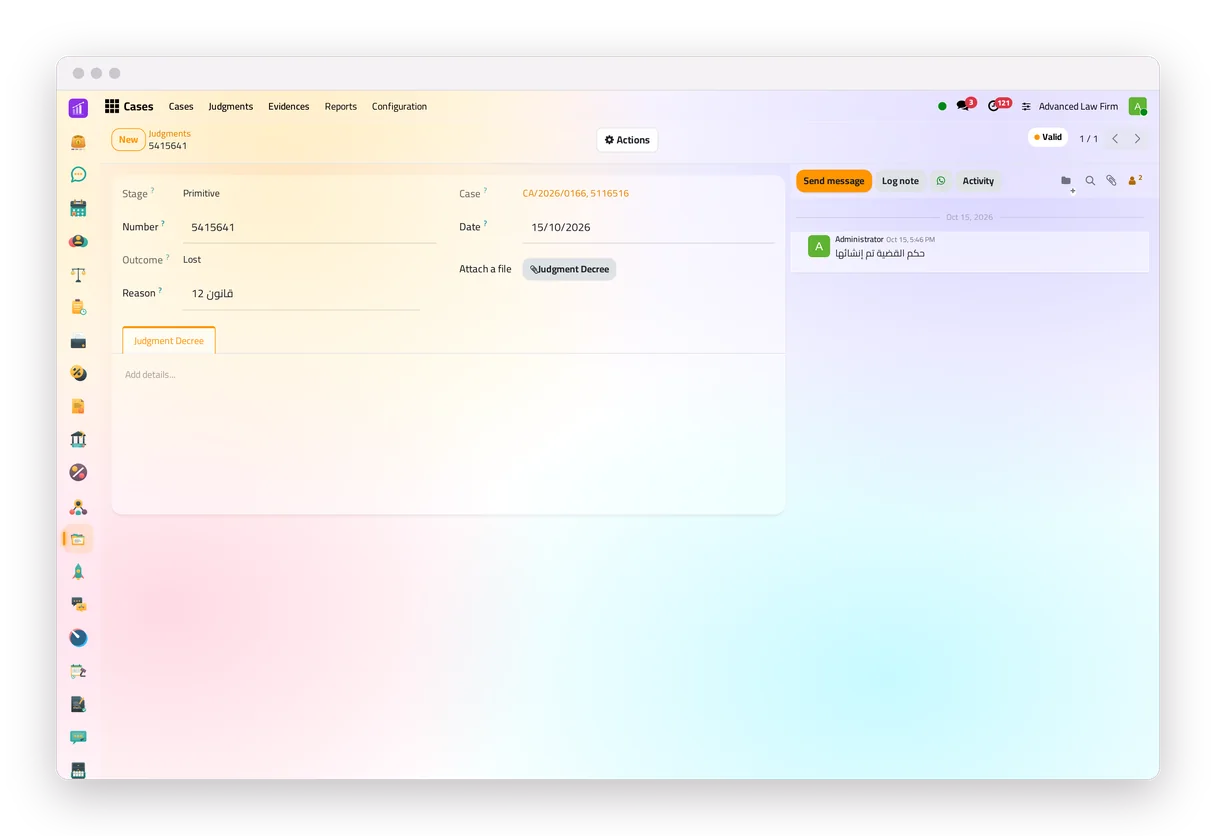
Each judgment keeps its stage, its outcome, its reason and the decree as a PDF.
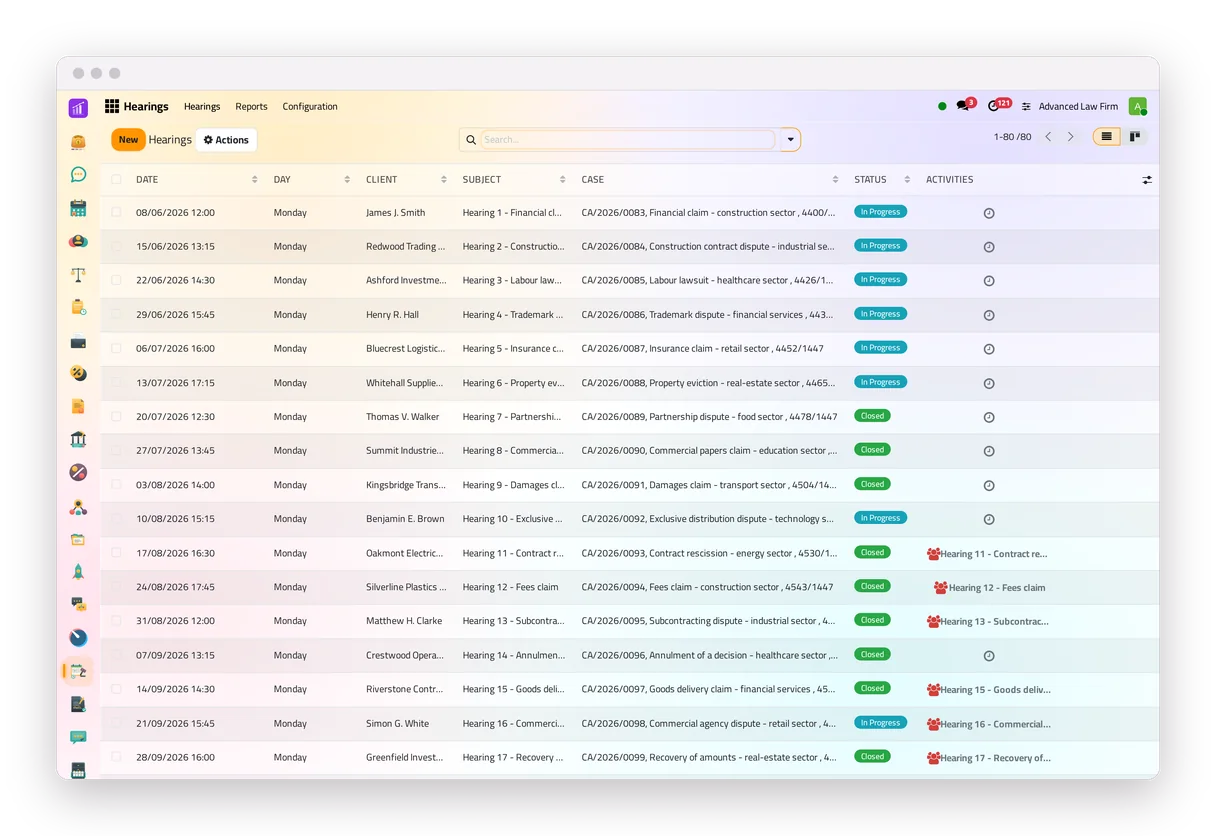
Hearings
Hearings are scheduled with reminders, and each hearing checks its case's power of attorney on the hearing date.
A to-do to prepare the hearing and one to write its minutes are created and closed by the system itself.
A hearing cannot be closed without its minutes or a session PDF.
A lawyer cannot be booked on two hearings at the same time, unless the firm allows it.
Each hearing appears in the lawyers' calendar, with the court as its location and the online link when there is one.
Tomorrow's hearings by e-mail
When the firm turns it on, each lawyer receives an e-mail with the next day's hearings, each marked with the state of its power of attorney.
With WhatsApp connected, the hearing's lawyers can also be reminded one hour before it.
Judgments and the objection reminder
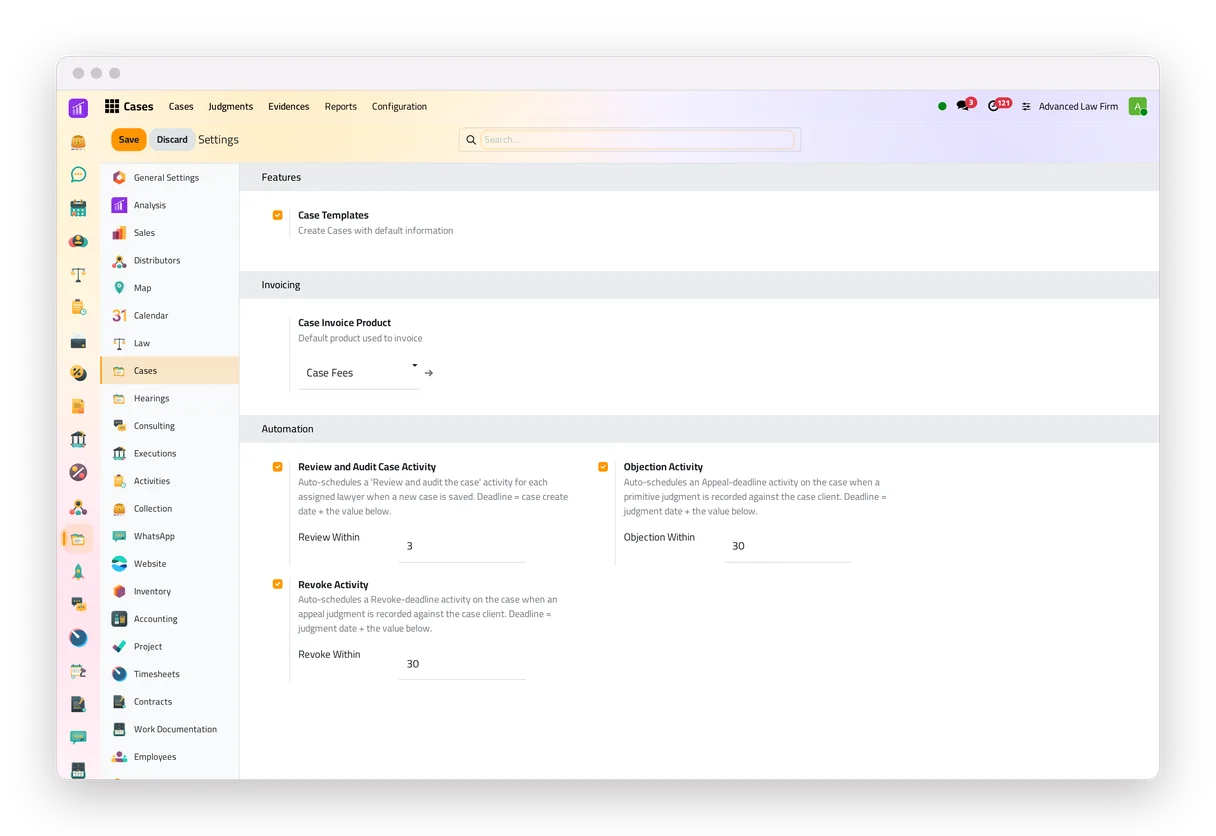
After a judgment against the client, the lawyer in charge of the case receives an automatic reminder of the objection deadline: a to-do due the number of days after the judgment that the firm sets. The lawyer confirms the legal deadline.
The power of attorney, checked at every hearing
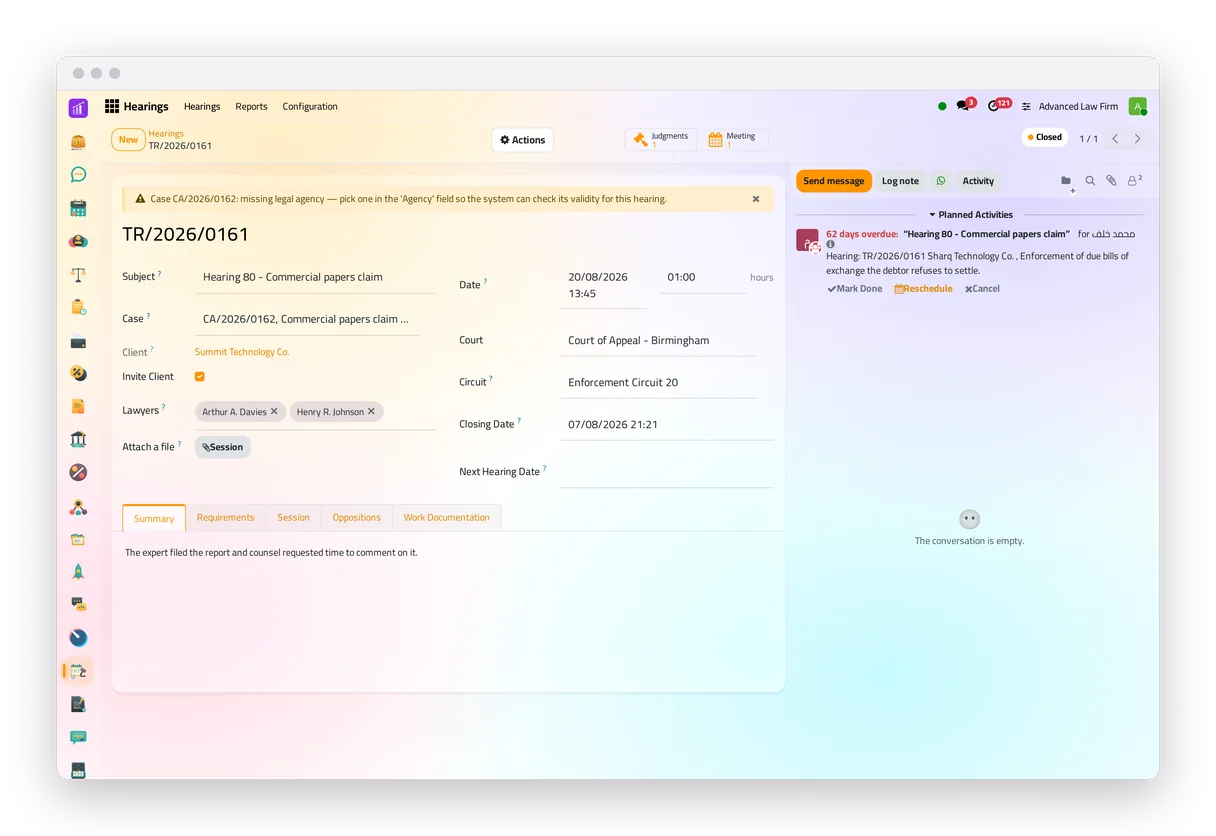
Each hearing checks that its case names a power of attorney valid on the hearing's date and covering its lawyers, and shows a banner if not, without blocking the work.
Evidence and documents
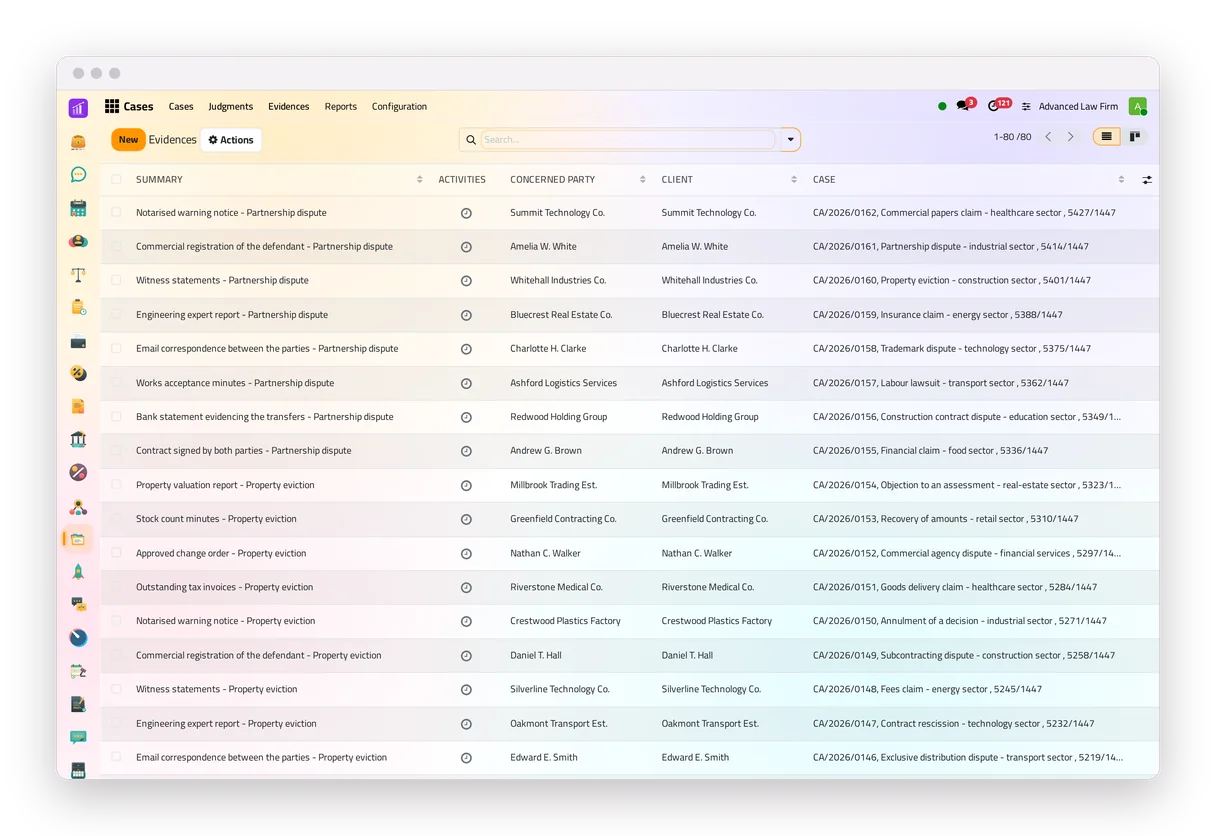
Evidence sits on the case with its documents, and the case's attachments stay with it.
When a hearing closes, the time of each lawyer on it is logged against the case.
Reports ready to hand over
Eight PDF reports: the case file, a hearing, a hearing summary, a judgment, the lists of cases and hearings, and the neglected ones; the firm chooses the fields each one prints.
The case is invoiced from itself, in full or per hearing, and its card shows whether it is not invoiced, unpaid or paid.
Who sees a case
Set the case's privacy and who sees it: its followers only, the firm's staff, or the client too through the portal.
Each user's rights are set per app: read only, their own files, or every file.
On the phone, the same cases, the same rights, laid out for the screen.


Consultations
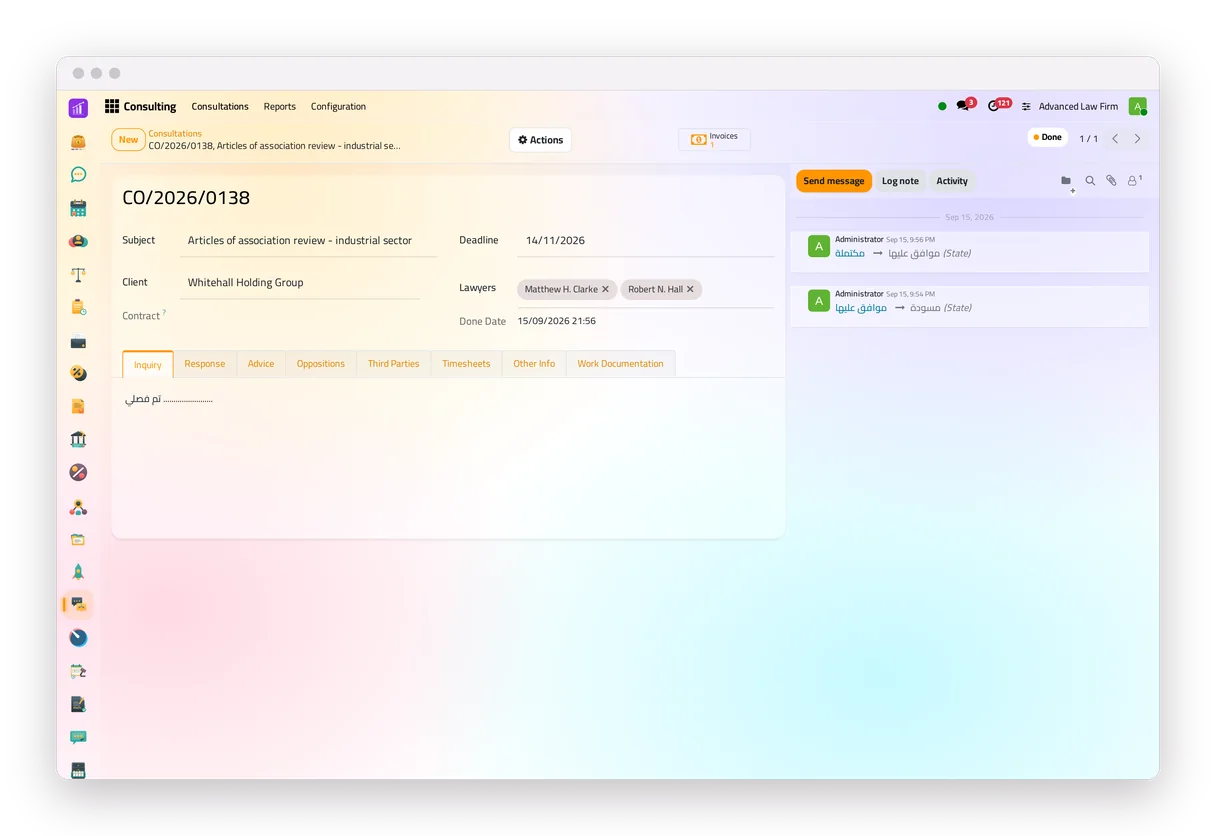
- One register for every consultation, its invoices and its state: draft (under study), then approved, then answered and closed, or rejected with a reason.
- The system automatically marks every consultation that is past its deadline as late, and its lawyer keeps the drafting to-do until it is answered.
- A new consultation gets an approval to-do and an approved one a drafting to-do, per lawyer; neither can be dismissed by hand.
- A dedicated field for the client's question and the legal answer, and the consultation is invoiced in three clicks, thanks to the link between the legal department, finance and the client's single file. The answer goes out as a PDF.
Contracts
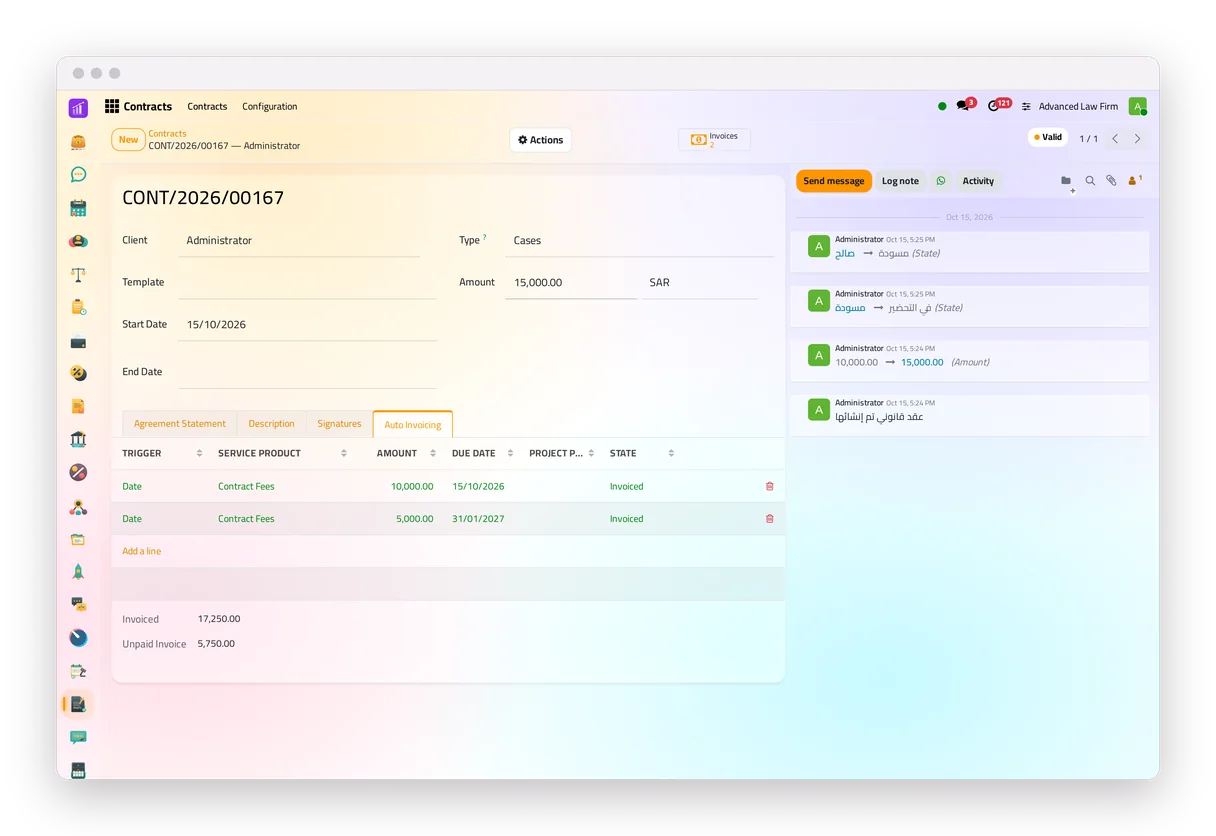
- A contract can start from a template that writes the firm's name, the client's name and the value in place.
- The client opens the link in the e-mail, reads the contract and signs it, with no account needed; the contract turns valid once the client and the firm have both signed.
- Its amount is split into instalments on set dates, when a consultation is added, or as the work progresses.
- The system drafts the due invoices every hour for the billing team to confirm, and refuses an instalment that would take their total above the contract's amount.
- Reminders, when the firm turns them on: the client receives an e-mail before the contract ends, and the person set in the settings gets a follow-up to-do to renew it.
Enforcement files
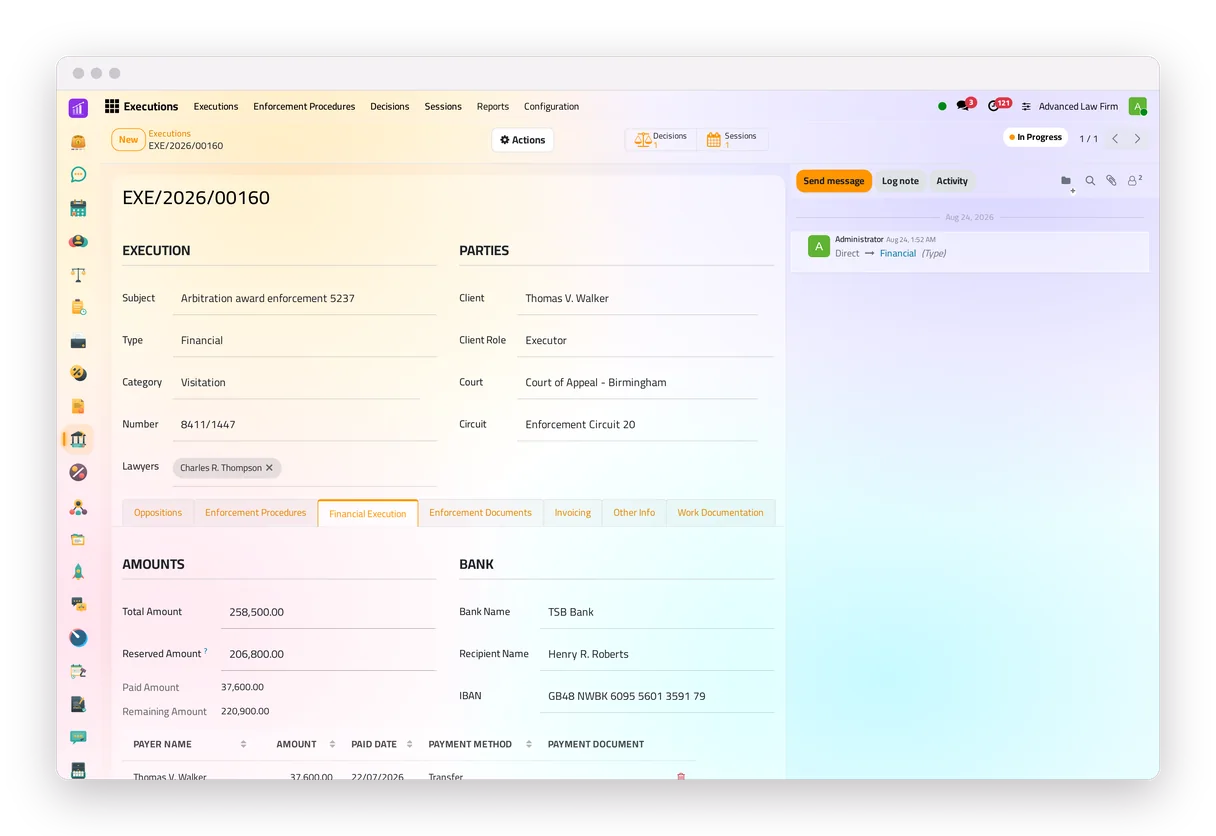
- An enforcement file opens from a case, a consultation or a client request, and keeps the link.
- It records the enforcement procedures with the court's answers, the judge's decisions and the sessions with their minutes, and prints five reports.
- A financial file records the amount awarded and the amount the court holds; the amount paid and the amount remaining follow from the payments.
- Each lawyer with a user receives a recurring e-mail listing their files not marked Finished, and the client can be e-mailed at each step when the firm chooses the templates.
Powers of attorney
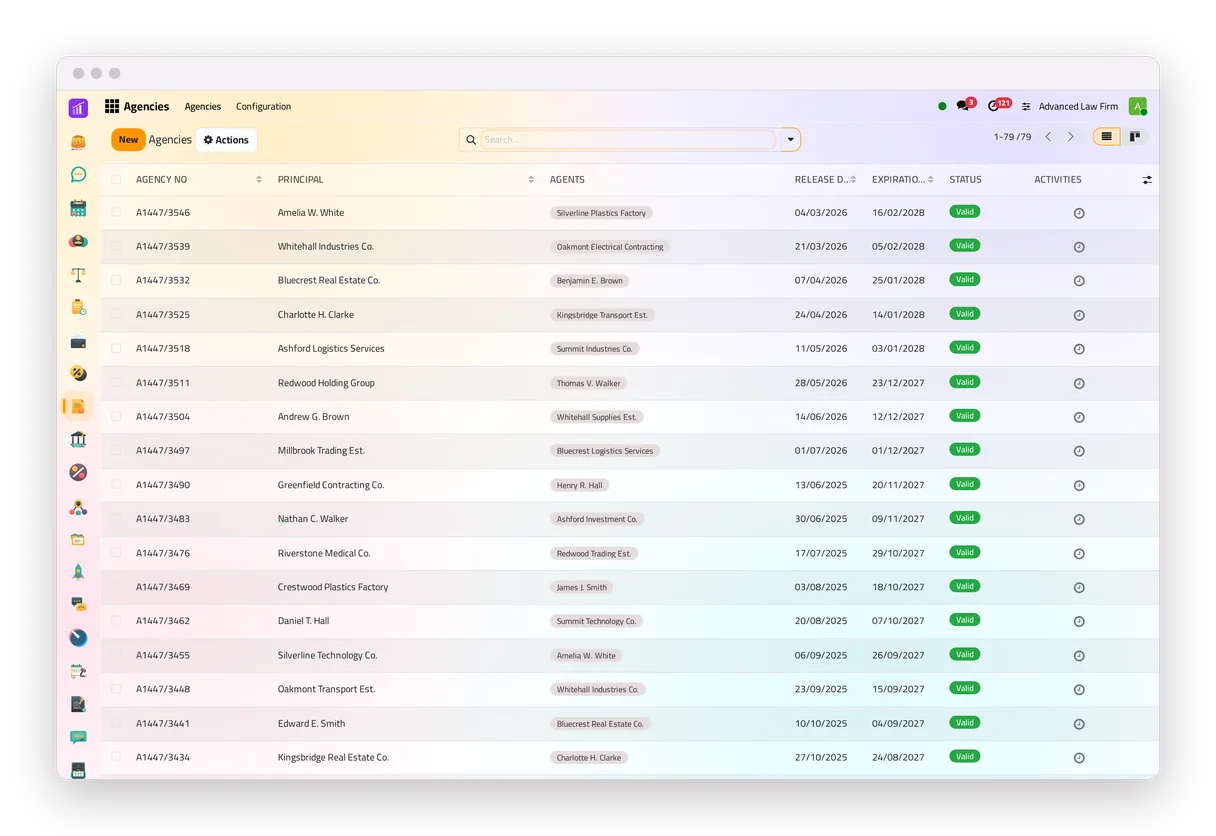
- A power of attorney is valid between its two dates, read from the dates each time.
- Each hearing checks that its case names a power of attorney valid on the hearing's date and covering its lawyers, and shows a banner if not.
- Before it expires, the principal and the agents receive an e-mail.
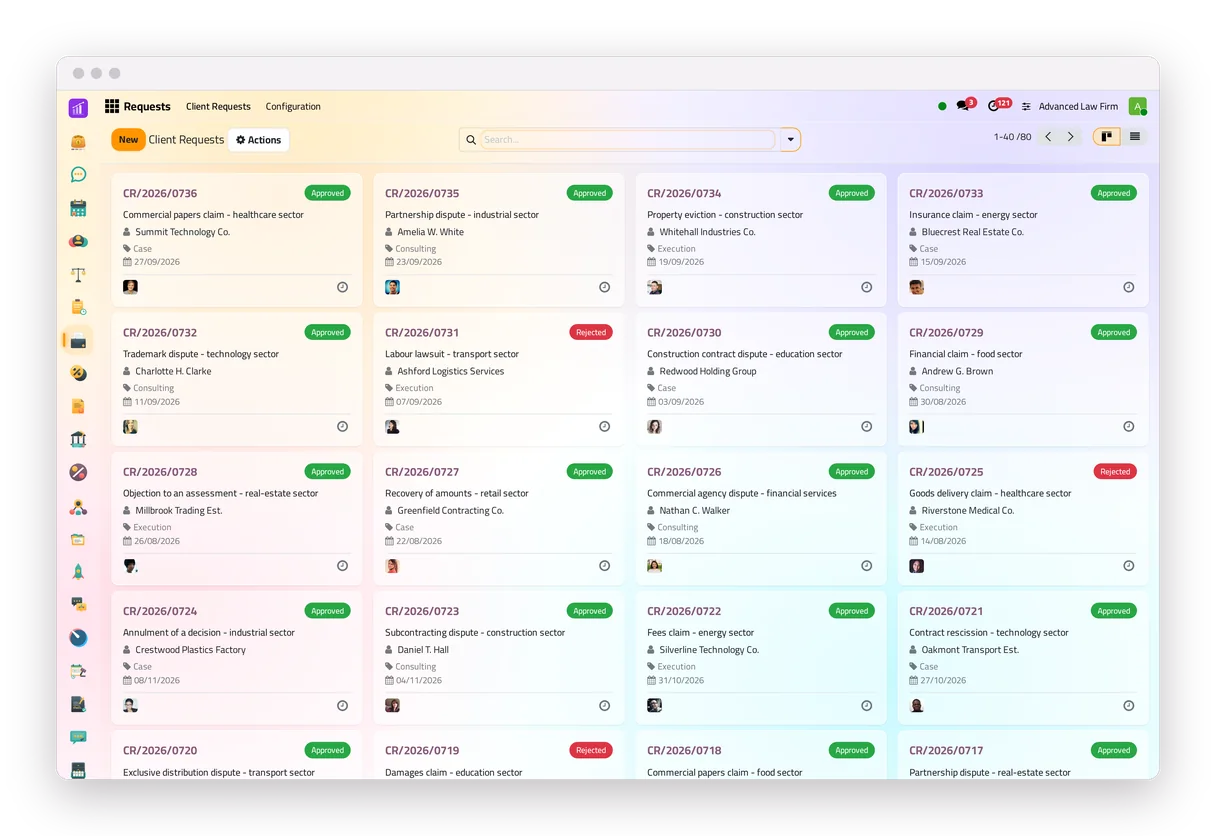
Client requests and the client portal
- Clients ask from the portal, or from a request form on any page of the firm's website.
- Each request reaches the client's own lawyers, or the intake lawyers, with a deadline and a review to-do; approving it opens the file, filled from the request with its attachments.
- On the portal, clients follow their requests, consultations, contracts, enforcement files and powers of attorney, and the cases and hearings the firm shares; consultations, contracts, cases and hearings come with their PDF; they write to the firm from a consultation, a contract or an enforcement file.
Beyond the legal apps
The legal apps run in the same system as the firm's finances, tasks, team and dashboards, around the same client file.
Finance
Invoices created from the legal files, payments, bank reconciliation and the accounting reports. See finance on the home page.
Tasks and time
One board for the firm's to-dos, with reminders, dependencies and checklist templates, and hours logged on each file.
Work documentation
Memos and pleadings of eight types, with an approval step for the types the firm chooses.
Correspondence
Incoming and outgoing papers numbered per year, and a lending log of who holds each original.
Collection
Debt-collection files with instalment plans, settlement discounts within set limits, reminders and a debtor portal.
Alerts to the team and documents to clients, from templates the firm turns on. See the WhatsApp integration.
Analysis
Ready dashboards for the legal, finance and people apps, a no-code builder and a KPI bar above the lists.
Human Resources
Employee files, attendance, time off and expenses, in the same system as the legal work.
Who uses it
A solo lawyer
Consultations, cases and hearings, the calendar, invoices, and the tasks board for the day's work.
A law firm
Every legal app, finance, timesheets, the team's time off and expenses, the client portal and WhatsApp.
An in-house legal department
Requests from the company's staff, consultations, contracts with signature, correspondence, and reports for management.
jaah law at a glance
| Where it runs | In the cloud, in a browser, on a computer or a phone, in light or dark. |
|---|---|
| Who uses it | Law firms, solo lawyers and in-house legal departments. |
| Client portal | Clients follow their files there, sign their contracts and send their requests. |
| Your data | A database of its own for each firm. |
| Access rights | Per app and per user: read only, own files, or every file. |
| Change history | The legal records log their changes. |
| Notifications | To-dos, e-mail, and WhatsApp when connected. |
| Moving in | Records imported from spreadsheet files. |
| Reports | 20 printable legal reports, in the firm's report layout. |
| Help | A user guide for the legal apps, and courses. |
| Prices | On the pricing page. |
What jaah law does not do
- It does not file at court for you, and it is not connected to a court system: the firm records the hearings, judgments and decisions.
- It reminds without computing legal deadlines: the reminder falls a number of days after the judgment that the firm sets.
- It logs hours on each file, but invoices are amounts, not hourly bills.
Every step is explained in the jaah law user guide.
Questions about law firm management software
What is law firm management software?
Software that keeps a firm's clients, consultations, cases, contracts and invoices in one system, so every file and every deadline is in one place.
Who is jaah law for?
Law firms, solo lawyers and in-house legal departments. Each user's rights are set per app: read only, their own files, or every file.
Does jaah law follow appeals?
Yes. A case keeps its stage, and after a judgment it offers the next step: an appeal or a reconsideration after a first-instance judgment, a revocation request after an appeal judgment.
Does jaah law check powers of attorney at hearings?
Yes. Each hearing checks that its case's power of attorney is valid on the hearing's date and covers its lawyers, and shows a banner if not.
Can clients sign contracts online?
Yes. The client opens the link in the e-mail, reads the contract and signs it, with no account needed, while the contract is Draft.
Can contracts be invoiced automatically?
Yes. A contract's amount is split into instalments; every hour the system drafts the invoices whose trigger has come, and the billing team confirms them.
What does a client see on the portal?
Their requests, consultations, contracts (with signing), enforcement files and powers of attorney, and the cases and hearings the firm chooses to share. Consultations, contracts, cases and hearings come with their PDF, and consultations, contracts and enforcement files have a message thread.
Does jaah law file at court or compute legal deadlines?
No. The firm records the hearings, judgments and decisions, and the reminders fall a number of days after a judgment that the firm sets. The lawyer confirms each legal deadline.