Tutorial
Your first agency
On this page
A lawyer acts in court for a client under an agency: a document in which the client, the principal, authorizes the lawyer for a period. This walk-through records one agency and names it on the client's case.
Before you start
- You need the User: Own Documents level or higher on Agencies (in the Legal Rights section of your user), and on Cases to change the case.
- The client and the lawyer exist as contacts.
Step 1: record the agency
- Open and click New.
- Choose the Principal, the client who gives the agency, and the Agents, the people it authorizes.
- Type the Agency No printed on the document, its Release Date and its Expiration Date.
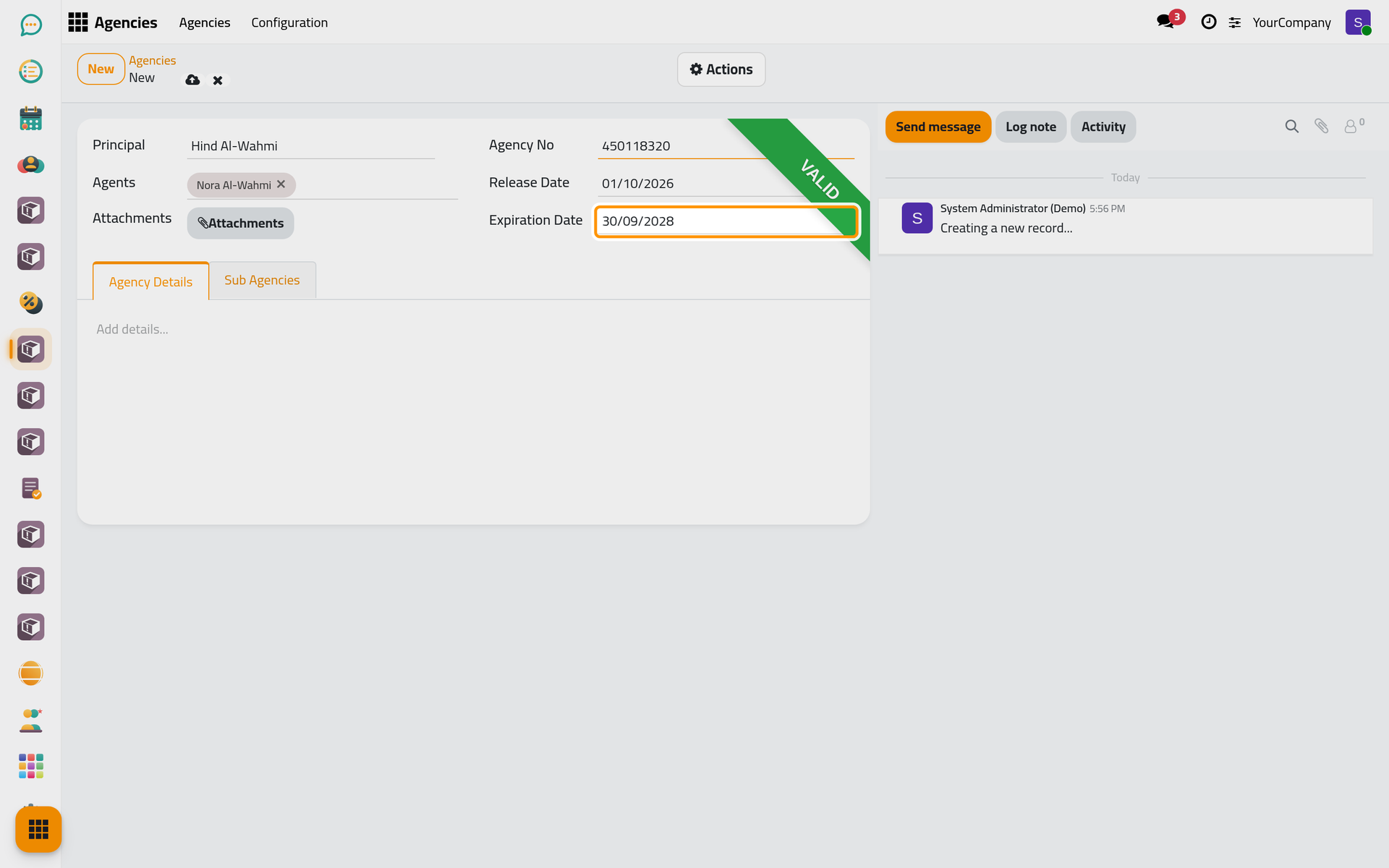
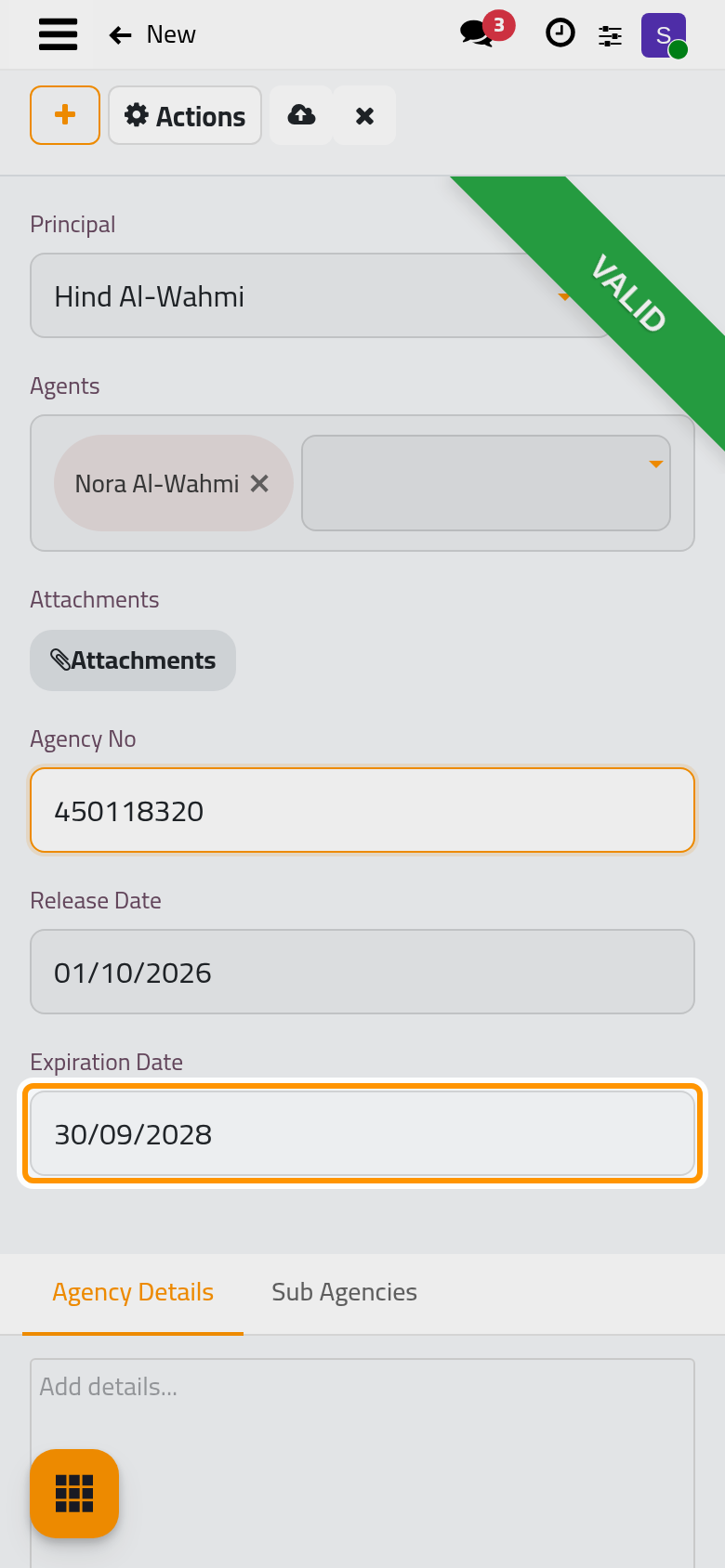
- Click the cloud icon Save manually. The agency shows Valid, since today falls between its two dates.
Step 2: name it on the case
- Open the client's case and its Other Info tab.
- Choose the agency in Agency. The list offers only the agencies of the case's clients.
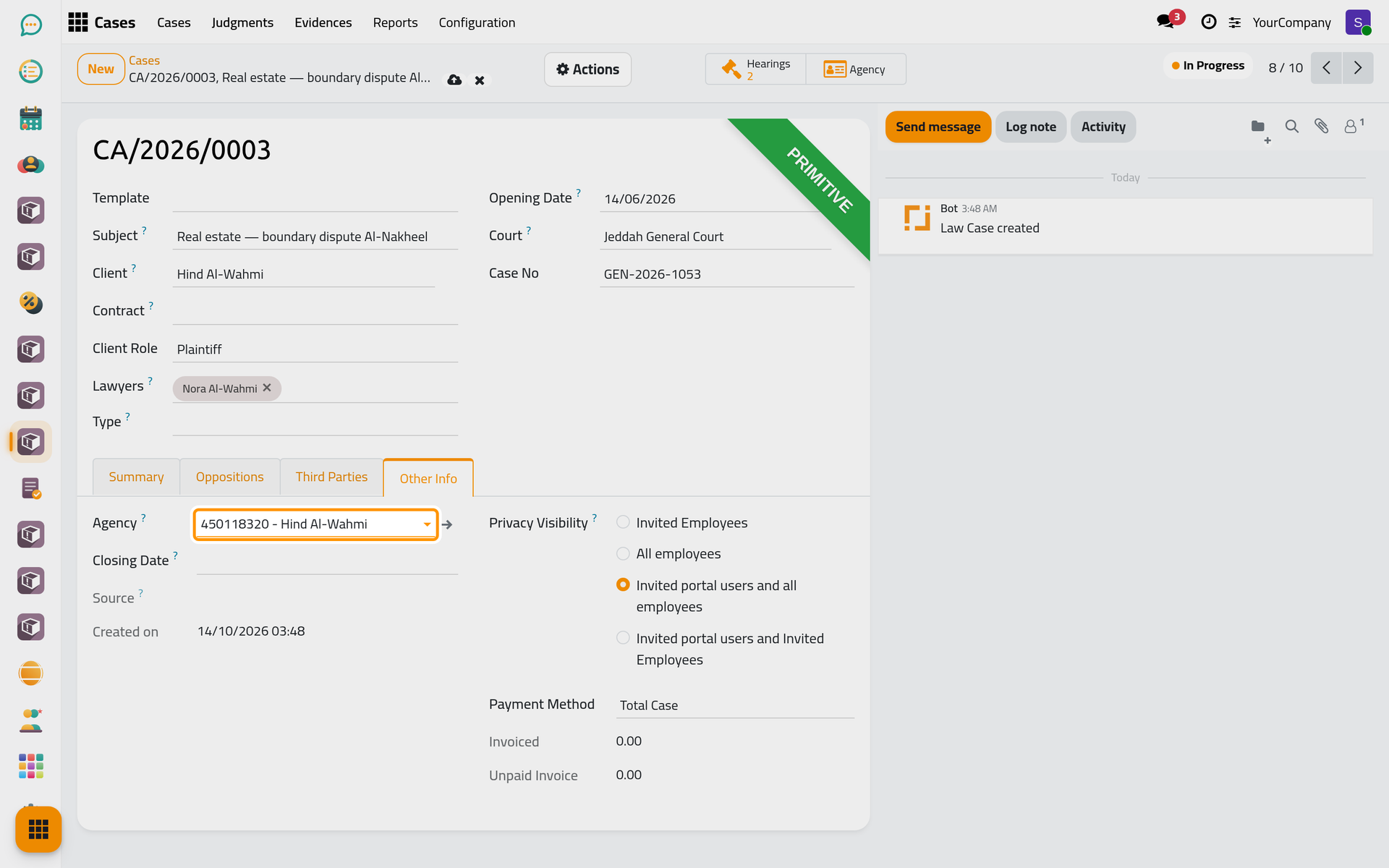
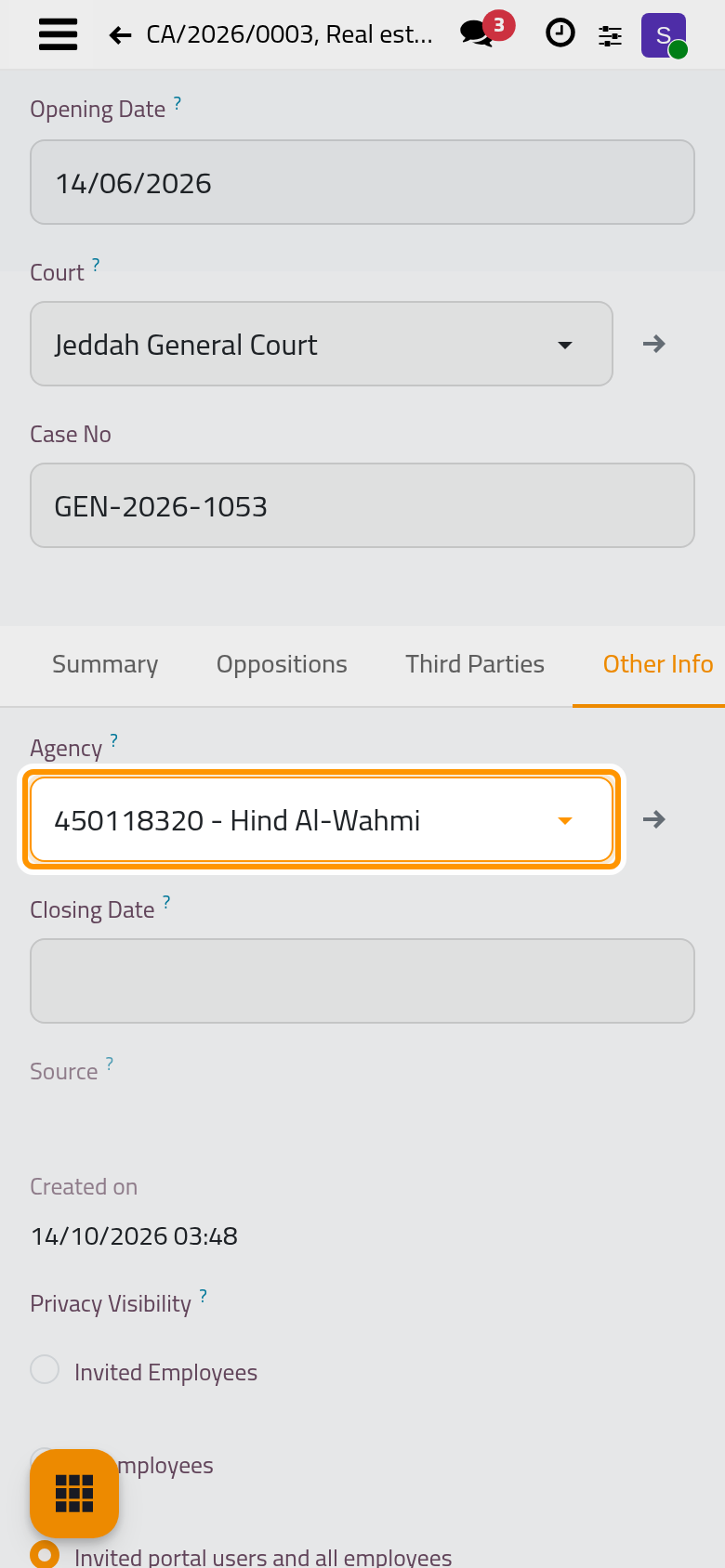
- Click Save manually. The Agency button at the top of the case now opens the agency.
What you have done
The agency is recorded with the dates it covers, and the case names it. From now on, each hearing of the case checks that the agency is valid on the hearing date and that the hearing's lawyers are among its agents.
Was this page helpful?
Thank you for your feedback.