How-to
Link an agency to a case
On this page
A case names one agency. Each hearing of the case then checks it against the hearing date and the hearing's lawyers, and warns before the firm walks into court uncovered.
Before you start
- You need the User: Own Documents level or higher on Cases, and read access to Agencies.
- The agency is recorded for the case's client.
Name the agency on the case
- Open the case and its Other Info tab.
- Choose the agency in Agency. The list offers only the agencies whose principal is one of the case's clients.
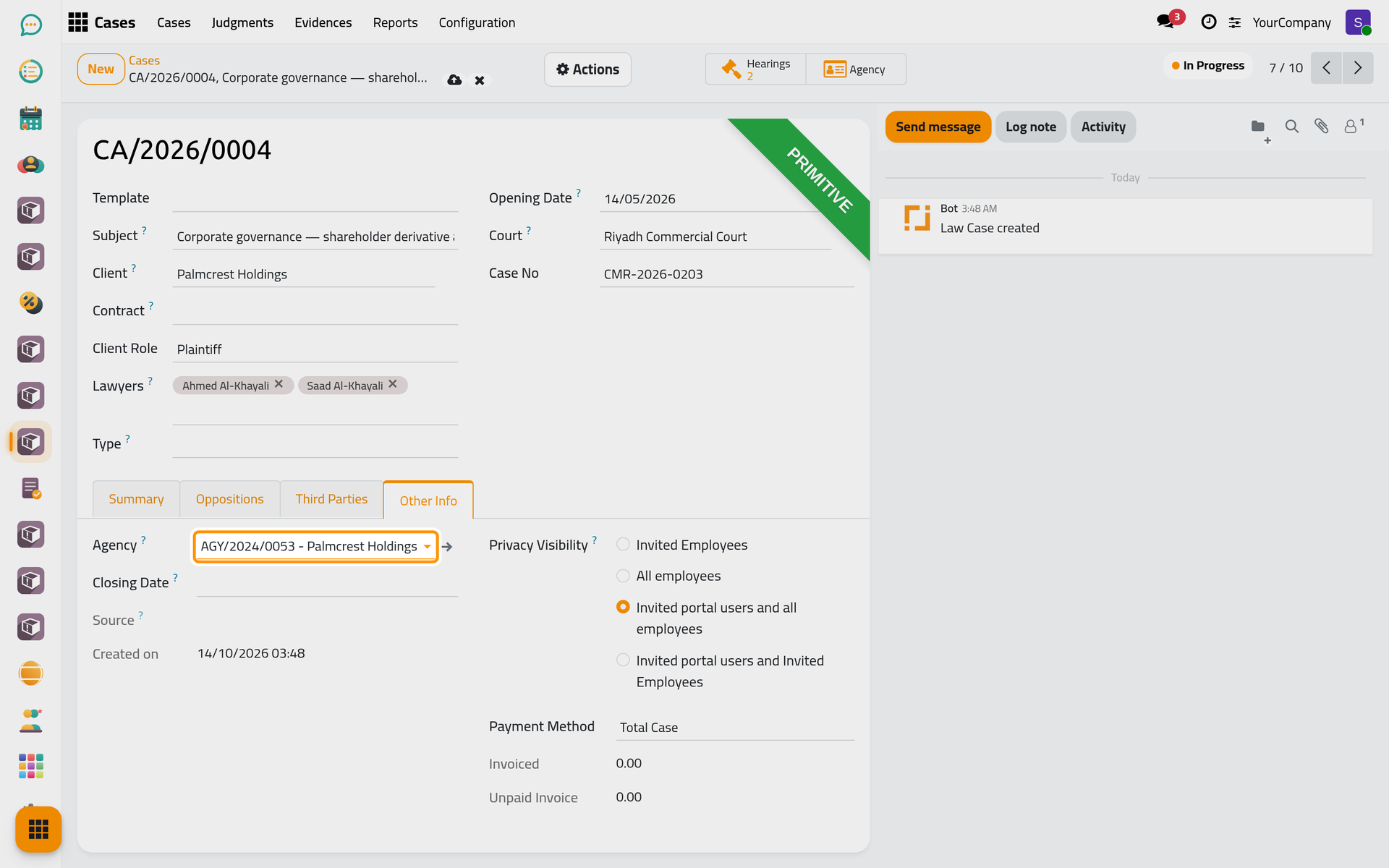
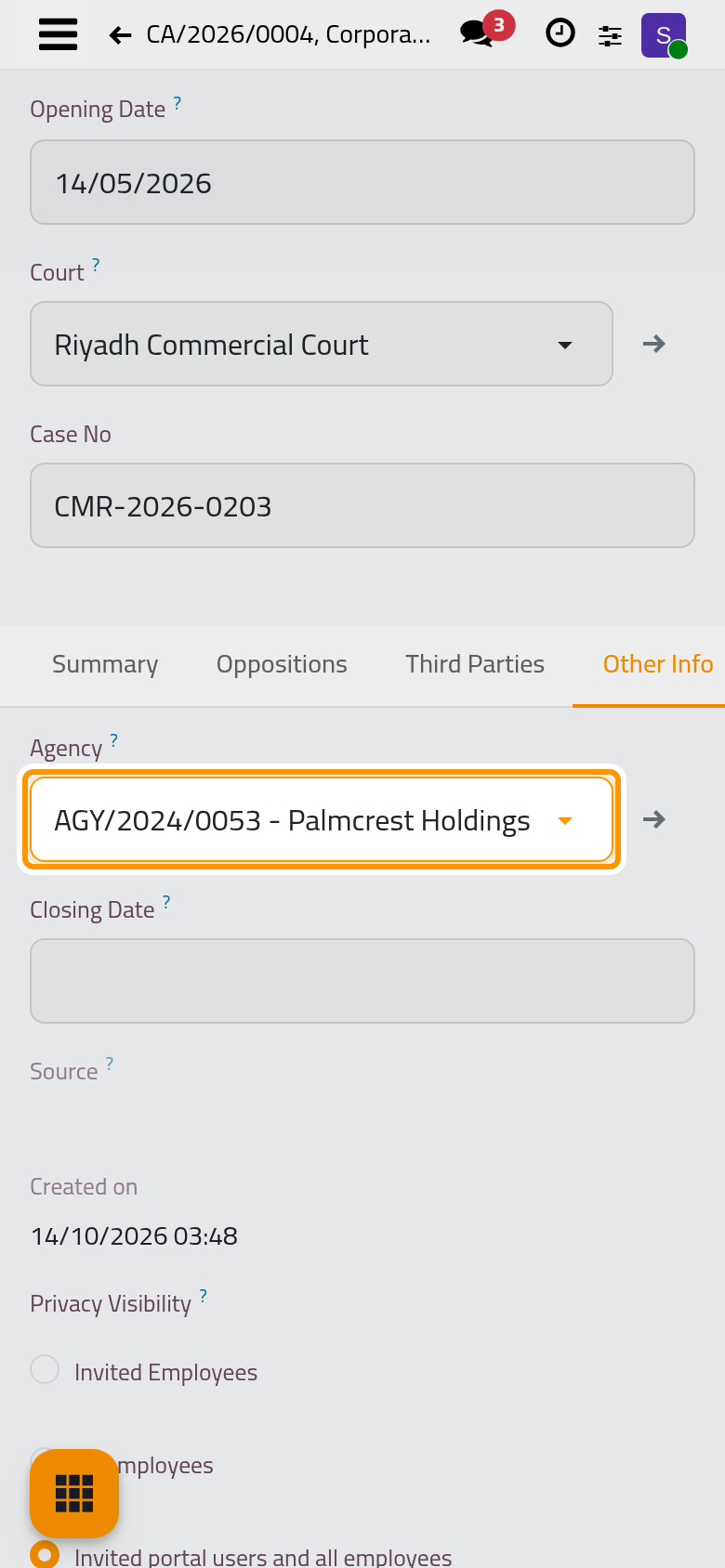
- Click the cloud icon Save manually. The Agency button at the top of the case opens it.
Read the hearing's warning
Open a hearing of the case. A banner at the top says what is wrong, if anything:
- the case names no agency;
- the agency is not valid on the hearing date, with the dates it covers;
- a lawyer of the hearing is not among the agents of the agency.
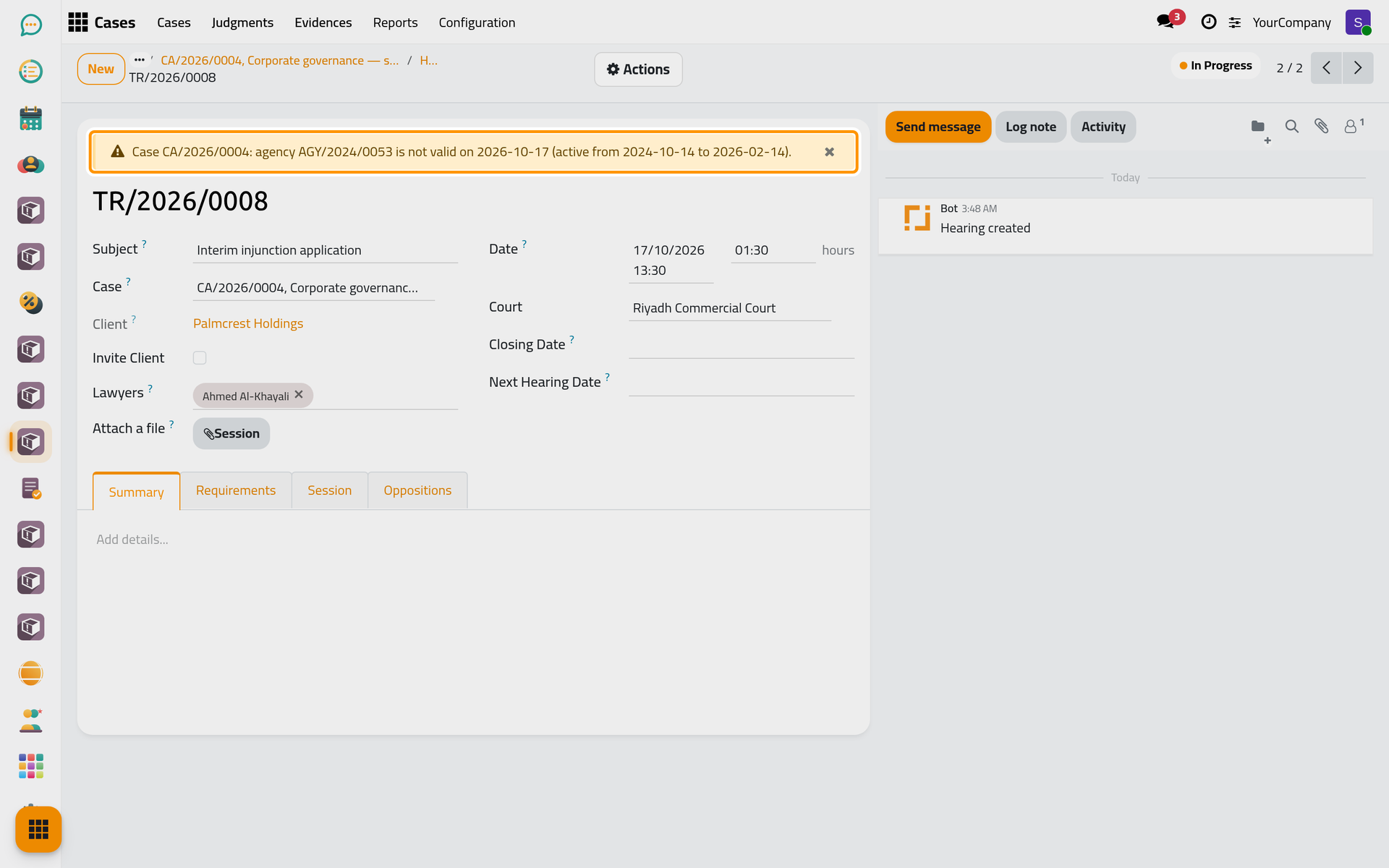
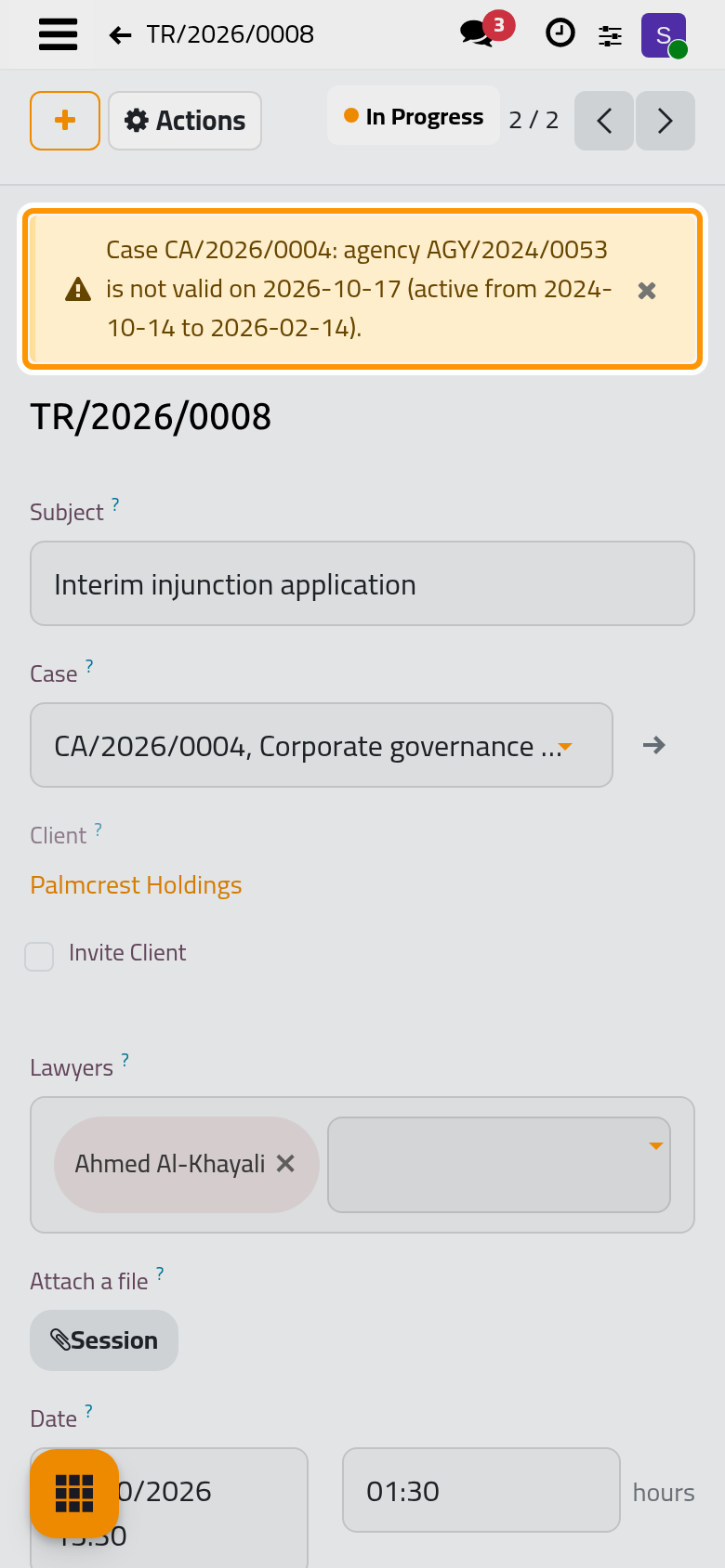
The warning never blocks the hearing. Fix the cause (renew the agency, choose another one, or add the lawyer as an agent), or close the banner with its × when the firm has handled it another way. A closed warning comes back only when the problem changes.
FAQ
The lawyer is named in the agency, yet the hearing warns about the lawyer.
The hearing compares the agents with the contact of each lawyer's user. Check that the agency names that contact, and that the lawyer has a user.
Was this page helpful?
Thank you for your feedback.