How-to
Find a document and who holds it
On this page
The Incoming and Outgoing menus each show one direction; All shows both. The search bar and its filters answer the daily questions: where is this paper, and what is out of the office.
Search
Type in the search bar a number such as INDOC/2026, a word from the Document Name, a contact, a borrower or a word from the Content, then choose what to search in.
List what is out of the office
- Open .
- Open the search panel and choose the Currently Lent filter.
- Under Group By, choose Borrower.
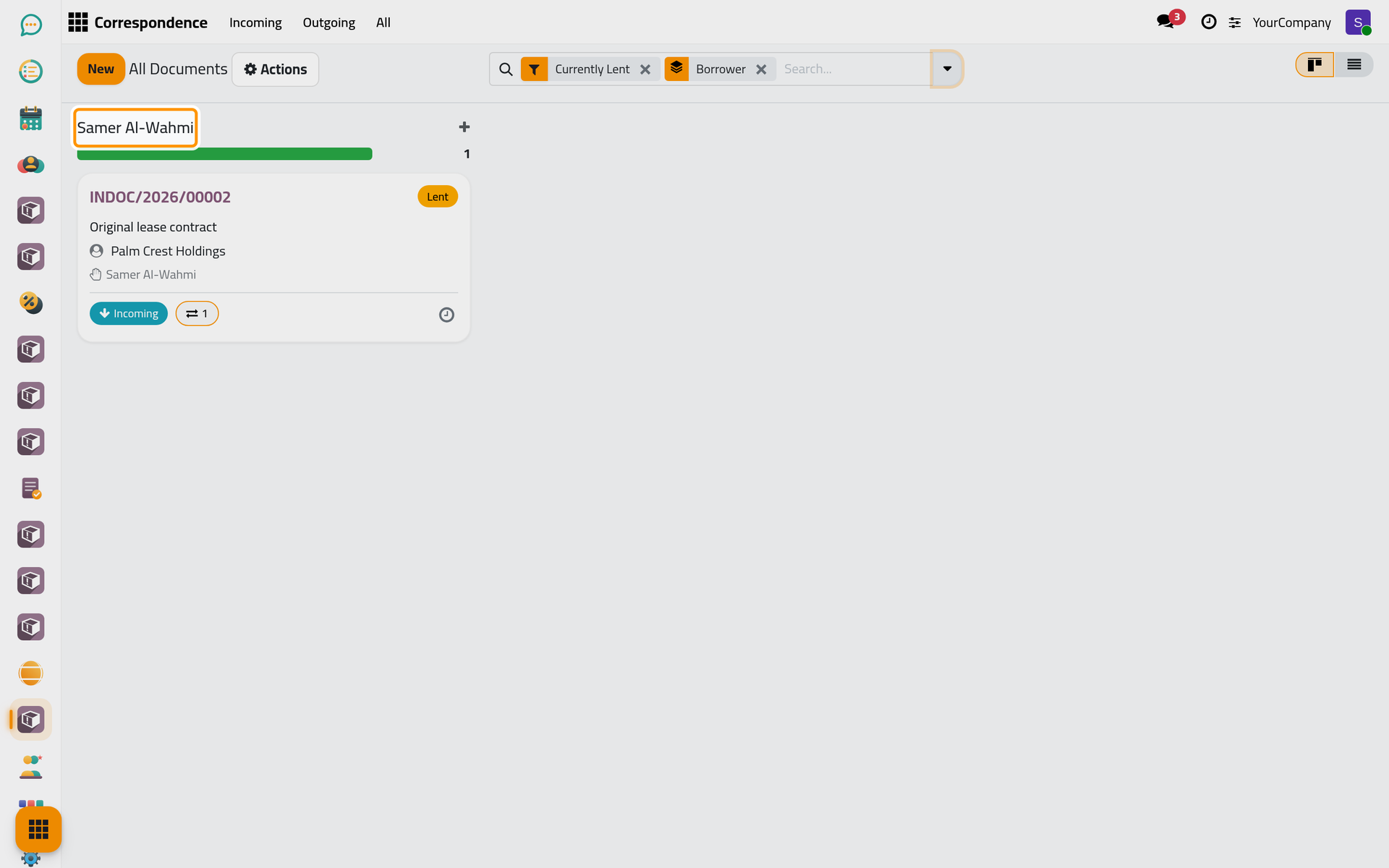
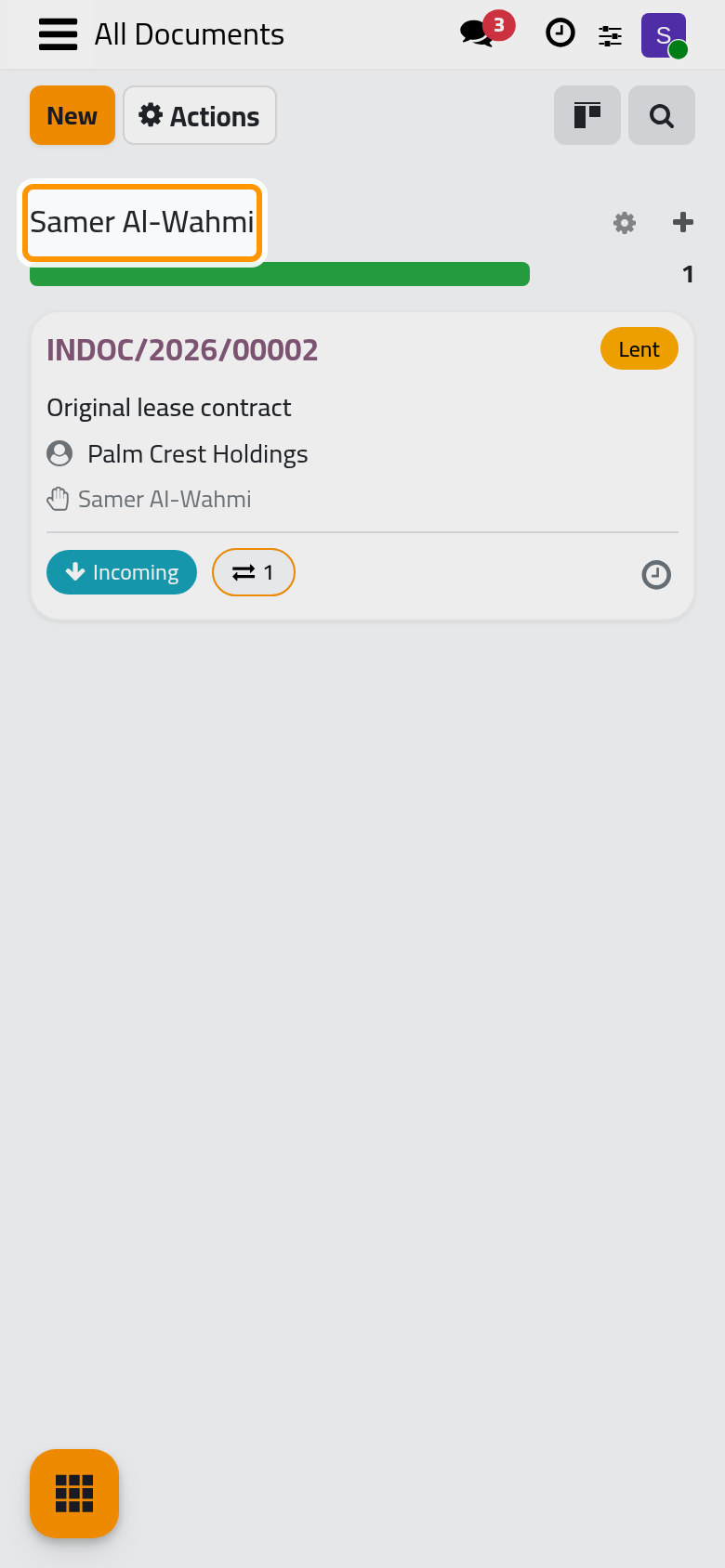
Each group names a borrower and counts the documents they hold. The In Office filter lists the opposite: the registered documents that are in the office.
Other filters
- Draft, Registered, Lost, Damaged and Cancelled keep one status.
- Archived shows the archived documents.
- Group By also offers Direction, Status and Partner.
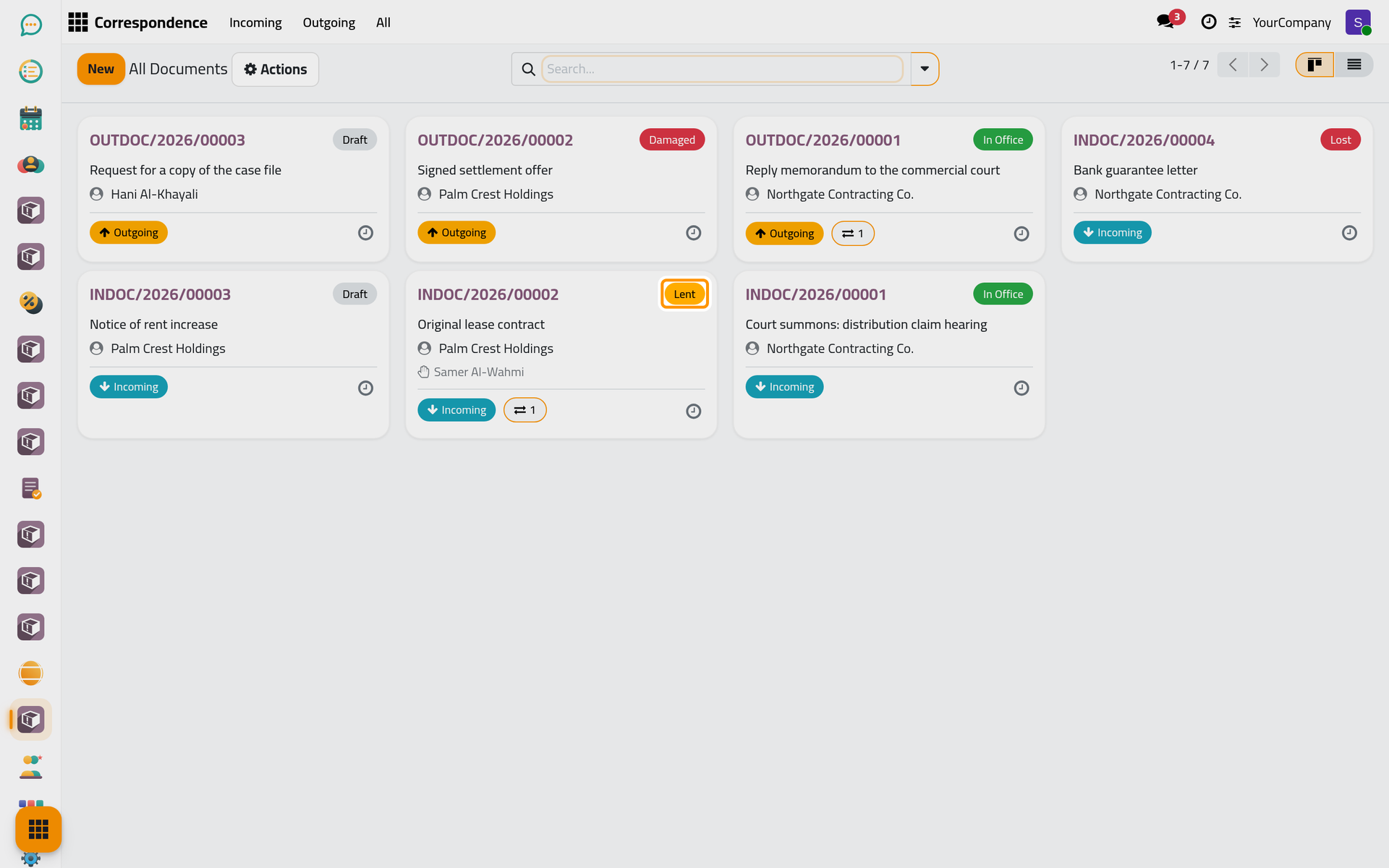
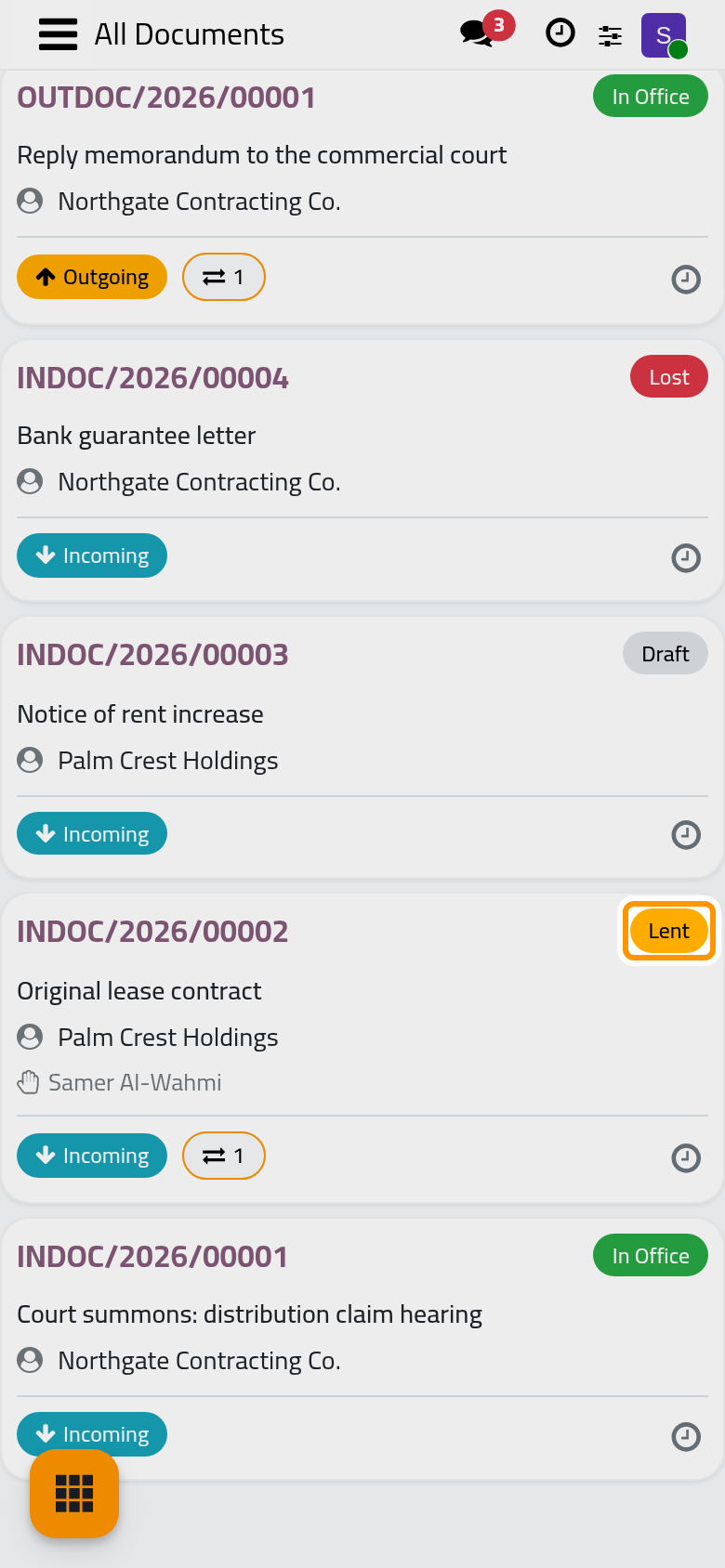
On the cards, a coloured badge gives the status of each document: In Office, Lent, Draft, Lost, Damaged or Cancelled, and a counter shows how many times it was lent.
Was this page helpful?
Thank you for your feedback.