How-to
Bill a case
On this page
Where accounting is installed, a case carries its own billing. Payment Method on the case says how the firm bills it: Total Case for one fee, or Per Hearing.
Before you start
- You need the invoicing rights of accounting besides your level on Cases.
- The fees are billed under the products Case Fees and Hearing Fees, set by default. Change them in , in Case Invoice Product and Hearing Invoice Product.
Steps
- Open the case from . Check its Payment Method.
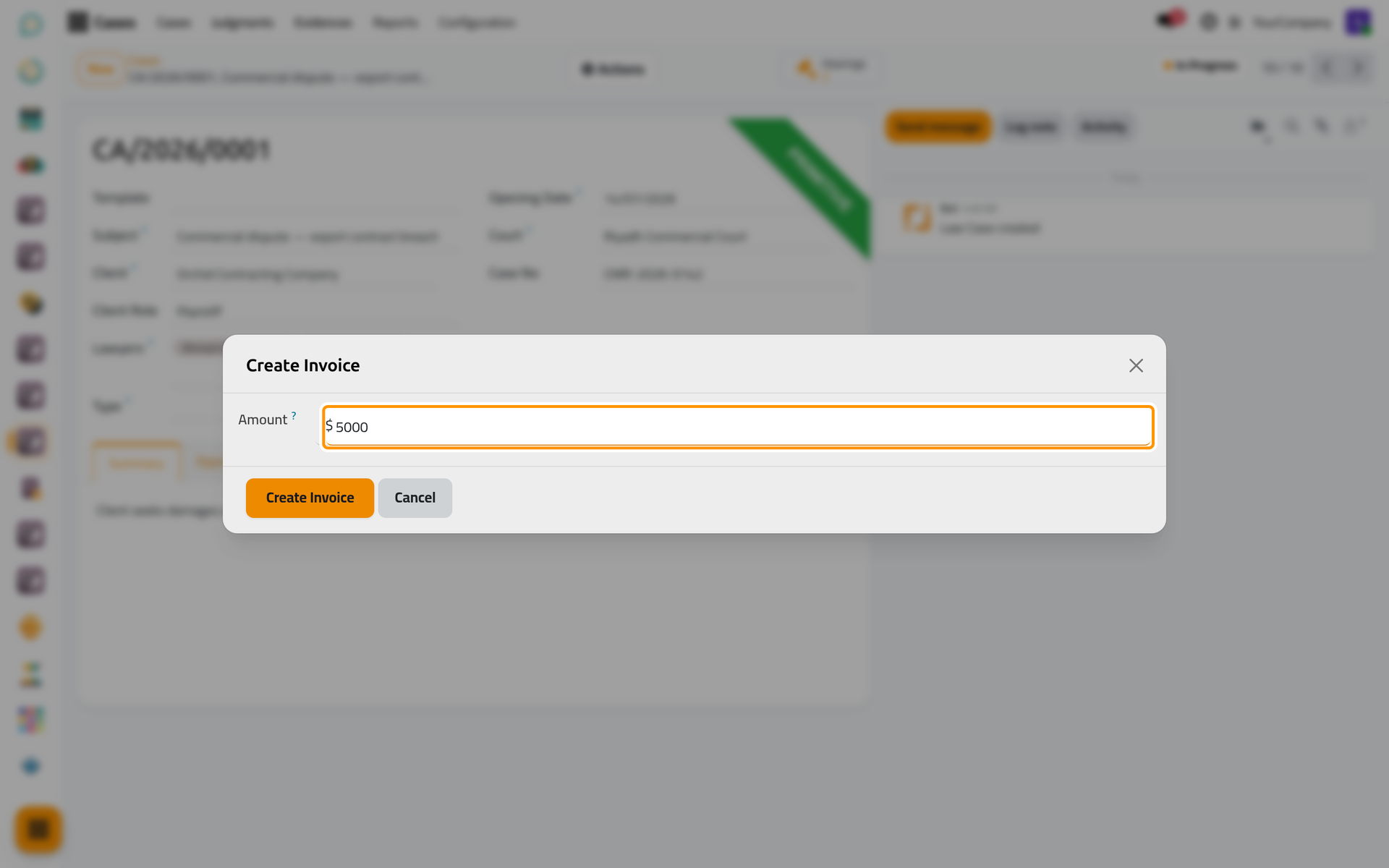
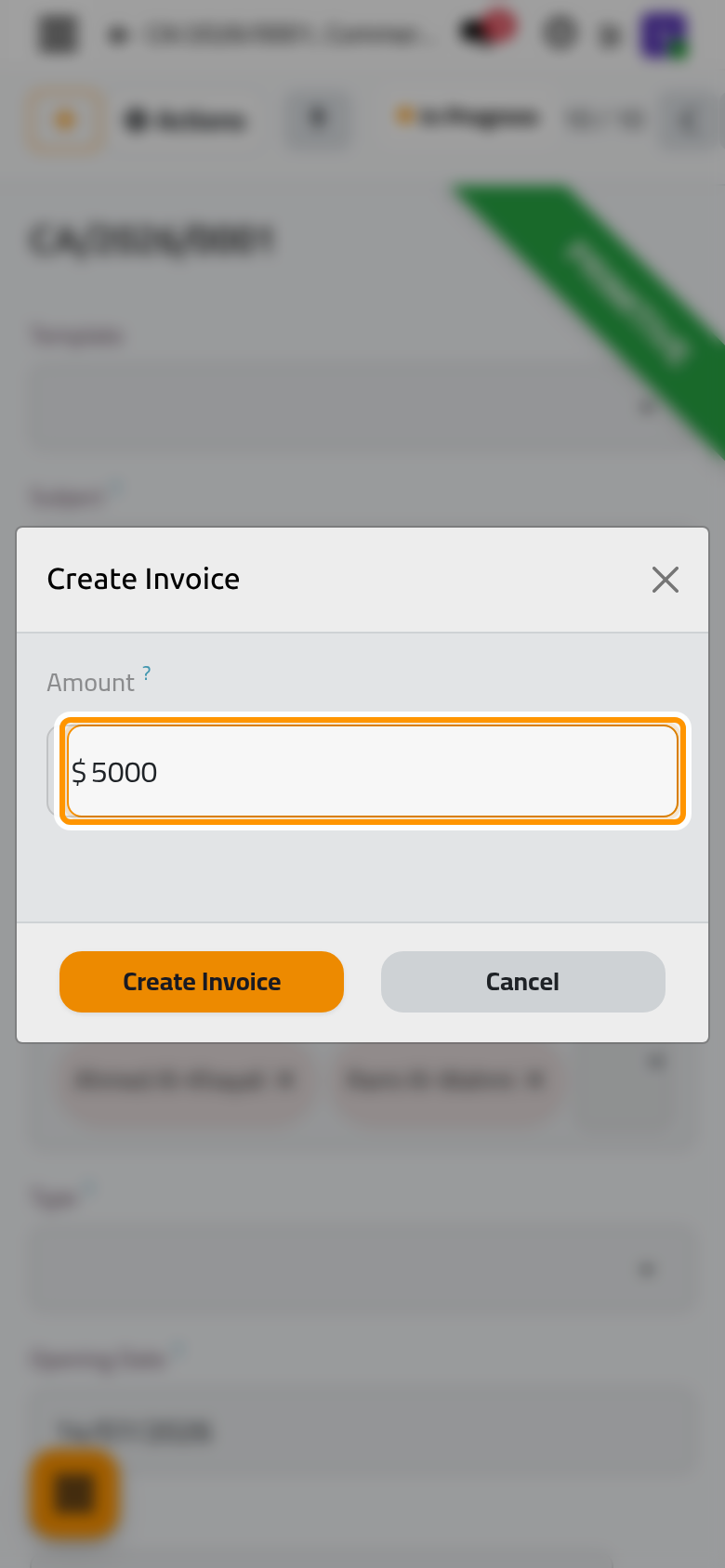
- Open Actions › Create Invoice, type the Amount and click Create Invoice.
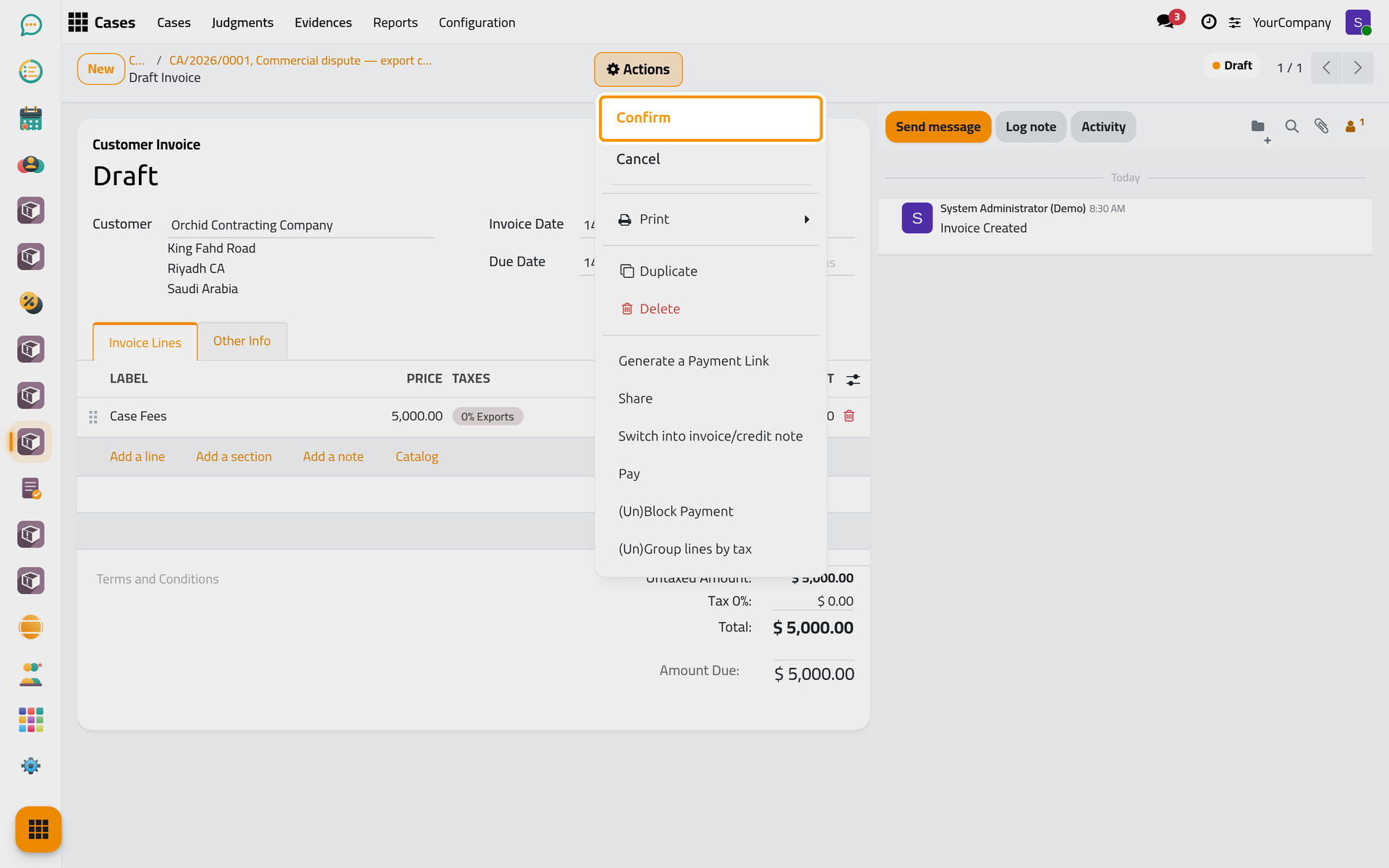
- A draft invoice opens for the client of the case, with the product of its payment method and the amount. Check it, then choose Actions › Confirm.
Follow the billing
The Invoices button of the case opens its invoices; each invoice names its case, and a case can be billed in several invoices, one per hearing for example.
FAQ
Which product does the invoice use?
The product of the case's payment method: Hearing Fees for Per Hearing, Case Fees for Total Case.
Where do I see what the client paid?
On the invoices themselves: each shows its amount due and its payments, and the Invoices button of the case opens them. A payment is registered on the invoice like on any customer invoice of accounting.
Was this page helpful?
Thank you for your feedback.