Record collections and bill the file
On this page
The Financial Execution tab of a file keeps its money: what the judgment awards, what the debtor has paid so far and what remains. The firm then bills its own fees from the same file.
Before you start
- You need the User: Own Documents level or higher on Executions. To create the invoice, you need invoicing rights in Accounting as well as your access to executions.
- The payment methods are listed in : Cheque, Transfer, Cash and Exemption come ready.
Record the amounts
- Open the file and its Financial Execution tab.
- Type the Total Amount the judgment awards and the Reserved Amount, the money the debtor deposited with the court that has not reached the firm yet.
- Under Bank, write where the collections are paid: Bank Name, Recipient Name and IBAN.
Record a payment
Click Add a line and fill in the Payer Name, the Amount, the Paid Date and the Payment Method; attach the receipt or the cheque in Payment Document. Save the file.
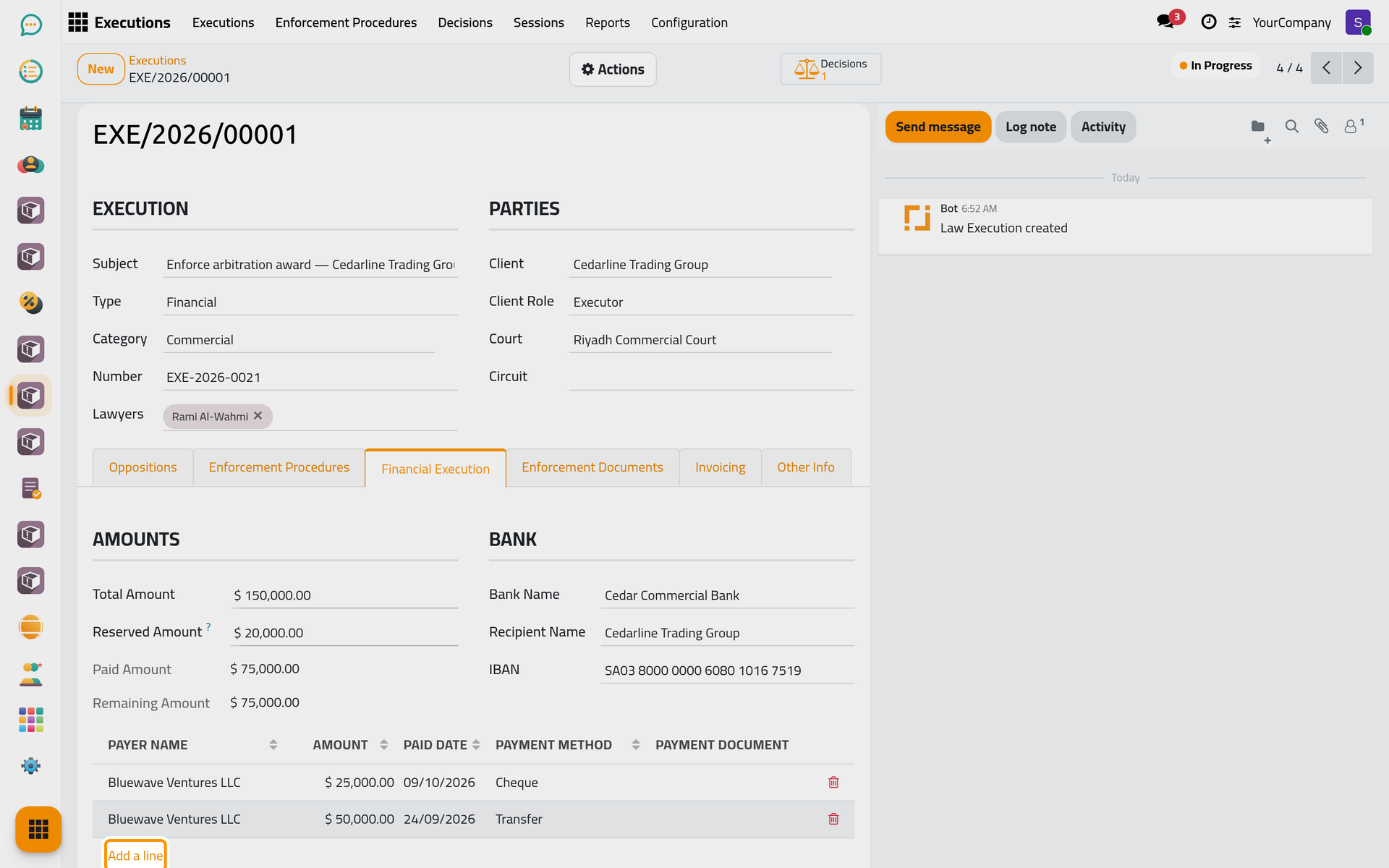
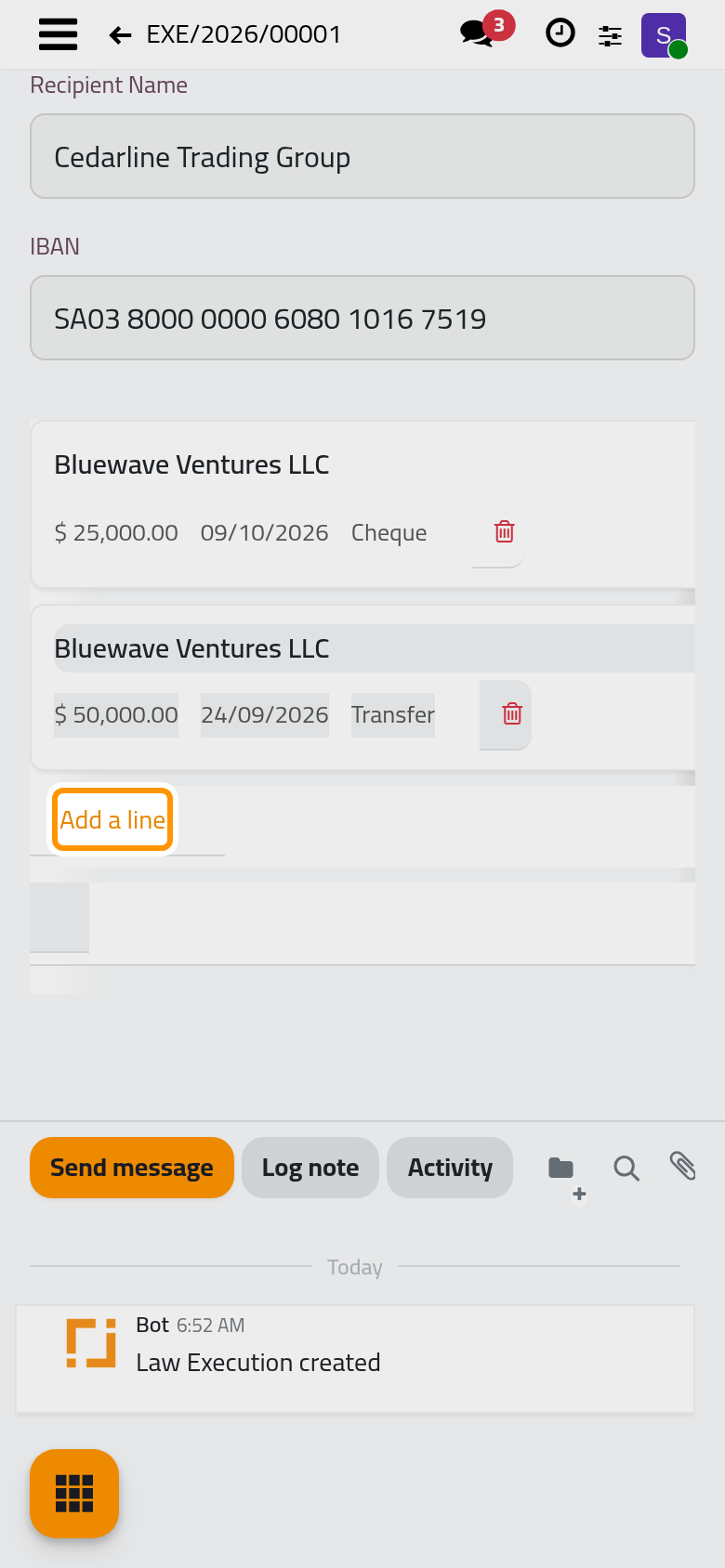
The file adds up the lines in Paid Amount and shows the rest in Remaining Amount. For a financial file, Actions › Financial Report prints the amounts and every payment.
Bill the file
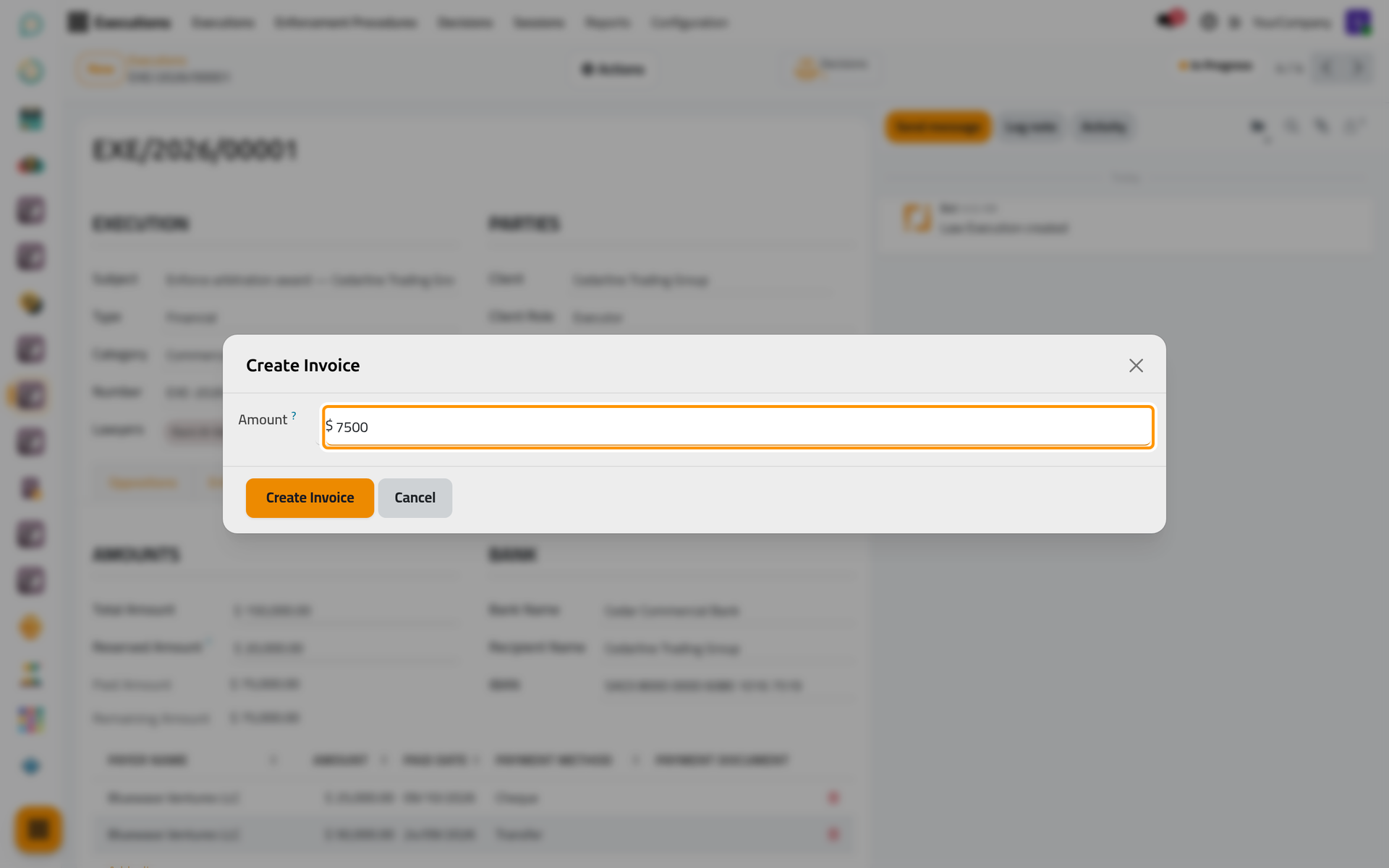
- Click Actions › Create Invoice. It appears once the file is past the draft and is not rejected.
- Type the Amount of the fees, before tax, and click Create Invoice.
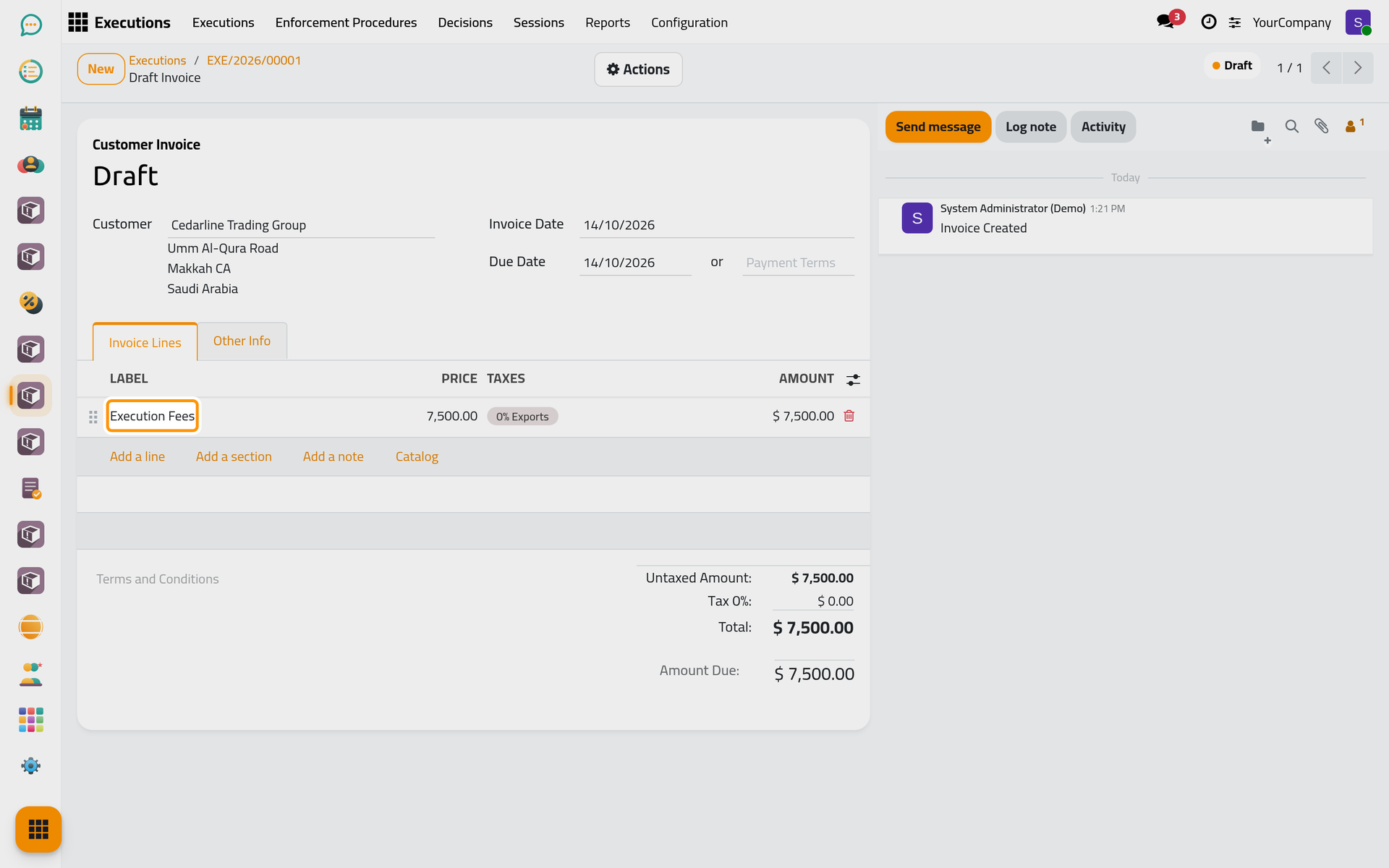
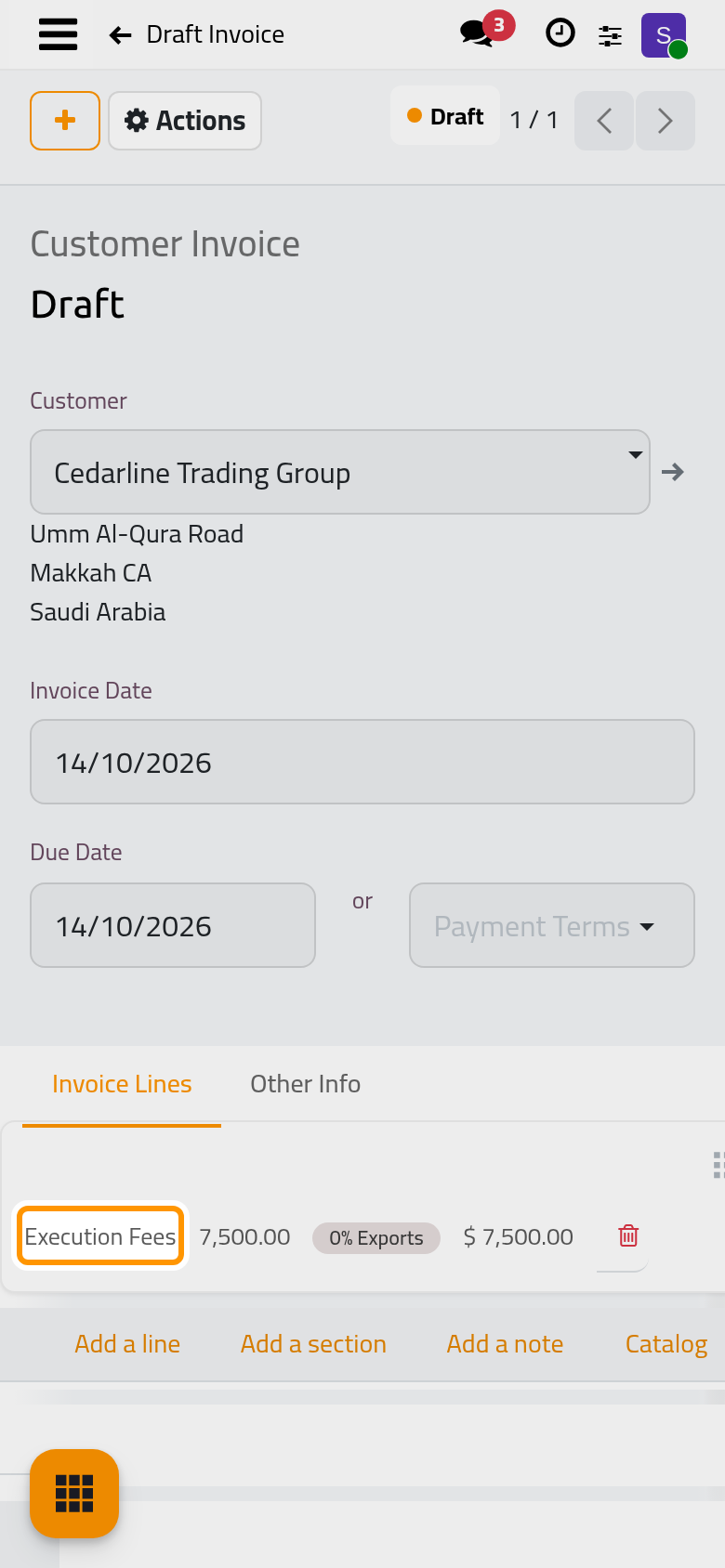
- The draft invoice opens with an Execution Fees line for the file's client. Check it and confirm it from its Actions.
The Invoices button of the file opens its invoices, and the Invoicing tab shows what was invoiced and what is still unpaid.
FAQ
Create Invoice asks me to set a product.
The invoice line uses the Execution Invoice Product. Choose it in , or ask the person who manages the settings.
Was this page helpful?
Thank you for your feedback.