How-to
Print a work document
On this page
Two printouts are offered on every document: the Work Document, which presents the work with its status, and the Content, which prints the body alone on the company's letterhead.
Before you start
- Any user who sees the document can print it.
Steps
- Open the document from , then open the Actions menu.
- Under Print, choose Work Document or Content.
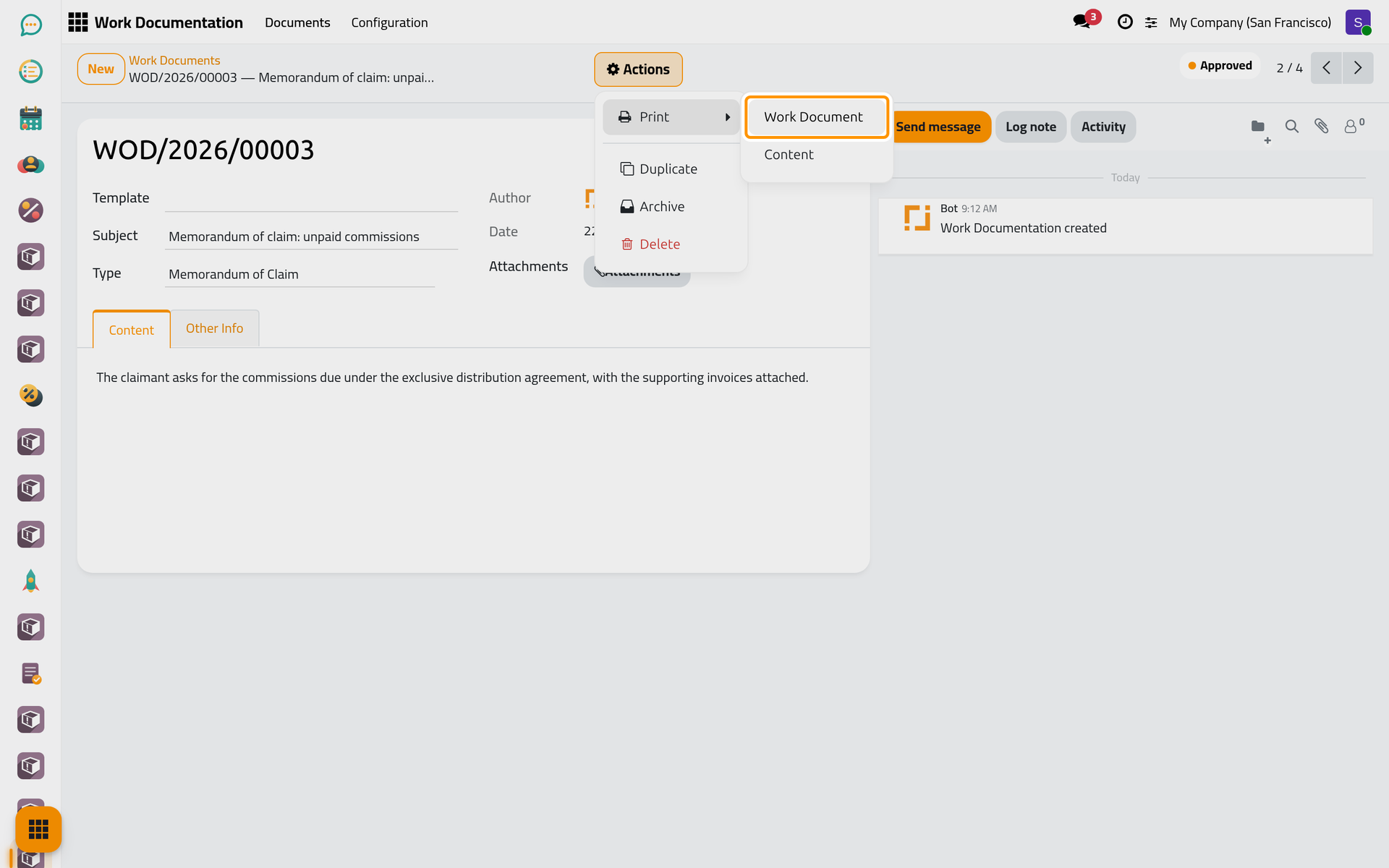
On a phone the same Actions button sits in the bar at the top of the form; the picture shows the desktop.
- The PDF is downloaded; open it and print it.
What each printout holds
| Printout | Holds |
|---|---|
| Work Document | The number of the document as heading; a sentence naming the subject, the type, the author and the date; the Status; who processed it, that is the user who approved or rejected it; the Rejection Reason when the document was rejected; then the body under Work Description. |
| Content | The body alone, between the company's header and footer. |
Files added in Attachments are not part of either PDF. When some of them are PDFs, the Work Document printout says so in a note; send the files alongside.
FAQ
Why does "Processed by" say System?
No user changed the status of that document in Jaah: it was created with its status already set, by an import for example. A document approved or rejected here names the user who did it.
Was this page helpful?
Thank you for your feedback.