Submit and approve an expense
On this page
- Before you start
- Record the expense
- Send it for approval
- Approve or reject it
- Register the payment
- FAQ
- Send says no expense officer is configured.
- Approve asks for the supplier's tax ID.
- Approve says an employee is needed.
- Can an approved or rejected expense be changed?
- Where do the expenses count at closing?
Fuel, a car wash, a parking ticket: the costs a distributor pays on the road are recorded as his expenses, sent for approval, then paid. These expenses have their own screen and approval in Distributors; an approved one becomes a vendor bill or an employee expense.
Before you start
- The Expense Officer of Distributors settings must be set, or Send stops with "No expense officer is configured in system settings."
- A distributor records and sends his own expenses; his Expense Officer or a Distributor Manager approves them.
- The lines take products marked Expense Product, such as Fuel in the demo.
Record the expense
- Open and click New. The Type is Distributor; a manager can choose Branch for a cost of the branch itself.
- Choose the Distributor, the Supplier and the Date, and attach the receipt in Attachment.
- Tick On Tax Declaration when the cost comes with a tax invoice from a supplier that has a tax ID: the approval then creates a vendor bill.
- In Invoice Lines, add the product, the Qty and the Price, here Fuel at 25.00.
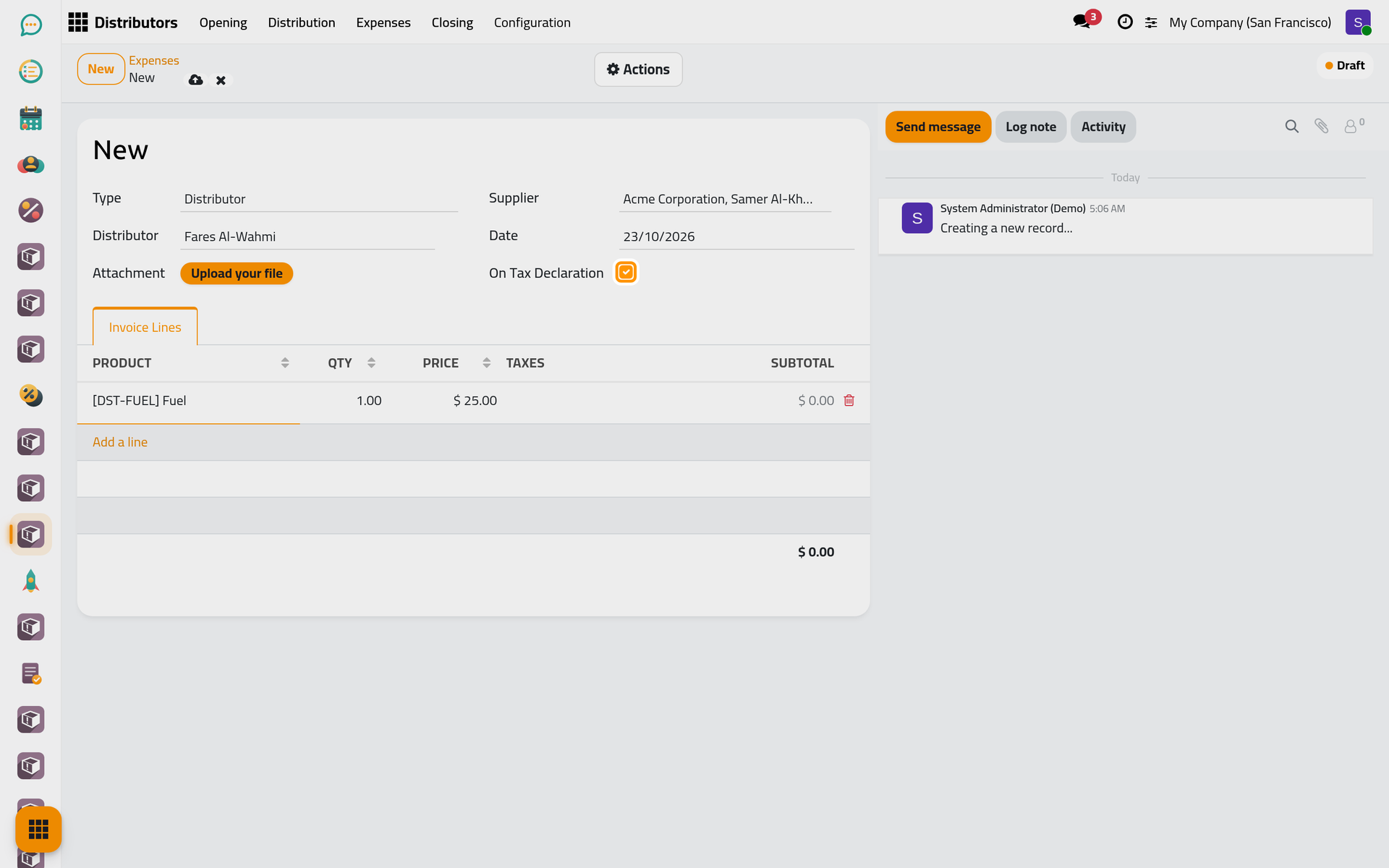
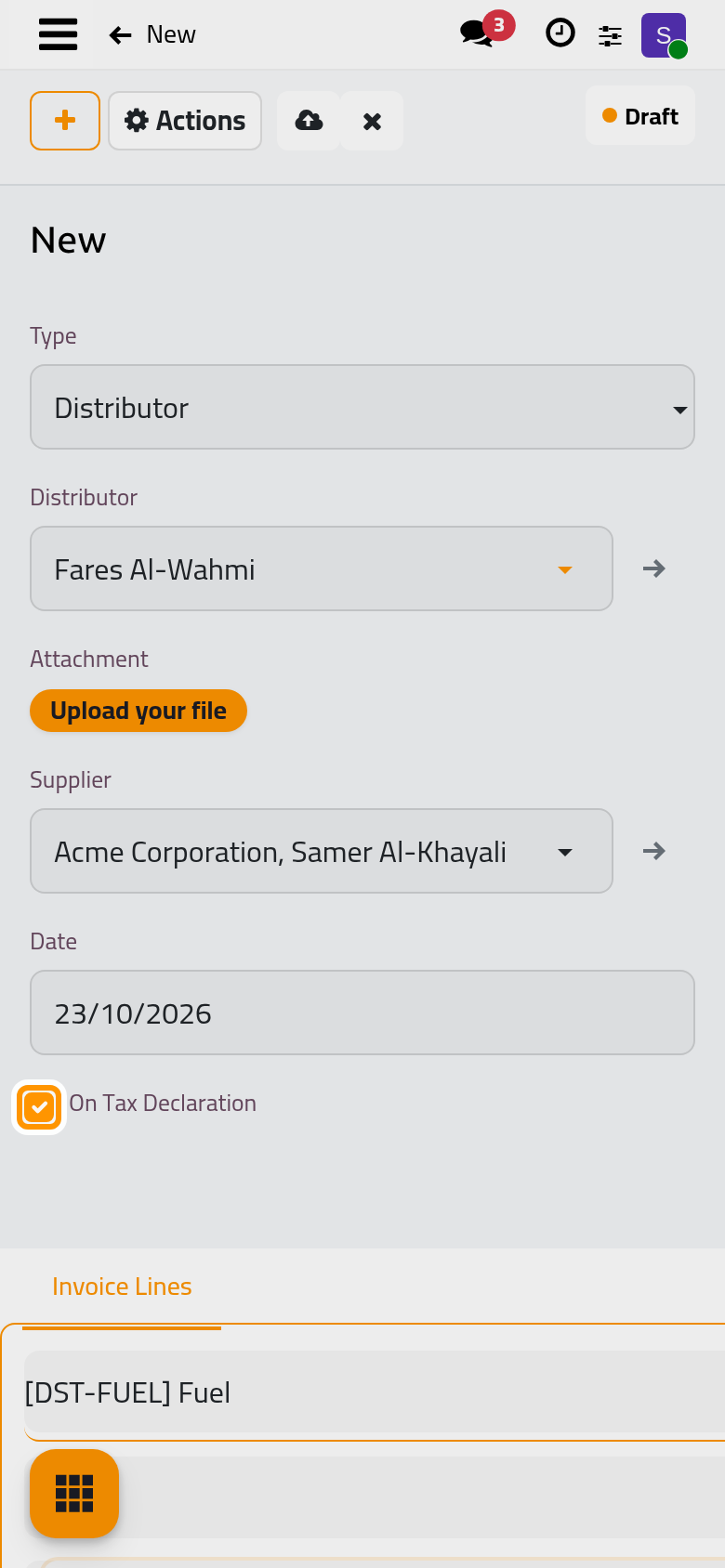
- Click Save manually.
Send it for approval
Open the Actions menu and choose Send. The expense becomes Sent, and a to-do Expense Approval Required is scheduled for the distributor's expense officer; for a branch expense, for the officer of the settings.
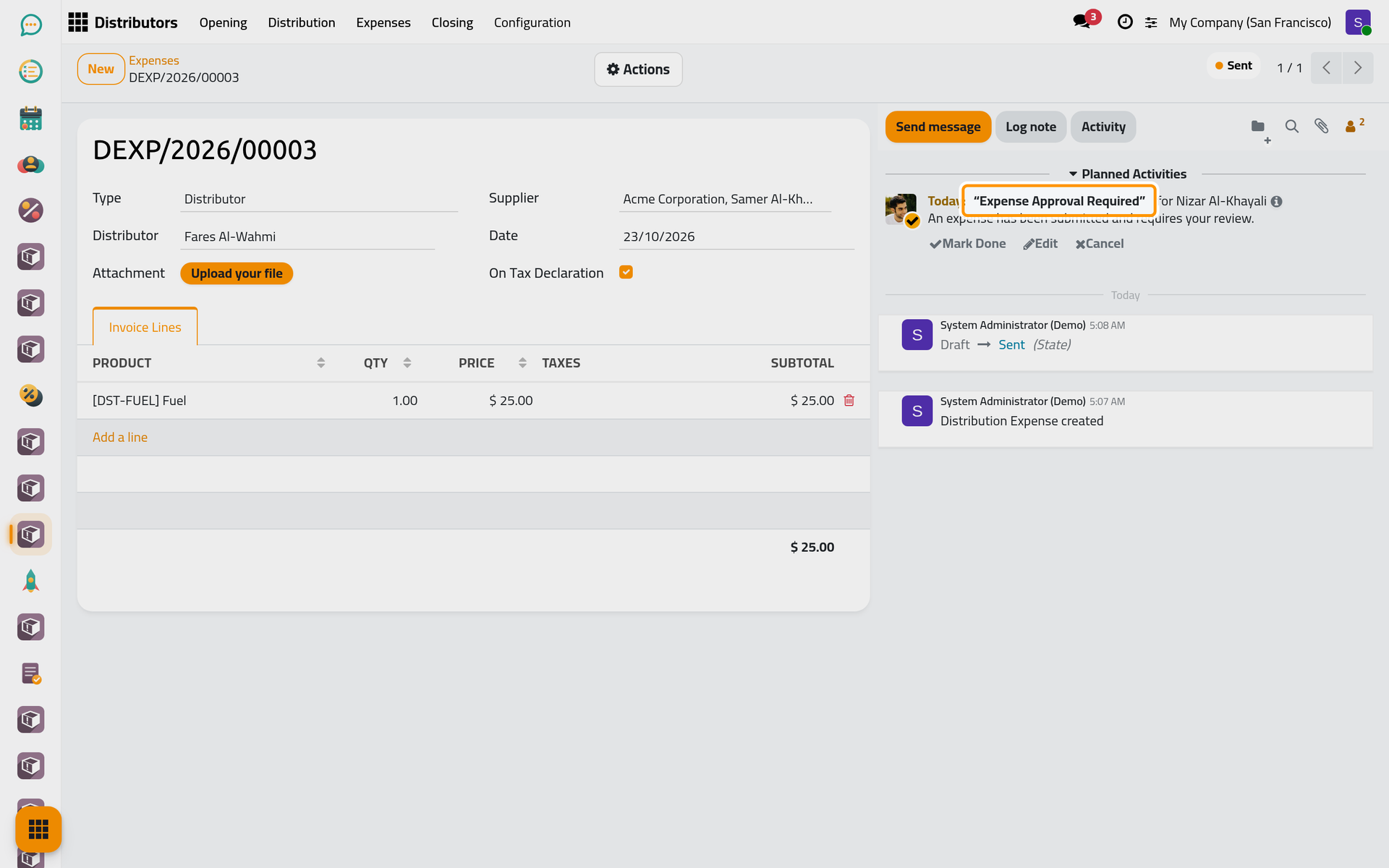
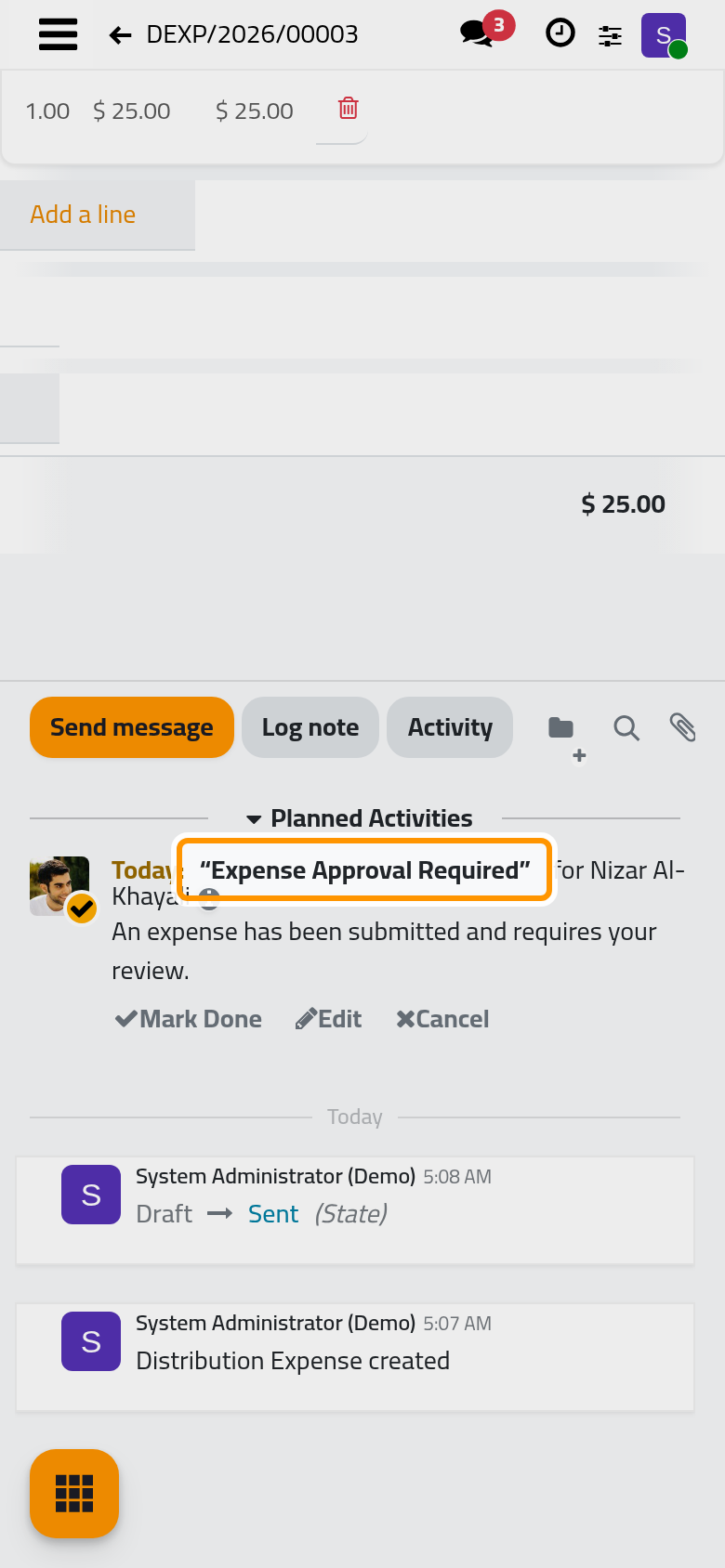
Approve or reject it
Approve, in the Actions menu, marks the to-do done and turns the expense Approved.
- With On Tax Declaration, it creates a draft vendor bill to the supplier, opened by the Bills counter. It refuses when the supplier has no tax ID or when a product is not marked On Tax Declaration.
- Without it, it creates one employee expense for the employee of the distributor's user, or for yours when he has none, opened by the Expenses counter.
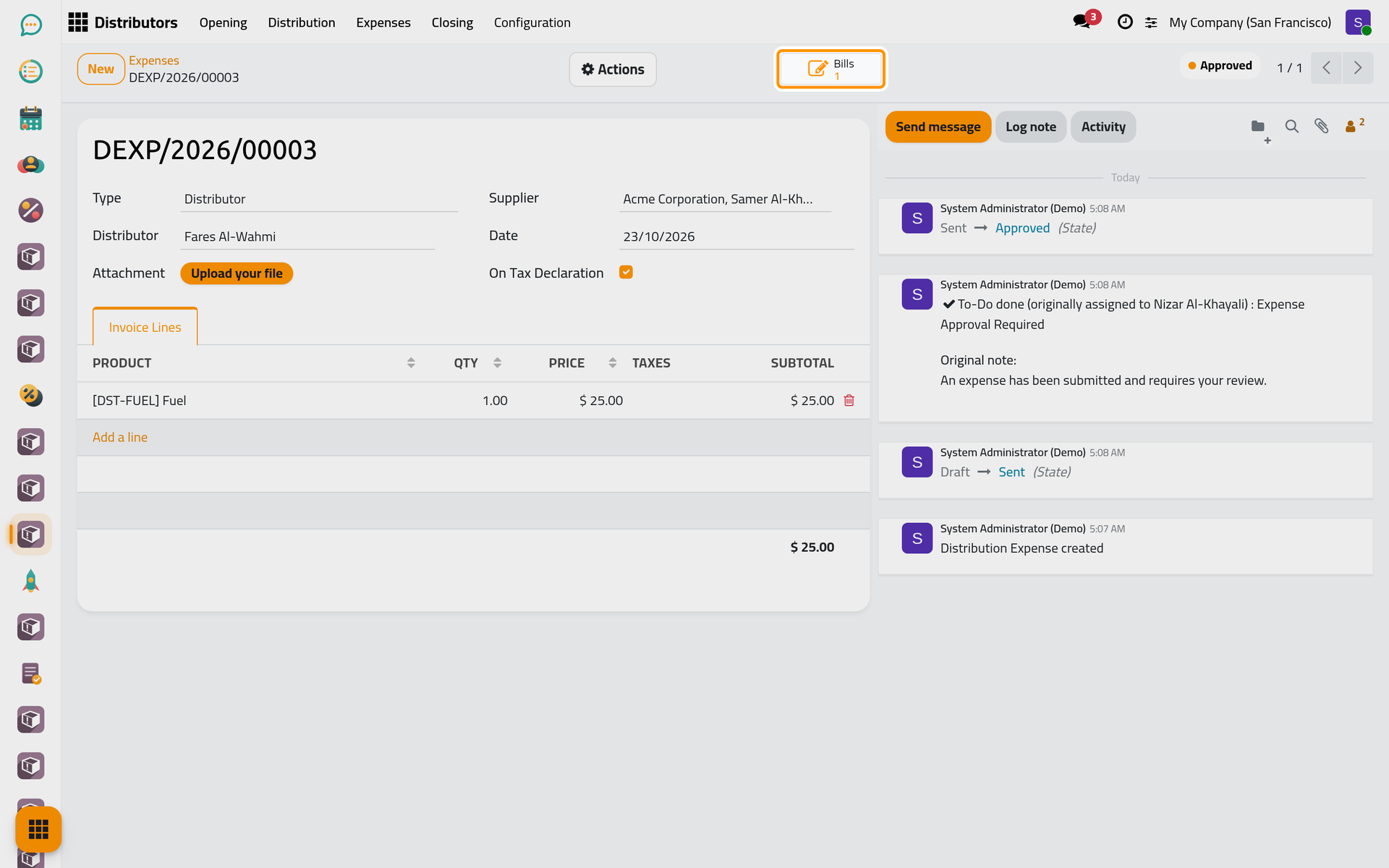
On a phone, the counters sit behind the lightning button of the form.
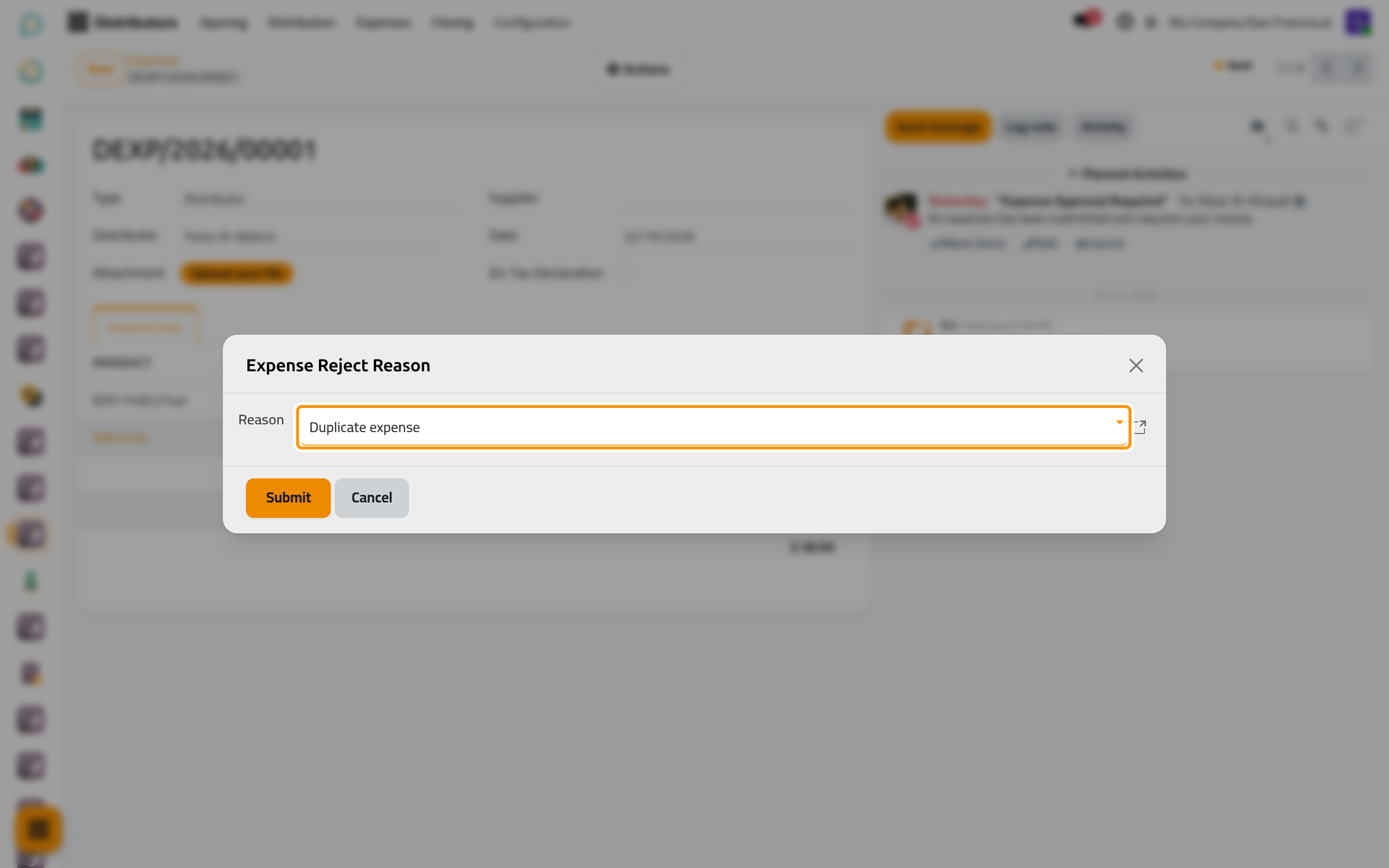
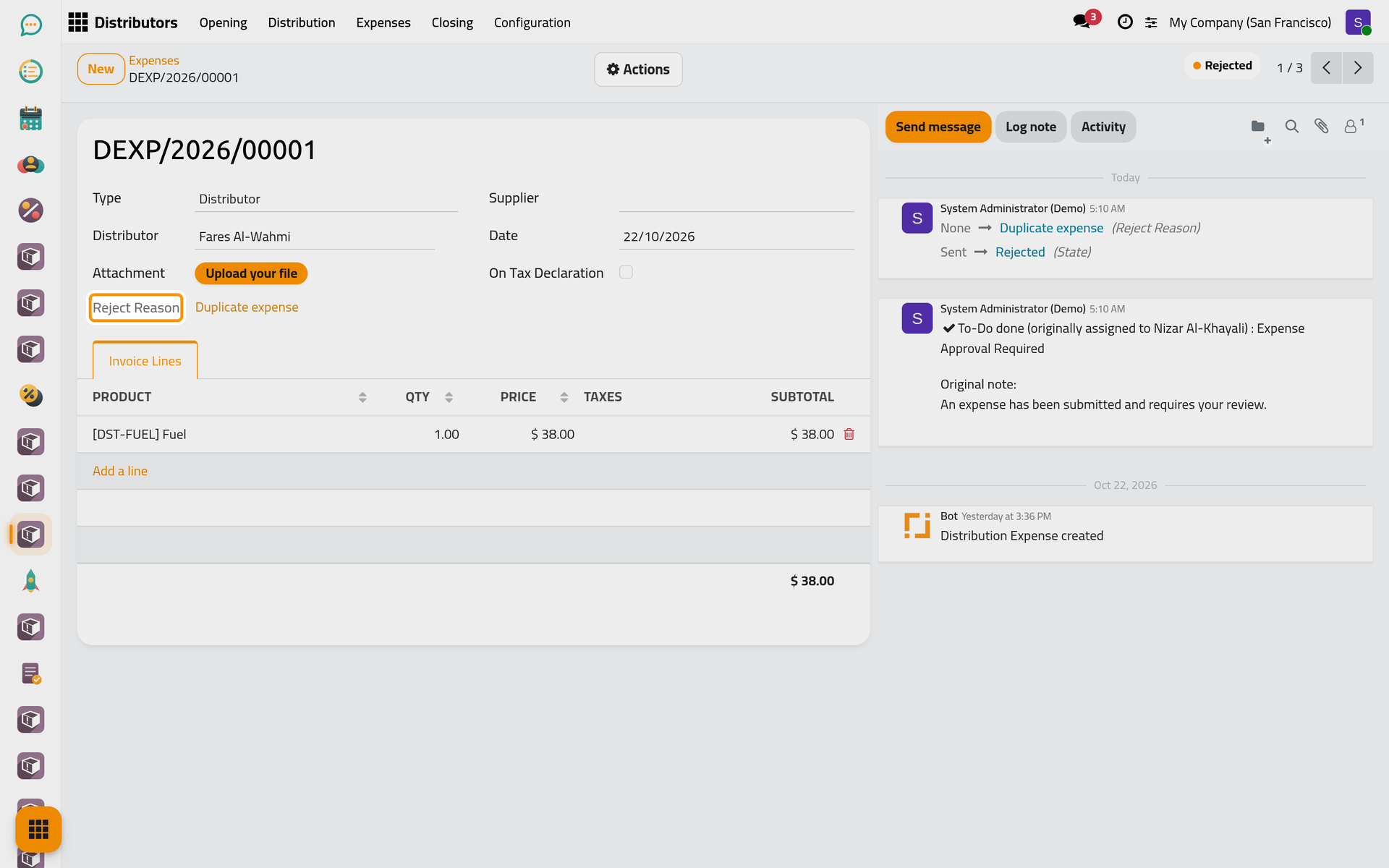
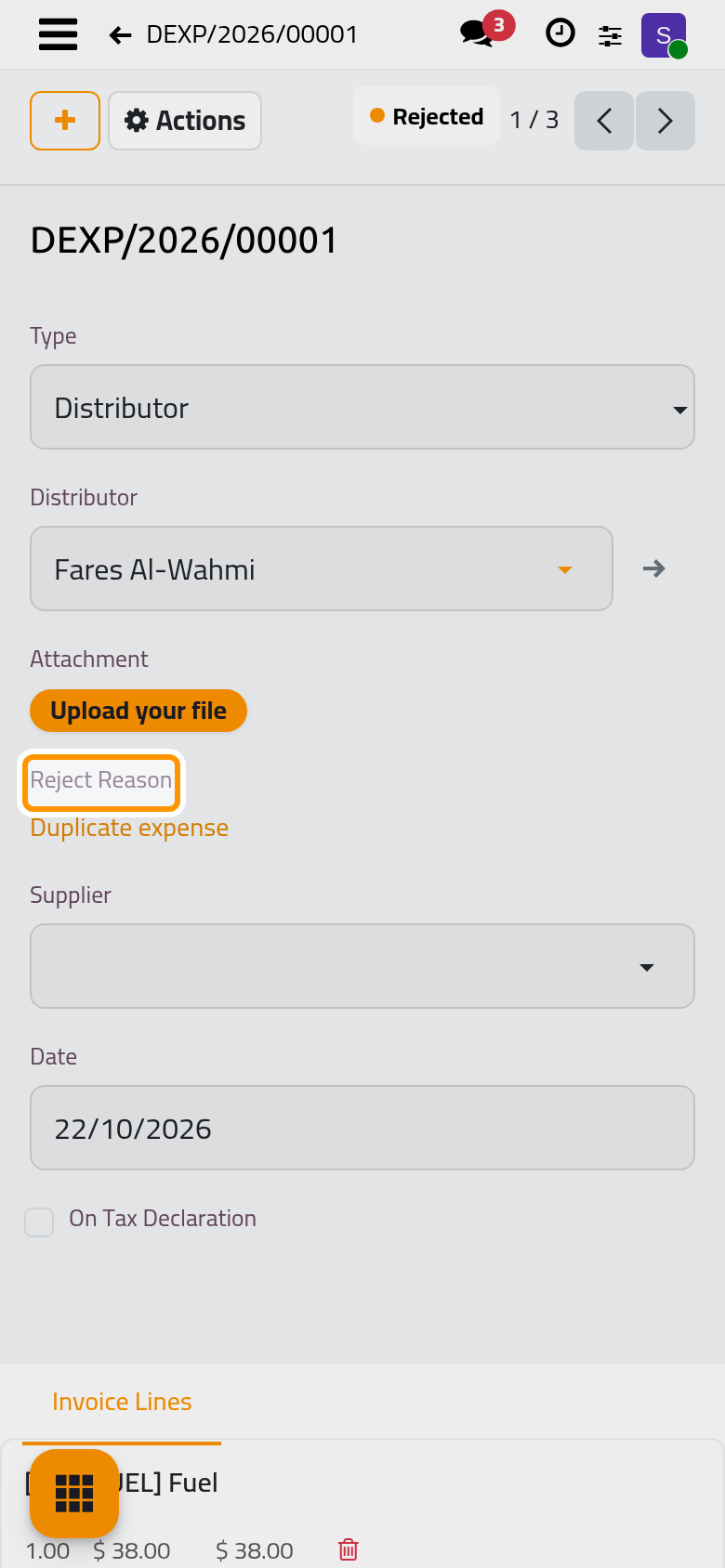
Reject asks for a Reason, chosen from . Submit marks the to-do done, turns the expense Rejected and shows its Reject Reason.
Register the payment
- Choose Register Payment in the Actions menu of an approved expense. Check the Payment Date and choose the Payment Journal, a bank or cash journal.
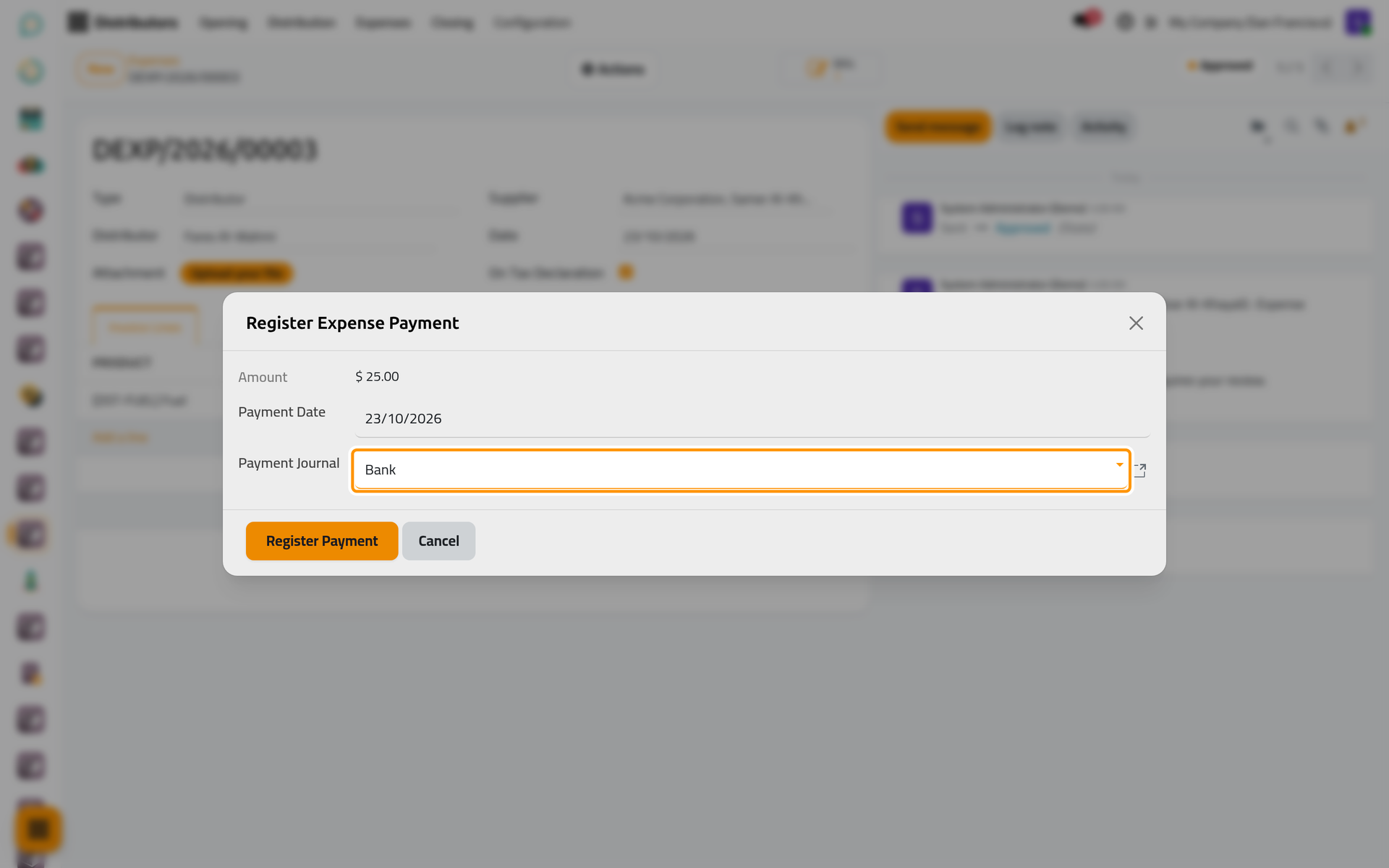
On a phone, the dialog opens full screen with the same fields and buttons.
- Click Register Payment. The expense becomes Paid and keeps the date and the journal.
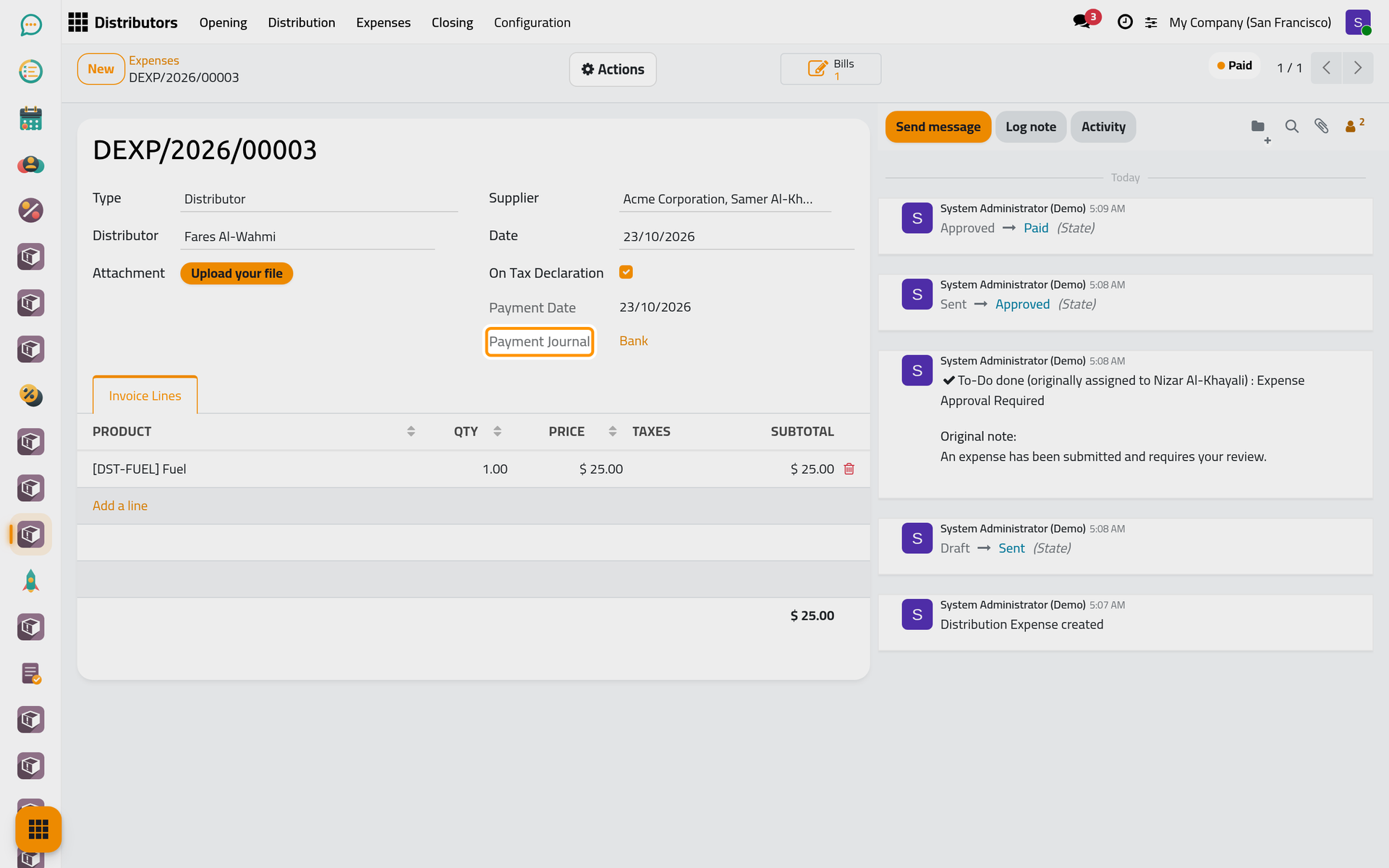
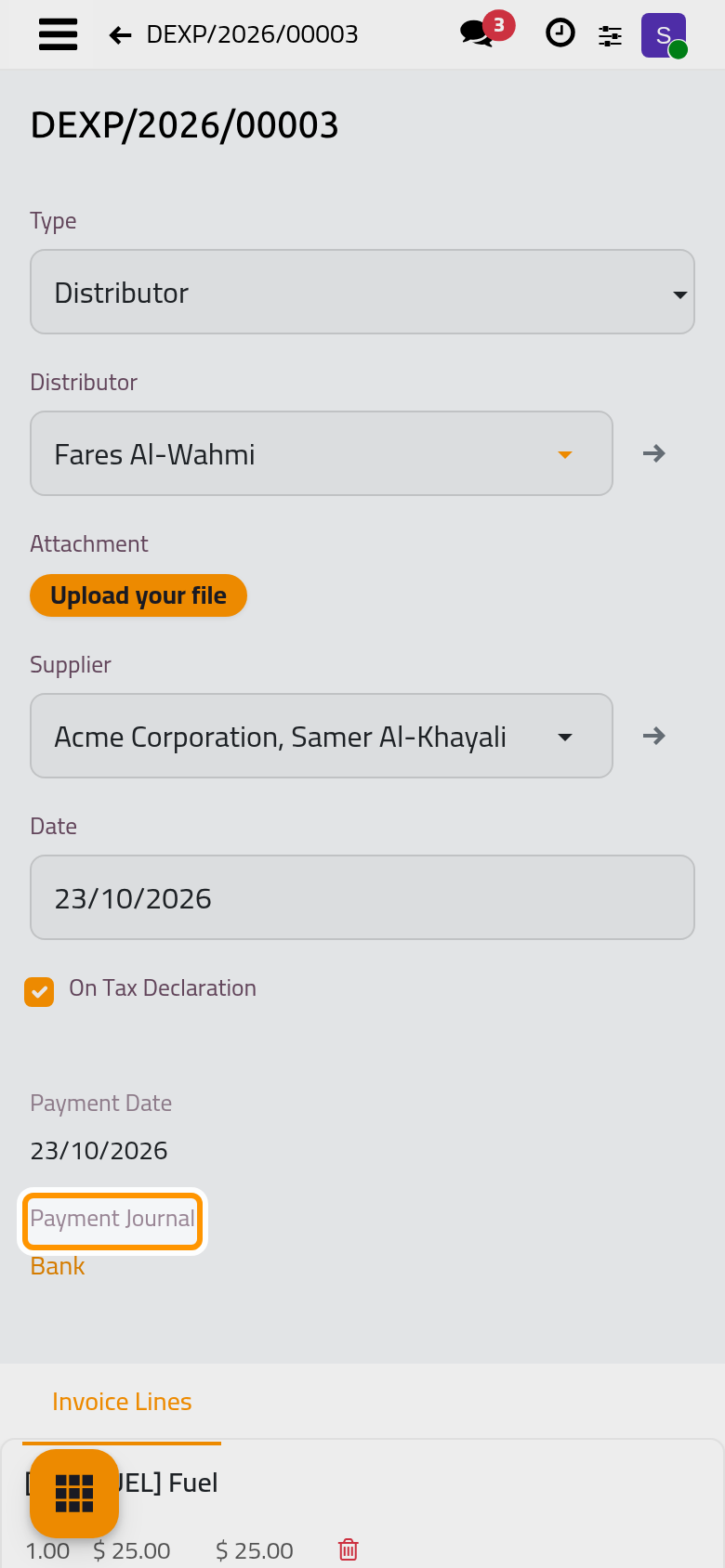
With a vendor bill, the bill is posted on the payment date and paid in full from that journal. The bill takes the taxes of the product, so its total can be higher than the Amount the dialog shows. With an employee expense, nothing is posted here: the reimbursement follows the Expenses app, see Vendor bills and expenses.
FAQ
Send says no expense officer is configured.
Set the Expense Officer in Distributors settings. The officer chosen on each distributor does not replace it.
Approve asks for the supplier's tax ID.
An expense On Tax Declaration needs a supplier with a tax ID and only products marked On Tax Declaration. Choose another supplier, or untick the option to create an employee expense instead.
Approve says an employee is needed.
Without On Tax Declaration, the approval creates an employee expense, which belongs to an employee. Link an employee to the distributor's user or to yours.
Can an approved or rejected expense be changed?
A Distributor Manager can choose Reset to Draft: the vendor bill or the employee expense is removed or cancelled, and the expense goes back to draft.
Where do the expenses count at closing?
The Expenses tab of the closing lists the expenses of the round with the draft, rejected and approved totals. Approved Expenses (approved and not yet paid) is taken off the cash the distributor is expected to hand in; an expense already Paid is no longer counted there.
Was this page helpful?
Thank you for your feedback.