Capture, void or refund an online payment
On this page
When Capture Amount Manually is on (on by default for Tamara, a choice for Moyasar), the client's money is first authorized: held on the card or by Tamara, not yet taken. The invoice then waits for your decision, capture or void. A payment already taken can still be refunded.
Before you start
- You need the Invoicing access right on Accounting for all documents, or Administrator.
- Capture, void and refund are sent to the provider at once. With test keys nothing real moves; with live keys they move the client's money.
Find a payment waiting for a decision
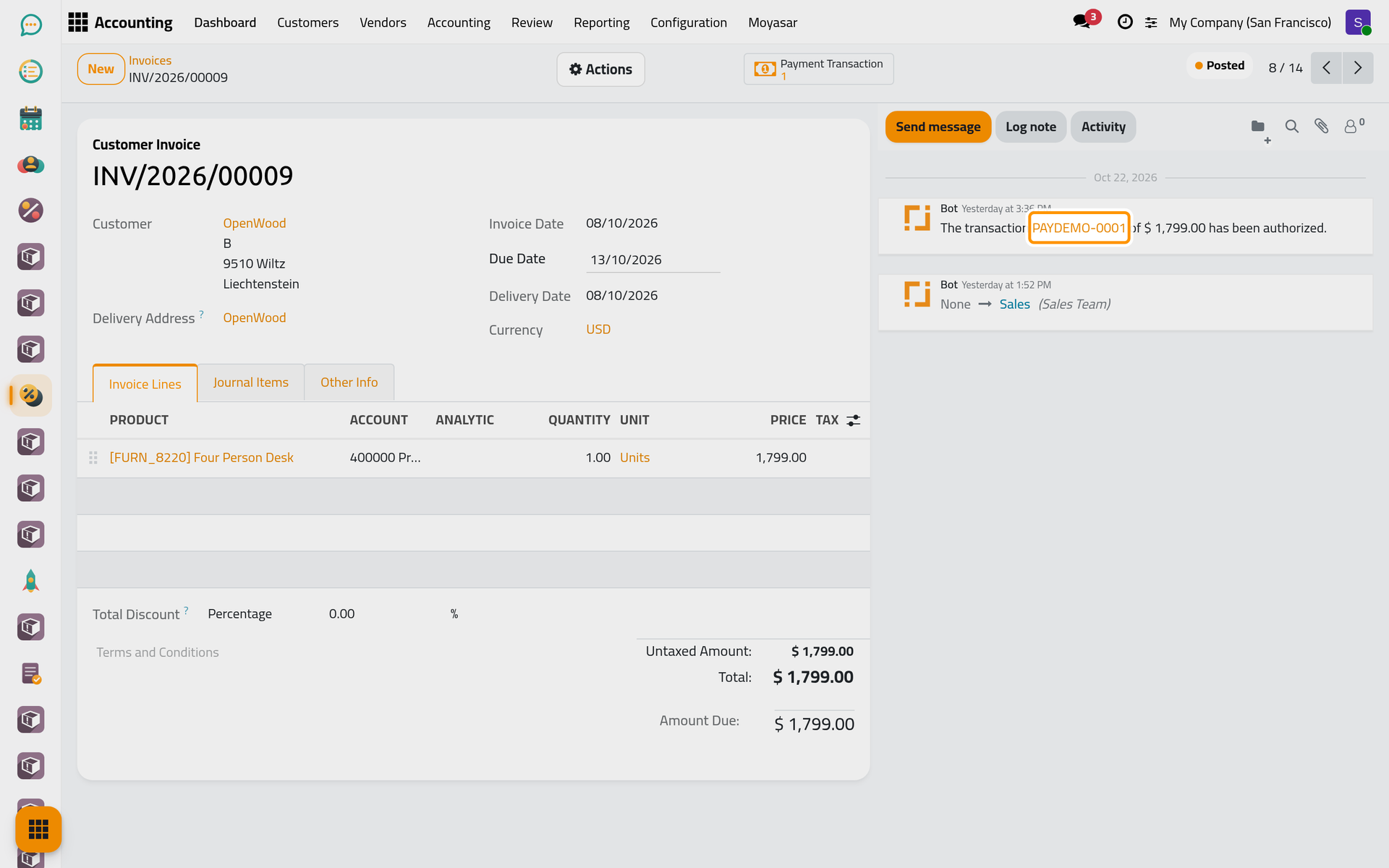
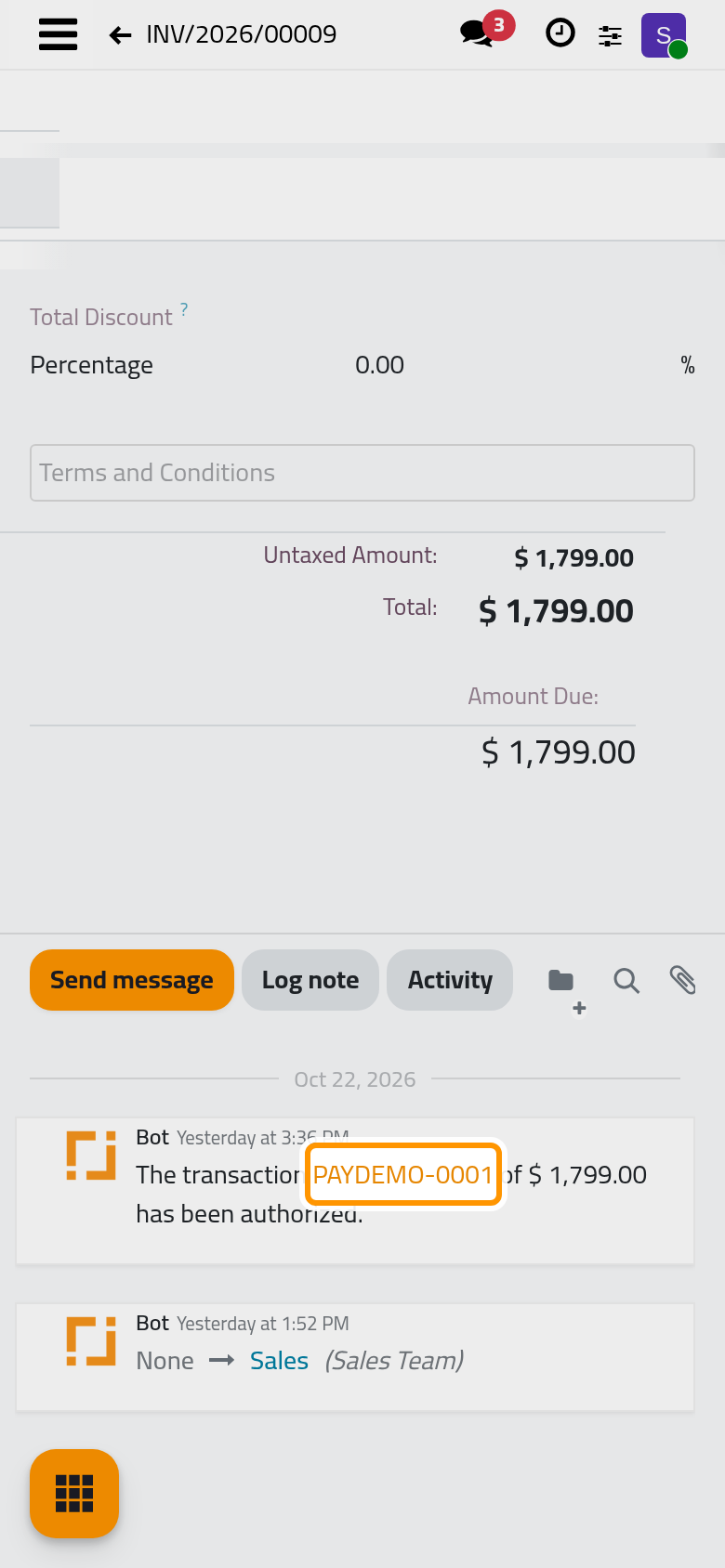
Open and open the invoice, INV/2026/00009 in the example. The chatter says that the transaction PAYDEMO-0001 has been authorized, and the invoice is still not paid.
Capture or void
Open the Actions menu: while a transaction is authorized on a posted invoice, it offers Capture Transaction and Void Transaction. On a phone, the same menu sits at the top of the form.
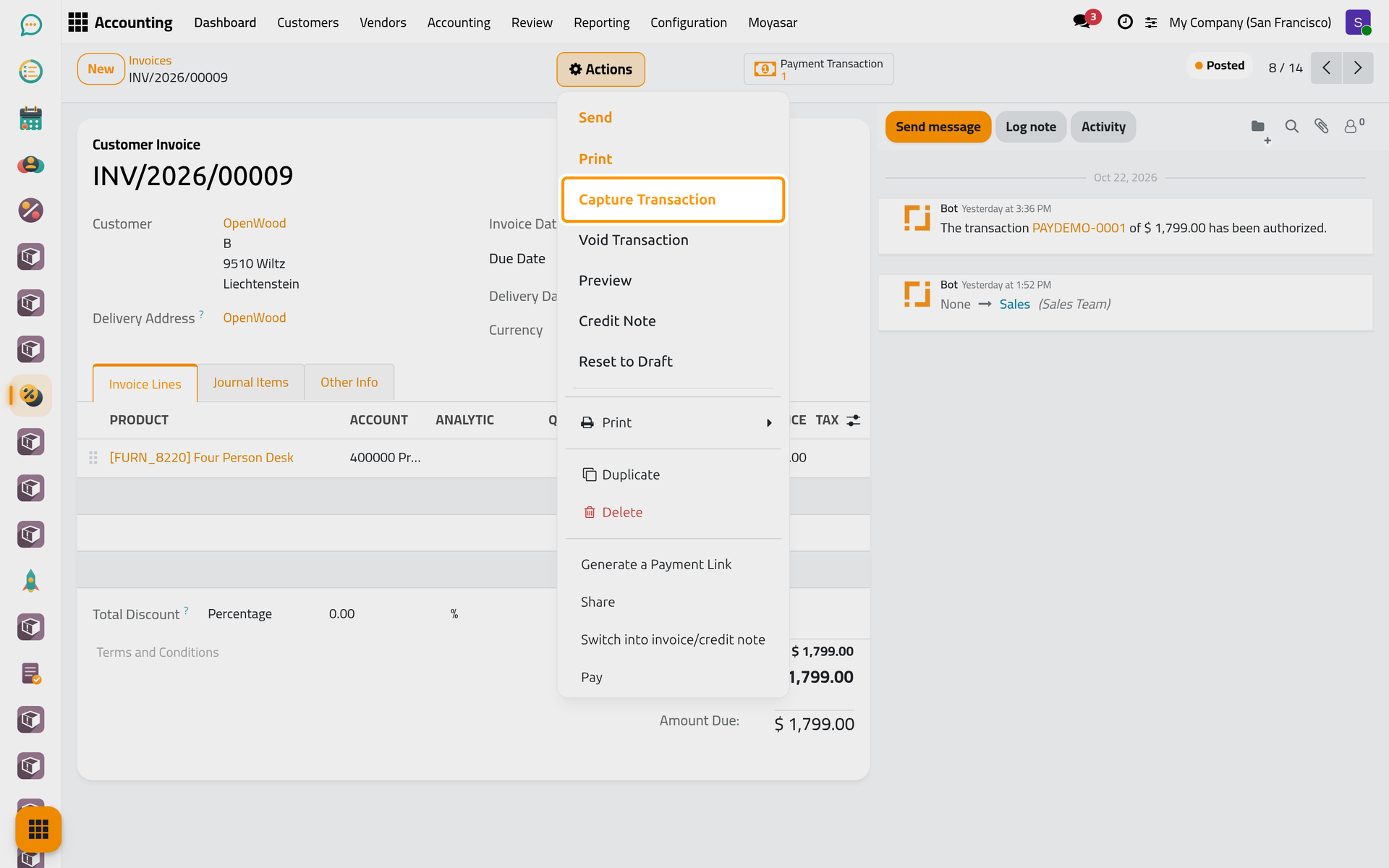
- Capture Transaction opens the Capture window: the Authorized Amount, then the Amount To Capture, the whole amount by default. Lower it to take only part (Moyasar and Tamara both accept it), and tick Void Remaining Amount to release the rest at the same time. Click Capture. The money is taken, the payment is posted in the provider's Payment Journal and matched with the invoice.
- Void Transaction asks you to confirm, because it cannot be undone, then releases the money. The invoice stays unpaid, ready for another payment.
Read the transaction
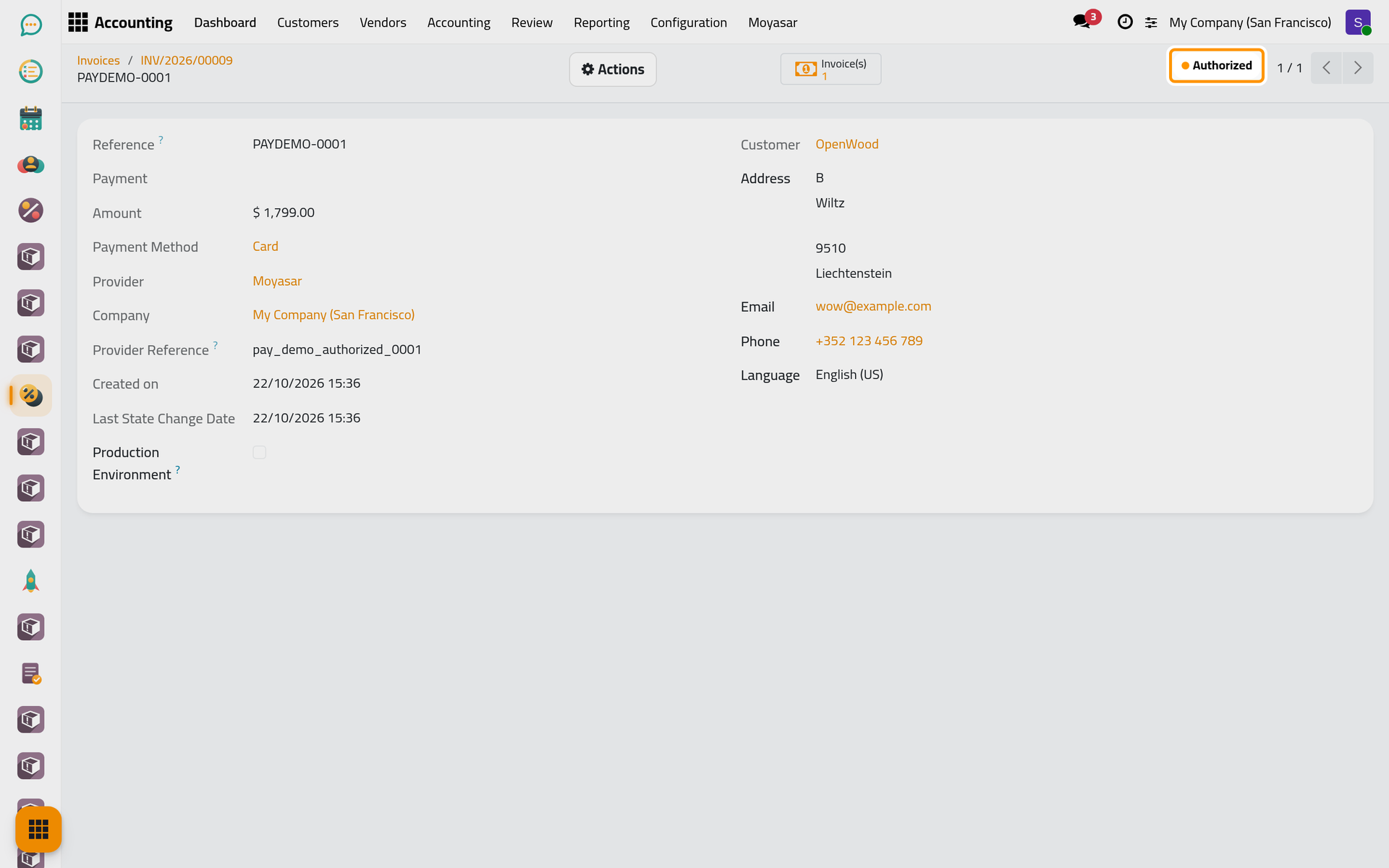
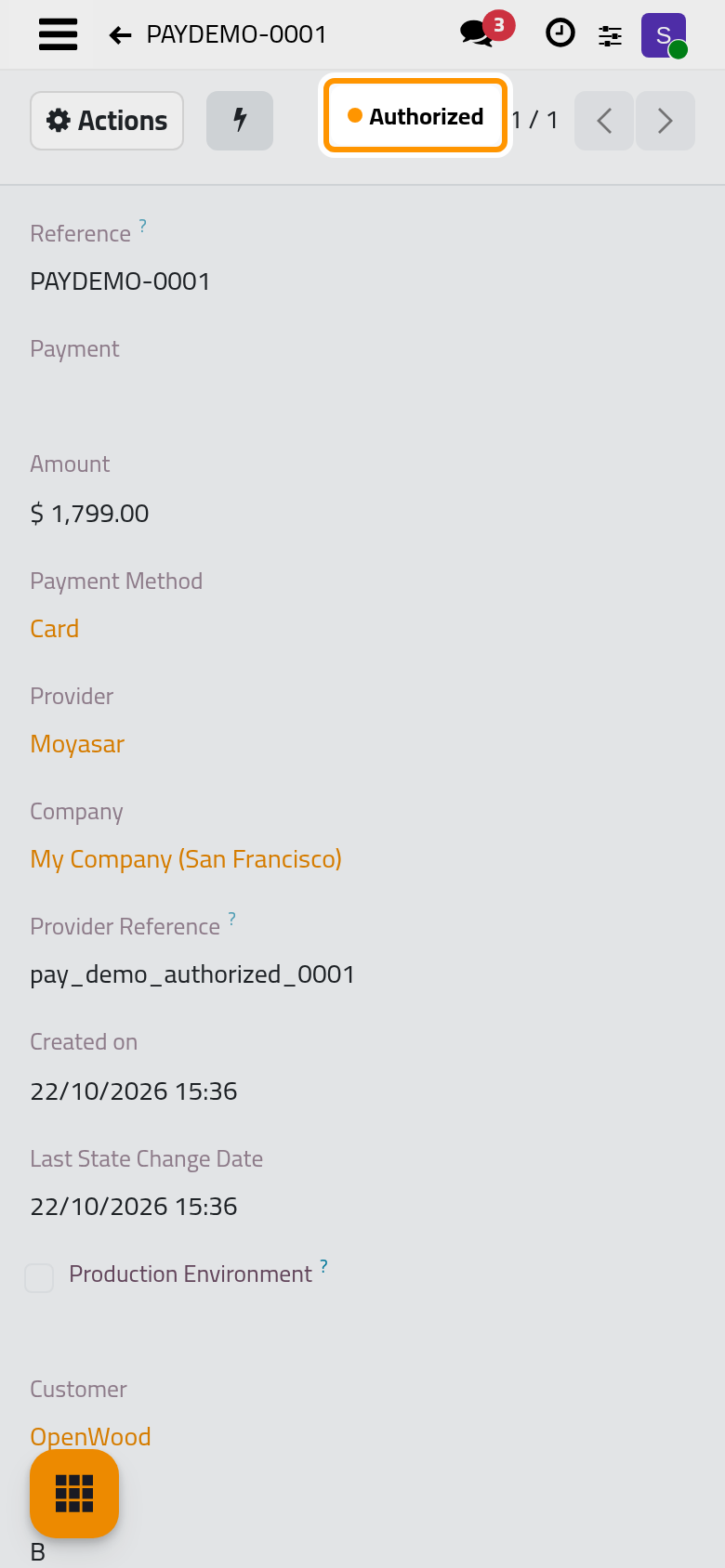
Click the Payment Transaction button at the top of the invoice (on a phone, behind the lightning icon). The transaction shows its state, Authorized here, with the Amount, the Payment Method, the Provider and the Provider Reference given by the provider; a Tamara transaction also shows Tamara's own order, capture and refund numbers. Its Actions menu offers the same capture and void. The other states are Draft, Pending, Confirmed (the money is taken), Canceled and Error.
Refund a payment
A payment taken online is refunded from the payment itself:
- Open and open the payment created by the transaction.
- Click Refund. The button shows only on a payment made through a provider that can refund, as long as part of it is left to refund.
- Refund Amount proposes what is left; lower it for a partial refund. Click Refund.
The refund is sent to the provider as a new transaction. Once the provider confirms it, a refund payment is recorded and the Refunds button on the original payment counts it. The demo database holds no payment taken online, so this part has no picture.
FAQ
Capture Transaction does not appear on my invoice.
It appears only on a posted invoice with an authorized transaction. With Capture Amount Manually off, Moyasar takes the money at once and there is nothing to capture.
Can I take part of the amount and release the rest?
Yes: lower the Amount To Capture and tick Void Remaining Amount in the Capture window.
Where is the money after the capture?
In the Payment Journal of the provider, and the invoice shows Paid at once. Matching the provider's deposit with the bank statement is explained in Banks, cash and currencies.
Was this page helpful?
Thank you for your feedback.