The first minute with the bank
On this page
Banks, cash and currencies covers the money that goes through the company's bank accounts and cash boxes, and the exchange rates of the foreign currencies it works with. This walk-through opens the screens you will use first and changes nothing.
Before you start
- You need the Administrator access right on Accounting: the rate providers and their log are reserved to it.
- Each bank account and each cash box is a journal of type Bank or Cash. The package creates a bank journal; Create a journal adds another one.
Step 1: the bank and cash cards
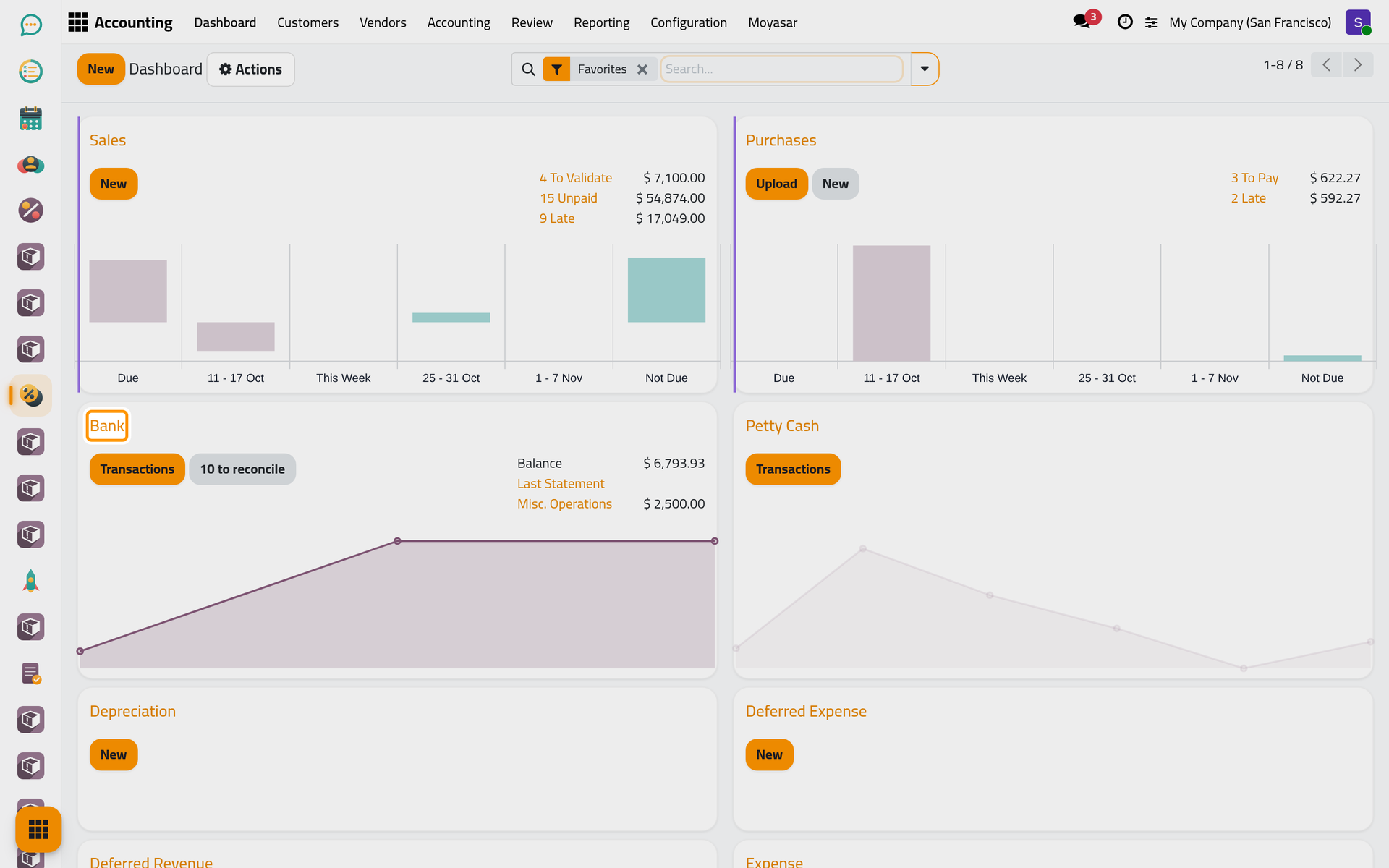
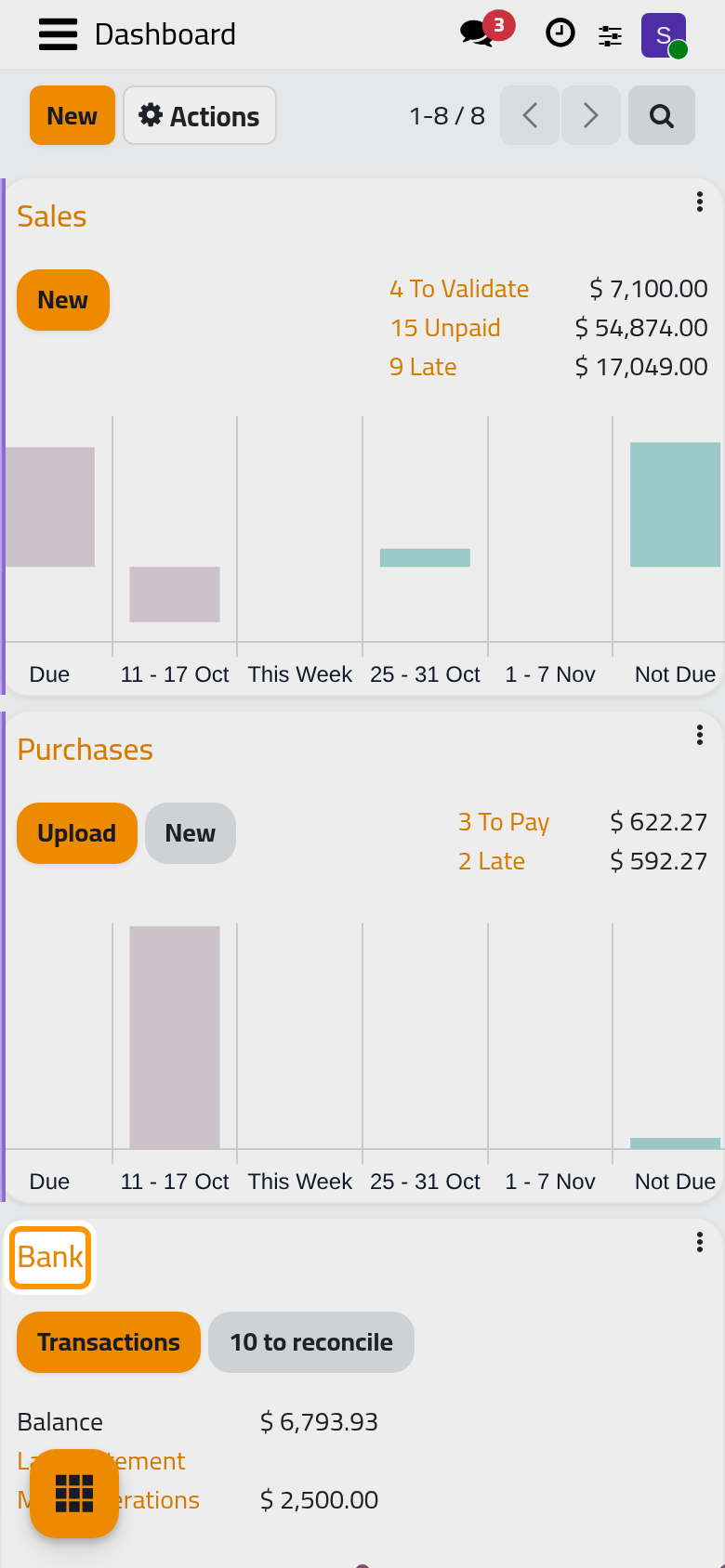
Open . The Bank card is the journal of the bank account, the Petty Cash card the journal of the cash box. On the Bank card:
- Balance is the ending balance of the latest statement plus the transactions recorded after it.
- N to reconcile counts the bank transactions that are not matched yet.
- Payments, when it shows, adds up the payments recorded on this bank that no transaction has matched yet.
The Transactions and N to reconcile buttons are meant to open the bank reconciliation screen, which stops on an error in this version (see Match payments and invoices). The lists of the card are reached from its menu.
Step 2: the card's menu
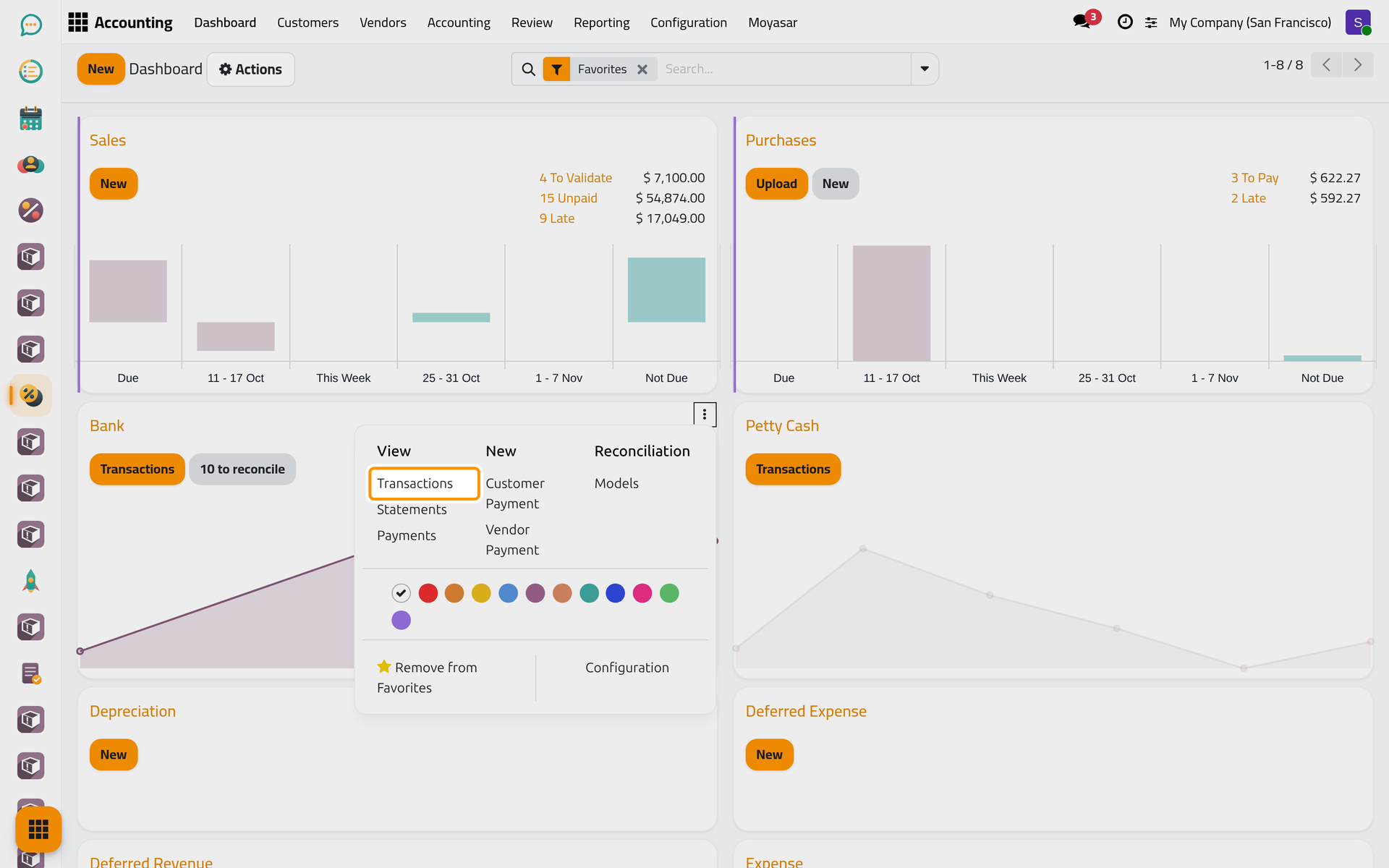
Point at the Bank card and click the three dots at its top right; on a phone they are always shown at the top right of each card. The menu has three columns:
- View: Transactions lists the movements of the account, Statements its statements and Payments the payments recorded on it.
- New: Customer Payment and Vendor Payment record a payment received or sent through this bank.
- Reconciliation: Models opens the reconciliation models, the ready-made write-offs such as Bank Fees.
The Petty Cash card has the same menu, with Cash Registers in place of Statements.
Step 3: the transactions
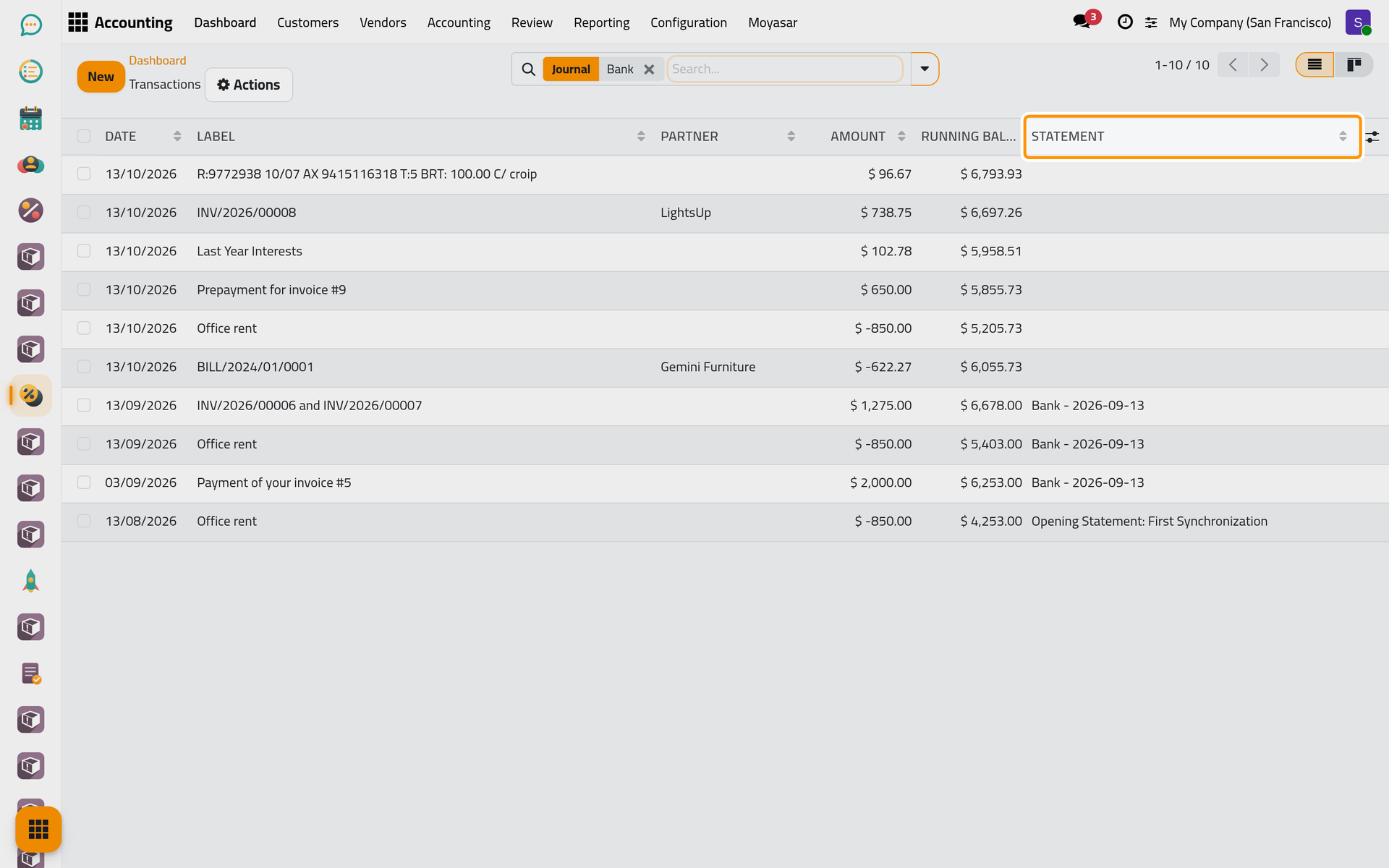
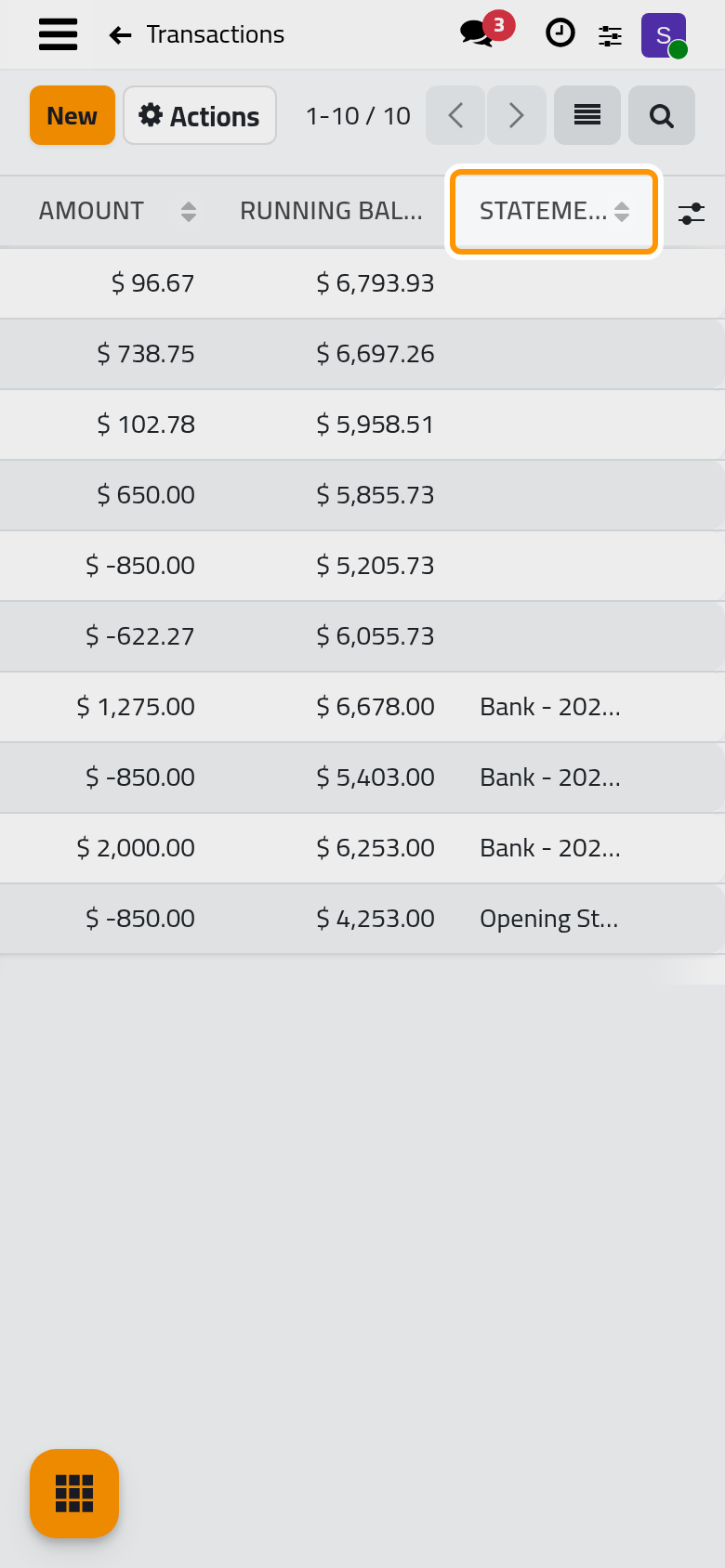
Click Transactions. Each line is one movement of the bank account: its Date, its Label, the Partner when it is known, the Amount (negative when money leaves the account), the Running Balance after it and the Statement it belongs to. The newest lines are at the top. Record bank transactions adds lines, and Group transactions into a statement checks them against the bank's own statement.
Step 4: what is still open
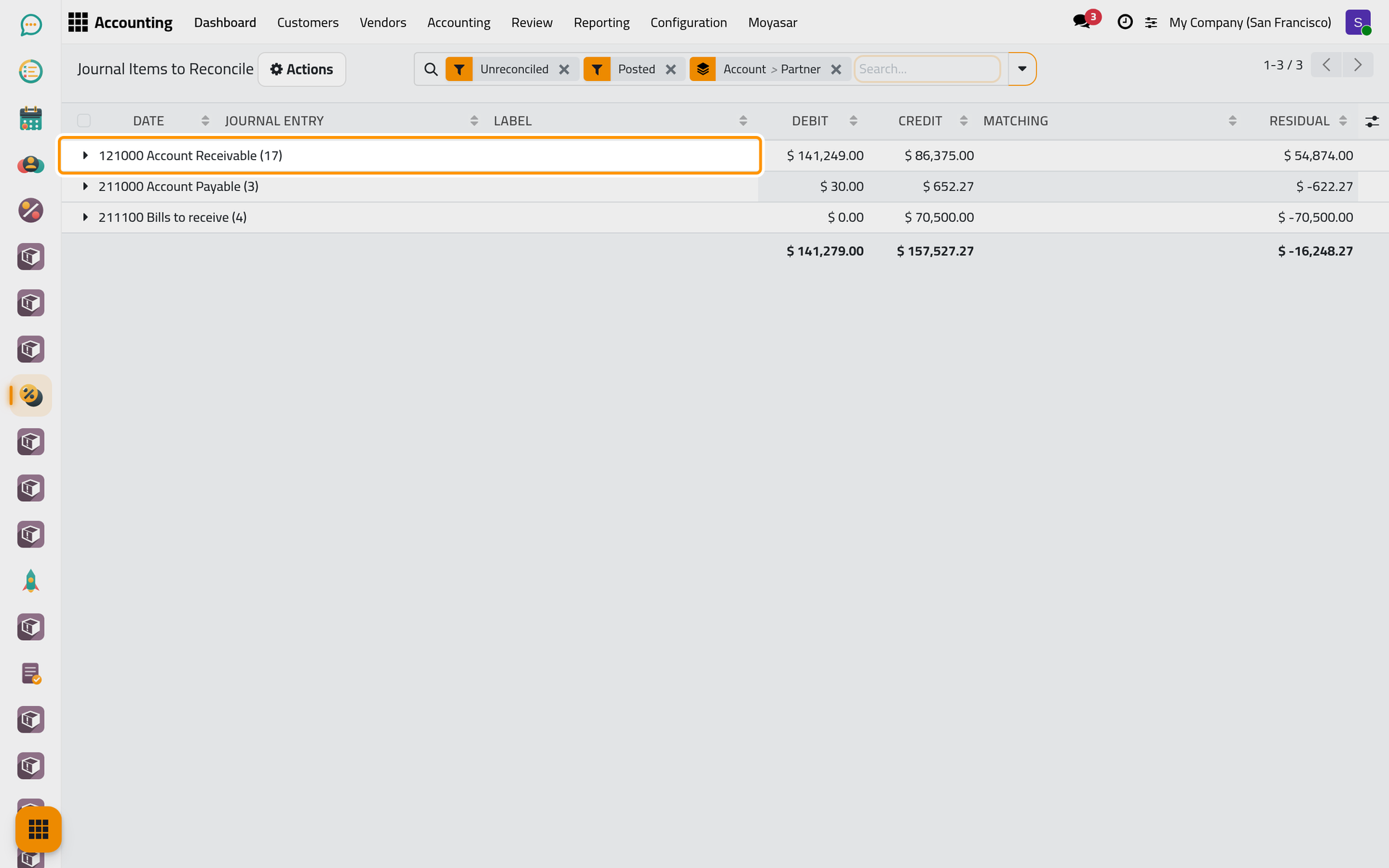
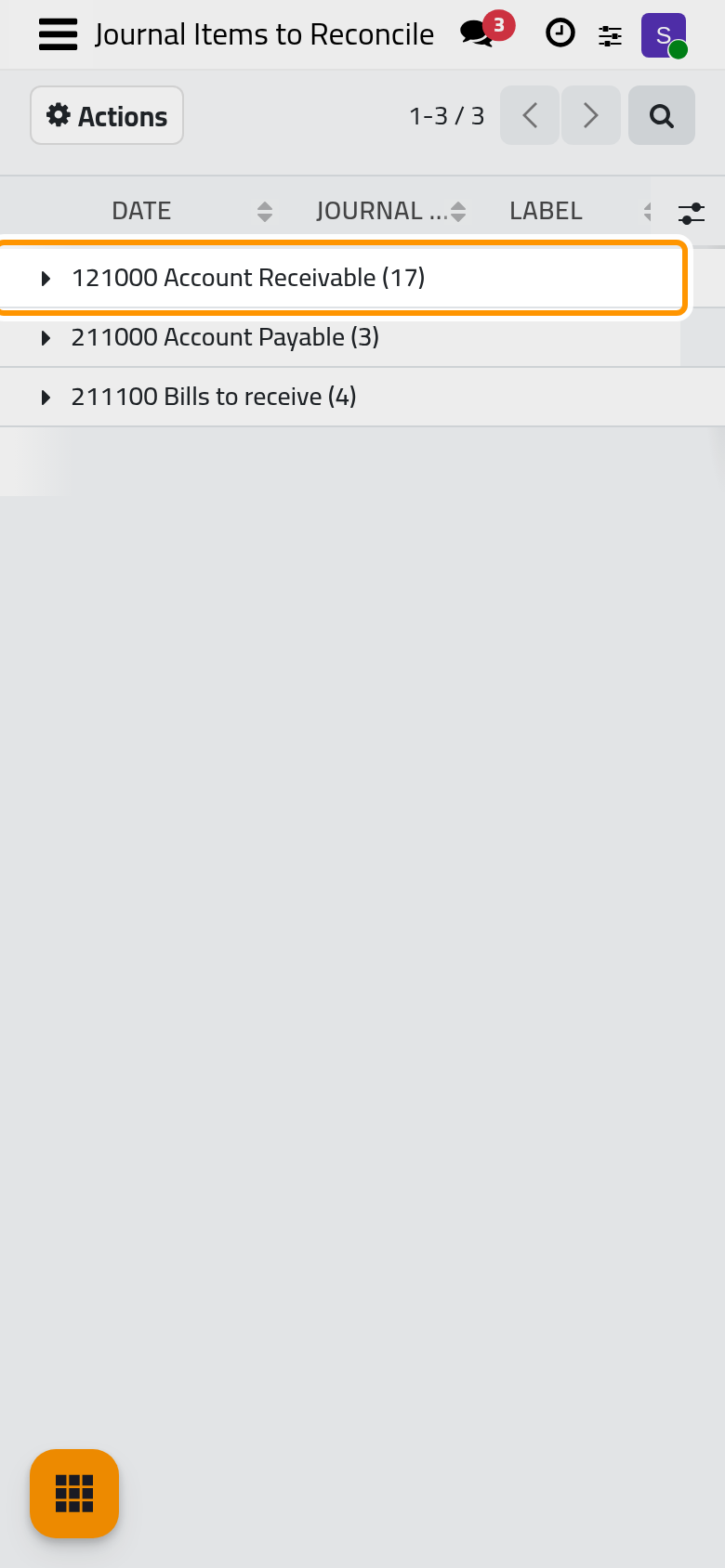
Open . The list shows the journal items that wait to be matched, grouped by account and then by partner: the unpaid customer invoices under Account Receivable, the unpaid bills under Account Payable, the payments not yet linked to a bank transaction under the outstanding accounts. Click a group to open it; each line shows its Residual, the part not matched yet. Match payments and invoices shows how to match them.
Step 5: the currencies
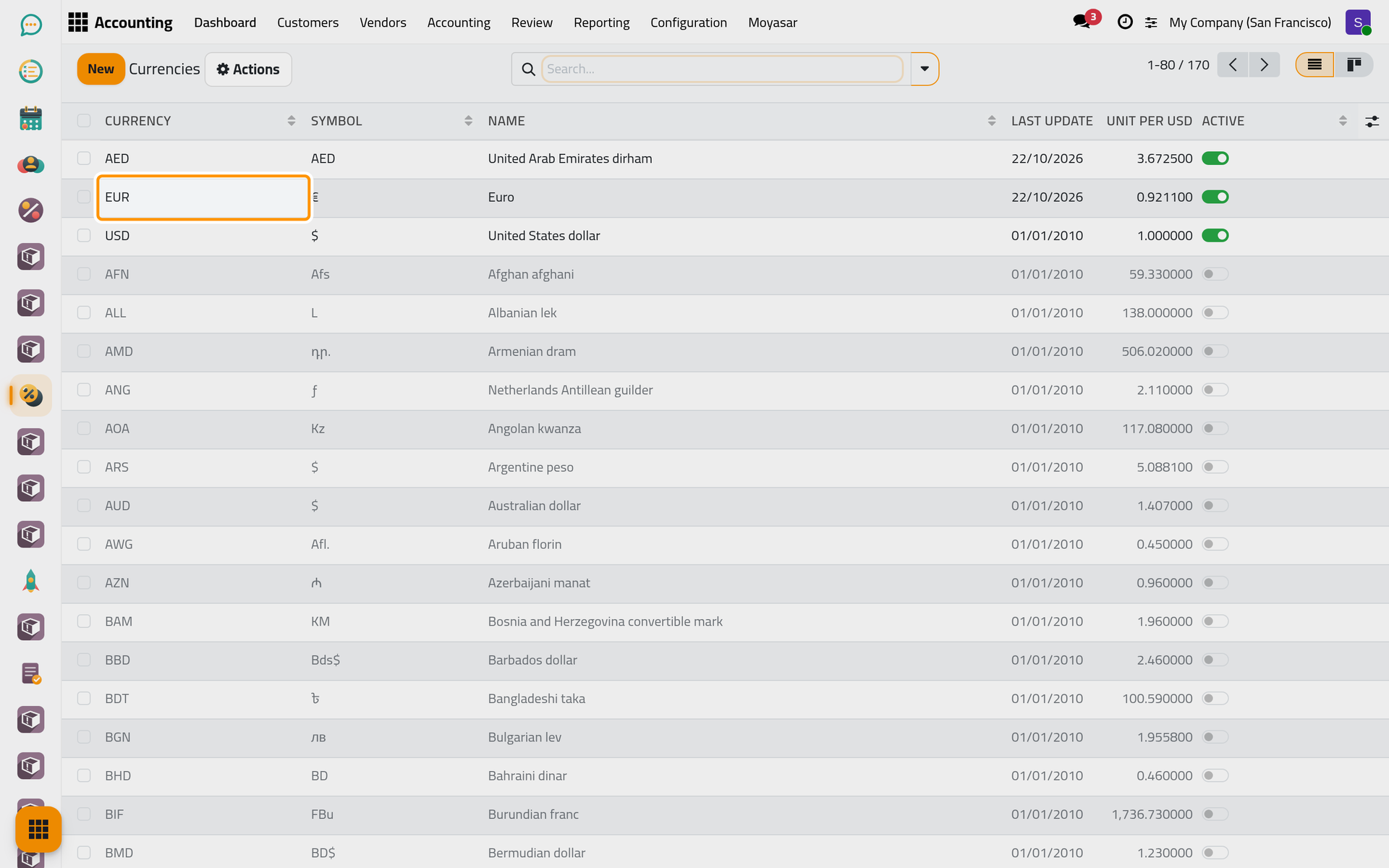
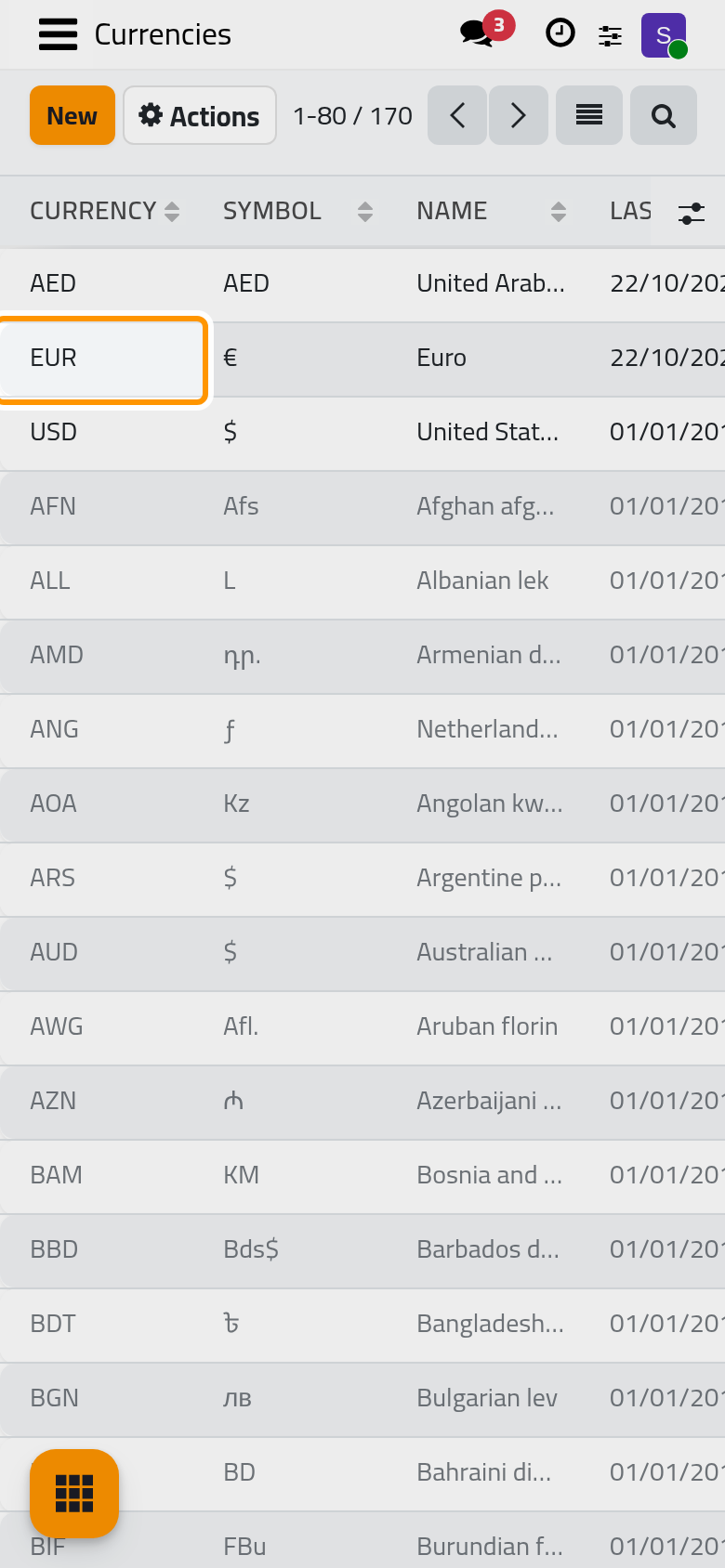
Open . The active currencies come first, and the switch at the end of each line activates or deactivates one. Last Update is the date of the latest rate, and the next column is that rate, in units of the currency for one unit of the company's currency (Unit per USD for a company that keeps its books in US dollars).
Step 6: where the rates come from
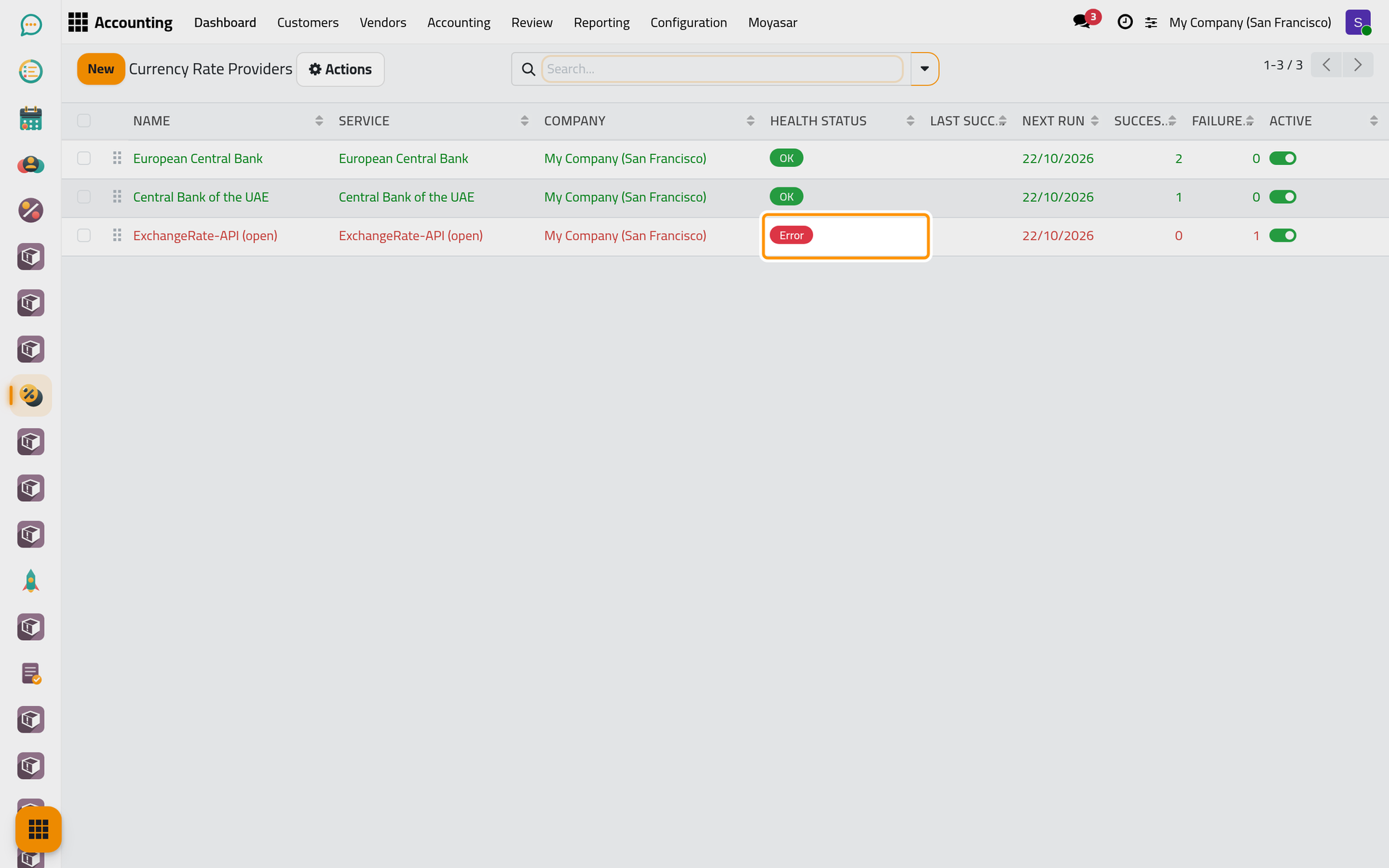
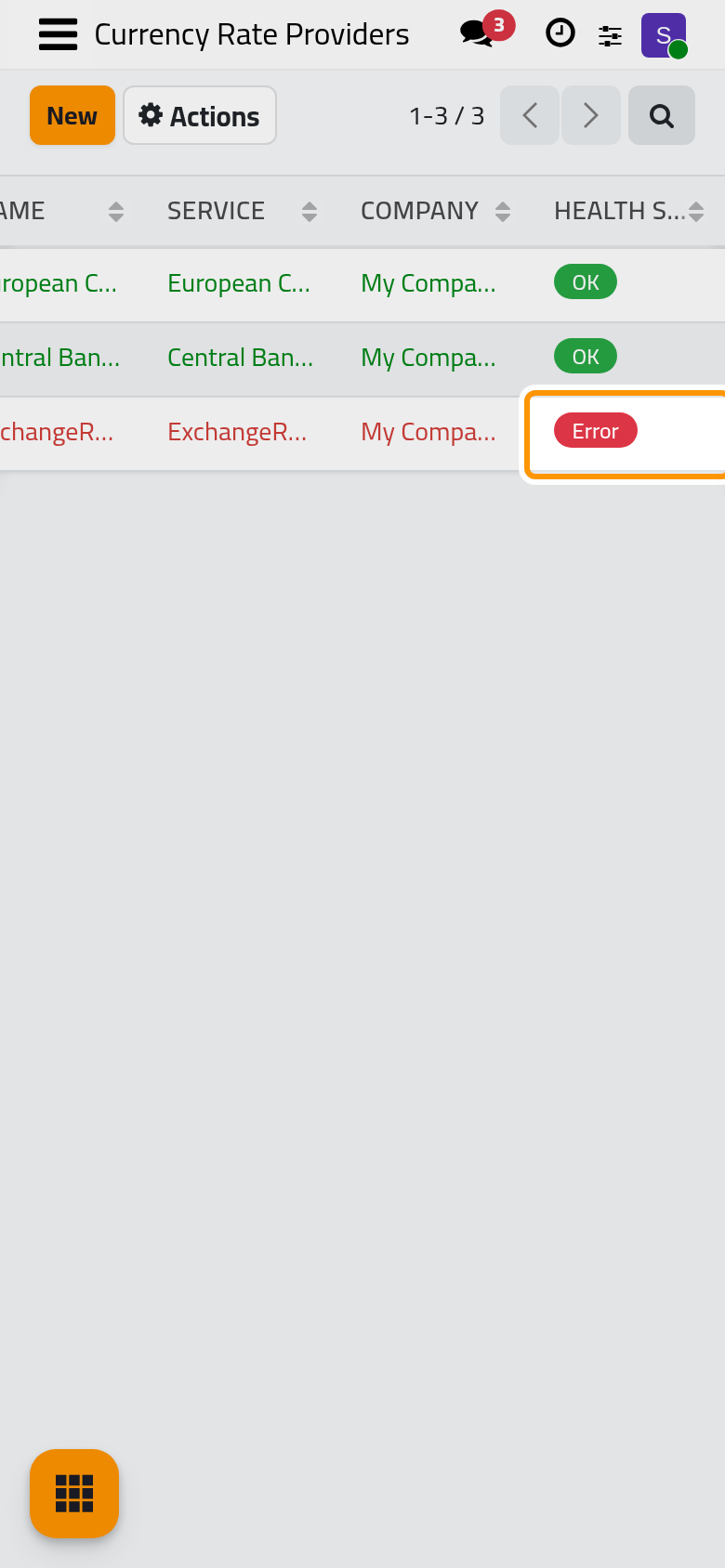
Open . Three public sources are set up for every company: the European Central Bank, the Central Bank of the UAE and ExchangeRate-API (open). None of them needs a subscription. The Health Status tells how the last run went: OK, Error when the last call failed, Idle when the provider has never run. The rates are fetched every day only once the automatic update is turned on in the settings; Update Now on a provider fetches them at any time. The switch is in the settings.
What you have seen
The cards sum up each bank account and cash box, the transactions list is the bank's record line by line, the open items wait for their match, and the currencies take their rates from the providers. The user guide takes each of them in turn: Record bank transactions, Group transactions into a statement, Match payments and invoices, Keep currency rates up to date and Banks, cash and currencies settings. How bank lines, statements and rates fit together explains what happens behind the screens.
Was this page helpful?
Thank you for your feedback.