Delete a folder
On this page
Deleting a folder never deletes the record, and it deletes the files inside only when you ask for it. Here the 2025 papers of the demo client no longer need a folder of their own: the folder goes and its file stays on the record.
Before you start
- Any internal user can delete an empty folder of a record they can open. A folder that still holds files needs the right to edit the record, whatever you choose for the files, since they are moved out or deleted, as for any attachment.
- Decide what should happen to the files in the folder. Files deleted here cannot be brought back: the recycle bin keeps neither attachments nor folders.
- The delete icon appears only while the pointer rests on the folder card. On a phone, touch the card once to show it.
Delete the folder
- Open the record, here Silverbay Logistics Co. from , and click the paperclip (Attach files) to open the Files box.
- Move the pointer over the folder card, here 2025, and click the bin icon (Delete) in its top corner.
- An empty folder disappears at once, without a question. A folder that still holds files opens the Delete folder dialog, which names the folder and says how many files it contains.
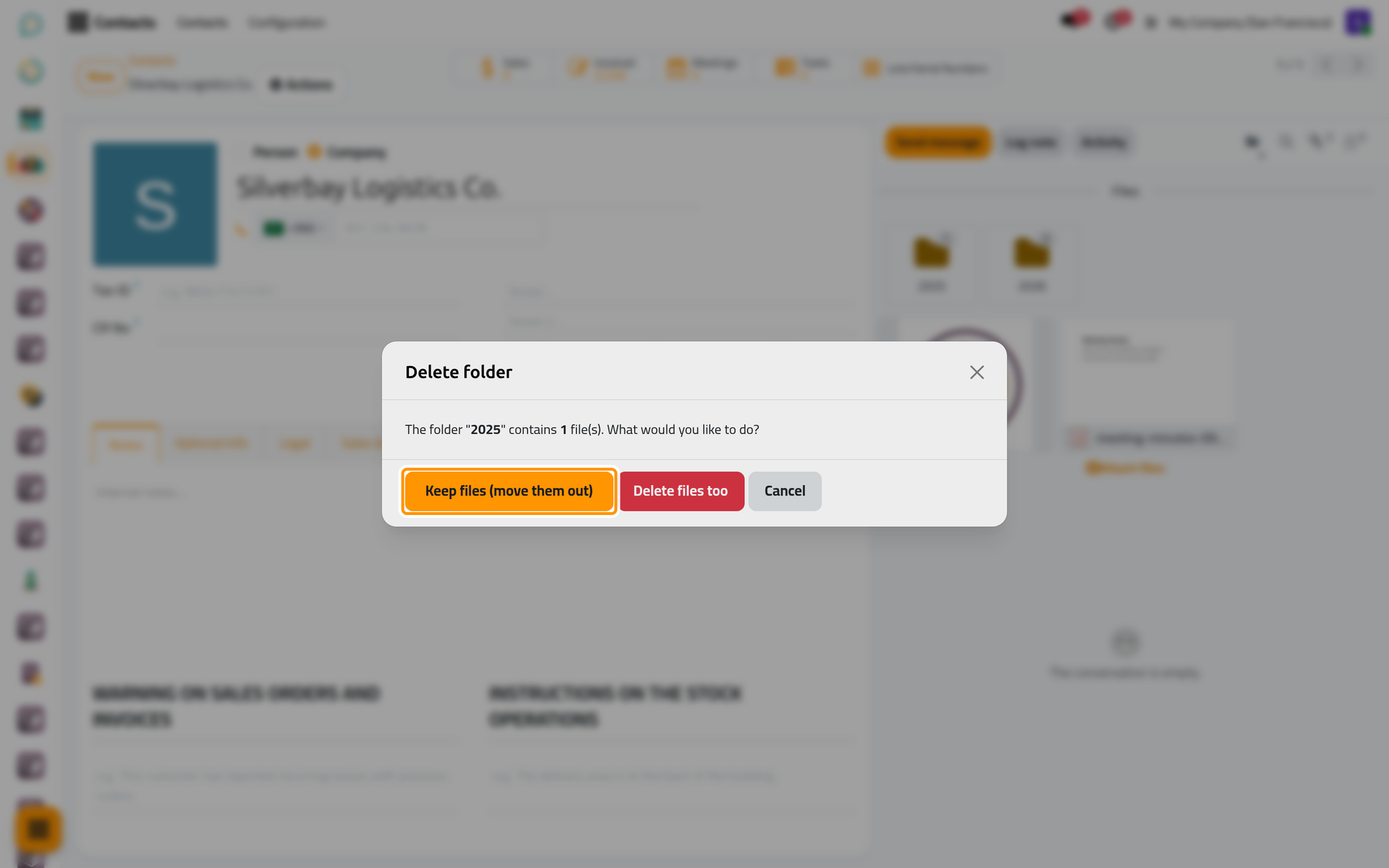
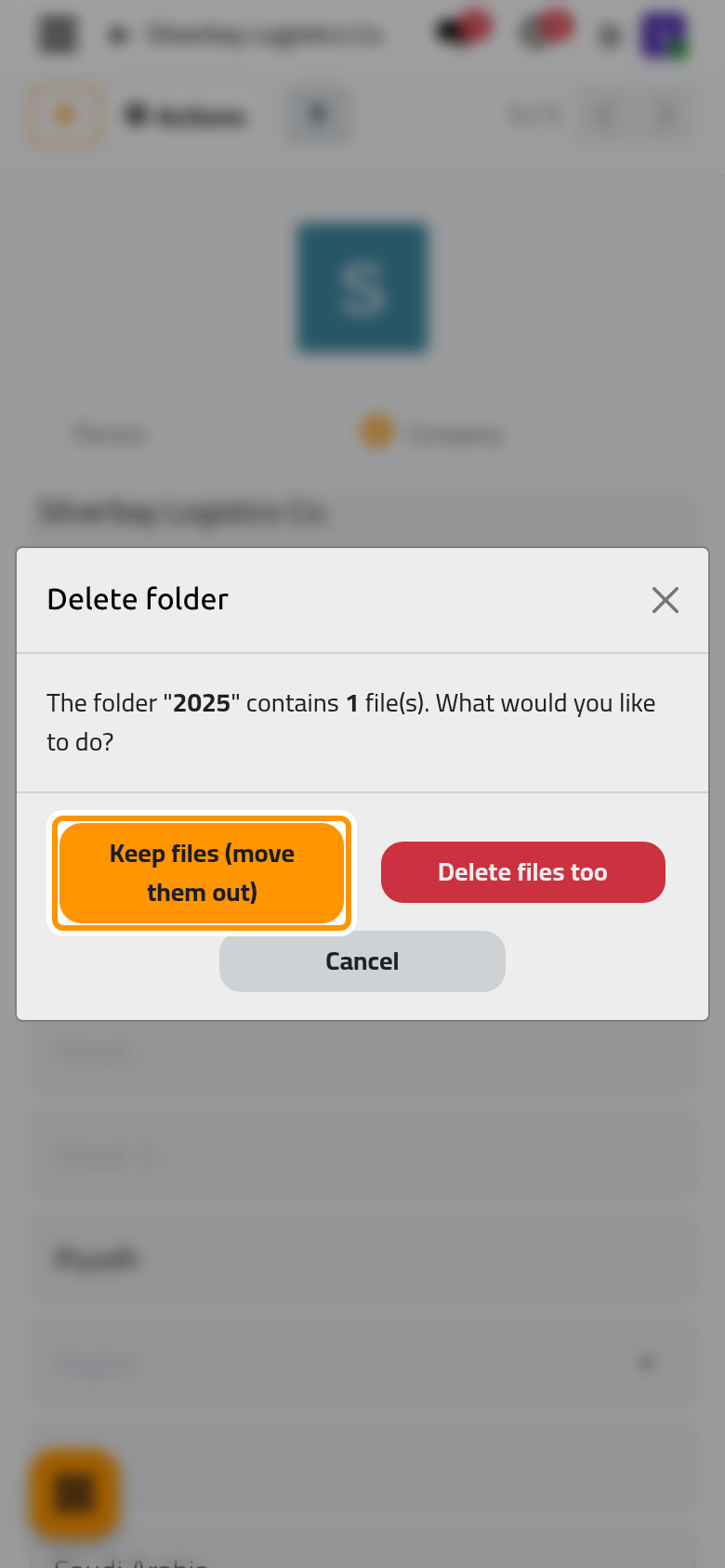
On a phone, the same dialog opens over the record, with its three buttons below the question.
- Choose what happens to the files:
- Keep files (move them out) deletes the folder and puts its files back at the root of the Files box, outside any folder.
- Delete files too deletes the folder and every file in it, for good.
- Cancel closes the dialog and changes nothing.
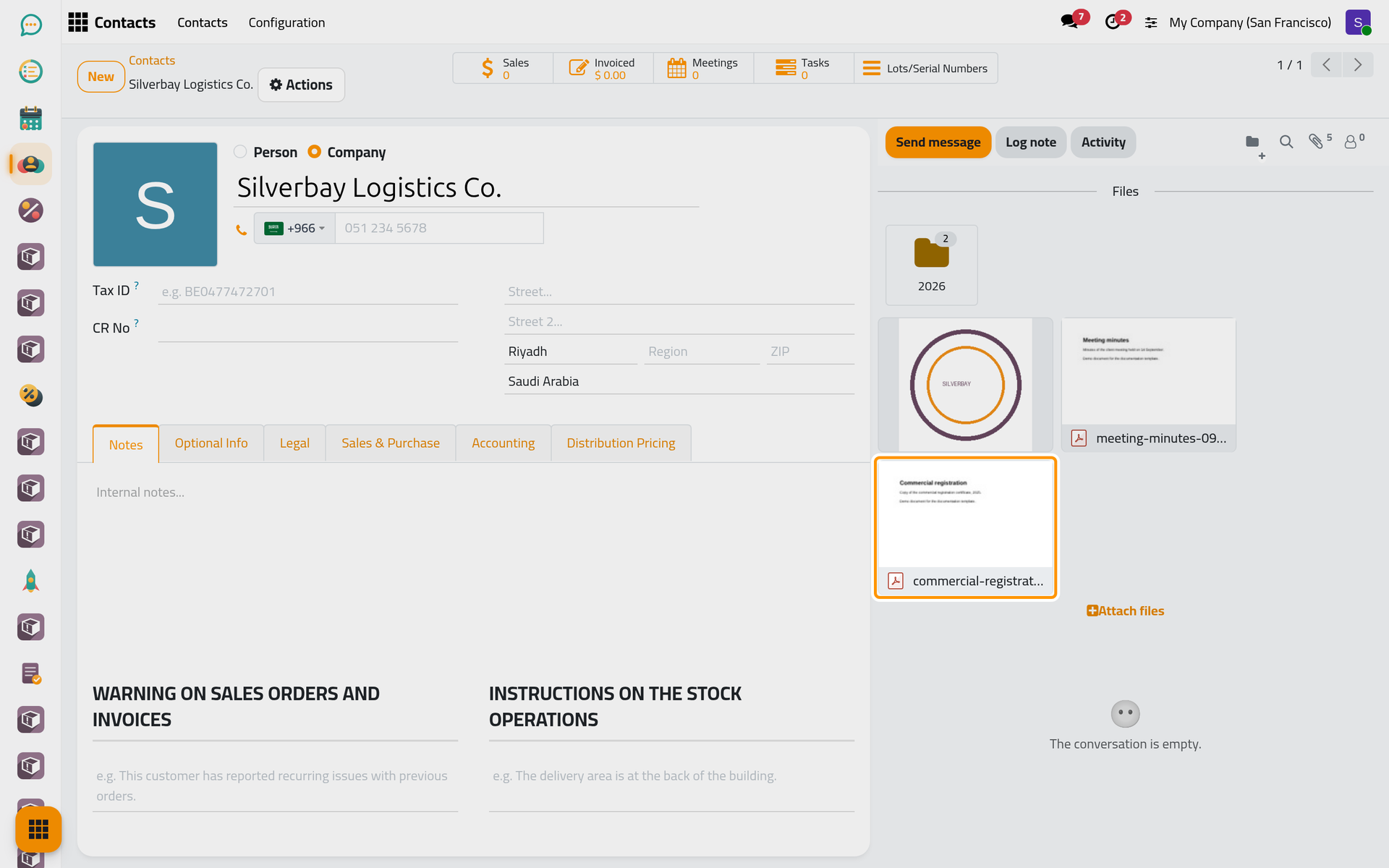
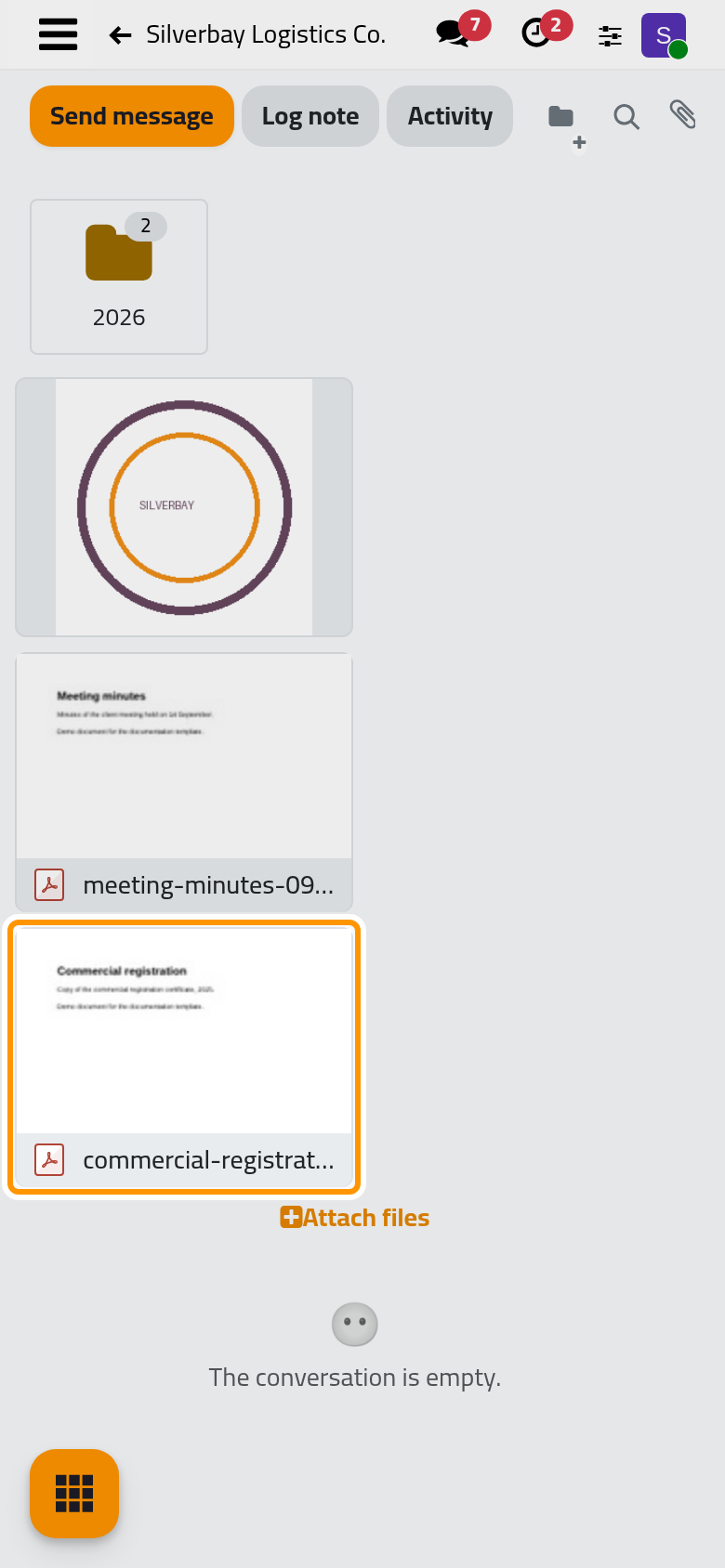
- Here, click Keep files (move them out). The 2025 card is gone, commercial-registration-2025.pdf sits at the root with the other loose files, and the paperclip still counts 5.
FAQ
Can I get back a folder or a file I deleted?
No. Attachments and folders never go to the recycle bin. Make the folder again with New folder, and attach a deleted file again from your computer.
Why did the dialog not appear?
The folder was empty. With no file to lose, an empty folder is deleted at once, without confirmation.
A message refused the deletion and the folder is still there.
Moving the files out and deleting them both change the record's attachments, which needs the right to edit the record. When that right is missing, nothing changes: the folder stays, with its files. Ask someone who can edit the record.
What happens to the folders when the record itself is deleted?
The record's files are deleted with it, and its folders are no longer shown anywhere. A record brought back from the recycle bin returns without its files and folders.
Was this page helpful?
Thank you for your feedback.