Link a person to an existing organization
On this page
- Before you start
- Open the window
- Choose the organization
- Check the result
- FAQ
- Can two people share one organization?
- How do I take an organization away from a person?
- The organization is not in the list of the window.
- Clicking Link shows "You cannot create recursive Partner hierarchies."
- Where do I change the type or the role?
A person can own or run several organizations: a company, a foundation, an association. Link Existing Organization files an organization that is already in the address book under that person, so it shows among the person's cards and in the person's group of the list. The Add Contact card of a form cannot do it, since it only creates new contacts, and the Belongs to field offers companies only, never a person.
Before you start
- You need the Contact access right at Creation.
- Both records must exist: the person, and the organization as a Company. Create the missing one first, as Add a company and its people shows.
- The pictures use a new person, Contacts demo: Rami Al-Khayali, who takes Harbor Lantern Foundation, filed under Kenan Al-Wahmi in the demo data.
Open the window
- Open the person from .
- Open the Actions menu, the gear button next to the name, and choose Link Existing Organization.
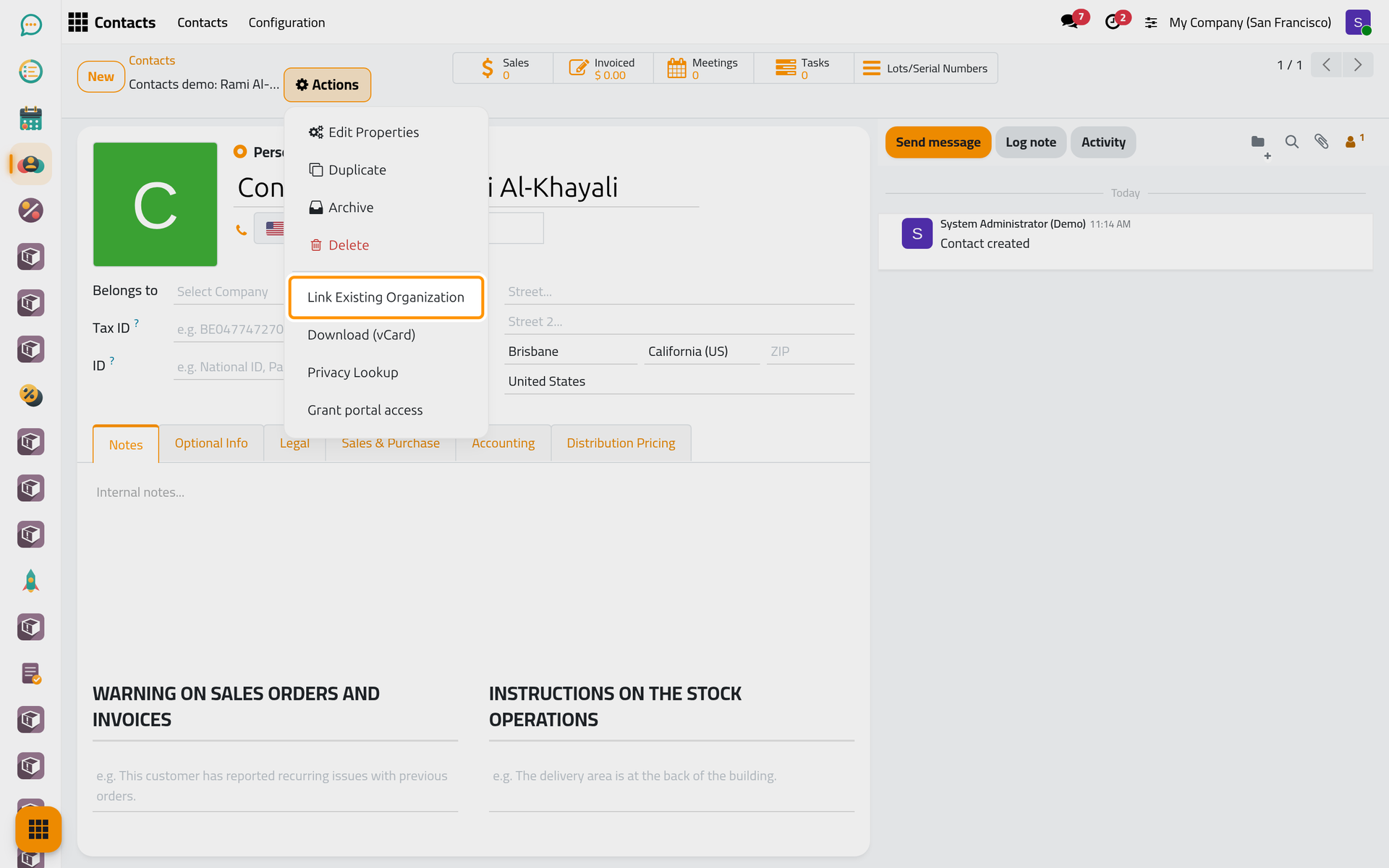
On a phone, Actions is the gear button at the top of the form.
From the list, the same entry is in Actions once you tick the line of one person. With several lines ticked, Contact stays empty and you choose the person in the window.
Choose the organization
- Contact holds the person.
- In Organization, type part of the name and choose the organization. The list offers companies only, and leaves out the person and the organizations already filed under him.
- Organization Type and Role appear, filled with what the organization already carries. In this version, a value you change here is not saved: the organization keeps its own type and role.
- When the organization is already filed under someone else, a yellow message names that person and warns that linking it here will move it.
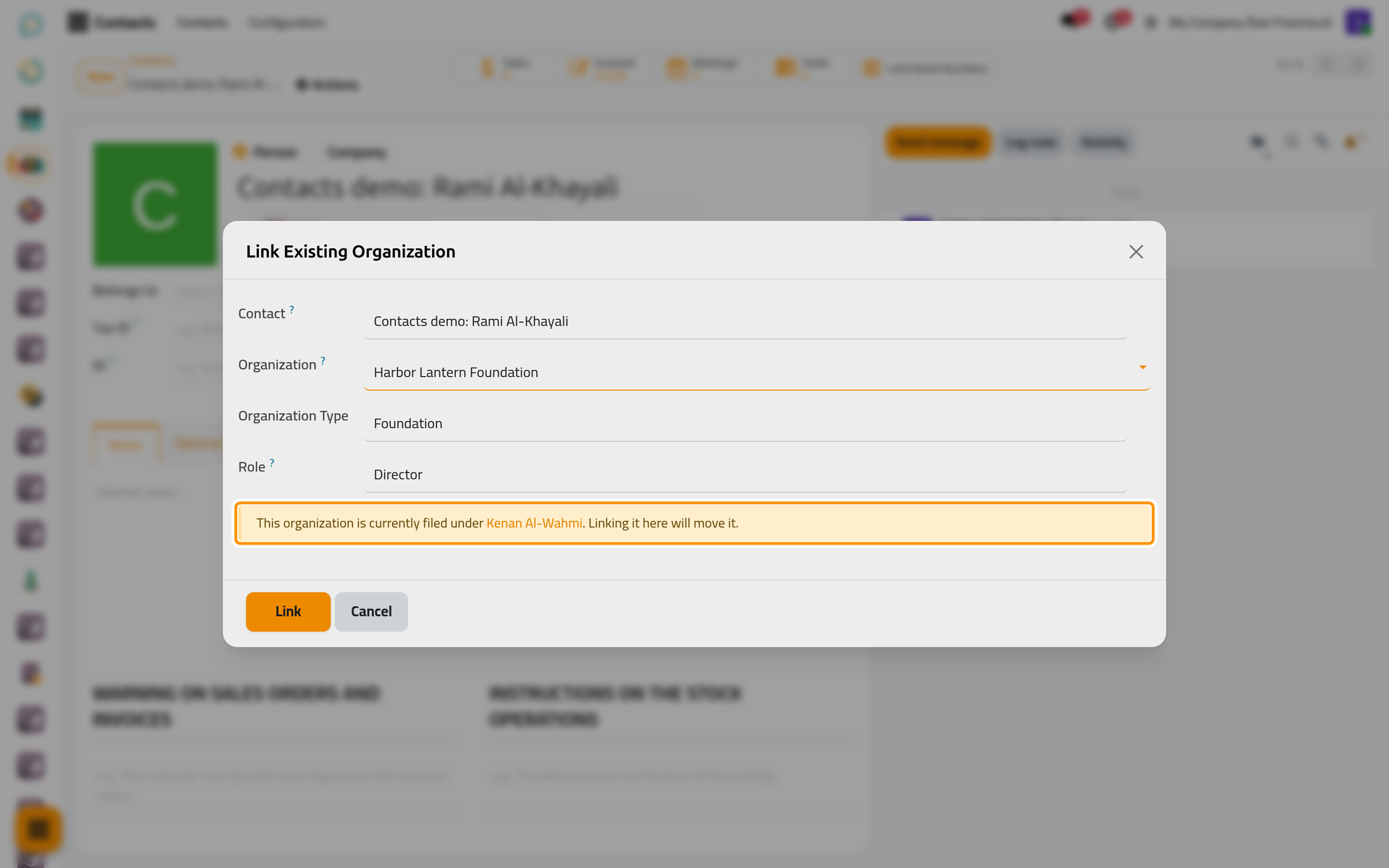
On a phone, the window opens full screen with the same fields, the message and the buttons.
- Click Link to file it, or Cancel to leave everything as it was.
Check the result
The window closes and the person's form reloads. Open the Optional Info tab: the organization has its card in the Contacts section, with its type next to the building icon and the role next to the badge icon.
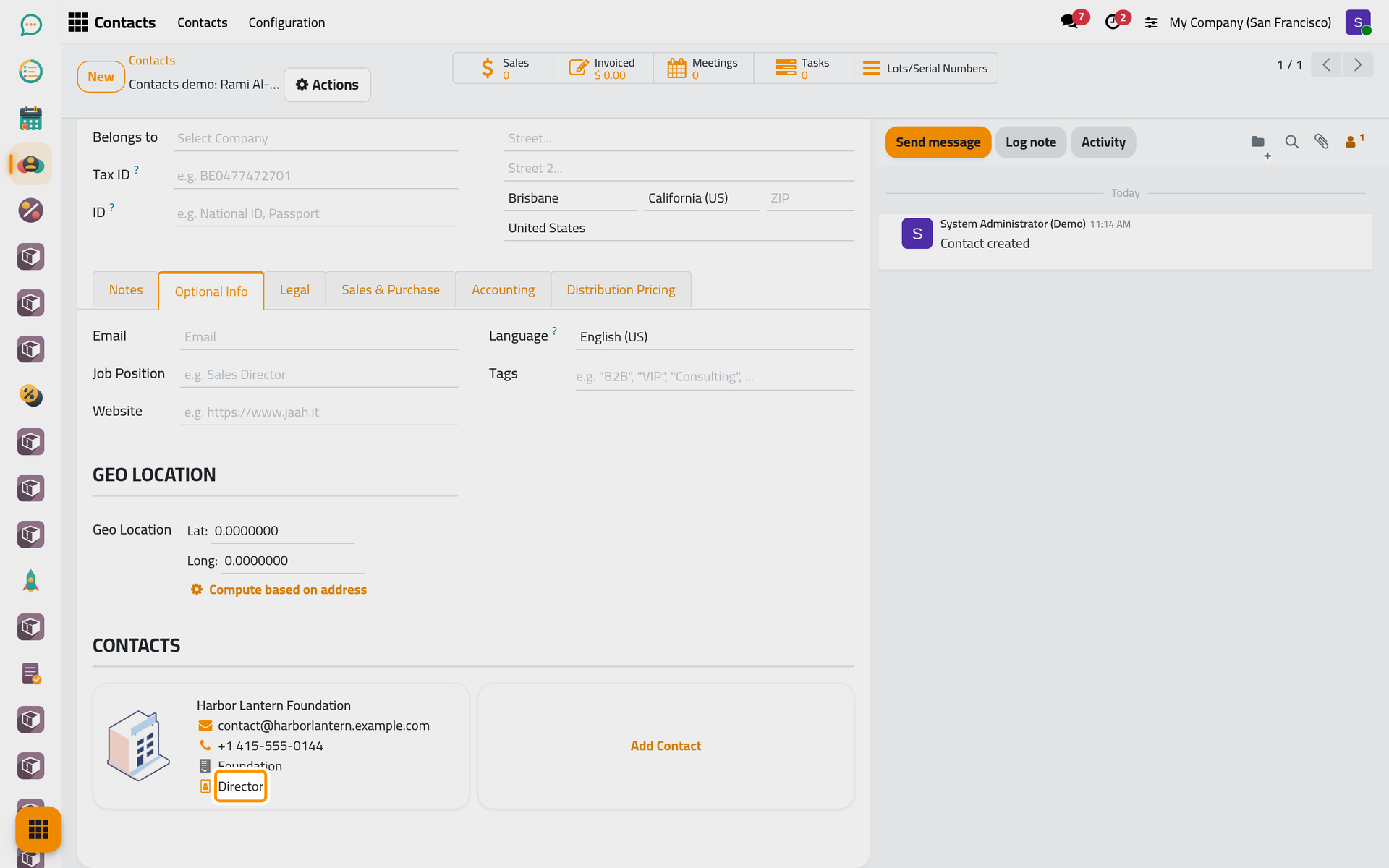
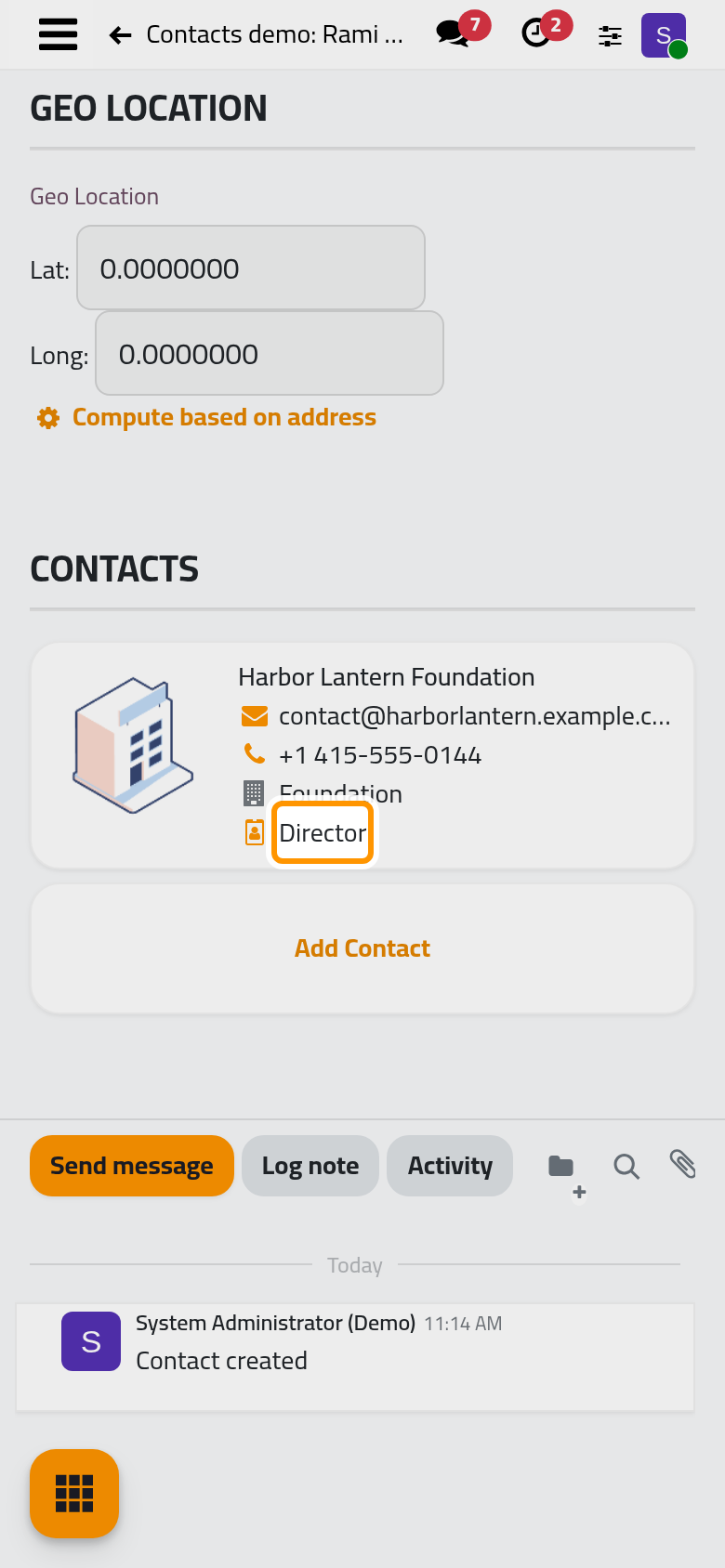
The organization itself changes in one field only: its Belongs to now reads the person. It keeps its name, address, CR No, invoices and chatter, and it has left the cards of its former person. In the list, the filter Organizations with the grouping Parent shows it in the person's group, as in From a person to their organizations.
FAQ
Can two people share one organization?
No. An organization belongs to one person or company at a time, and its role describes that one link. Linking it to a second person moves it, which is why the window warns you first.
How do I take an organization away from a person?
Open the organization, clear its Belongs to field and save. It then belongs to nobody; its type and role stay on it.
The organization is not in the list of the window.
The list shows companies only. Check that the record is a Company and not a Person, that it is not archived, and that it is not already filed under this person: those are left out.
Clicking Link shows "You cannot create recursive Partner hierarchies."
The organization is above the person: he belongs to it, directly or through another company. A record cannot sit under its own member. Clear the person's Belongs to first if he really should be filed the other way round.
Where do I change the type or the role?
No form of this version writes them: the window shows them without saving a change, and the Add Contact window has neither field. The lists of choices are kept in Organization types, contact roles and tags.
Was this page helpful?
Thank you for your feedback.