Run a matter with a center
On this page
- Before you start
- Build a template
- Create the center
- Follow the progress
- Close the center
- FAQ
- An activity of the new center will not start or finish.
- Why does the center show five activities and the tab only three?
- Does switching Activity Centers off hide the centers?
- Can the same template serve again?
A center gathers the activities of one matter, a lease dispute or a new client's onboarding, and shows how far it has gone: the share of its activities that are done. A center template is the checklist of a kind of matter; it creates a center and all its activities at once.
Before you start
- Centers needs the User access right on Activities; Center Templates, under Configuration, needs Supervisor. Deleting a center needs Manager.
- The Activity Centers option of Activities settings shows the Center field on activities. It is on by default.
- The demo has the center "Lease dispute file", two of its five activities done, and the template "New client onboarding".
Build a template
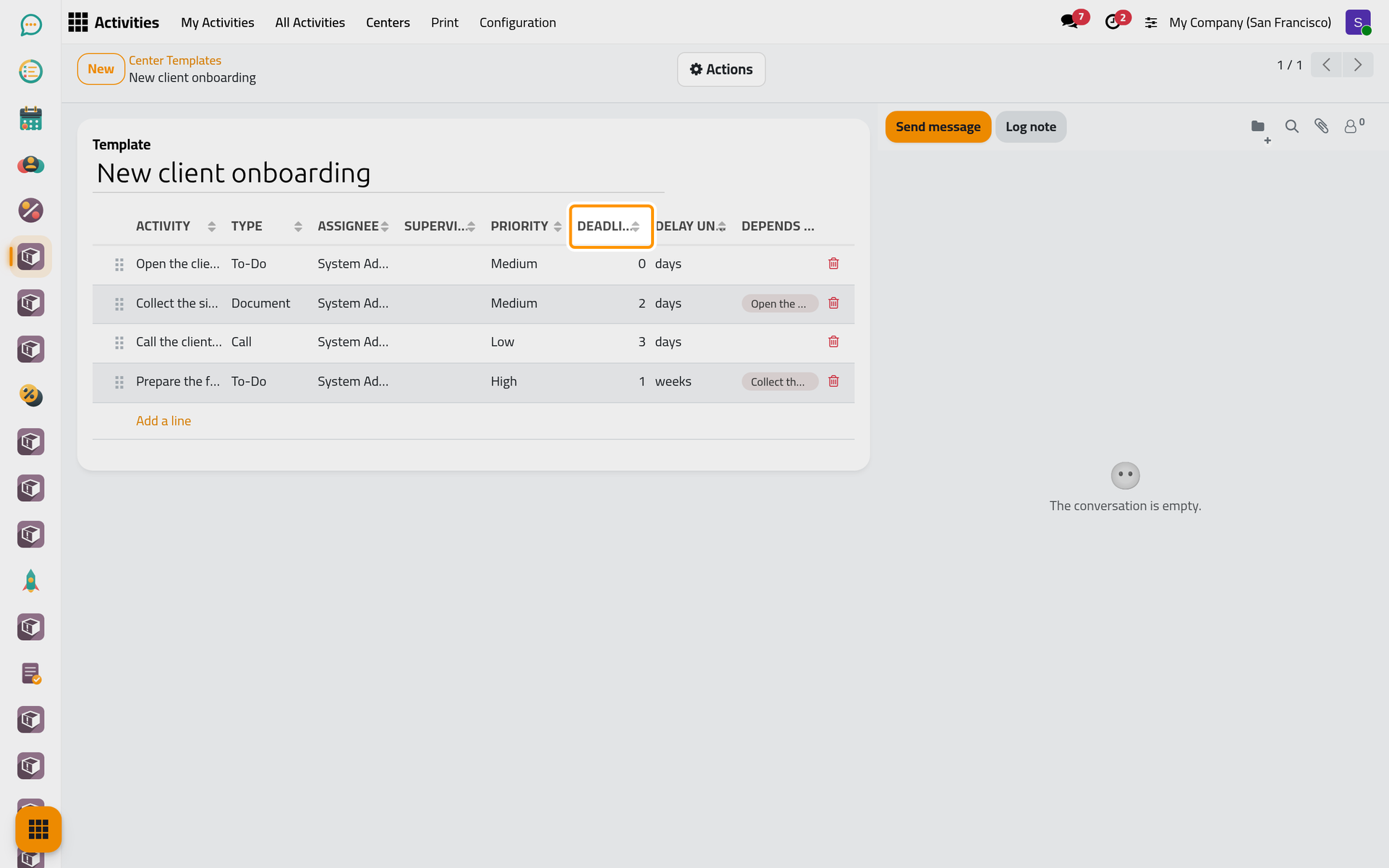
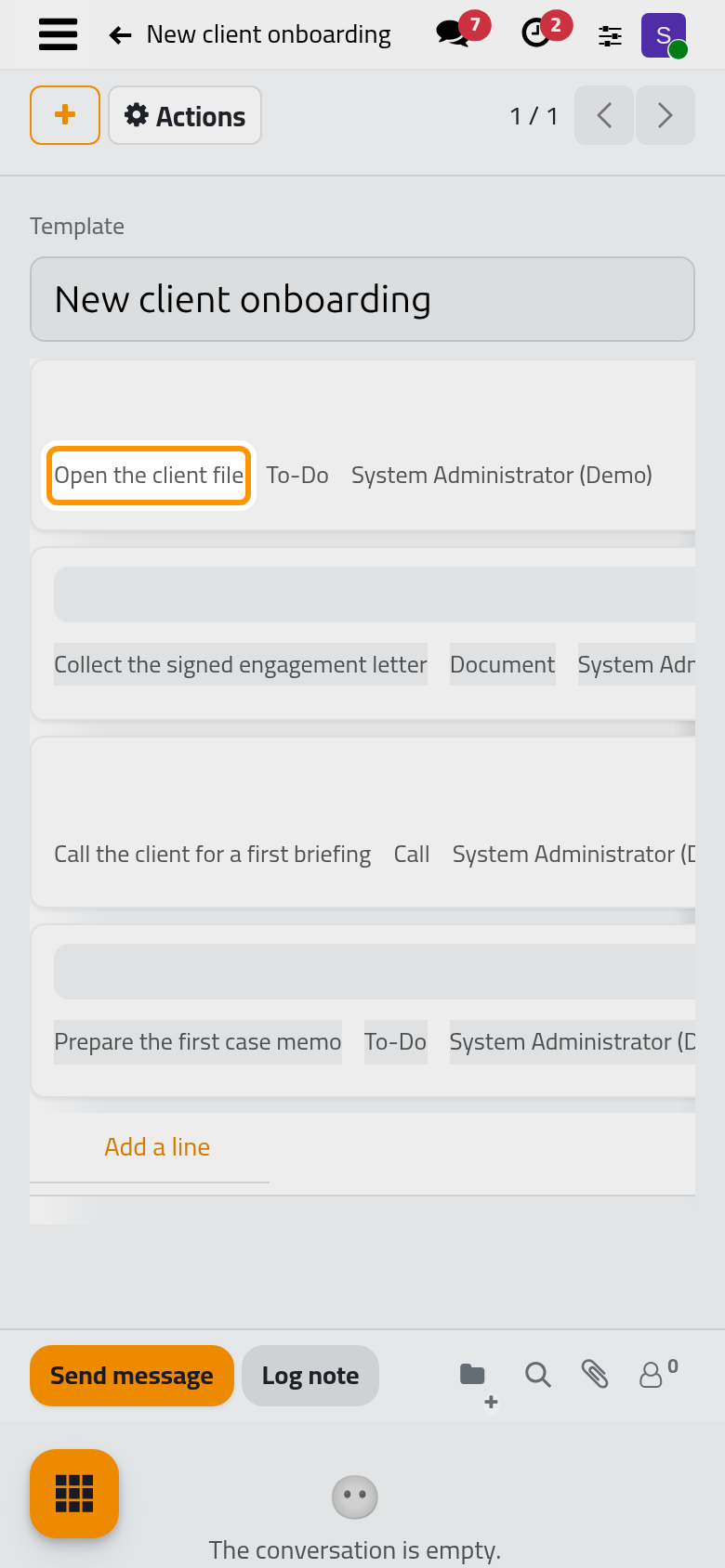
- Open and click New, or open "New client onboarding".
- Name the template, then add one line per planned activity with Add a line: the Activity title, its Type, the Assignee and the Supervisor, the Priority, and when it falls due: Deadline After a number of days, weeks or months counted from the start of the center.
- In Depends On, choose the lines that must be done before this one.
Create the center
Choose Create Center in the Actions menu of the template; the template's card on the Center Templates board has the same button. The new center opens:
- it takes the template's name, starts today and is In Progress, with you as Manager;
- each line becomes an activity of the center, due today plus its delay at 17:00, assigned to the line's assignee or to you;
- the dependencies between lines become dependencies between the activities.
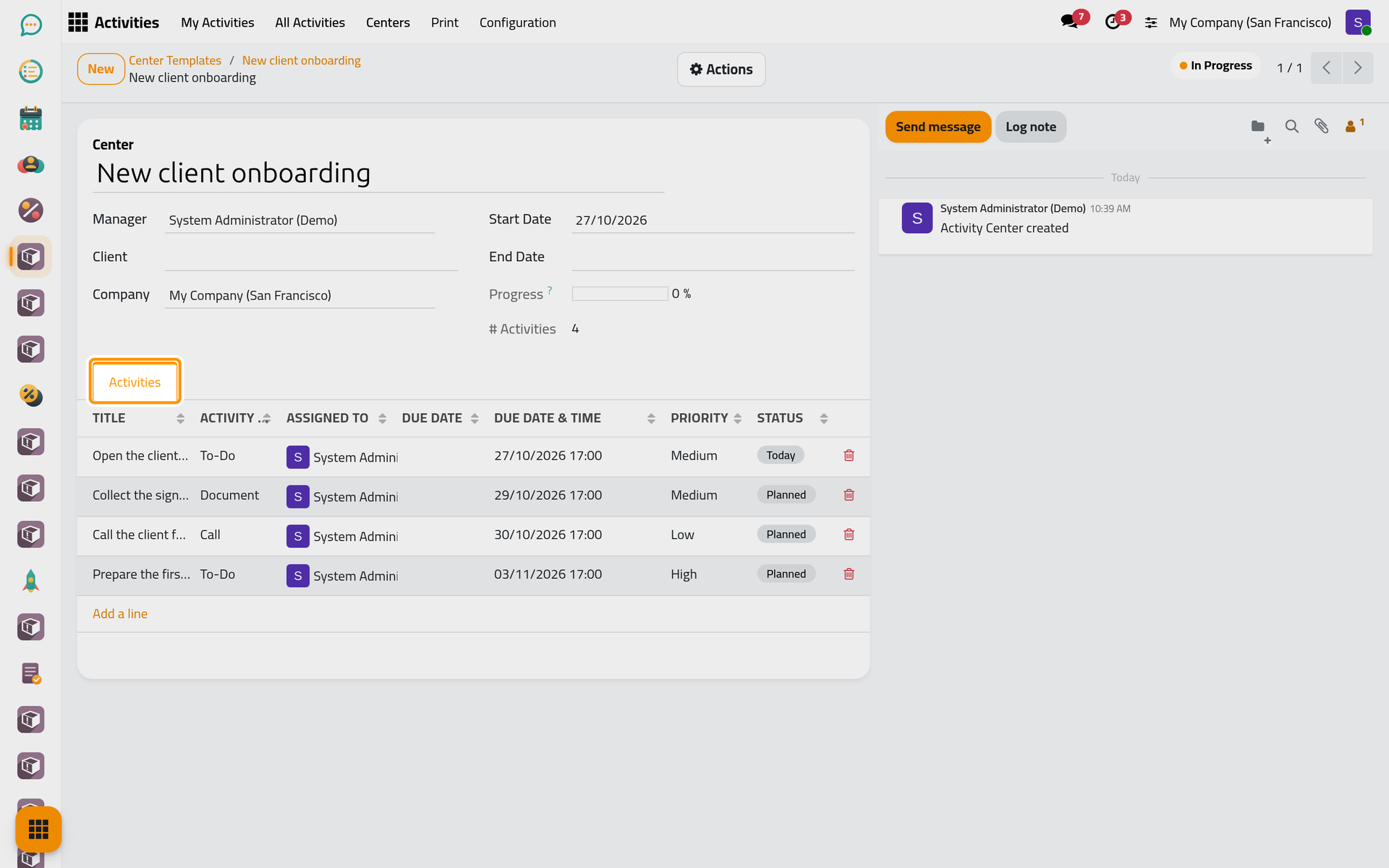
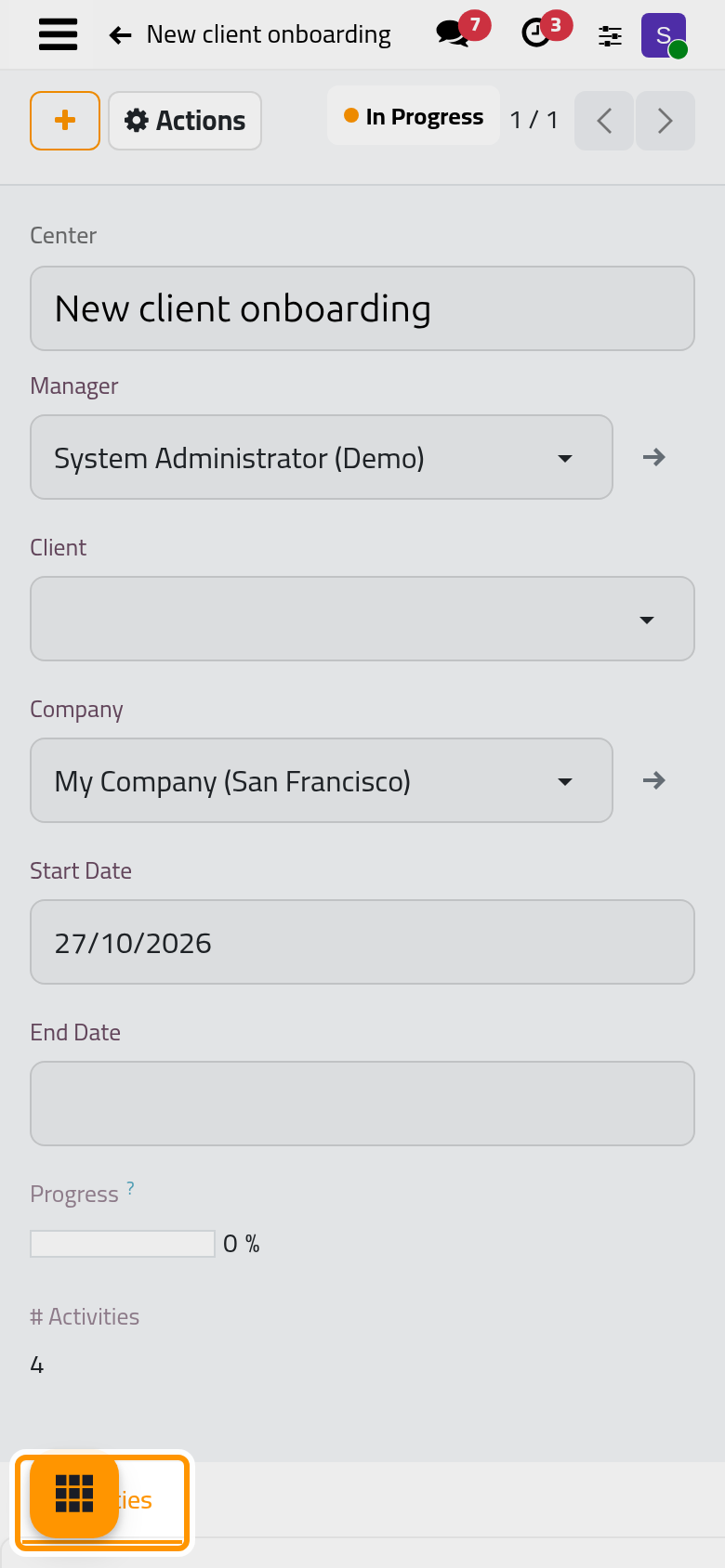
Fill in the Client and the End Date, and rename the center after the matter.
Follow the progress
Open . Each card shows the client, the dates, how many activities are done out of all, the progress bar and the manager.
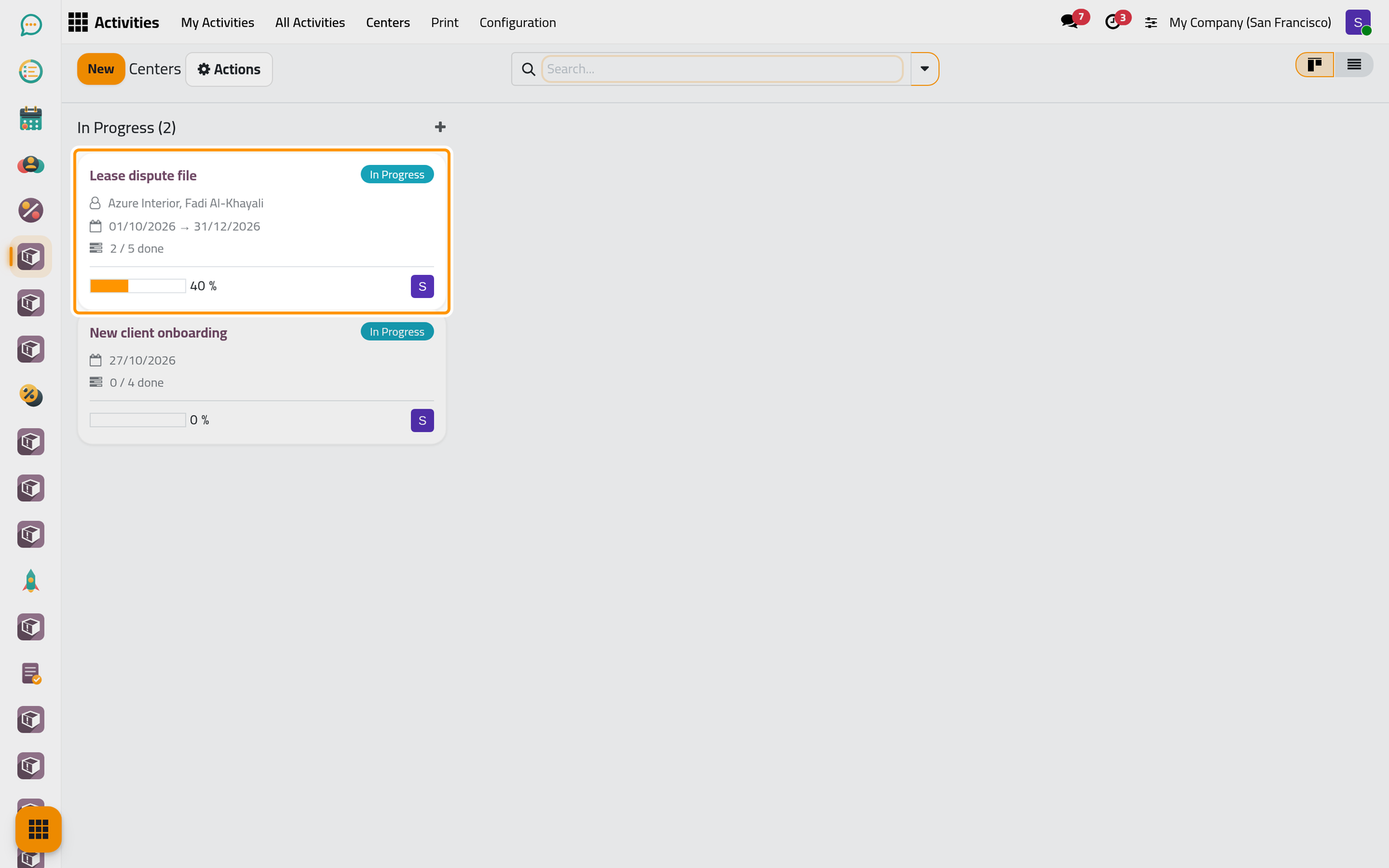
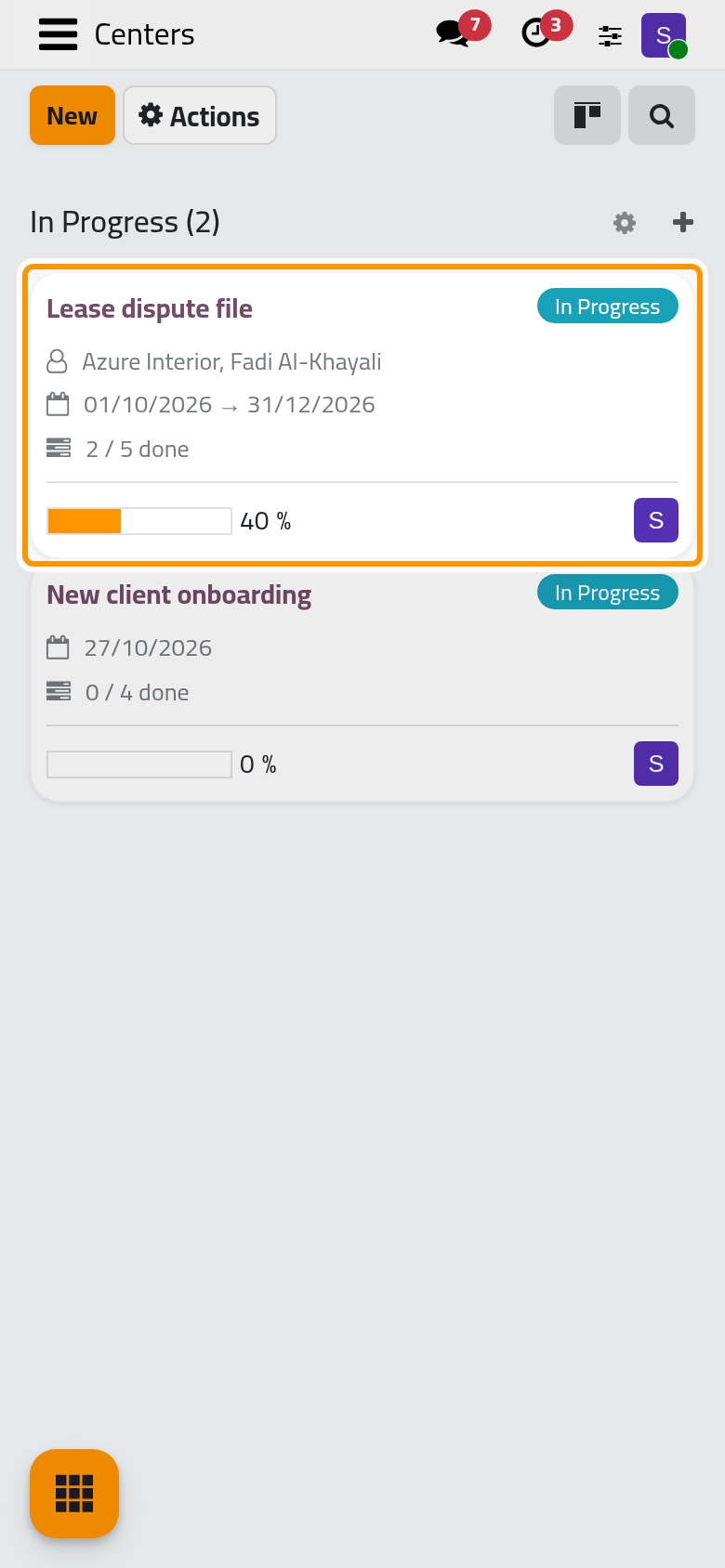
Progress counts the done activities too, while the Activities tab of the center lists only the open ones: done activities are archived. To add an activity to a center, choose the center in the Center field of the activity's Extra Info tab, or use Add a line in the center's Activities tab.
Close the center
Mark Done, in the Actions menu of the center, turns it Done; Reset to Draft brings a done center back to Draft, and Start moves a draft to In Progress. These states belong to the center only: they neither close nor reopen its activities.
FAQ
An activity of the new center will not start or finish.
It depends on another activity of the center that is not done yet; the lock on its card says so. Finish the activities in the order of the template.
Why does the center show five activities and the tab only three?
The two others are done, so they are archived. # Activities and Progress count them; the tab shows the work left.
Does switching Activity Centers off hide the centers?
It hides the Center field of the activities only. The Centers and Center Templates menus stay.
Can the same template serve again?
Yes. Each Create Center makes a new center with new activities; the template does not change.
Was this page helpful?
Thank you for your feedback.