How dashboards work
On this page
Analysis reads the records the other apps already keep: it stores no figure of its own. A dashboard is a set of instructions, which records to count or add up and how to draw them, and the figures appear each time someone opens it.
What a dashboard holds
- a name, an icon and an owner;
- a Kind and a state, which decide who sees it;
- its widgets, each reading one kind of record, with its place on the board;
- its access lines, its share links, and optionally a group and an entry in the menu of an app.
Kinds and states
| Kind | Meaning |
|---|---|
| Personal | Yours. Viewer lines do not open it; besides you, only its editors and the managers see it |
| Shared | For the people, groups and teams named on its Access tab |
| Team | For the members of one team; the team's managers may change it |
| Template | A model kept for copying; seen by its owner, its editors and the managers |
A dashboard is Draft while it is being built, Published when viewers may see it, and Archived when it leaves the lists and menus; Set to Draft brings an archived one back.
Who sees a dashboard
Four routes open a dashboard to someone: being its owner; being an Editor on one of its access lines, or a manager of its team, in any state; being a Viewer on a line, or a member of its team, once it is Published and its kind is Shared or Team; or holding the Manager right. The list at the top of the board shows exactly these dashboards. Share a dashboard sets the lines, and Analysis settings lists the rights.
Live figures
The figures are computed when the dashboard opens, when you click the refresh button, and every few minutes when the form sets an Auto-refresh (min). They are computed as the person who looks: the record rules and the companies of that person apply, so a lawyer and a manager can read different numbers on the same dashboard. A widget over records someone may not read says "You are not allowed to see this data", and a widget with a wrong setting shows its error; the other widgets of the board still show. A chart lists at most the Max groups of its widget, 100 at most, and marks a cut list with an icon.
The Date Filter adds a period to every widget that has a date to apply it to: Organize and filter dashboards.
Ready-made dashboards
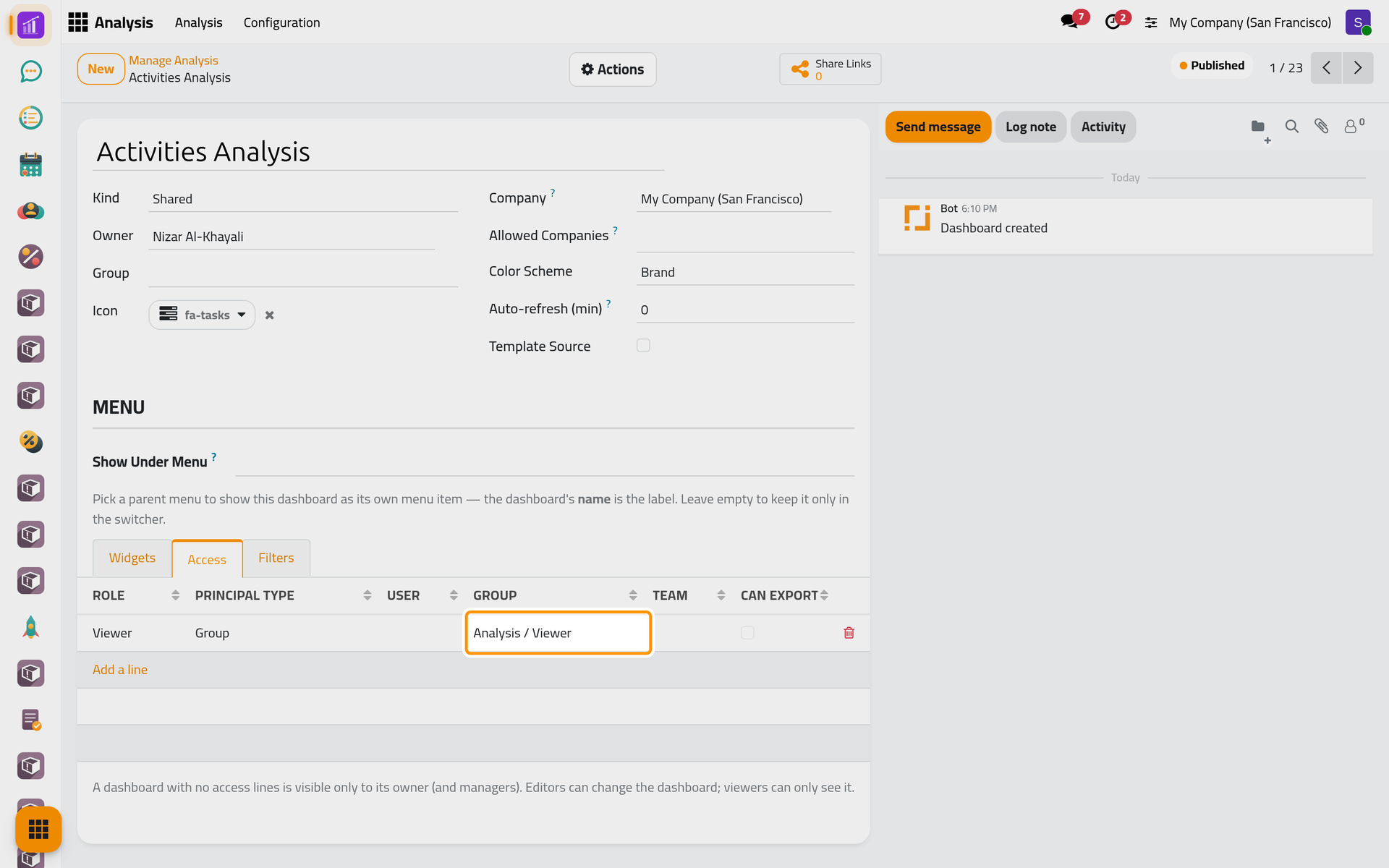
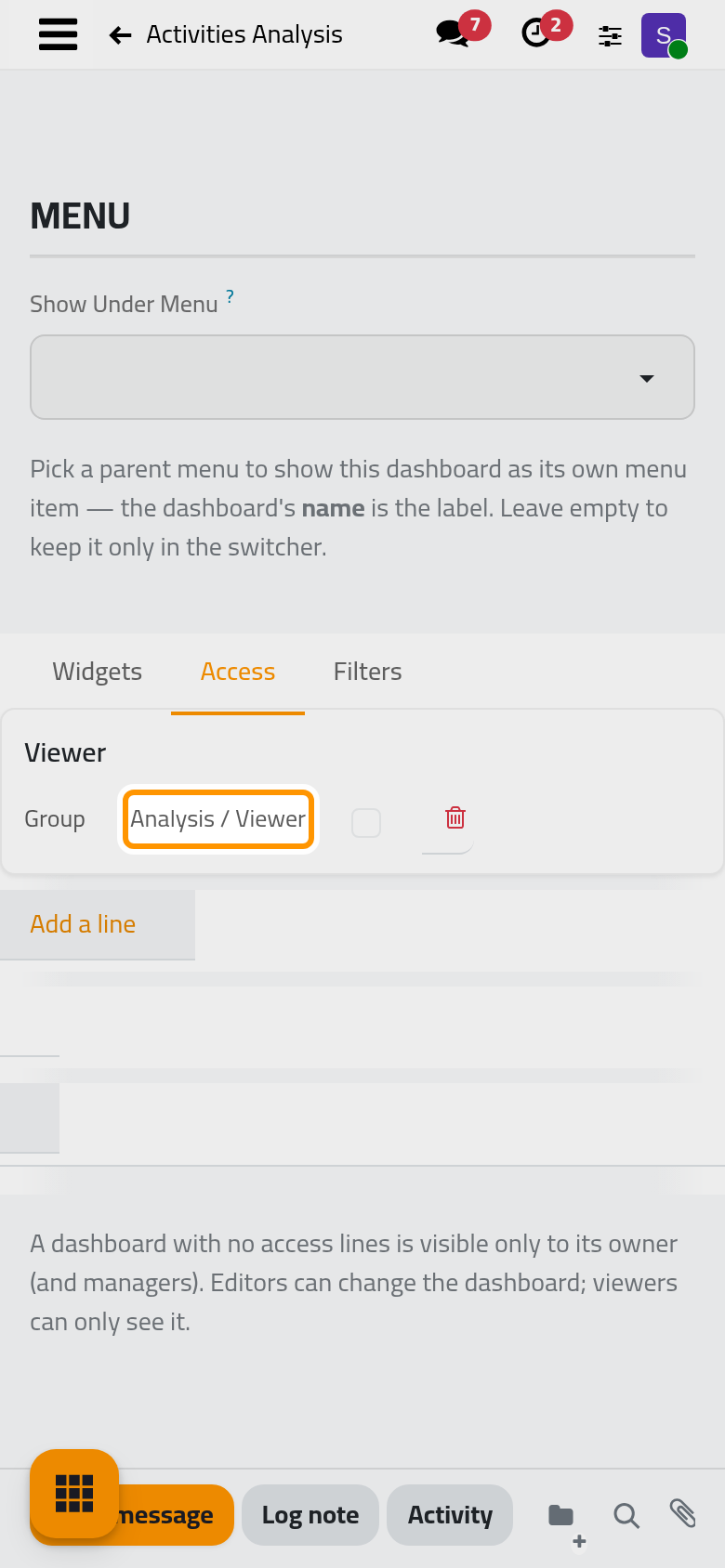
Each app listed in Ready-made dashboards comes with a small companion that holds its dashboard. It installs by itself once both the app and Analysis are installed, and creates one dashboard, about twenty widgets and, for most apps, a KPI bar. The dashboard belongs to the administrator, is Shared and Published, and its only access line gives Viewer to the group Analysis / Viewer: everyone with the Viewer right sees it. Updates of the app leave the changes you make to it in place.
The KPI bar
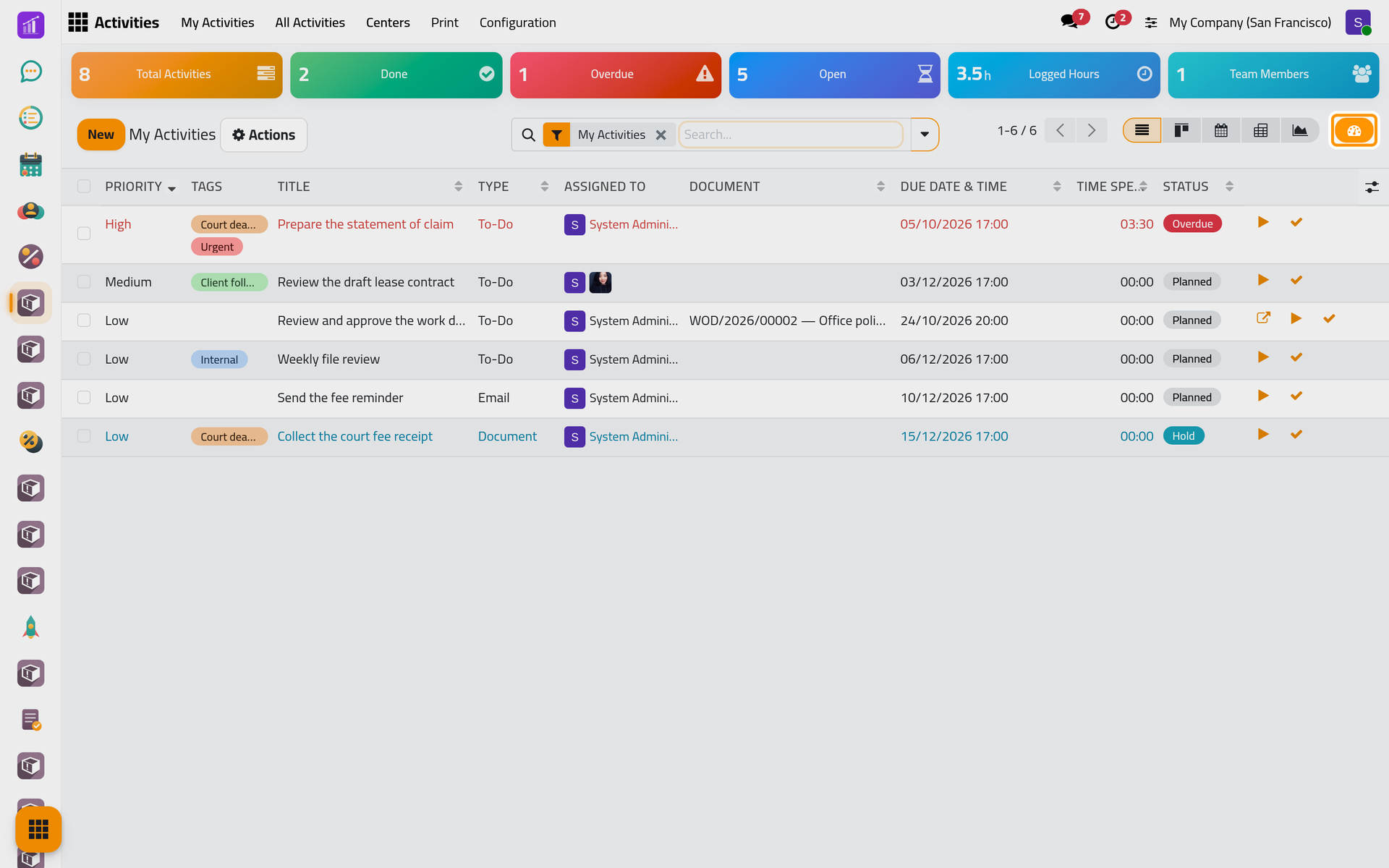
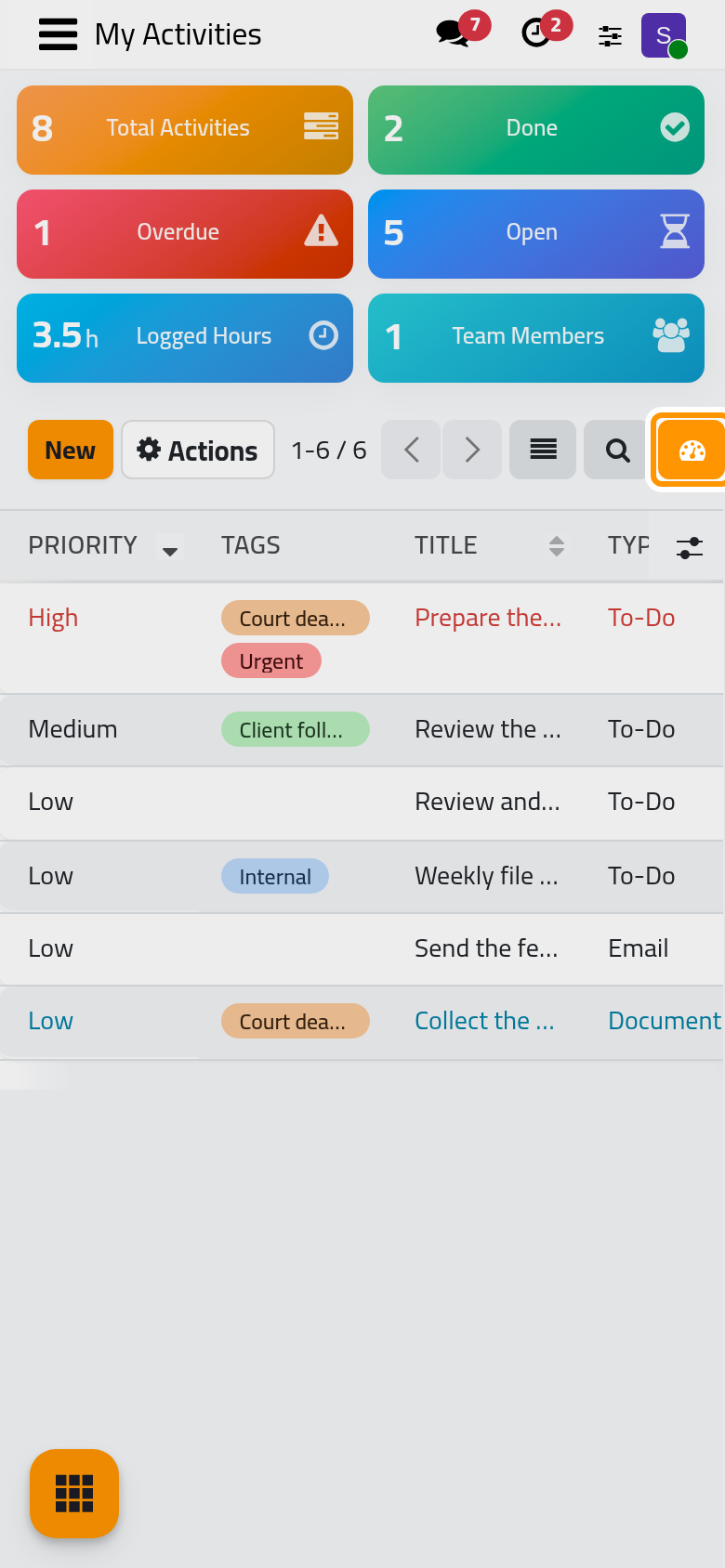
A small KPI or Single Value tied to a menu shows as a tile above the lists and kanbans of that menu, as on My Activities. When the tile reads the same records as the list, it follows the search of the list, and clicking a tile that has a rule of its own adds that rule to the search. The button next to the view switchers hides or shows the bar, and the browser remembers the choice. The bar shows to those who may read its dashboard. Build a dashboard ties a tile to a menu.
Layouts
The place of each widget is stored with the dashboard. On a Shared or Team dashboard, someone who may change it and moves a tile changes their own view only; the others keep the shared arrangement. Adding, changing or removing a widget changes the dashboard for everyone. Opening a dashboard in a narrow window, such as on a phone, also saves the arrangement, with the wide tiles reduced to a third of the width: as a personal view on a Shared or Team dashboard, which the undo button of edit mode resets for those who may change the dashboard (a viewer has no edit mode and keeps it), and as the dashboard's own arrangement on a Personal one.
What Analysis does not do
- It keeps no history of its figures: a dashboard shows today's records. To keep a figure of a given day, export it (Import and export a dashboard).
- It sends no dashboard by email on a schedule.
- It offers no control on the board for the named filters of the Filters tab, and the Color Scheme of the form does not change the board: colors come from each widget's Display tab.
- It does not show groups in the list at the top of the board.
- An outside link shows the figures that the person who generated it may read, not those of the visitor.
Was this page helpful?
Thank you for your feedback.