Give access to the recycle bin
On this page
Everybody's deletes go to the bin, but only a few people can open it. The bin has a single access right, Manager, and at installation only the administrator and the system's own bot user have it. This page gives it to a colleague, the demo user Rawan Al-Wahmi, and explains what it allows.
Before you start
- Changing a user's access rights needs the Administrator role; the user form itself is explained in Create a user and set access rights.
- Choose the people with care: a manager can restore any kind of record, as the last section explains.
Give the Manager access right
- Open and click the colleague, here Rawan Al-Wahmi. The form opens on the Access Rights tab.
- Scroll down to the Administration section and click the Recycle Bin line. It reads No until now. Choose Manager.
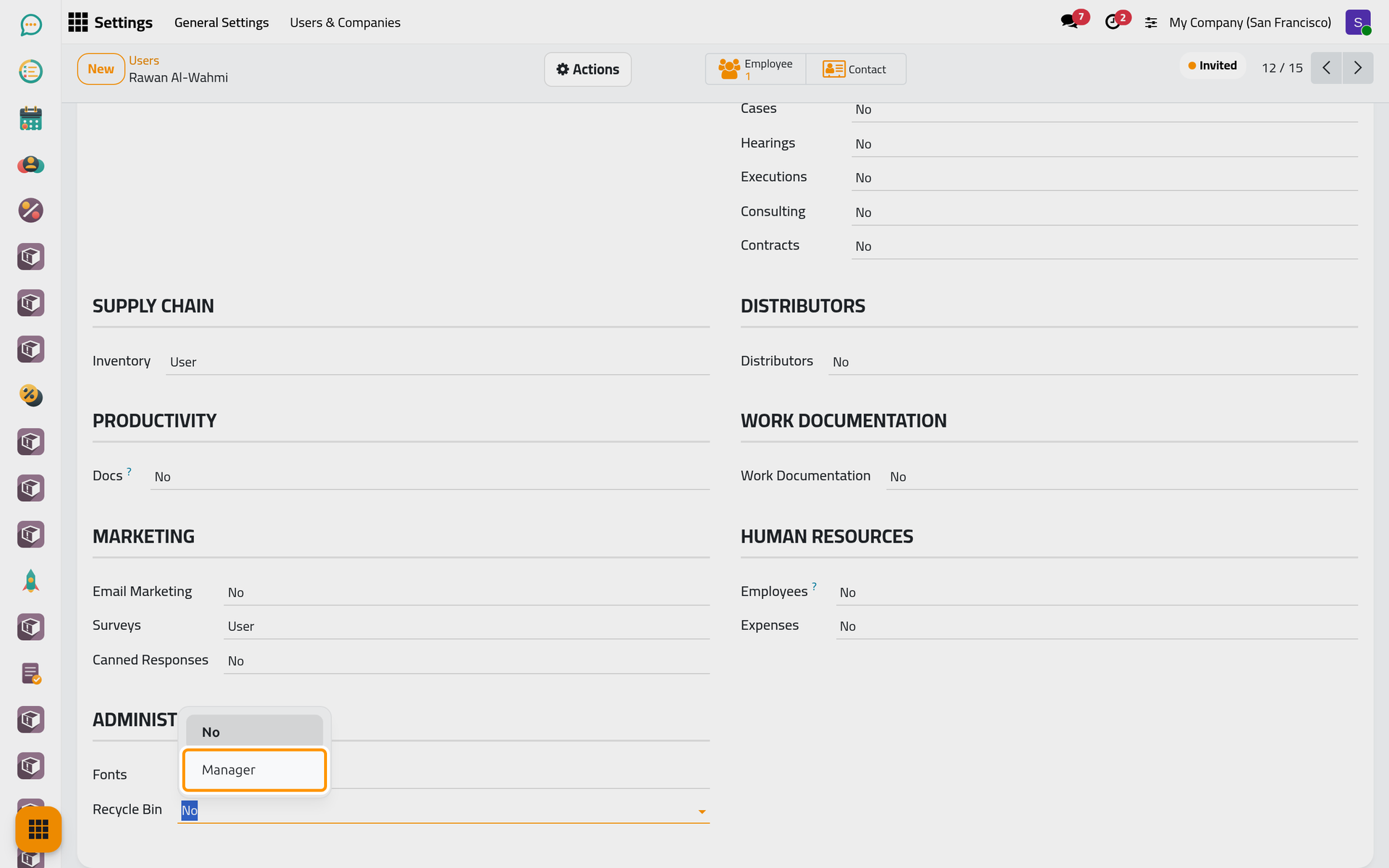
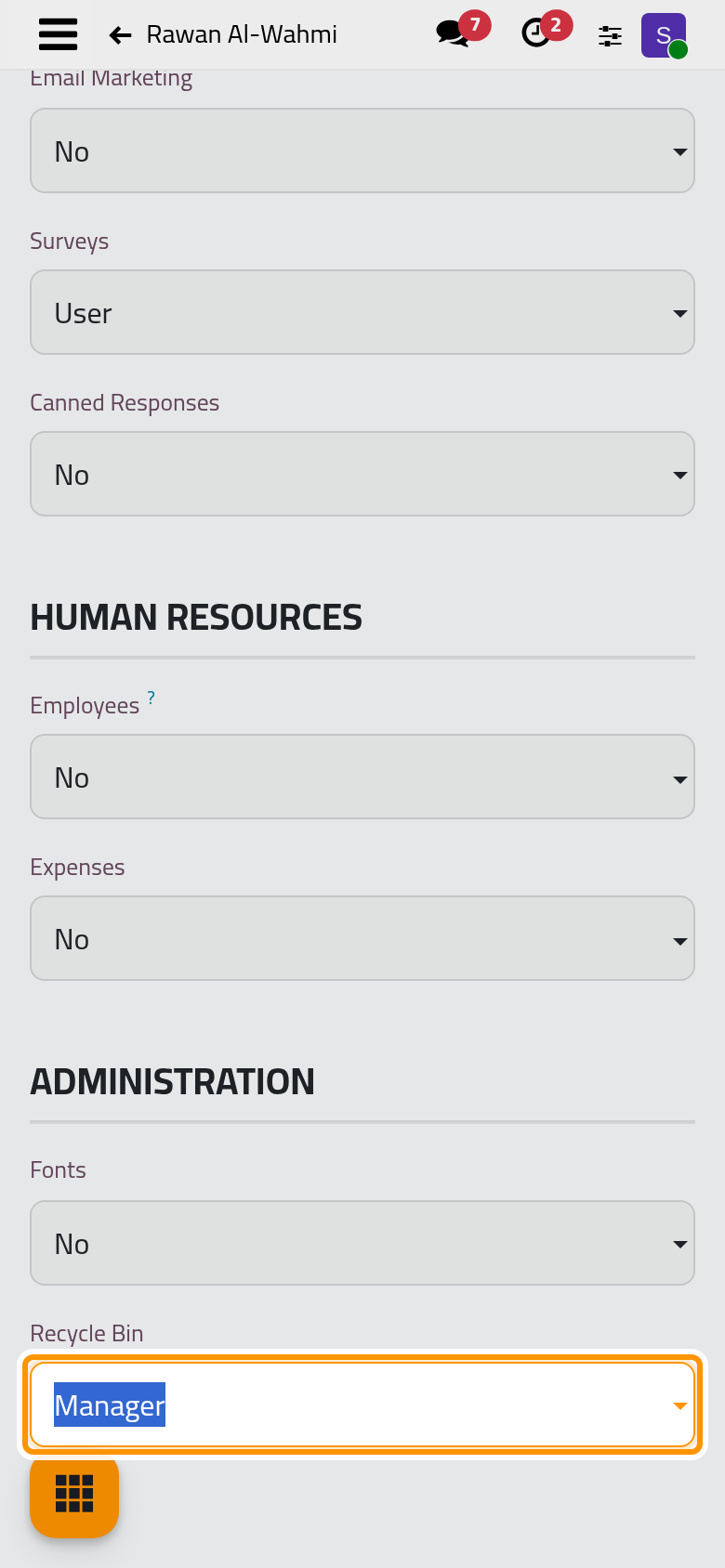
On a phone, the Recycle Bin line is near the end of the Access Rights tab; touch it to open the same choices. In the Arabic interface, the line and its choices read Recycle Bin, No and Manager in English.
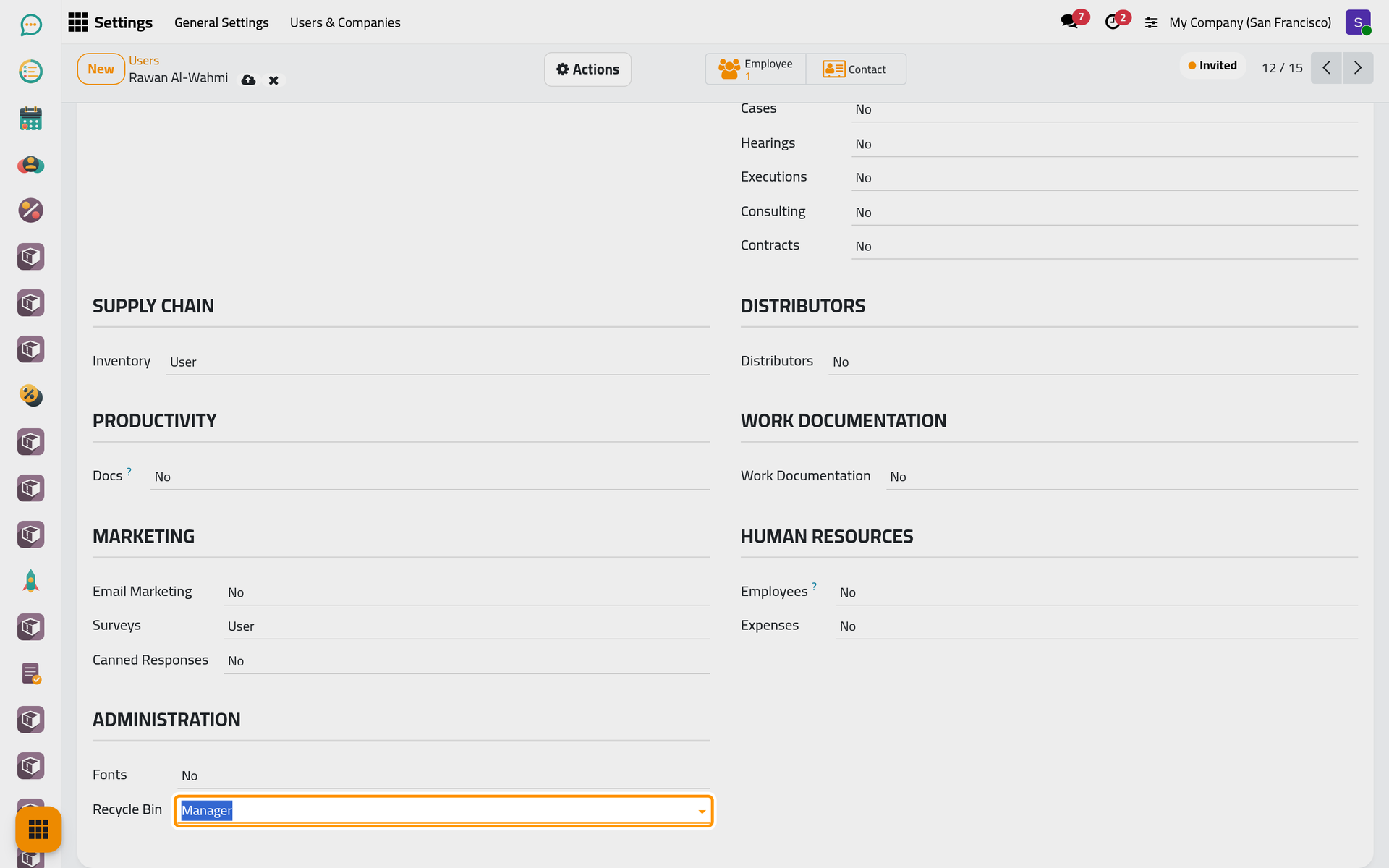
- The line now reads Manager. Click the cloud icon Save manually, or leave the form, which saves it.
- The colleague reloads the page: Recycle Bin appears as the last app of the home menu.
To take the right away, set the line back to No and save.
What a manager can do
| Who | Can |
|---|---|
| Manager of Recycle Bin | Open the app, see the entries of every company, read their snapshot and values, and restore an entry in the status Deleted. Entries cannot be changed or deleted, not even by a manager. |
| Administrator without the Manager right | Change the options of Recycle bin settings and empty the bin from there, but not open the app. |
| Every other user | Nothing in the bin; their deletes are recorded all the same. |
A restore runs with the full rights of the system. It recreates the record even when the manager could not create that kind of record himself: a contact without the contact rights, a user without the administrator role. Give the right only to people you would trust with every record of the database.
With developer mode on, a manager also sees Advanced Restore and a Raw Data in JSON tab on each entry. They are tools for technical staff and are not covered here; developer mode itself is described in Developer mode and the technical menus.
FAQ
The colleague still does not see the app.
Access rights apply on the next page load: ask the colleague to reload. Check also that the form was saved and that the line reads Manager.
Can a user see only the records they deleted themselves?
No. The single access right shows every entry. Grouping the list by Deleted by puts each person's deletes together; see Find a deleted record.
Why can a user who once deleted records not be deleted?
Each entry names who deleted it and who restored it, and a user named there cannot be deleted while those entries remain. Archive the user instead, which is the usual way to remove someone who left.
Does the bin follow the user's companies?
Not for reading: a manager sees the entries of every company. Each entry belongs to the company the user was working in when they deleted the record, and emptying the bin acts on one company at a time.
Was this page helpful?
Thank you for your feedback.