Read the org chart
On this page
The org chart is drawn from one field, the Manager of each employee on the Work tab. Nothing else needs to be kept up to date: set the manager, and the employee takes a place under that person in every chart. Departments have their own tree, separate from this one: Organize departments.
Before you start
- Changing an employee's manager needs the Officer: Manage all employees right on Employees. Everyone who may open the employees can read the chart.
- The manager is an employee; a person who has no employee record cannot be chosen.
Set the manager
- Open , click New and type the name, here
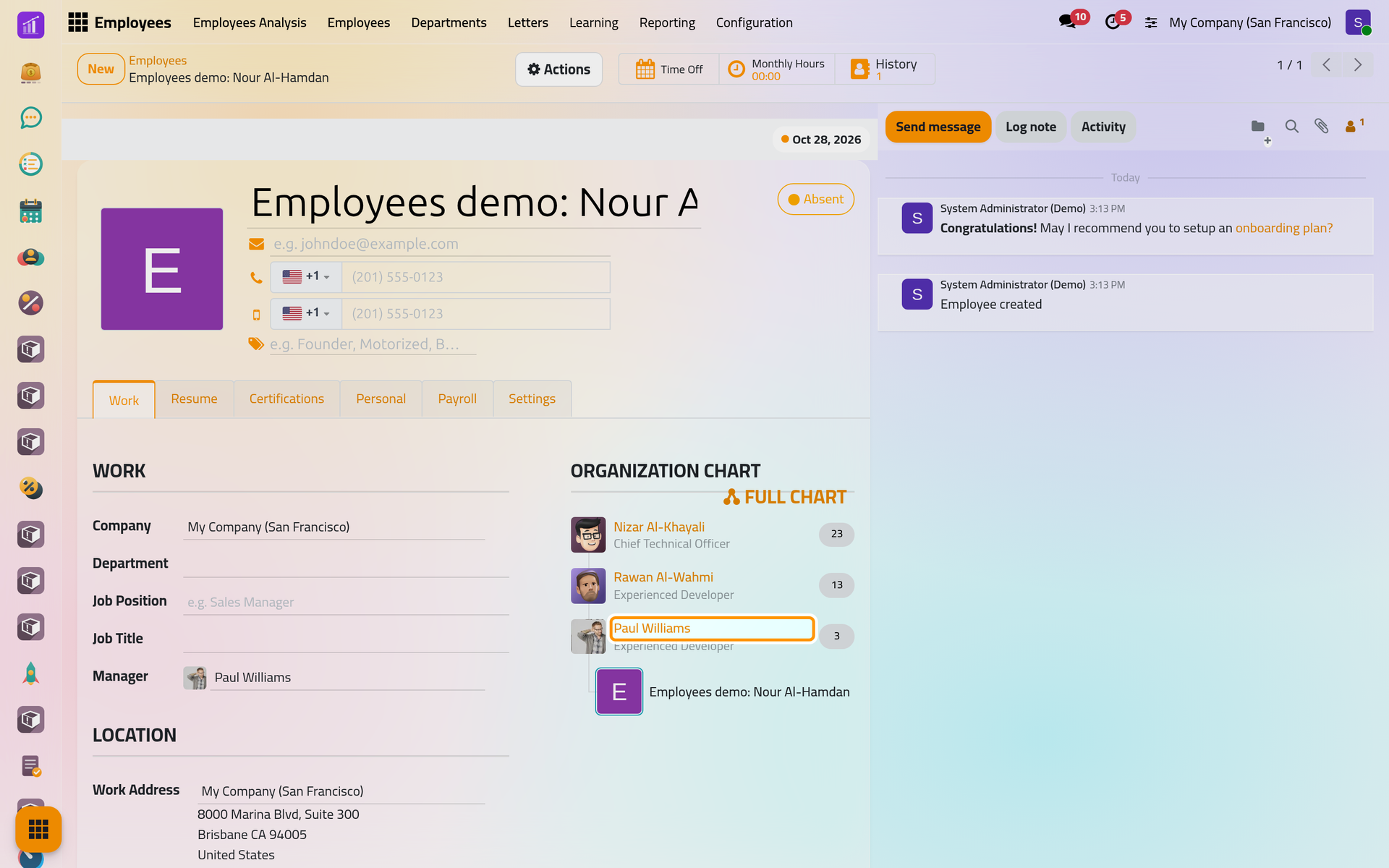
Employees demo: Nour Al-Hamdan. - On the Work tab, choose Paul Williams in Manager, then save.
Read the chart on the form
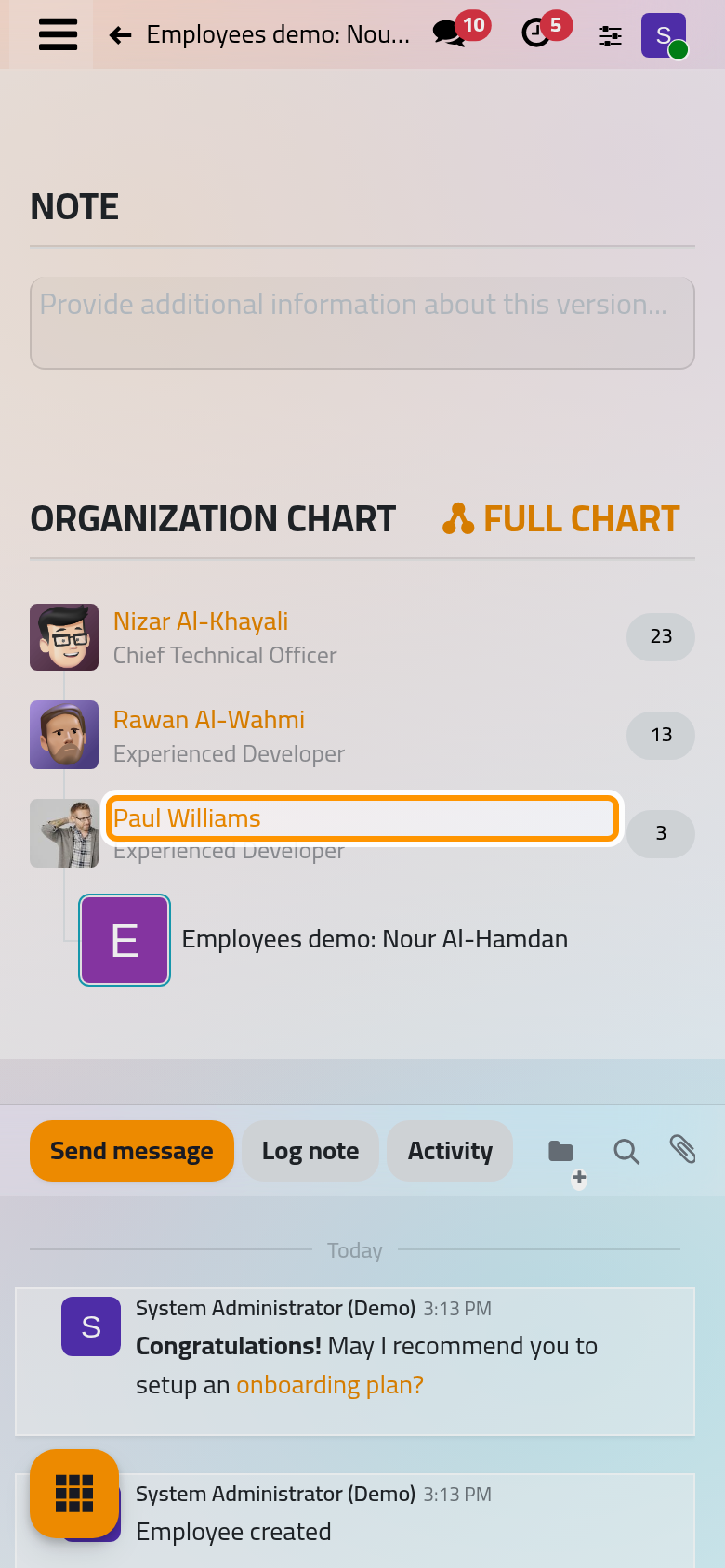
The Organization Chart on the right of the Work tab shows the line of managers above the employee, from the top of the company down to the direct manager, then the people who report to the employee, if any. The number on the right of a manager is the count of people under that manager; a name opens that person's form.
Open the full chart
- Click Full Chart above the Organization Chart.
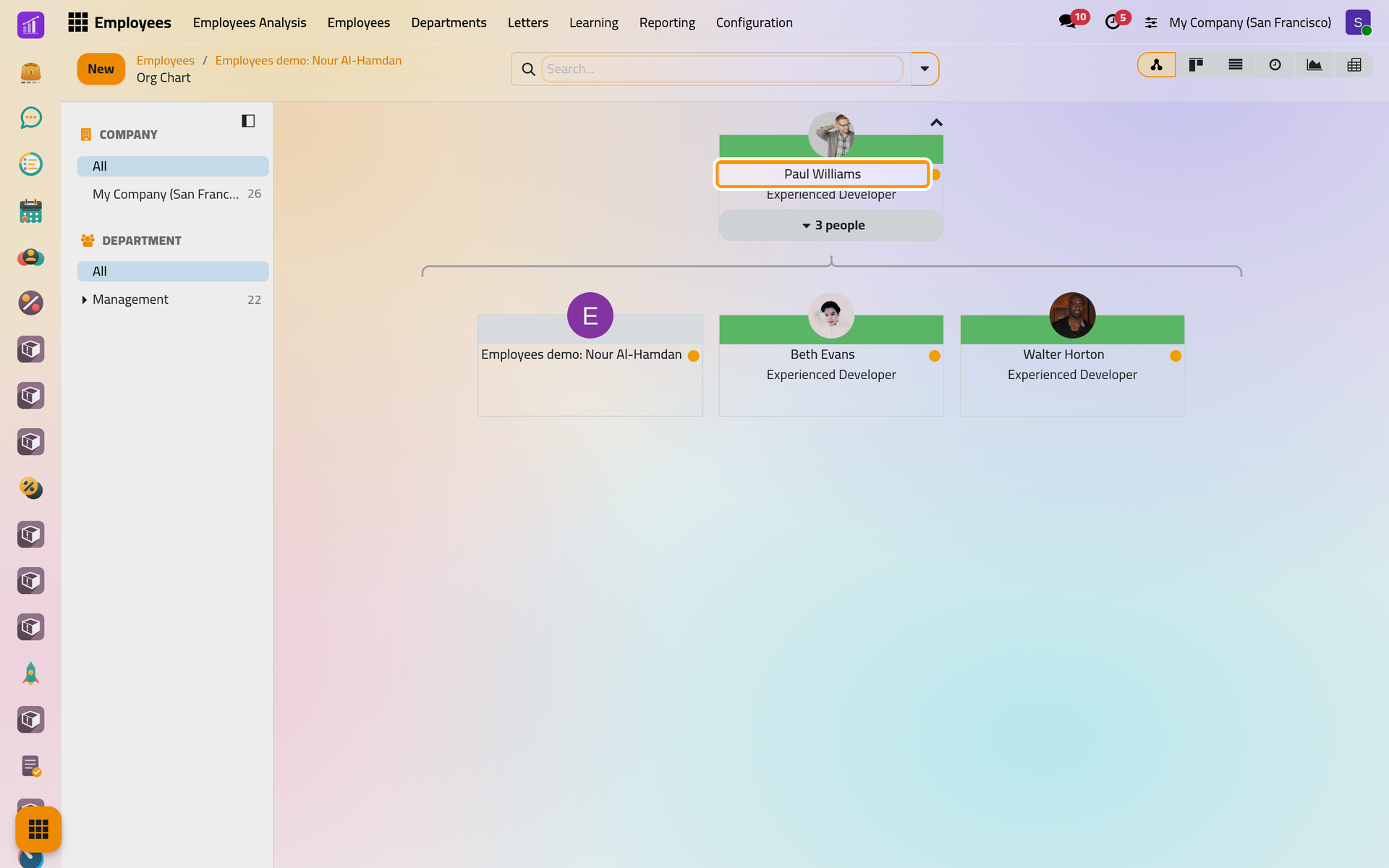
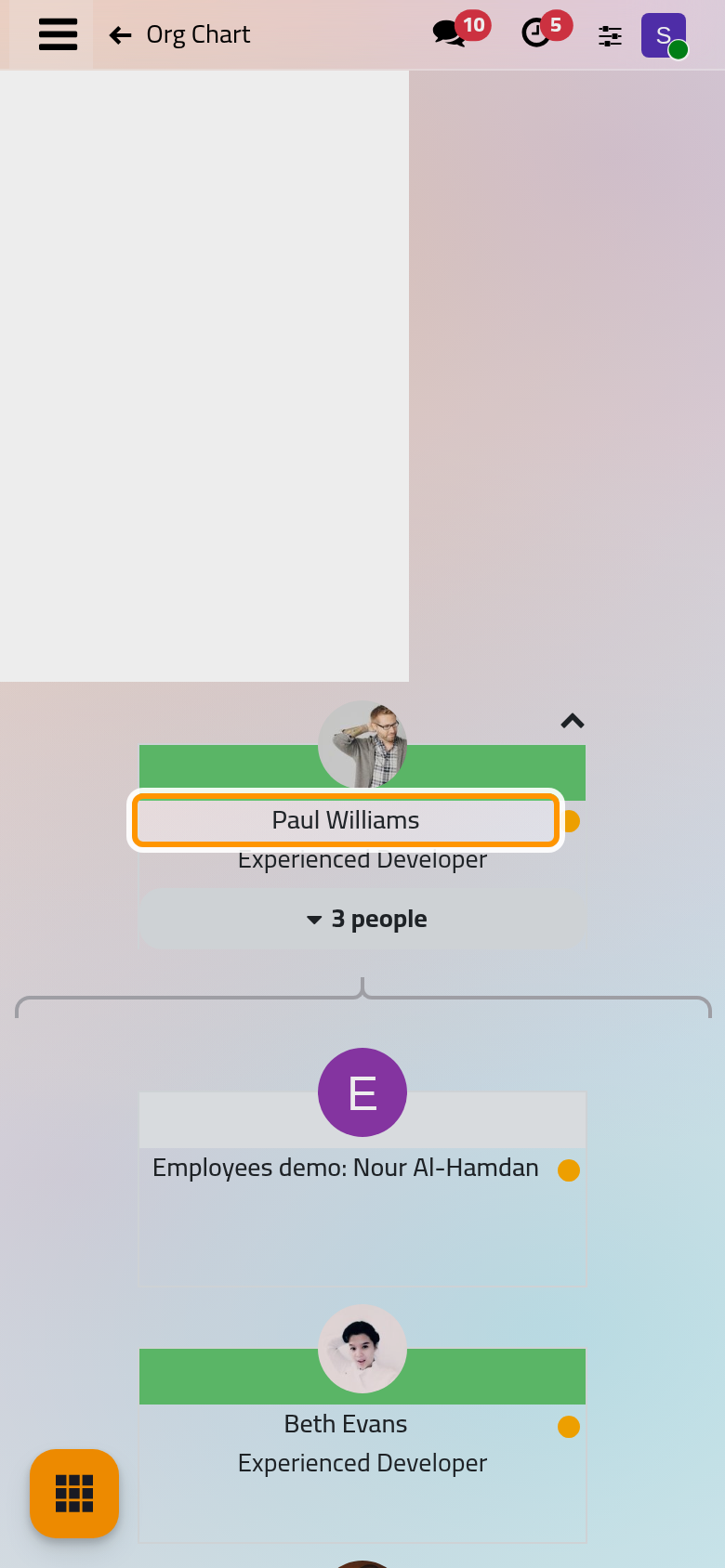
- The chart opens on the manager's team: Paul Williams on top, and under him the new employee next to Beth Evans and Walter Horton. When the employee has a team of their own, it appears below the employee.
- Move through the chart:
- the arrow at the top right of the first card climbs one level, to the manager's own manager and the people next to him;
- the people button of a card folds or unfolds the people under it;
- a click on a card opens the employee.
The color band of a card is the color of the employee's department. The same chart opens from the hierarchy button of ; from there it starts with the people who have no manager.
Change a manager
- On the form: choose another person in Manager and save.
- In the chart: drag a card and drop it on another card. The person you drop it on becomes the manager, and the chart is redrawn; check the new Manager on the employee's form.
When a department gets a new manager, its employees who reported to the former one move to the new one, as Organize departments explains.
FAQ
Where is the coach?
The form has no Coach field. A new employee's coach is set to the manager chosen when the employee is created, and stays the same when the manager changes later. To see or change it, show the Coach column of the list, from the button at the end of the column titles, then tick the employee and change the cell. How employee records work gives the details.
Why does an employee appear at the top of the chart?
The employee has no manager. Open the form and choose one on the Work tab.
Can I see only my team?
Yes: the My Team filter of keeps the people whose manager is linked to your user.
Was this page helpful?
Thank you for your feedback.