Move a request through the pipeline
On this page
- Before you start
- Move a request from its form
- Move a request on the board
- Flag how the work is going
- What a move sets off
- FAQ
- The stage I want is not in the list. Why?
- Can I move a request back?
- What is the difference between Resolved and Dropped?
- Why does a card show a red badge with a number of days?
A request moves through the stages of its desk. On the Front Desk they are Received, Working and Waiting while the request is open, then Resolved when the work is done or Dropped when it is abandoned. Each desk has its own list of stages, set by an administrator (Help Desk settings).
Before you start
- You need the User or the Administrator access right on Help Desk.
- Know what the stages of your desk mean. On the board, pointing at the heading of a column shows the description the administrator wrote for it.
Move a request from its form
- Open the request from .
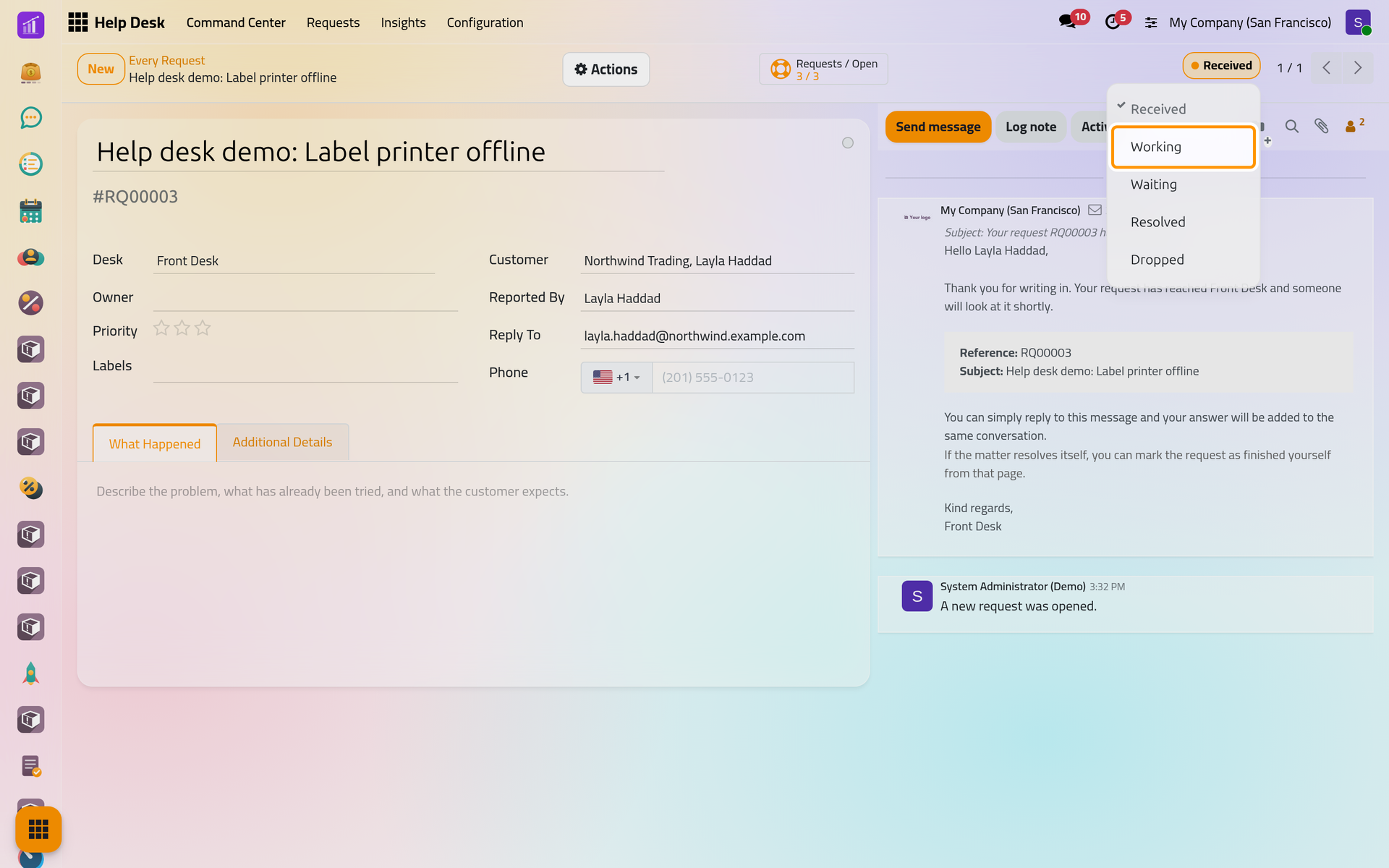
- Click its stage, at the top right of the form. The list holds the stages of its desk.
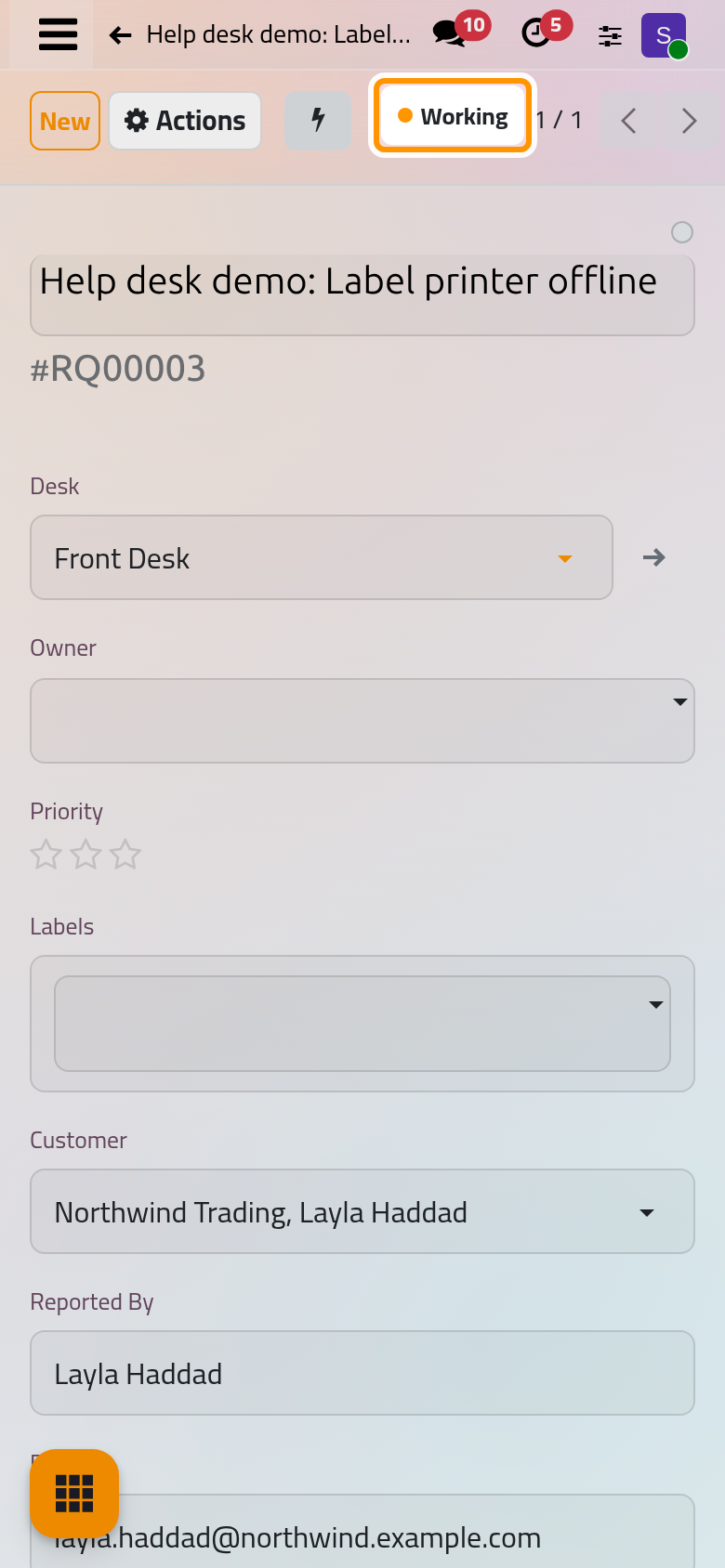
On a phone, the stage button sits in the top bar, next to the record counter.
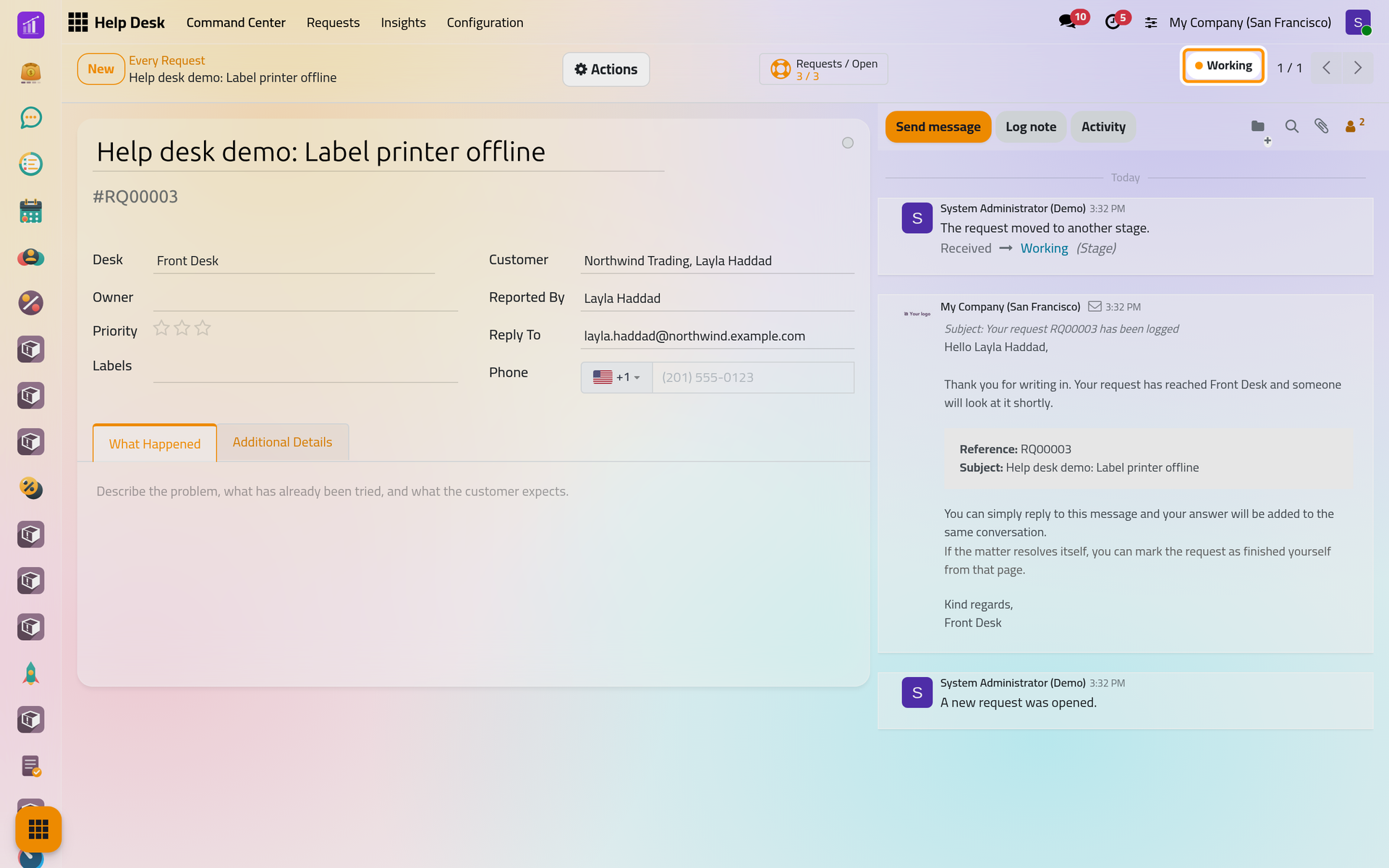
- Choose the new stage, here Working. The chatter records the move and its time.
Move a request on the board
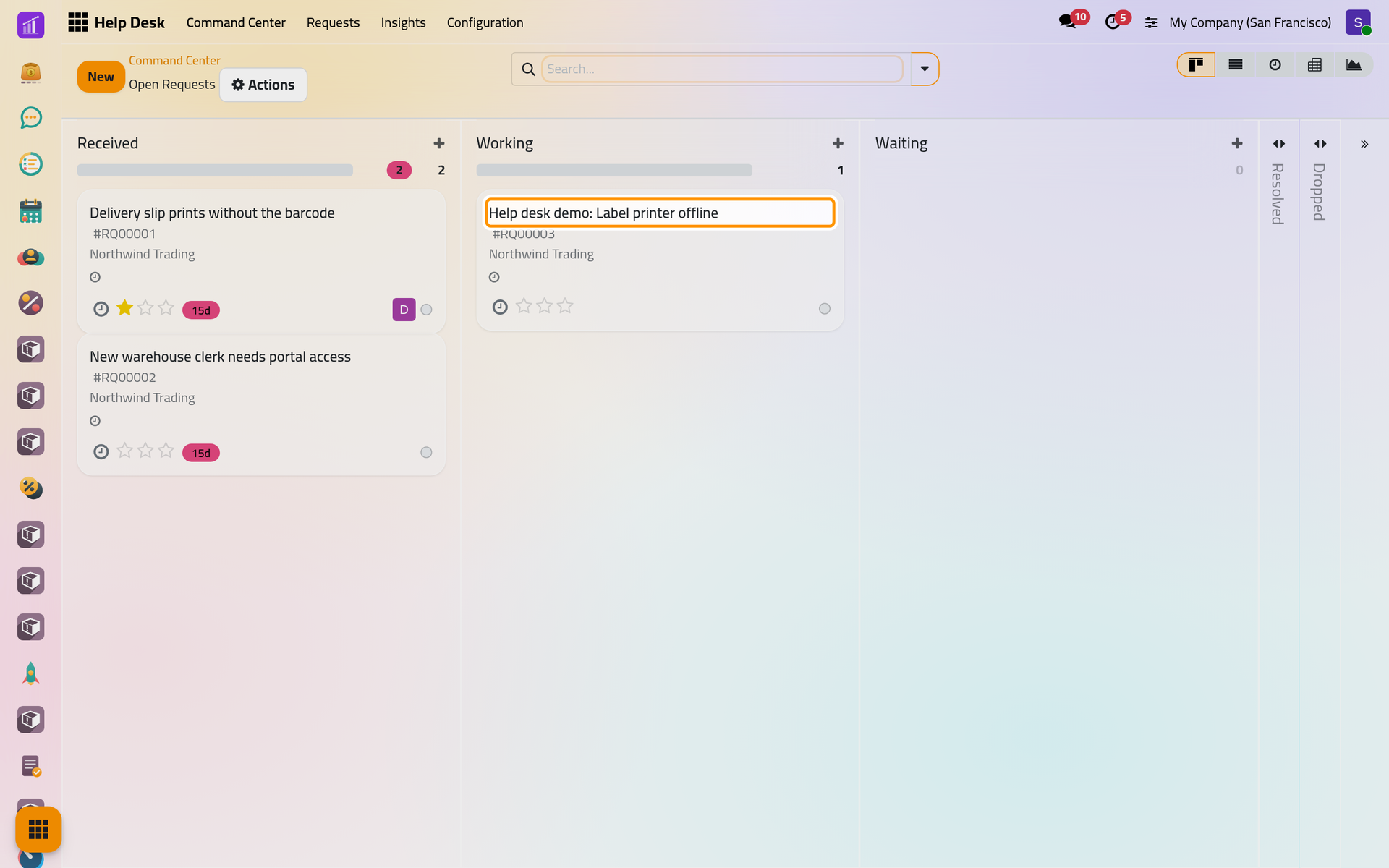
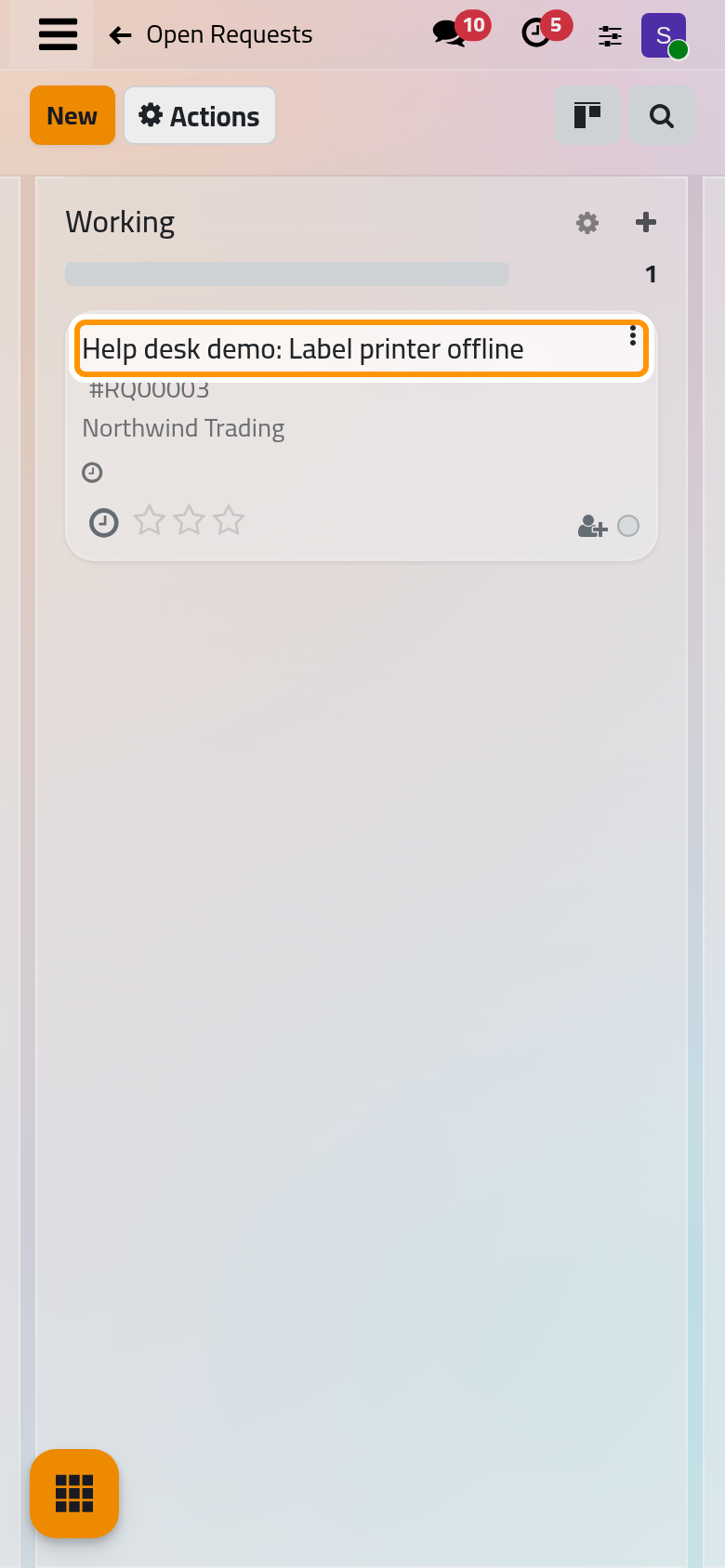
On , click open requests on the card of the desk, then drag the card of the request to another column. The folded columns on the right are the wrap-up stages: drop a card there to finish its request.
Flag how the work is going
The circle at the top right of the form, and on each card, is the progress flag: In Progress, Blocked or Ready. Each stage may rename the three. The flag changes nothing else; it tells your colleagues that a request is stuck, or ready for the next step, and the bar in the heading of each column is coloured after the flags of its cards.
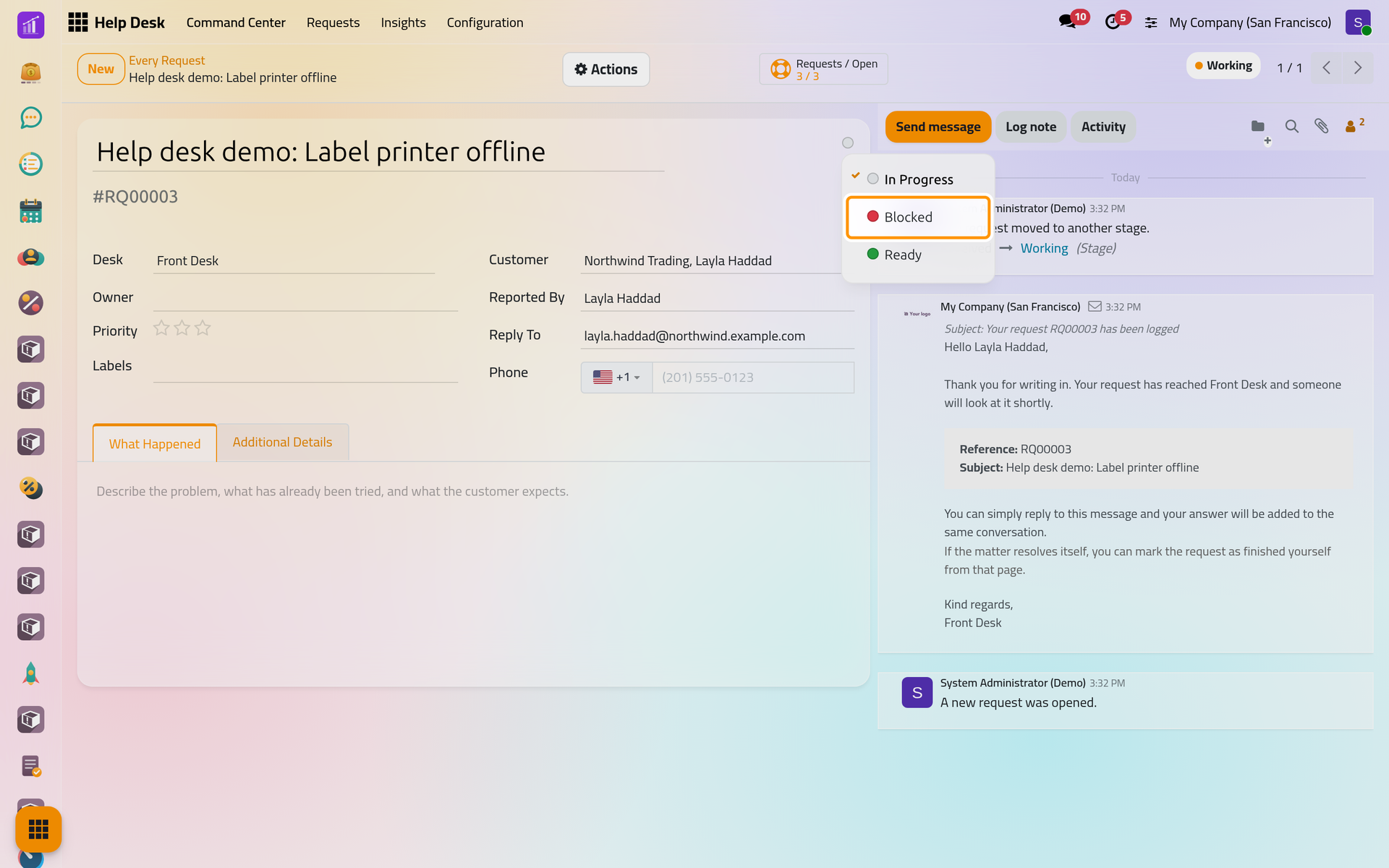
On a phone, the circle sits at the top right of the form as well.
What a move sets off
- Reaching a stage that carries an arrival message e-mails the customer. On the Front Desk, Received acknowledges the request and Resolved announces that it is wrapped up.
- Reaching a wrap-up stage fills Wrapped Up On and takes the request out of the open lists. On a desk that collects feedback, the stage that carries the feedback template, Resolved on the Front Desk, also sends the satisfaction request, once per request.
- Every move restarts the stale count. A request turns Stale when it stays in a stage longer than the Flag as Stale After (days) of that stage: 2 days in Received, 5 in Working and 10 in Waiting on the Front Desk.
- The clocks of the service targets pause, resume or settle according to the stages each target names: Set service targets.
- When the customer answers by e-mail after the wrap-up, the request opens again in the stage it left.
FAQ
The stage I want is not in the list. Why?
Stages belong to desks, and a stage that is not assigned to the desk of the request is not offered. An administrator assigns it in Configuration › Pipeline Stages.
Can I move a request back?
Yes: choose an earlier stage. Leaving a wrap-up stage clears Wrapped Up On and the request counts as open again. The satisfaction request is not sent a second time.
What is the difference between Resolved and Dropped?
Both wrap the request up. Dropped counts as dropped: the work was abandoned, so a request that lands there never counts as having kept its service targets.
Why does a card show a red badge with a number of days?
The request has stayed in its stage longer than the stage allows. The badge gives the days spent there, and the request is counted under Stale on the Command Center until it moves.
Was this page helpful?
Thank you for your feedback.