Refuse or restore an applicant
On this page
Refusing closes an application with a reason. The application leaves the pipeline but stays in the database, and the applicant can receive an e-mail written from the template of the reason. A refused application comes back with Restore. In the example below, Recruitment demo: Karim Al-Nouri has just applied for Trainee.
Before you start
- Officers refuse any application; interviewers refuse those they are named on.
- Sending the e-mail needs an e-mail address on your own user, and one on each applicant.
Refuse an applicant
- Open the applicant from the pipeline of the position, or from .
- Open Actions and choose Refuse. The menu of a card in the pipeline offers it too.
- Choose the reason, here Does not fit the job requirements. The first reason of the list is chosen until you pick another.
- Send Email is on when the reason carries a template: the subject and the text below it are the e-mail the applicant will receive. Switch it off to refuse without writing. When an applicant has no e-mail address, the switch starts off; switched on, it names that applicant in a warning, and the refusal cannot go through with the e-mail.
- When other ongoing applications share the applicant's e-mail, phone number or profile link, Refuse Duplicate Applications appears: switch it on to refuse them as well. Each of them then notes in its chatter that it was refused as a duplicate of this one.
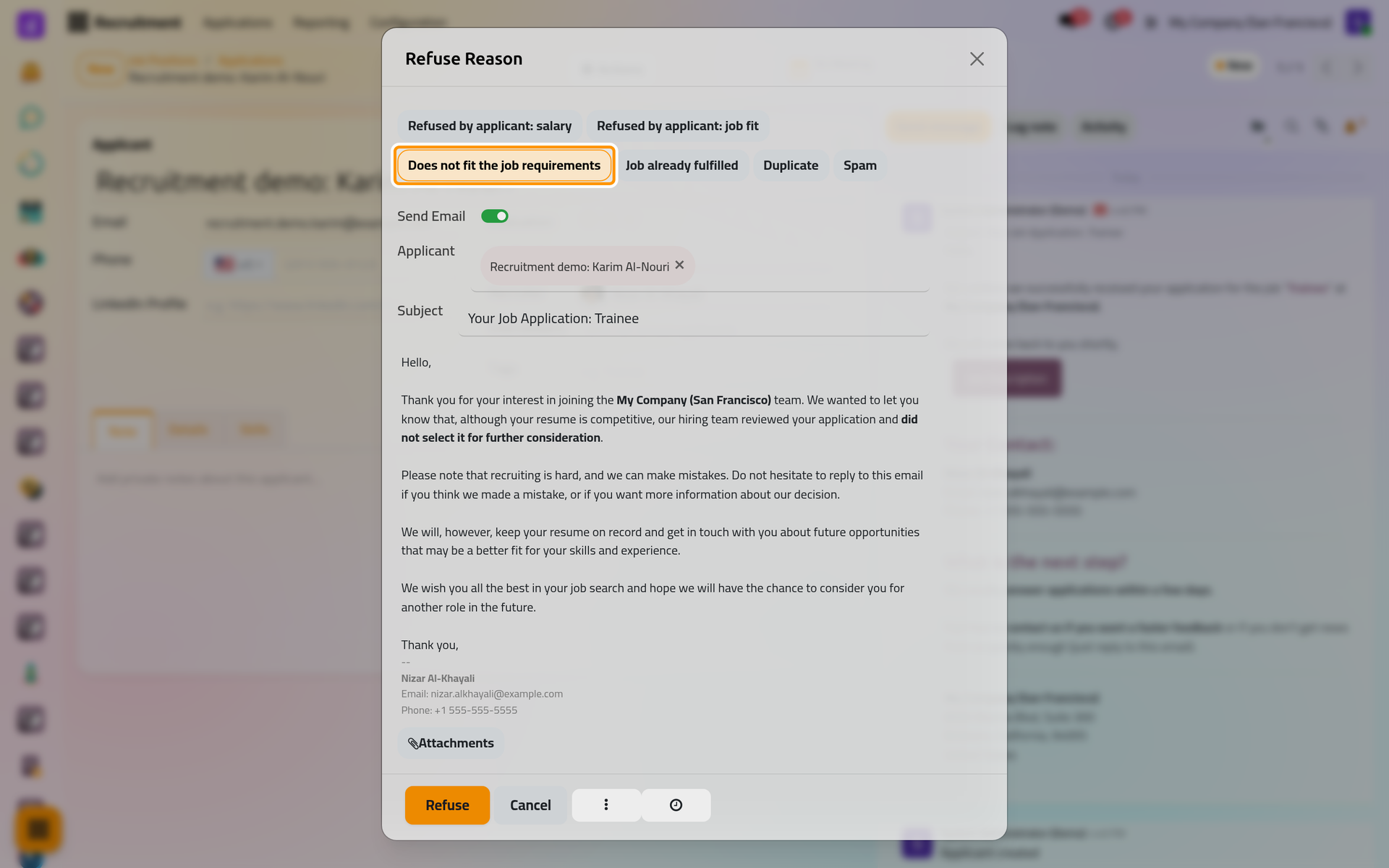
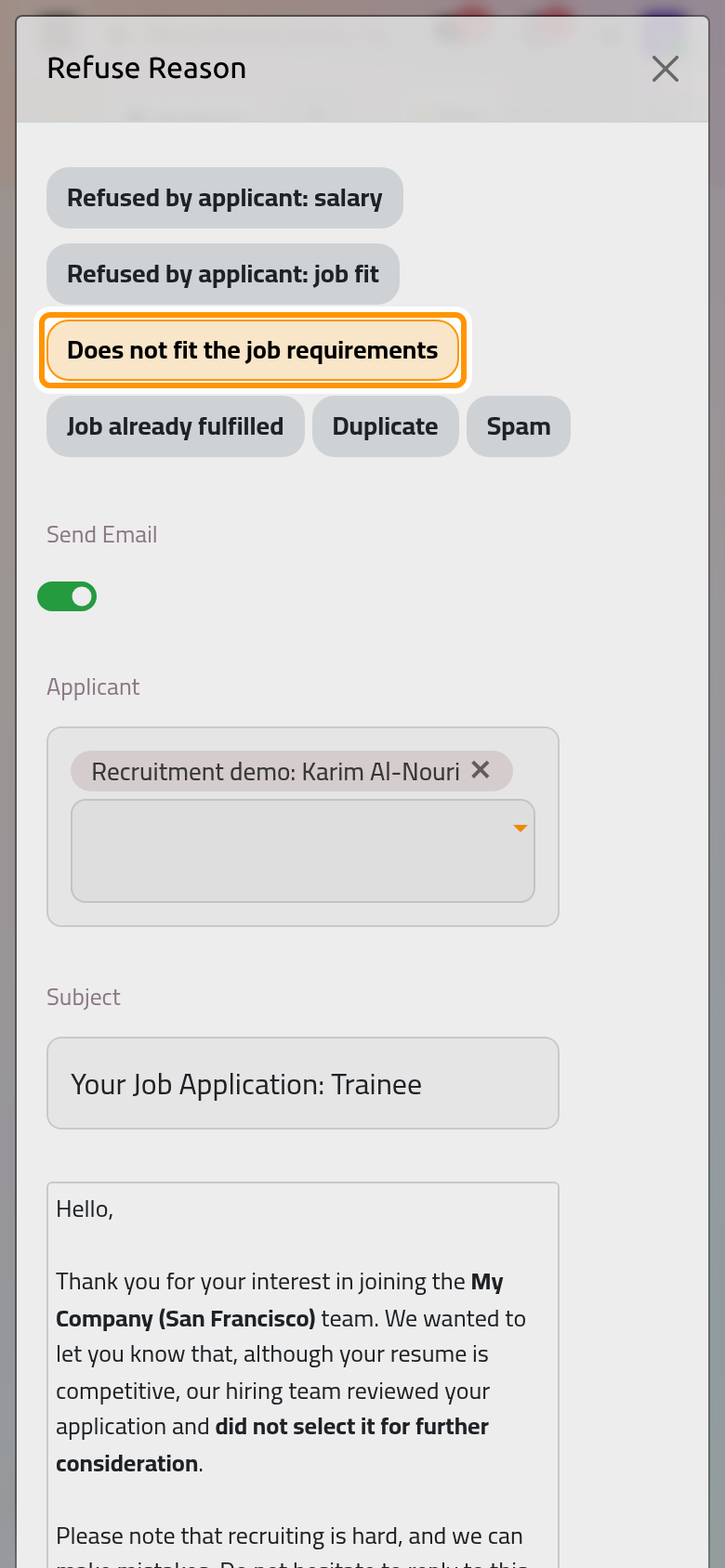
- Click Refuse.
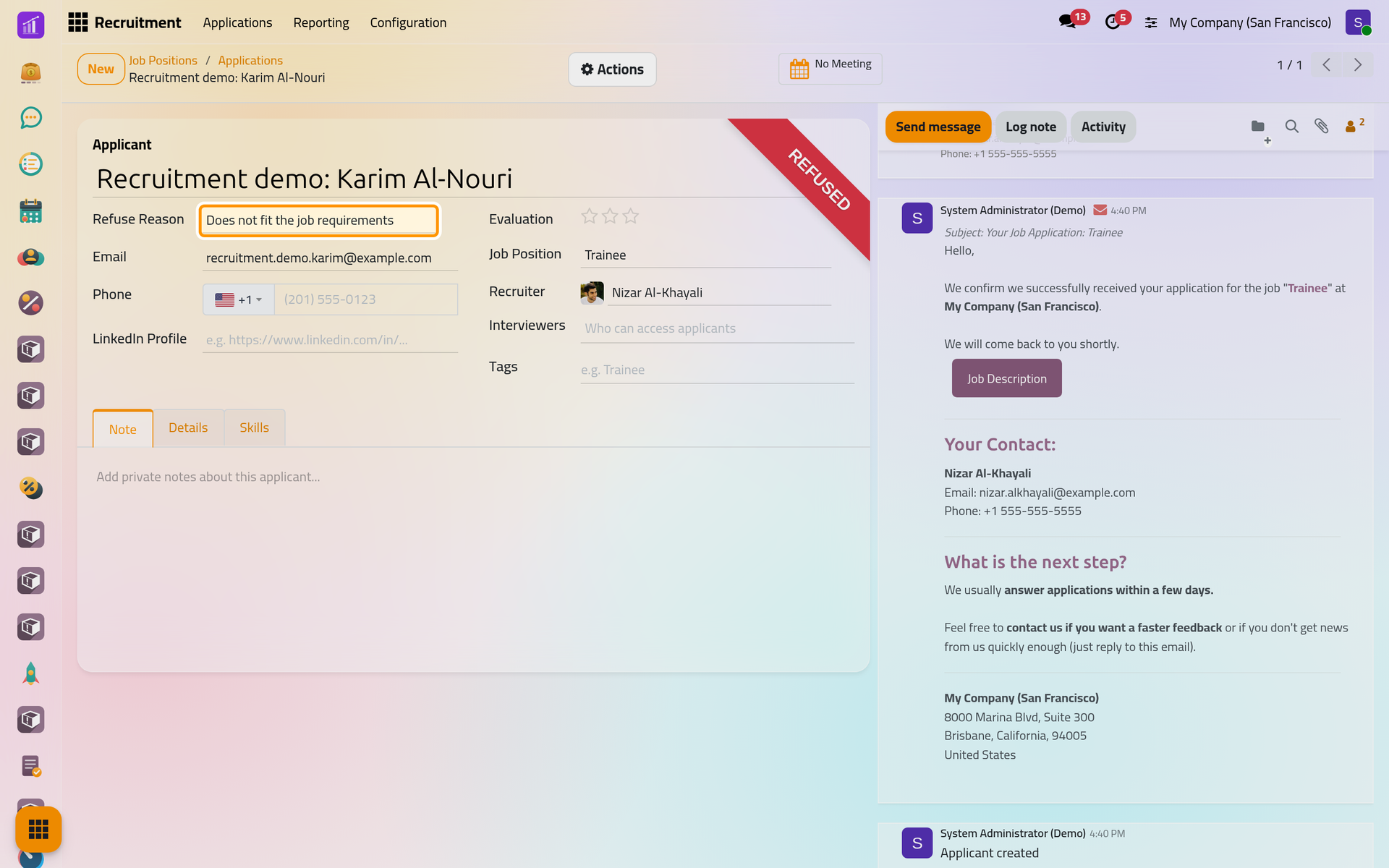
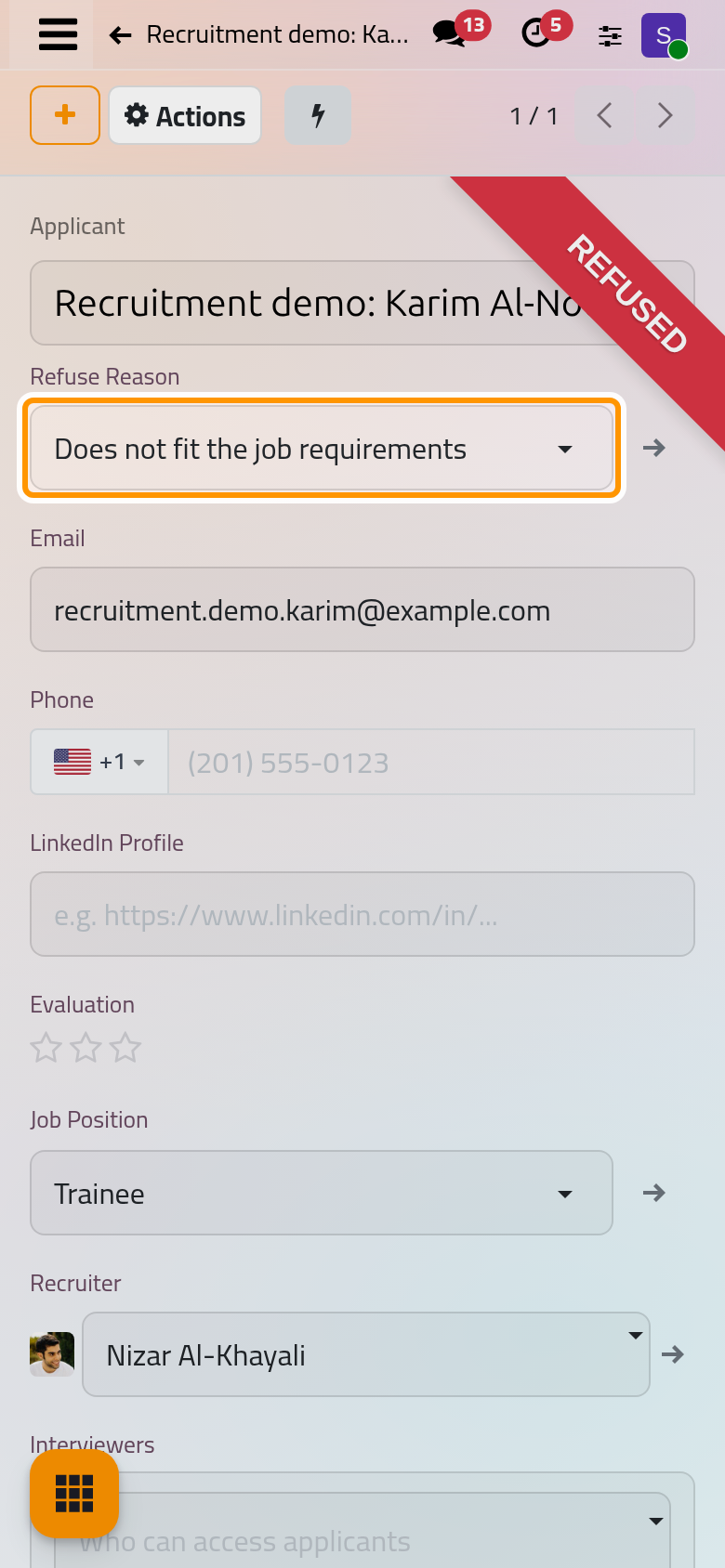
The form carries the Refused ribbon and the Refuse Reason, the e-mail sent appears in the chatter, and the card leaves the pipeline. The application is archived with its reason and the date of the refusal.
Restore an applicant
- Open , choose the Refused filter and open the application.
- Open Actions and choose Restore.
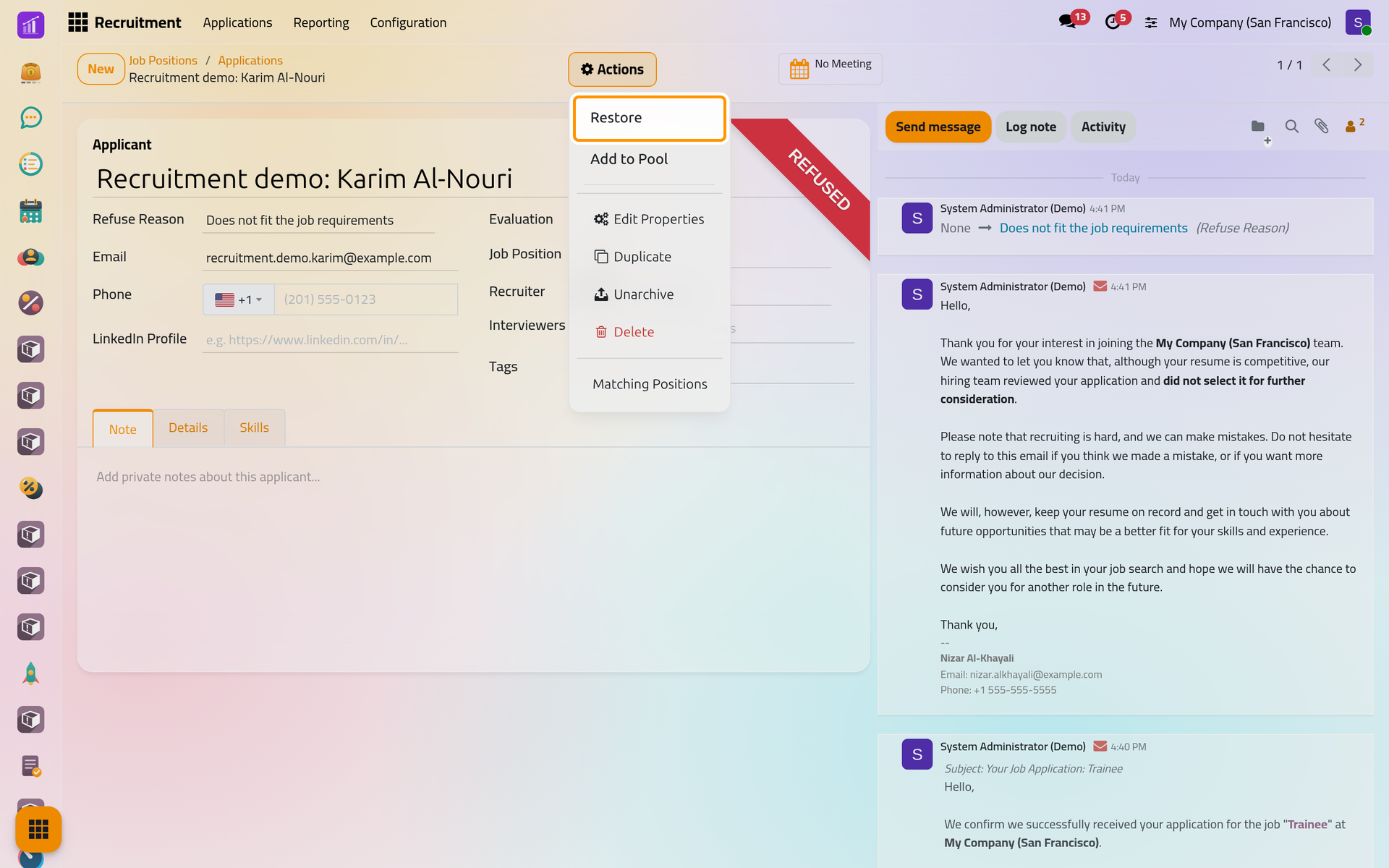
On a phone, Actions sits at the top of the form as well.
The reason is cleared, the application is active again and goes back to the first stage of its position.
Archive without a reason
Actions, Archive hides an application without refusing it: it gets the Archived ribbon and shows under the Archived filter. Unarchive puts it back in the first stage, like Restore.
FAQ
Which e-mail does each reason send?
Four reasons propose Recruitment: Refuse: Does not fit the job requirements, Job already fulfilled, Duplicate and Spam. The two reasons that start with Refused by applicant propose Recruitment: Not interested anymore. Customize stages and refuse reasons changes them.
Can I refuse several applicants at once?
Yes. In , tick the applications and click Refuse: one reason and one e-mail template serve them all.
Why can't I send the e-mail?
The reason has no template, or an applicant has no e-mail address. Add the address on the applicant, or refuse without the e-mail.
Is a refused application deleted?
No. It is archived with its reason: the Refused filter finds it, and the list of applications can group the refusals by Refuse Reason.
Was this page helpful?
Thank you for your feedback.