Delegate your approvals for a period
On this page
A temporary delegation names your delegates: the people who decide in your place while you are away. They find your open decisions in their own Waiting on Me list and in their daily digest, and each decision they take records that it was taken as a delegate, and by whom. The example sends the demo administrator's approvals of Equipment Requests to سامي الخيالي for the second half of December.
Before you start
- Temporary Delegations appears in your preferences once a step can ask you: you are named on a step, you belong to a group that decides one, or you already had a decision to give.
- Agree with your delegates first. They must be internal users, and you cannot be your own delegate.
Create the delegation
- Click your avatar at the end of the top bar, choose My Preferences, and click Temporary Delegations.
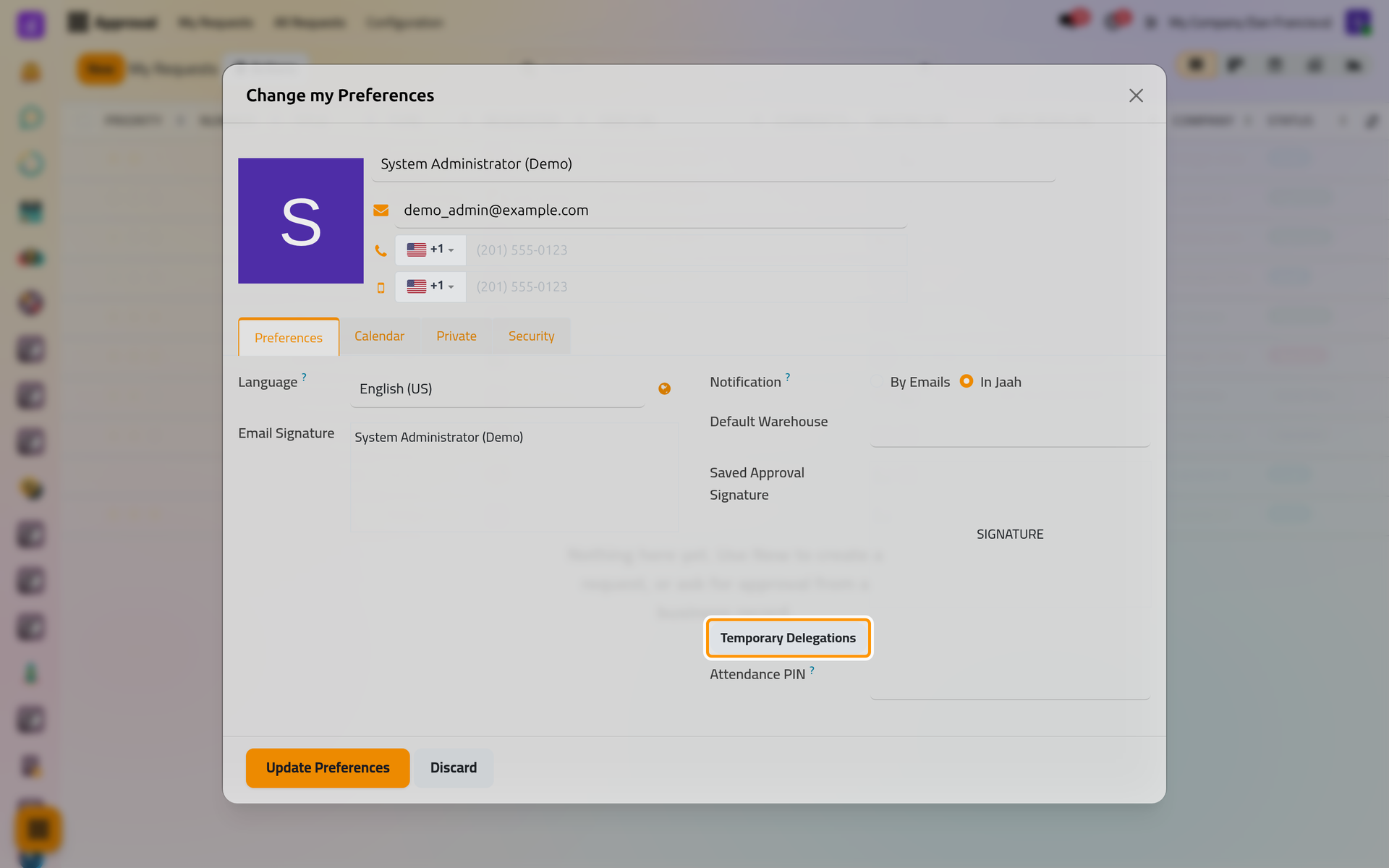
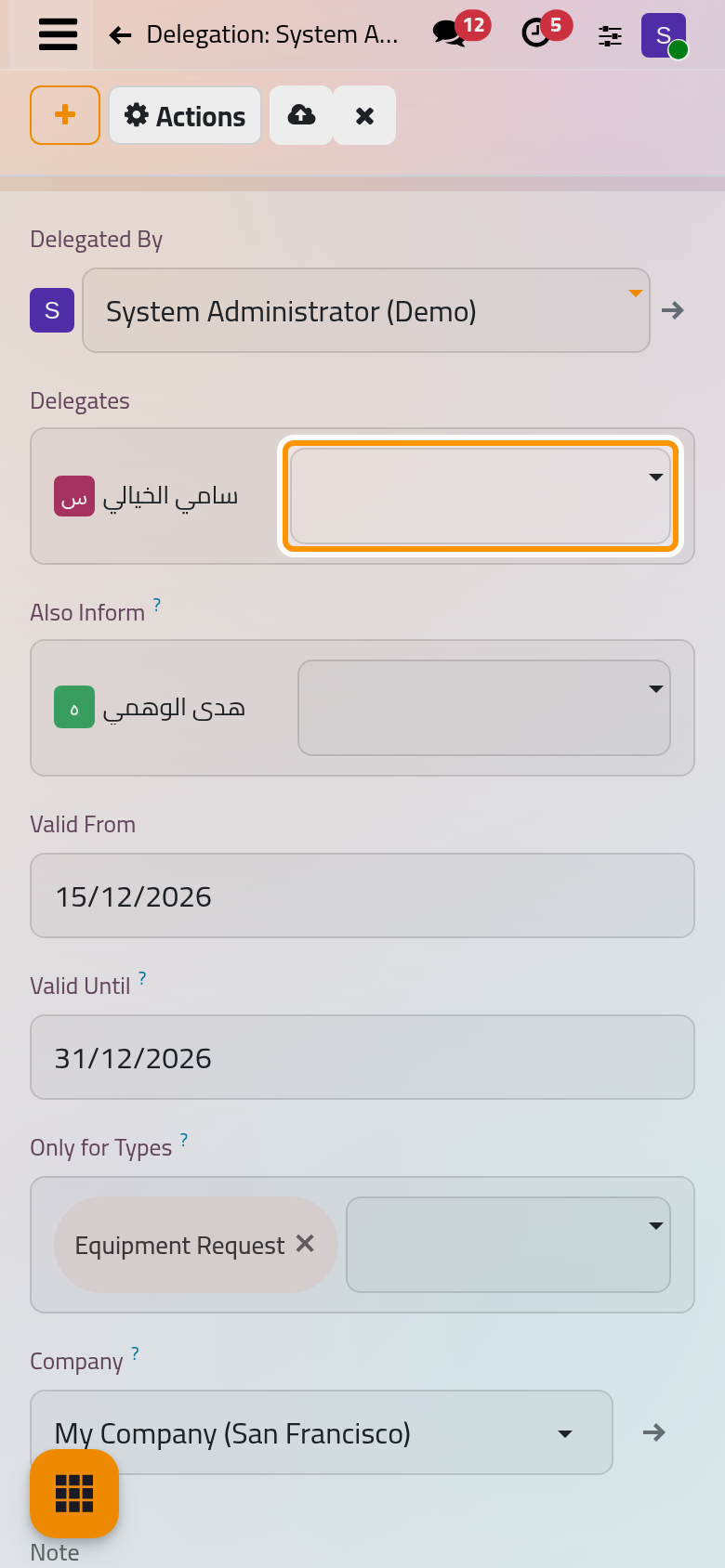
On a phone, the preferences fill the screen; the button sits in the Preferences tab, below Saved Approval Signature.
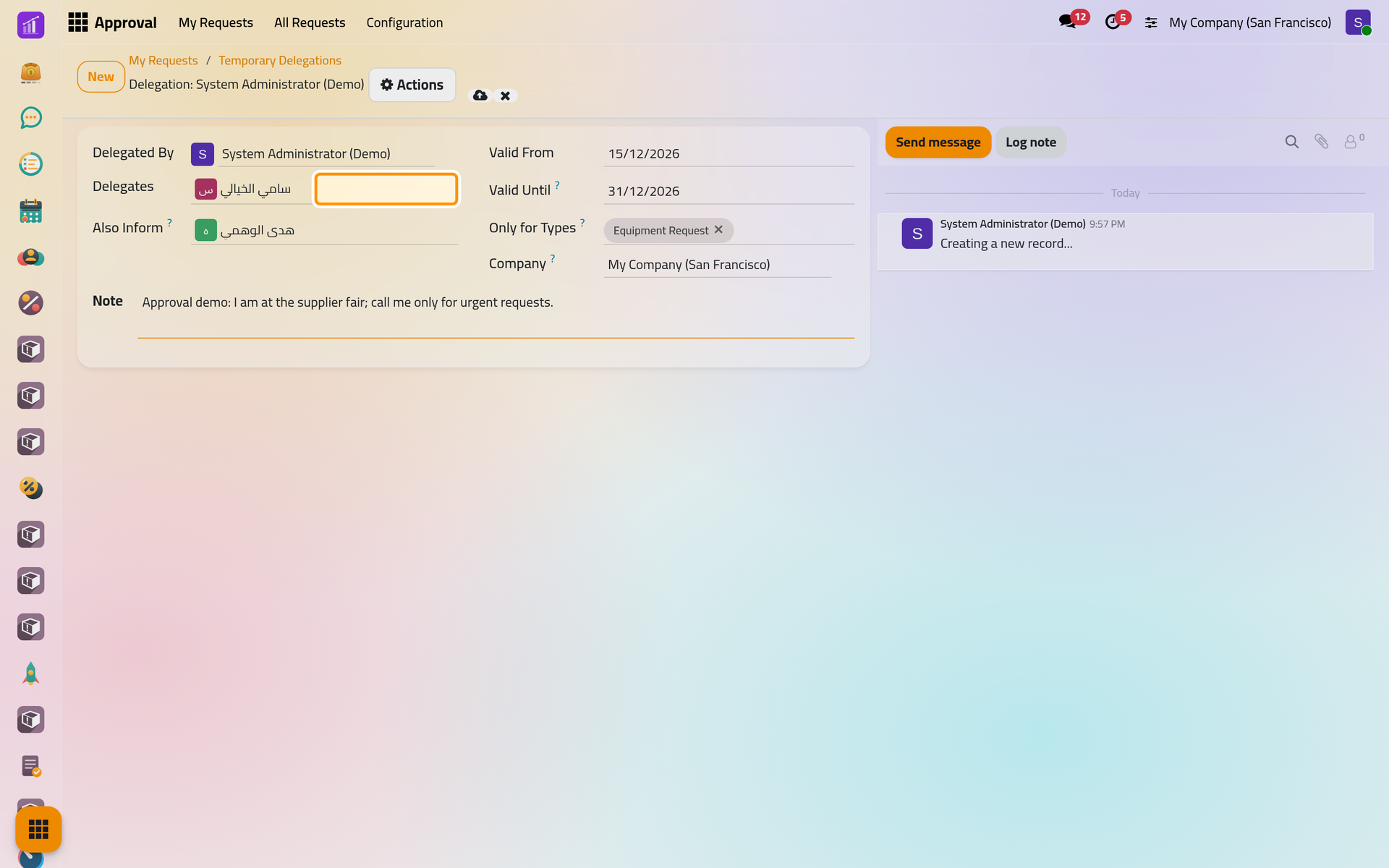
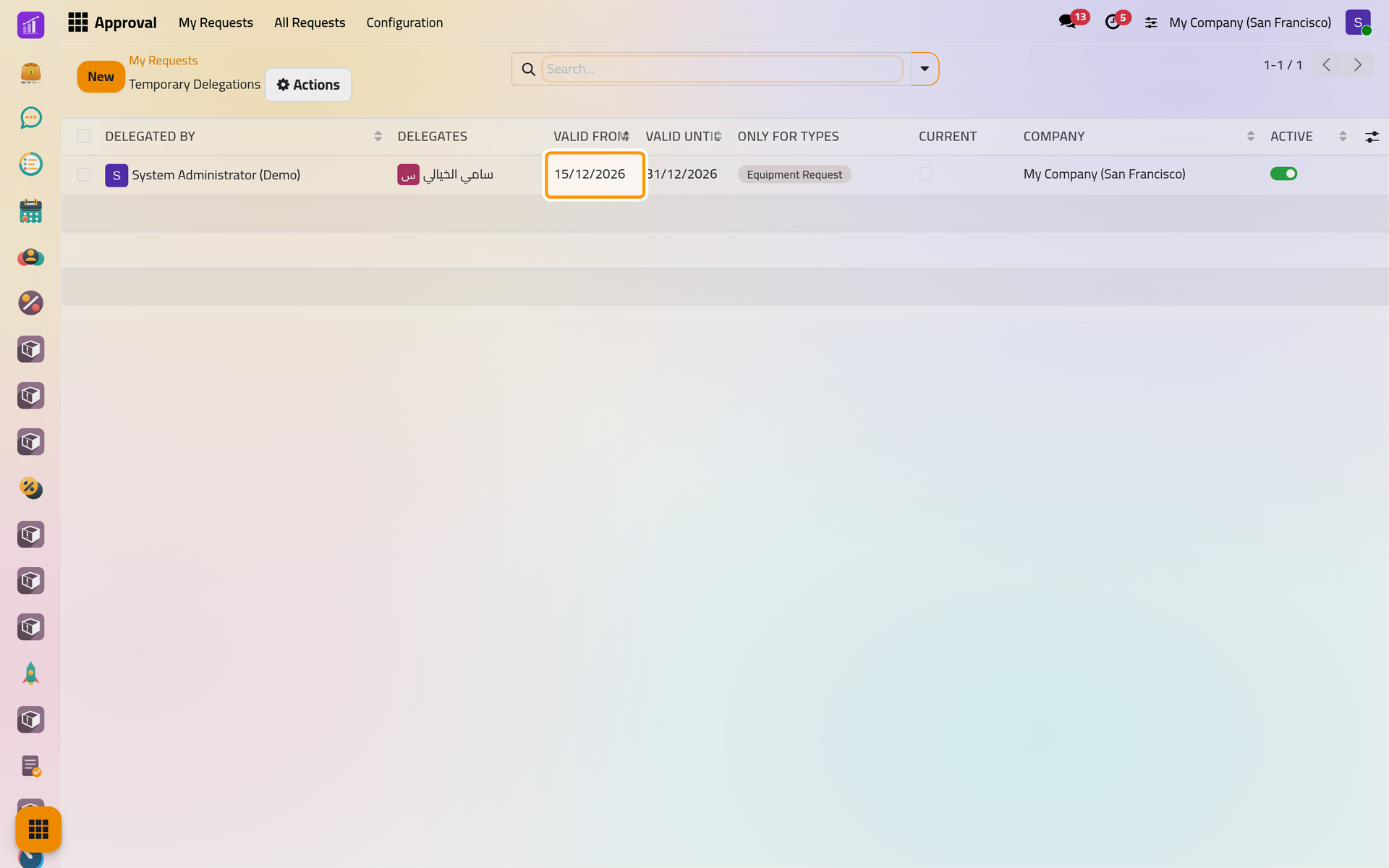
- The list shows your own delegations. Click New. Delegated By is you; only a supervisor can create a delegation for someone else.
- Choose one or more Delegates.
- Set Valid From and Valid Until, here 15 and 31 December 2026; both days are included. Leave Valid Until empty for a delegation with no end date.
- Leave Only for Types empty to cover every type, or pick the types concerned, here Equipment Request.
- In Also Inform, add the people who should hear about the decisions taken under the delegation, and leave a Note for your delegates.
- Click Save manually.
Approval administrators reach everyone's delegations in , which opens on the My Delegations filter.
What happens next
Your delegates receive a message with the dates, and so do the people you chose to inform. From the first day to the last, each delegate can decide every open decision of yours that the delegation covers, including the ones that opened before it started. Their decision reads As delegate with their name, on the request and in the printed history, and by default the people in Also Inform are told when a request a delegate decided is approved or rejected. You can still decide yourself: the decision goes to whichever of you answers first.
The list shows Current ticked while the delegation is in force; this one waits for 15 December.

FAQ
Can my delegate decide a request they sent themselves?
No. Nobody decides a request they own, created or sent, even as a delegate, unless the company lets requesters decide their own requests.
My delegate is already an approver of the same step. What happens?
One person gives at most one decision per step, even when they stand in for several people.
How do I end a delegation early?
Open My Preferences, then Temporary Delegations, and set Valid Until to the last day, or switch Active off in the list. Approval administrators can do it in .
Who sees my delegations?
You, and your delegates, who can read the delegations naming them without changing them. Supervisors see and change every delegation.
Was this page helpful?
Thank you for your feedback.