Guard a business record with an approval
On this page
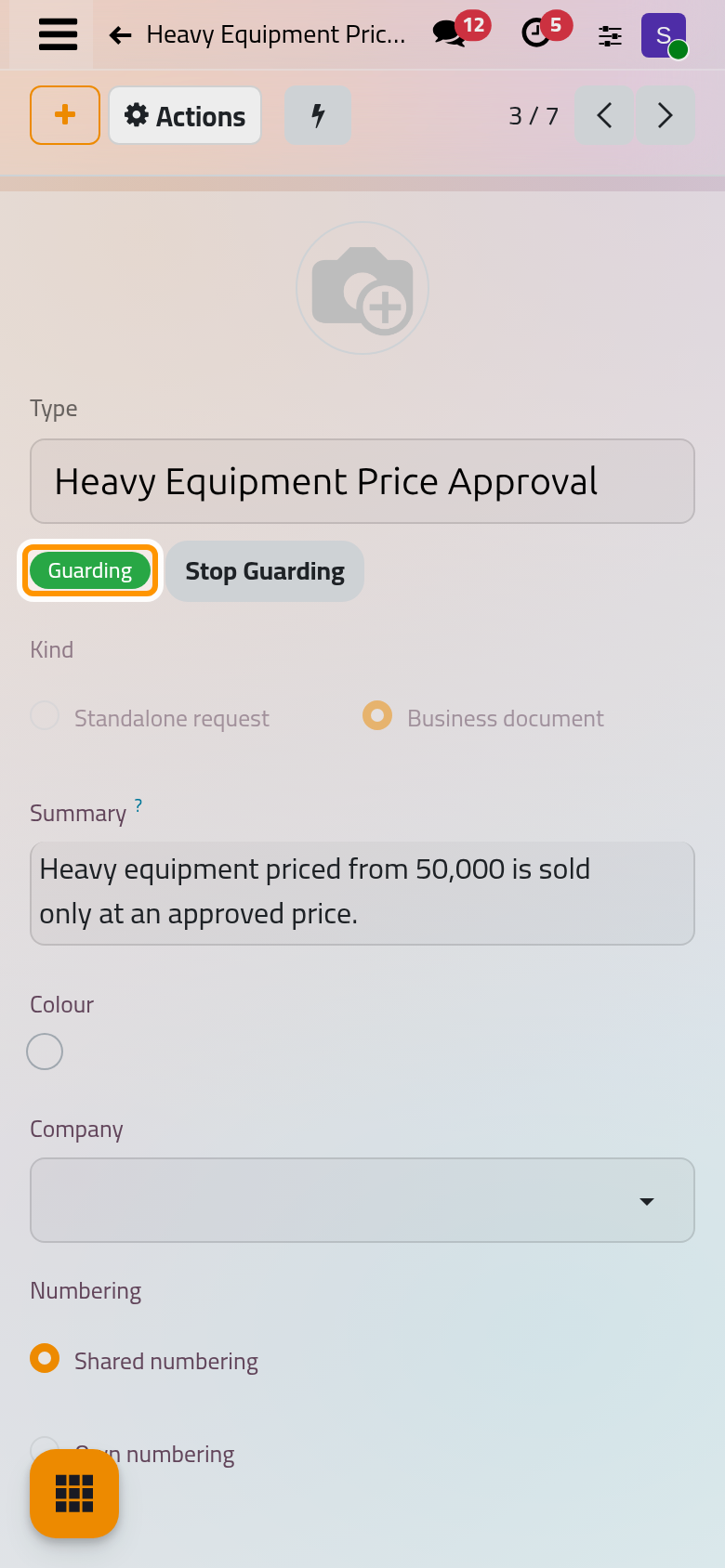
A request type of the kind Business document puts an approval in front of the records of another model. It names the Records That Need Approval, the states those records reach only with a valid approval (Locked Until Approved), and the values the approval covers (Fields Locked After Approval). The check runs on the server at every change a user makes, from a form, an import or another app. The demo type Heavy Equipment Price Approval lets heavy equipment priced from 50,000 become sellable only at an approved price.
Before you start
- You need the Administrator access right on Approval and the right to edit records of the model you guard.
- Only a system administrator may check Automatic Changes too, or choose the actions that run after the decision.
- Technical models, such as users, companies, currencies and settings, cannot be guarded.
Set up the rule
- Open , click New, name the type and choose the Kind Business document.
- In the Steps tab, add at least one step (Configure a request type); Person on the document asks someone the record names. In the Request Form tab only Attachments and Requester Signature count.
- In the Document Rule tab, choose the Model and write the Action Being Approved, the words every message uses. Check Approval is When entering and on every later change or Only when entering. Applies to Members of checks only the changes some groups make, and Offer in the List Action Menu adds Ask for Approval to the Actions menu of the model's list.
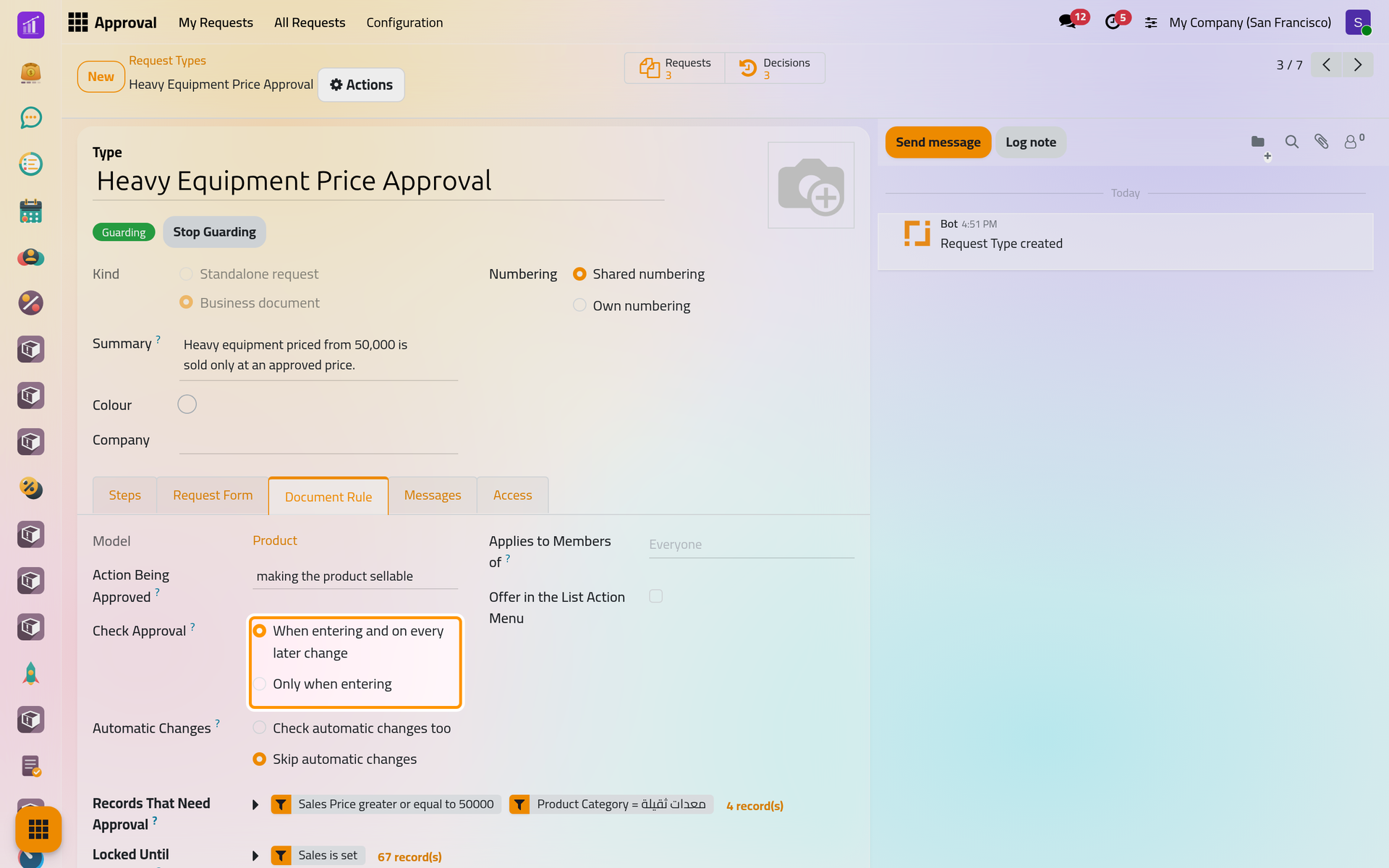
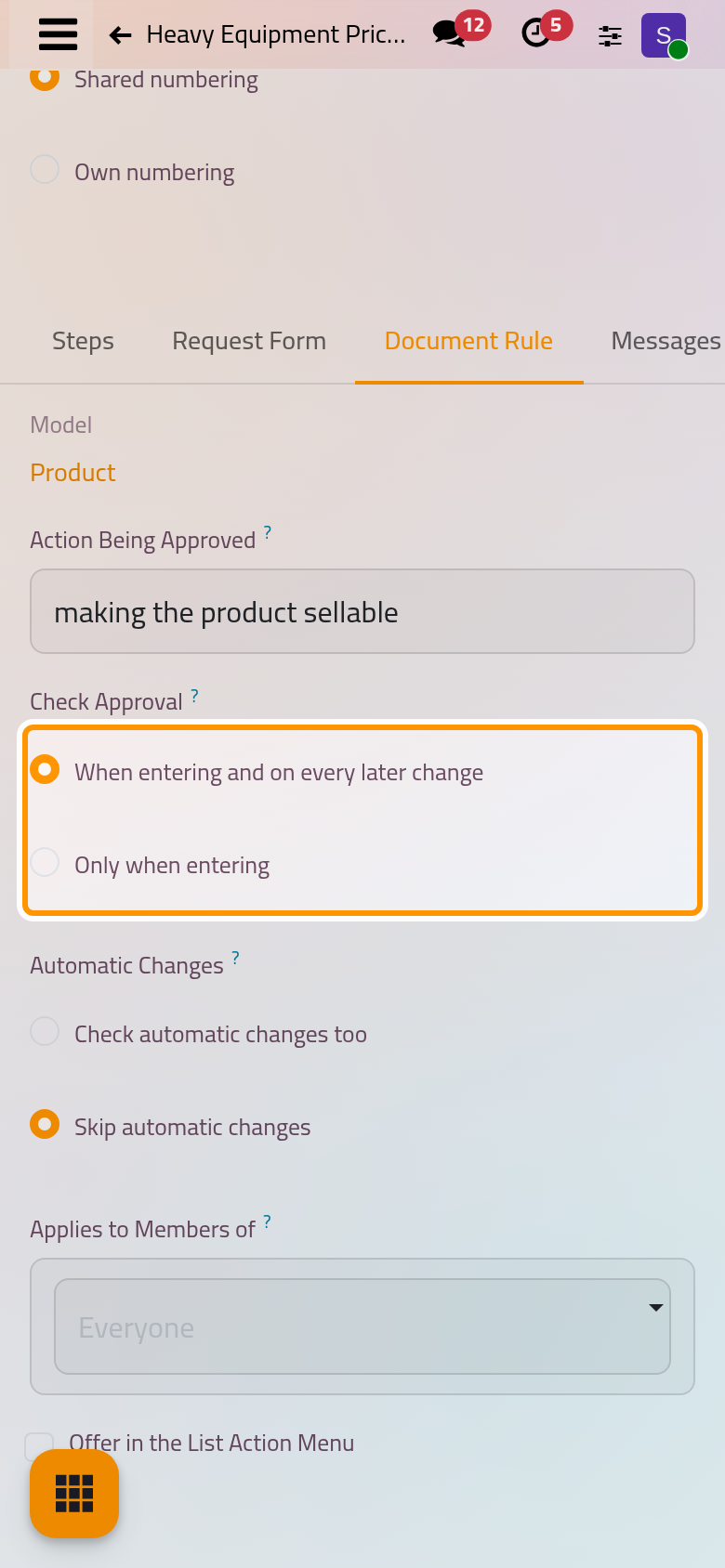
The model, the action being approved, when the approval is checked and whether automatic changes are checked too. - Set Records That Need Approval and Locked Until Approved, and pick the Fields Locked After Approval. Never lock a value that the action being approved sets itself, or a status. After Approval and After Rejection can run an action of the same model after the decision.
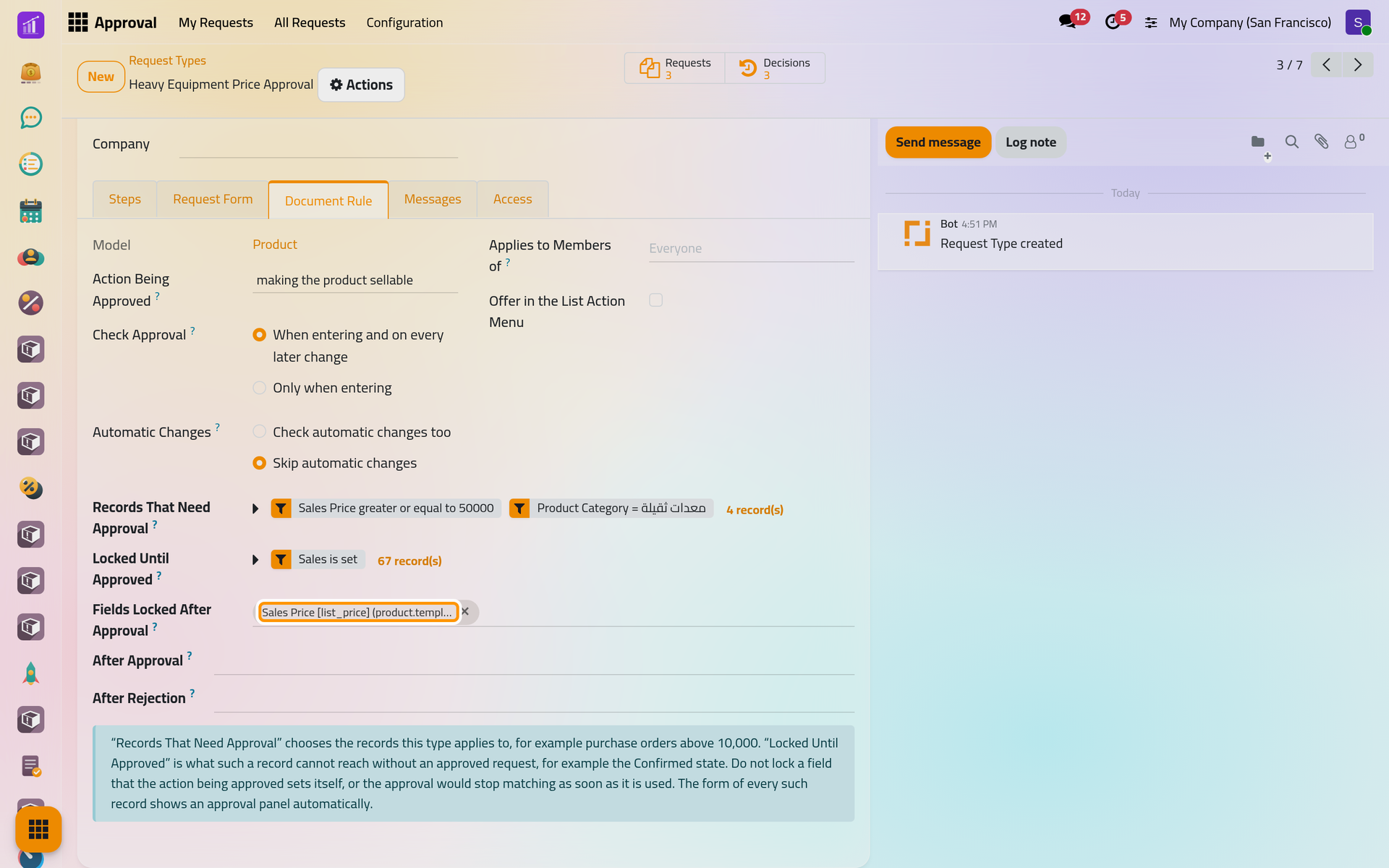
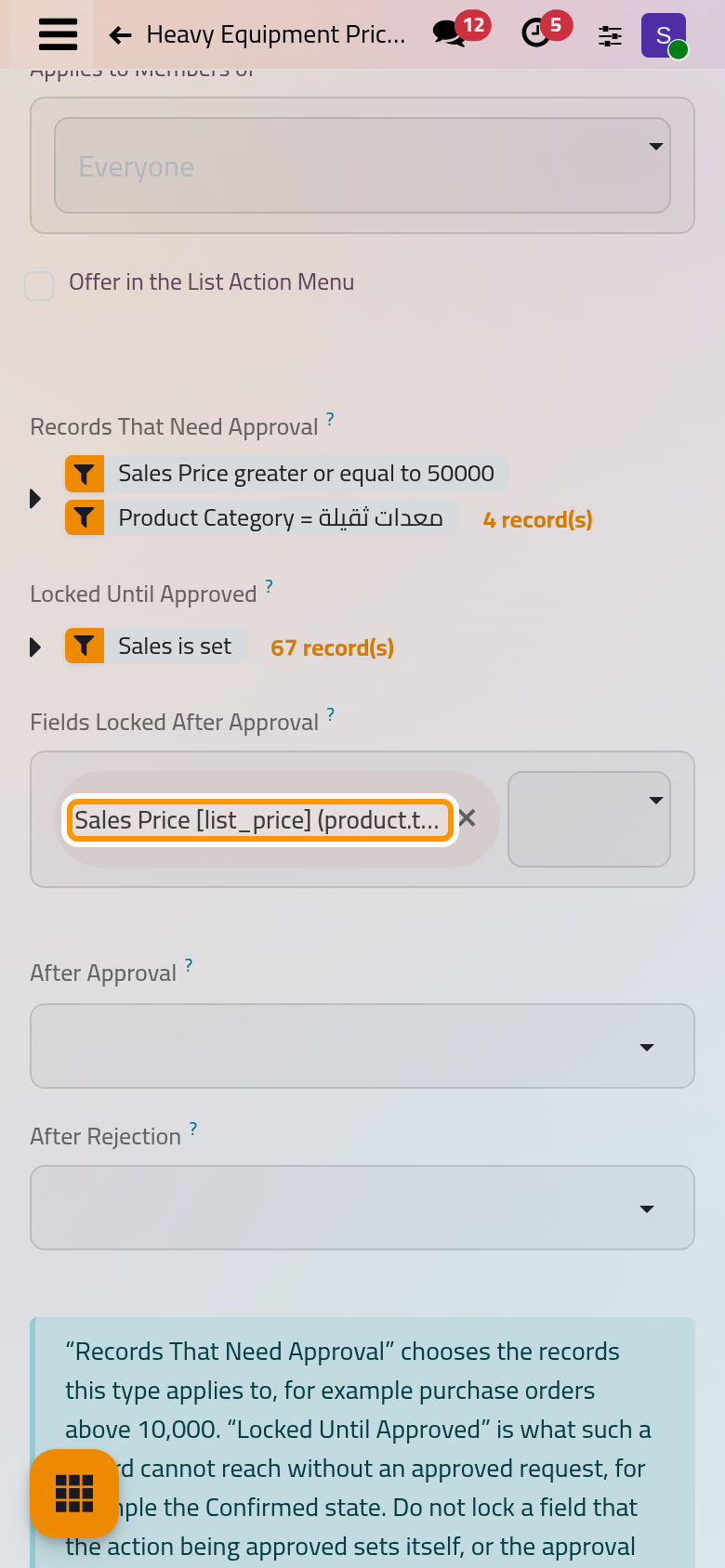
Heavy equipment from 50,000 needs an approval before it can be sold, and the approval covers the sales price. - Save. The type now reads Not guarding yet; before the first save, the new form shows Guarding by mistake. When records already sit in the locked states, a warning counts them: with When entering and on every later change, their next change will need an approval.
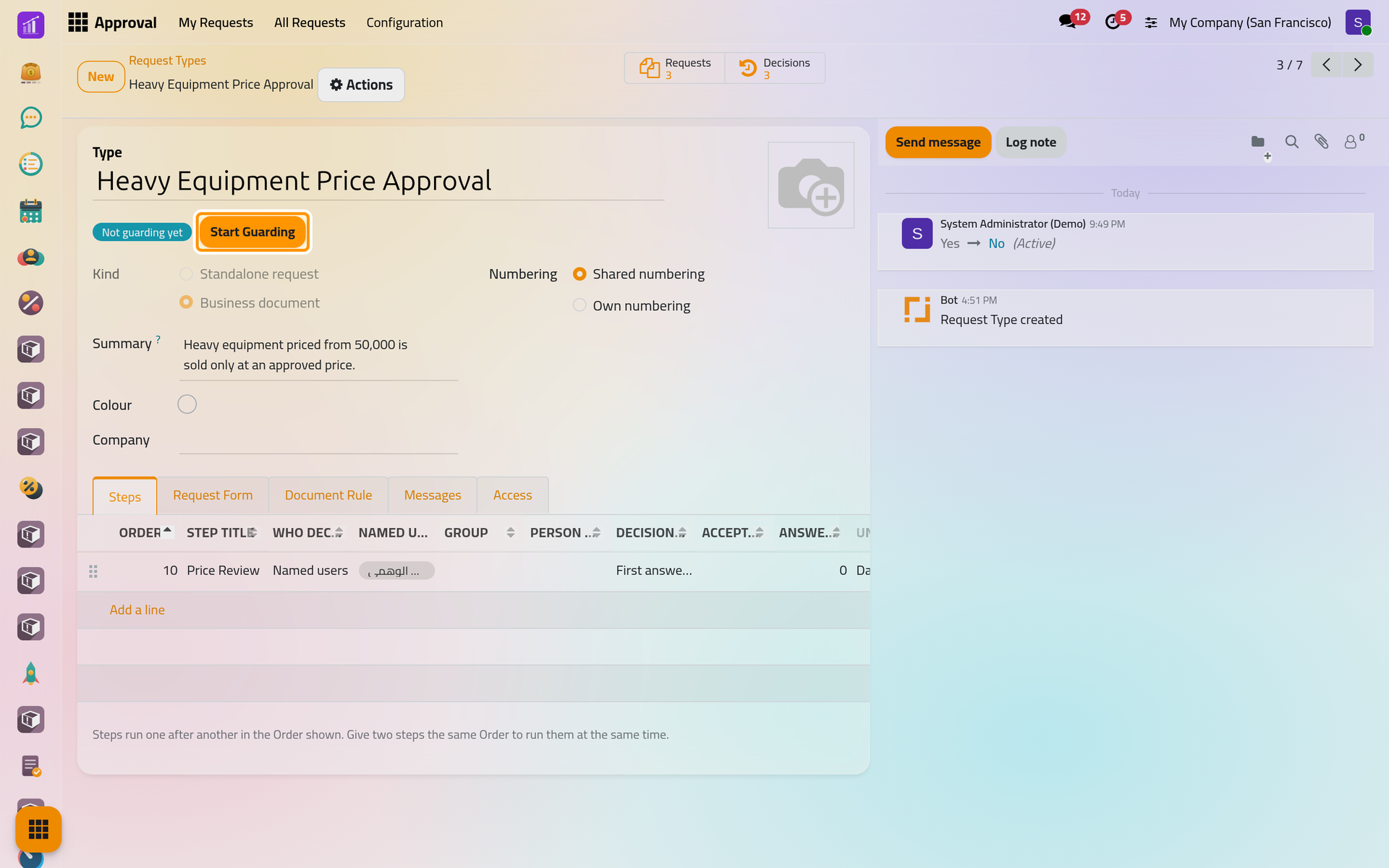
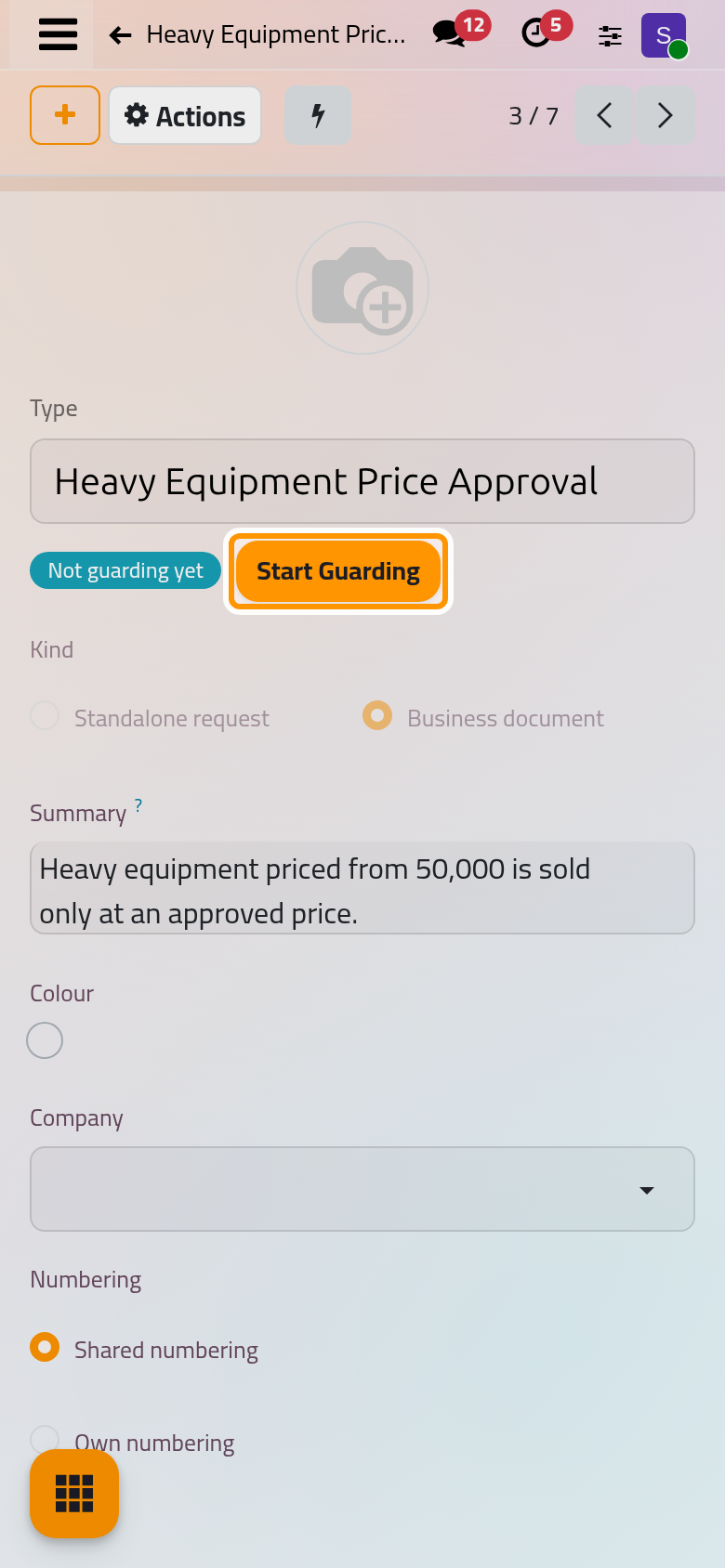
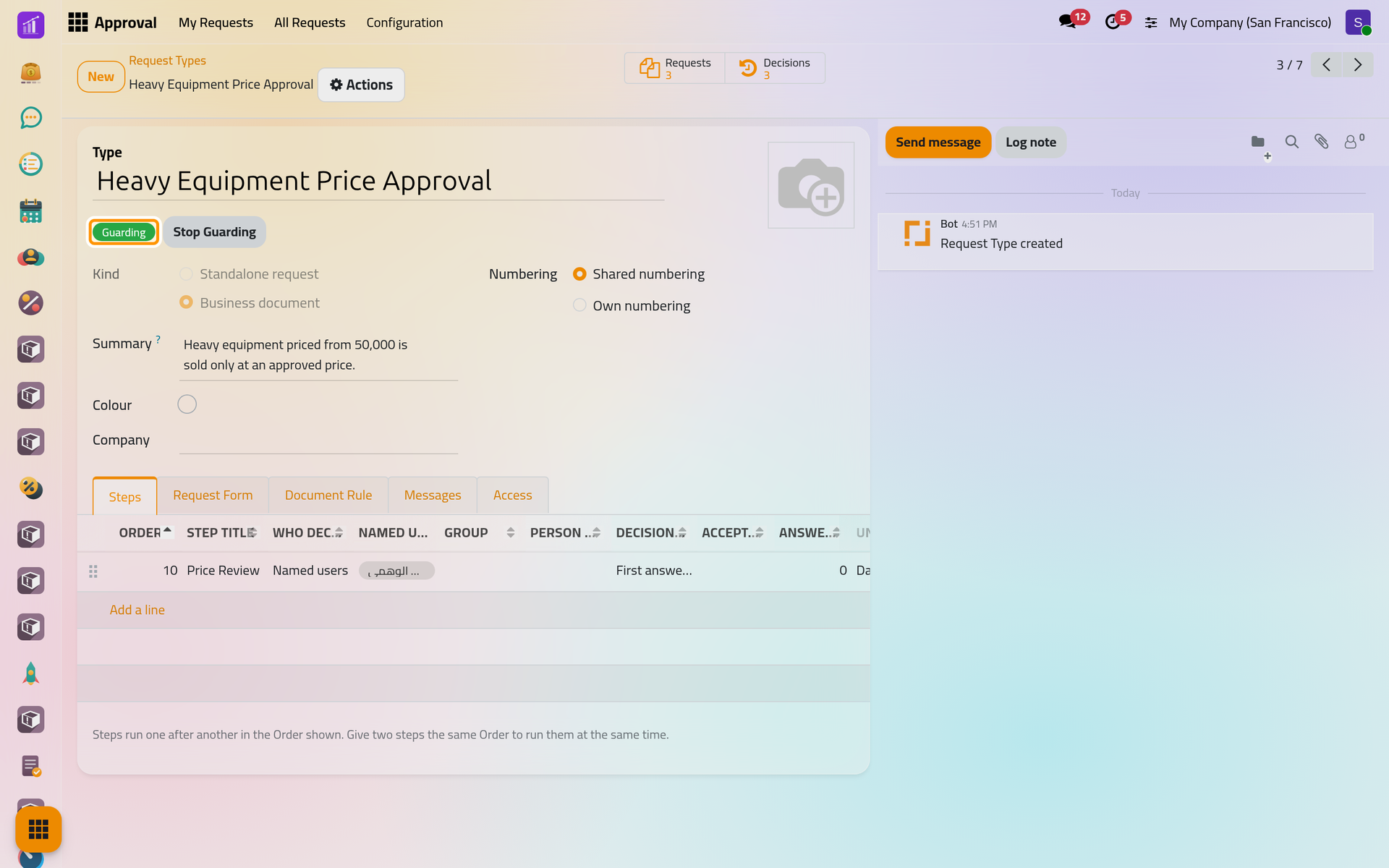
Stopped, the type reads Not guarding yet and offers Start Guarding. - Click Start Guarding and confirm with Ok. A rule that cannot work is refused with the reason; otherwise the type reads Guarding.
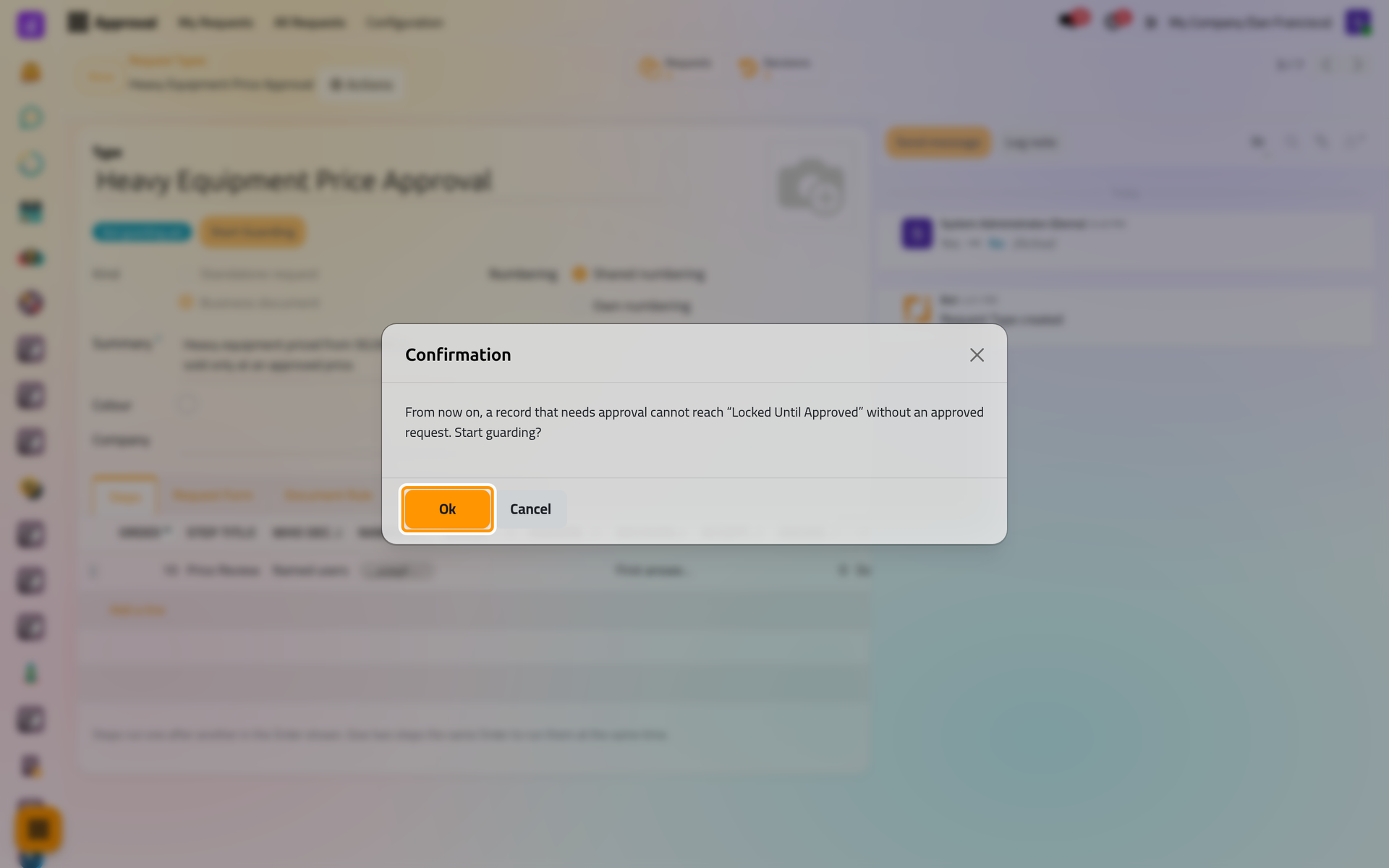
Starting asks for a confirmation; from then on a record that needs approval cannot reach the locked states without one.
On a phone, the dialog fills the screen.
What users see on the record
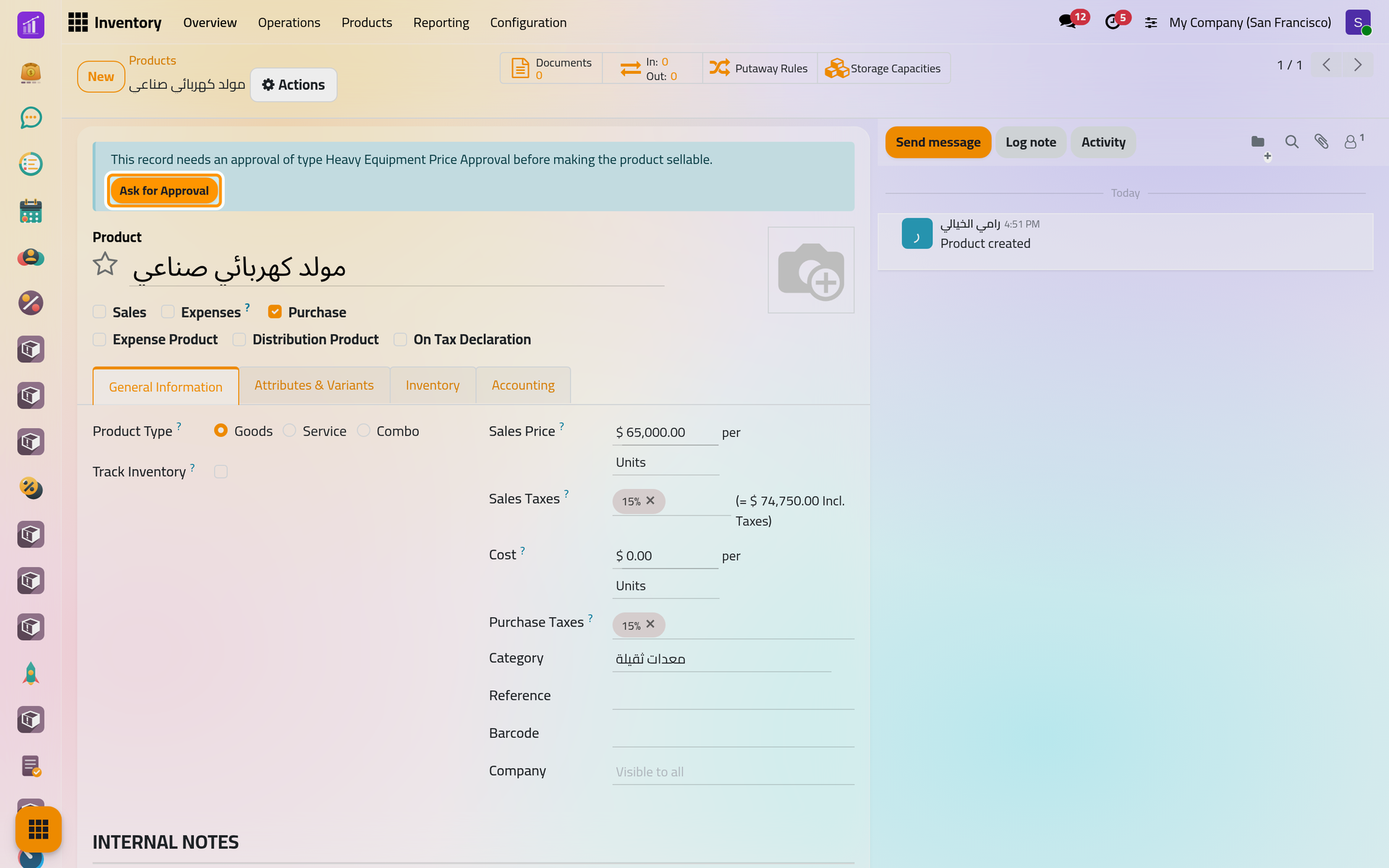
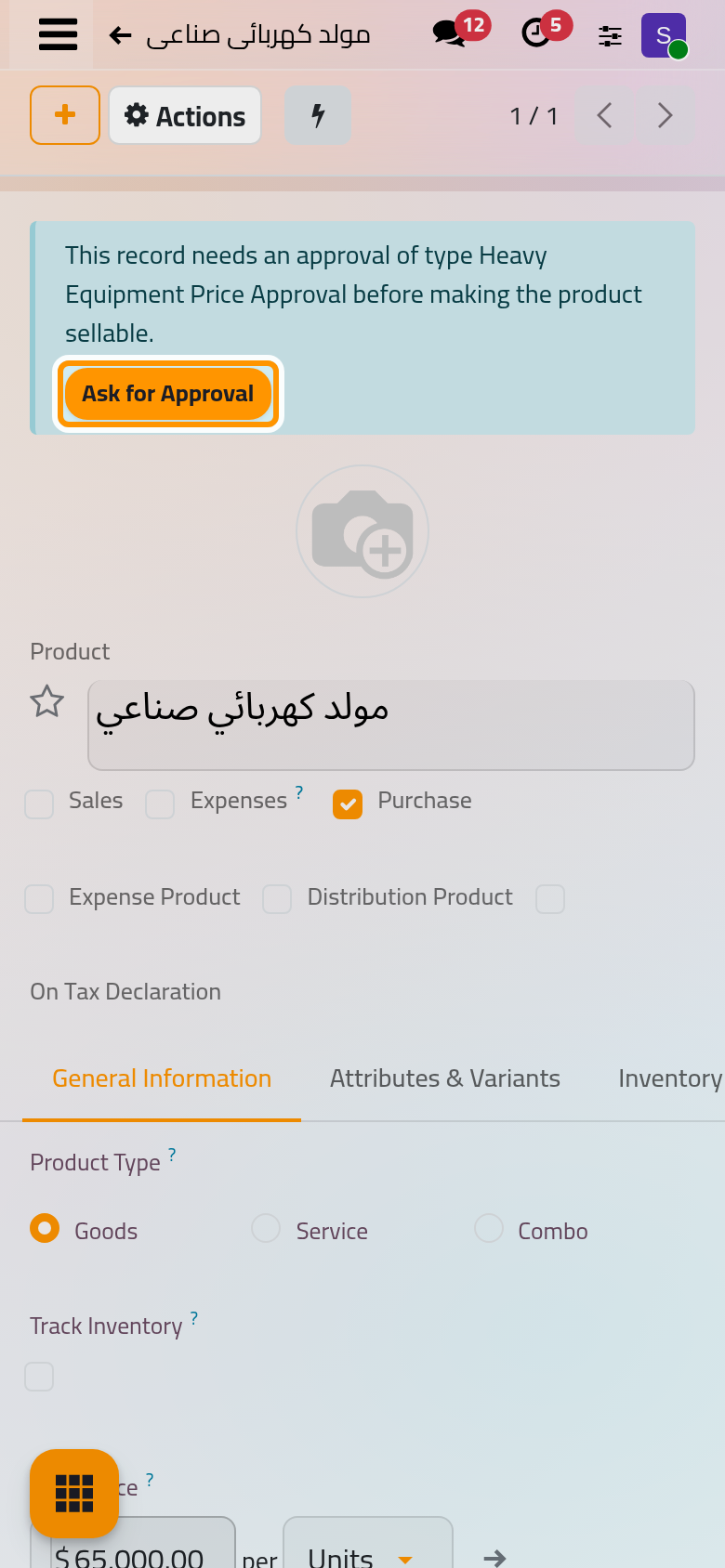
Every record the type applies to shows an approval panel atop its form; this product has no approval yet:
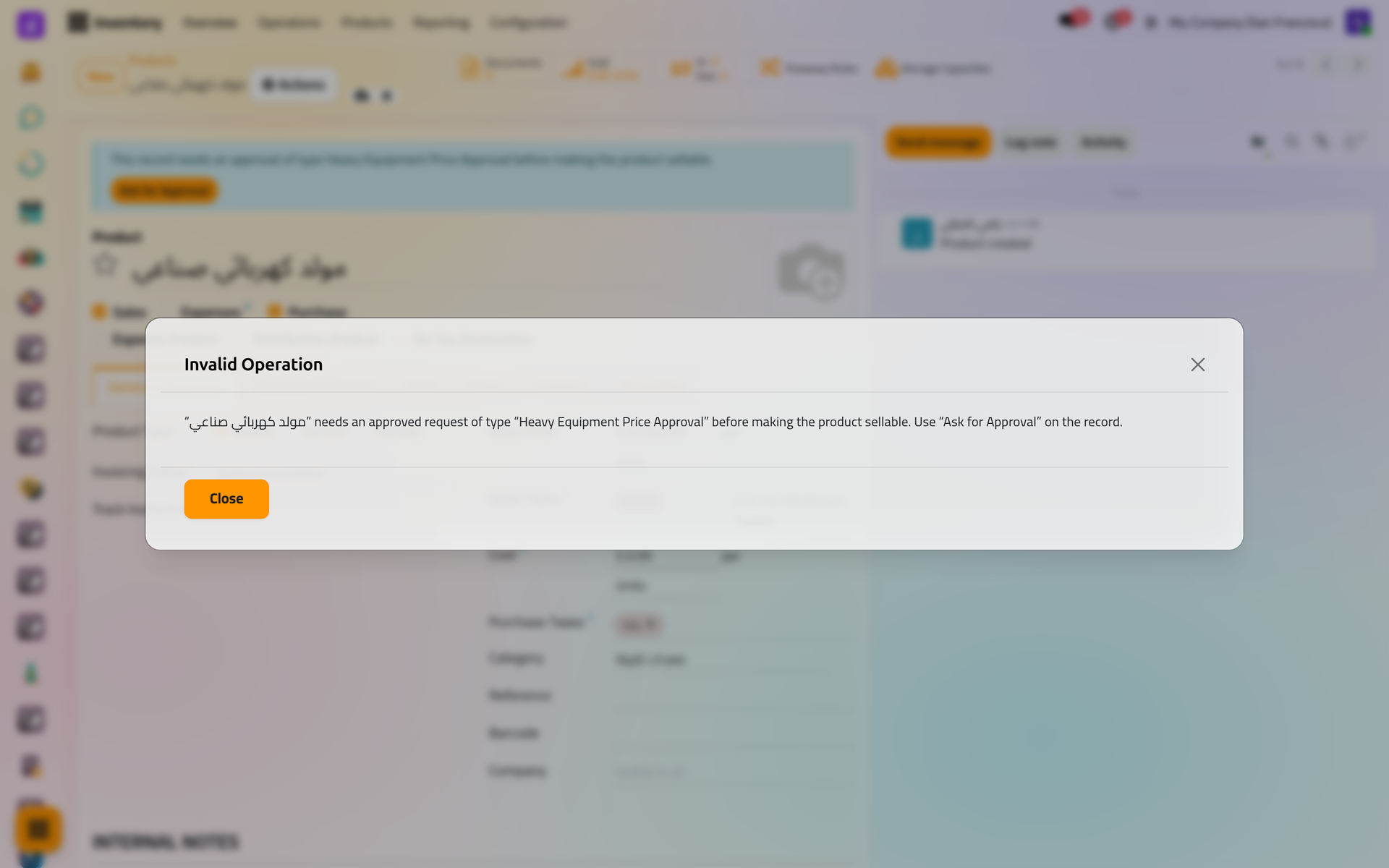
Reaching the locked states without an approval is refused, with the record, the type and the action in the message:
On a phone, the dialog fills the screen.
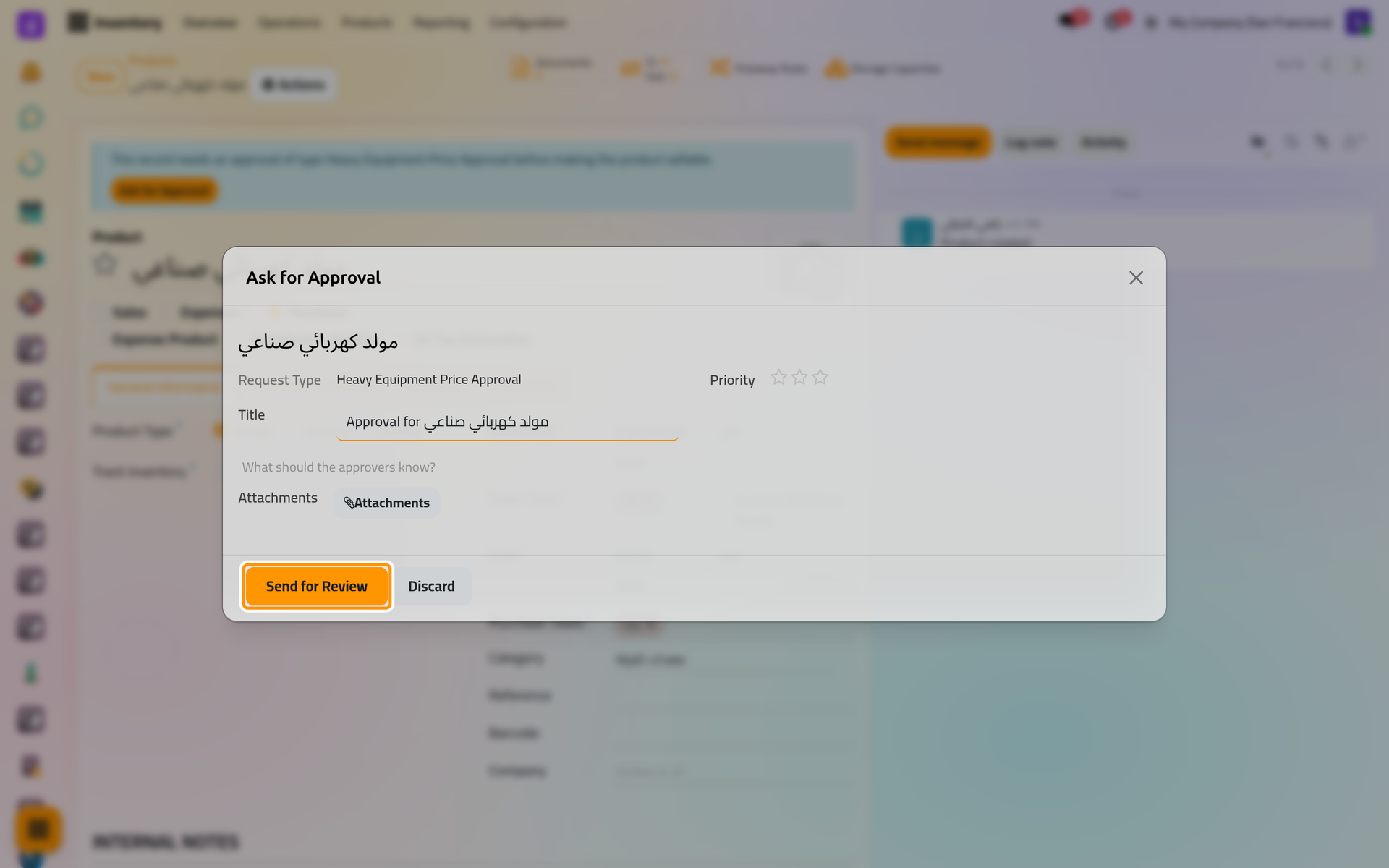
Ask for Approval opens a dialog with a title, a priority, a note for the approvers and attachments; Send for Review starts the request (Decide a request).
On a phone, the dialog fills the screen.
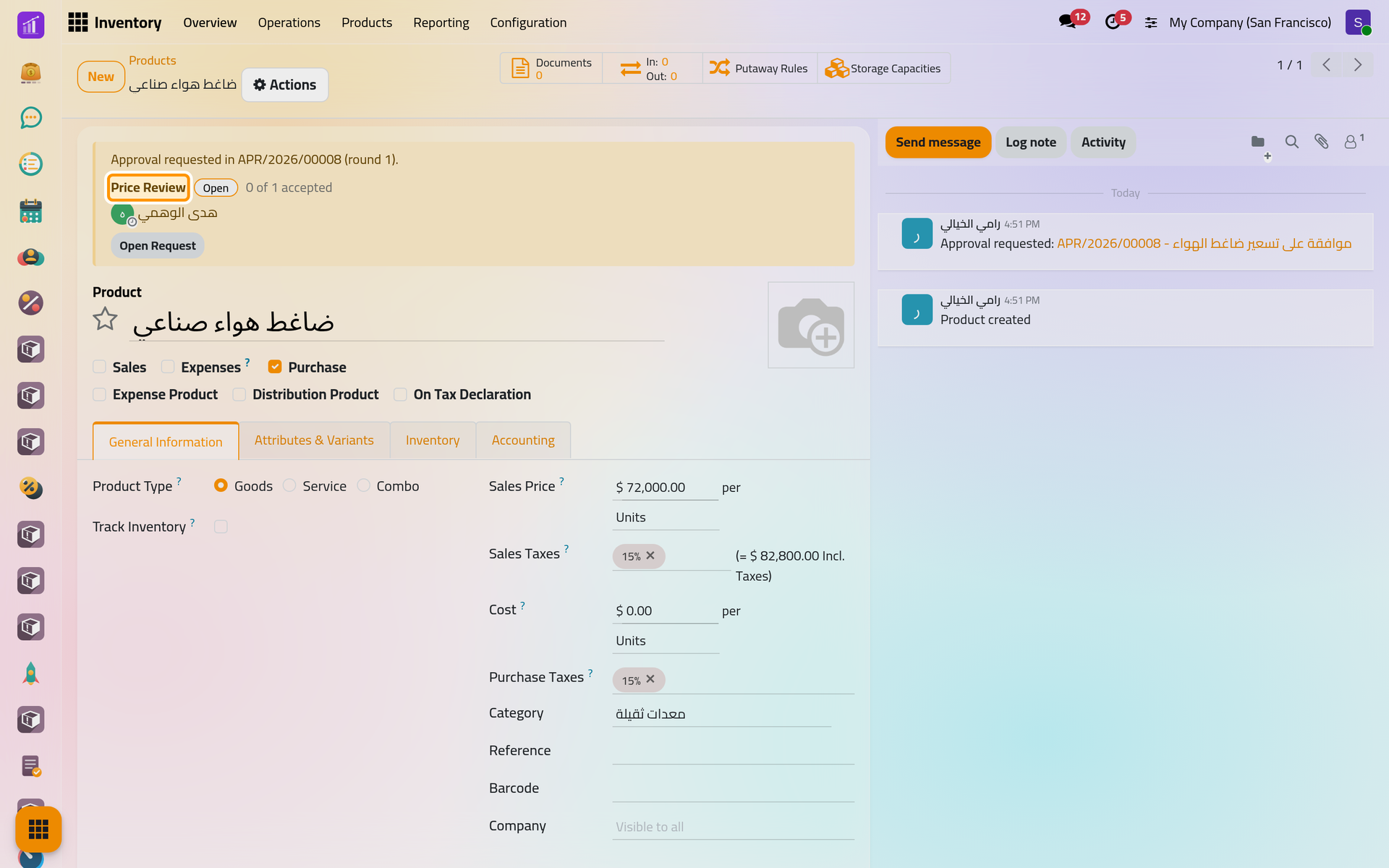
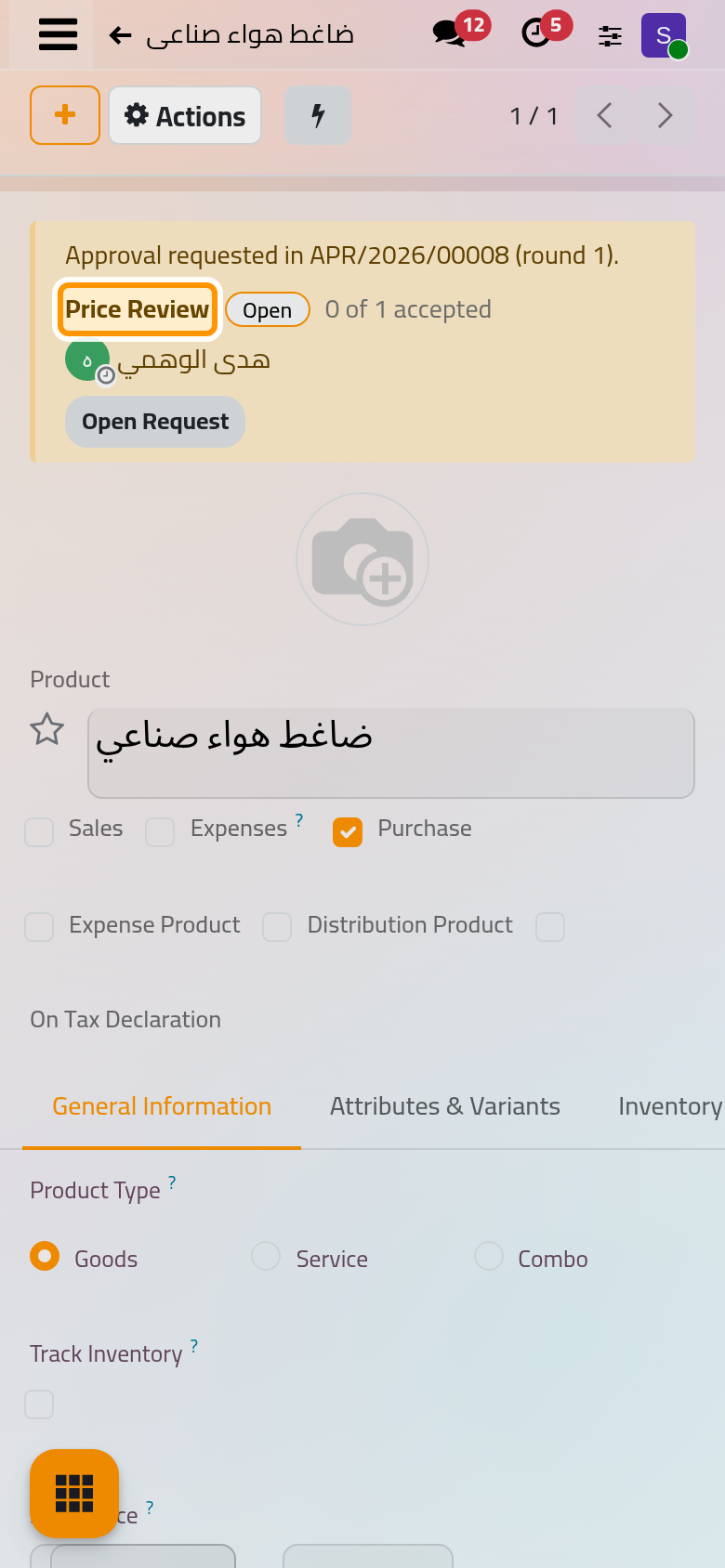
Under review, the panel shows the open steps and their approvers, an approver finds Accept and Decline in it, and the locked fields cannot change.
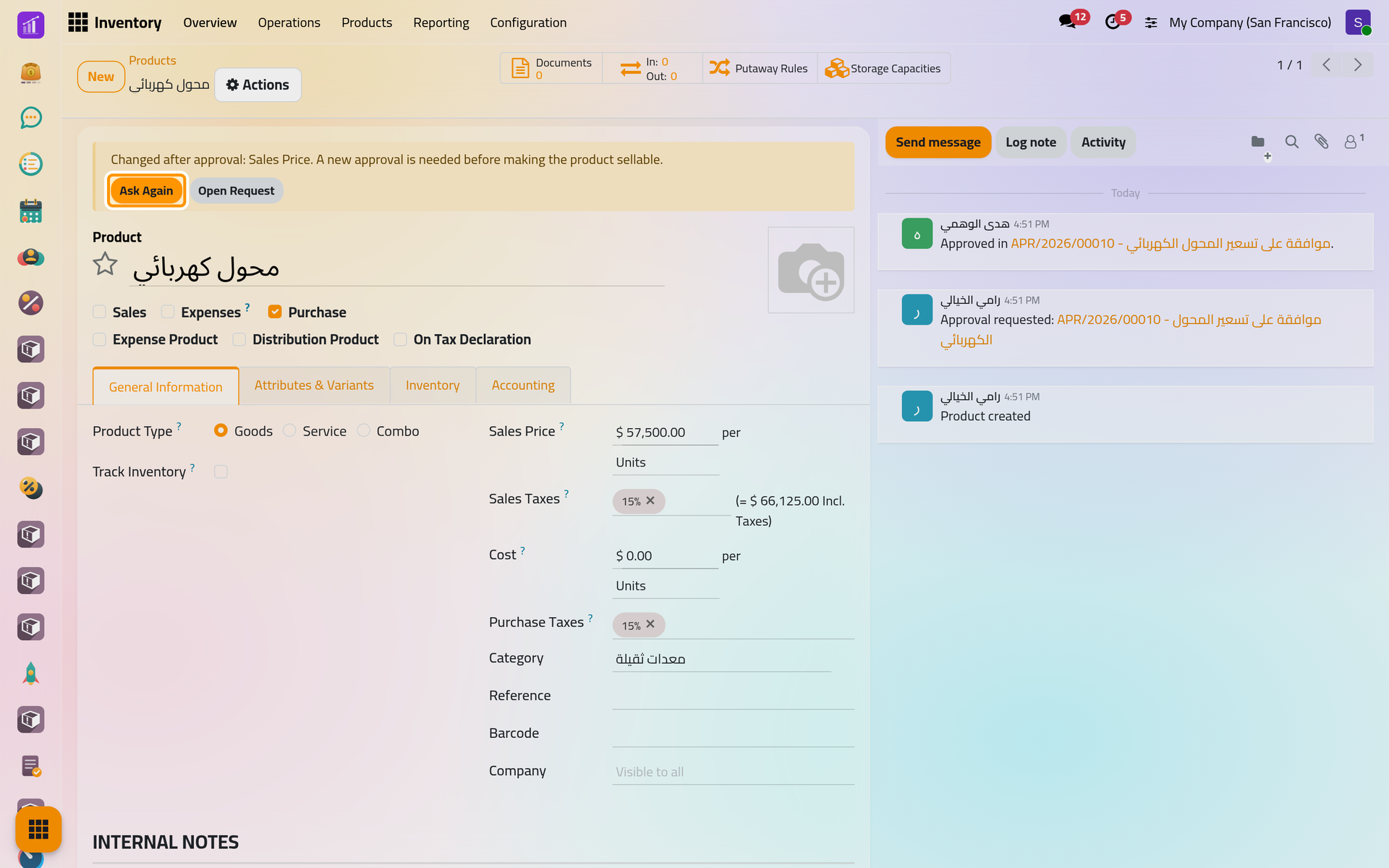
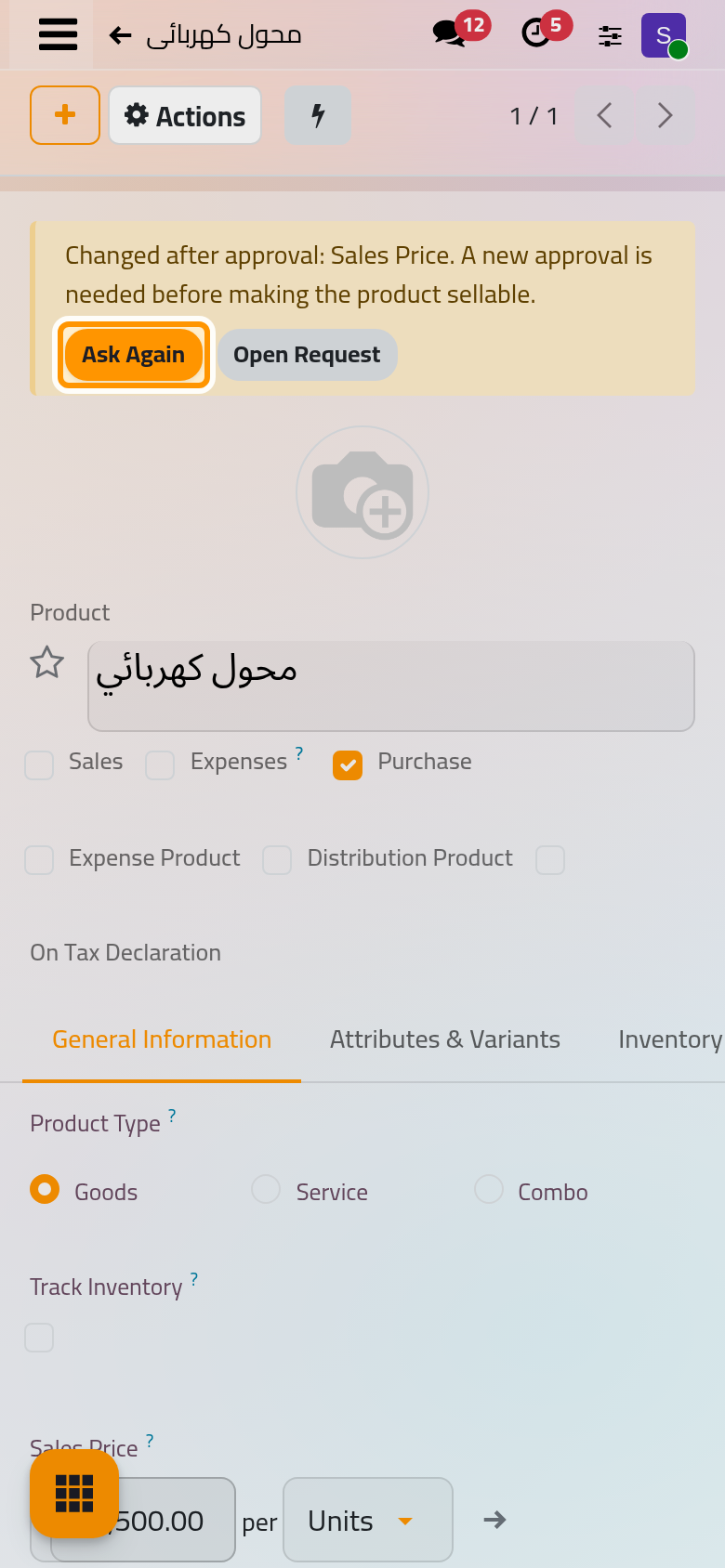
Once approved, the record may reach the locked states. Changing a locked field afterwards outdates the approval: the panel names the field and offers Ask Again. With When entering and on every later change, that change is refused while the record sits in the locked states; outside them it passes, and entering them needs a new approval.
FAQ
A save is refused for lack of an approved request. What do I do?
Discard the change, click Ask for Approval, and make the change once the request is approved.
Do approvers need rights on the record?
No. The Document Snapshot tab of the request shows them the locked values as they were when it was sent.
How do I withdraw an approval already given?
A supervisor opens the request and chooses Cancel Request with a reason. The record then needs a new approval; an action already run After Approval is not undone.
How do I stop guarding?
Click Stop Guarding. The panel disappears; the requests and their history stay.
What if a guarded record is deleted?
Deleting is not blocked. Its requests are marked, and those still open are cancelled.
Was this page helpful?
Thank you for your feedback.