WhatsApp templates
On this page
Every message the platform sends by itself starts from a template: a text that fills in the record's details, in the recipient's language. Jaah ships them ready-made, in English and Arabic, so most companies only switch them on.
Ready-made templates
Each app that works with WhatsApp brings its own: 94 in all, and you see those of the apps installed in your database:
| App | Templates |
|---|---|
| Collection | 13 |
| Cases (with hearings, judgments and the lawyers' lists) | 11 |
| Time Off | 9 |
| Contracts, Project | 8 each |
| Calendar, Sales | 7 each |
| Accounting (invoices, payments, overdue balances) | 6 |
| Activities, Expenses, WhatsApp itself | 4 each |
| Agencies, Requests, Consulting, Executions | 3 each |
| HR letters | 1 |
Ready-made WhatsApp templates lists them all; each app's WhatsApp page, such as WhatsApp in cases, says when each is sent and which switch of WhatsApp settings turns it on. Turning a switch off archives its template.
The four of the WhatsApp app itself serve user accounts:
| Template | When it is sent | To whom | Switched by |
|---|---|---|---|
| Settings: New User Invite | No app sends it on its own; it waits for a rule set on its Automation tab | The user, at the phone of the user's contact | No setting; archive it to retire it |
| Settings: Unregistered User Reminder | Same | Same | Same |
| Settings: Portal User Invite | Same | Same | Same |
| Settings: Portal Sign Up Confirmation | Same | Same | Same |
Find a template
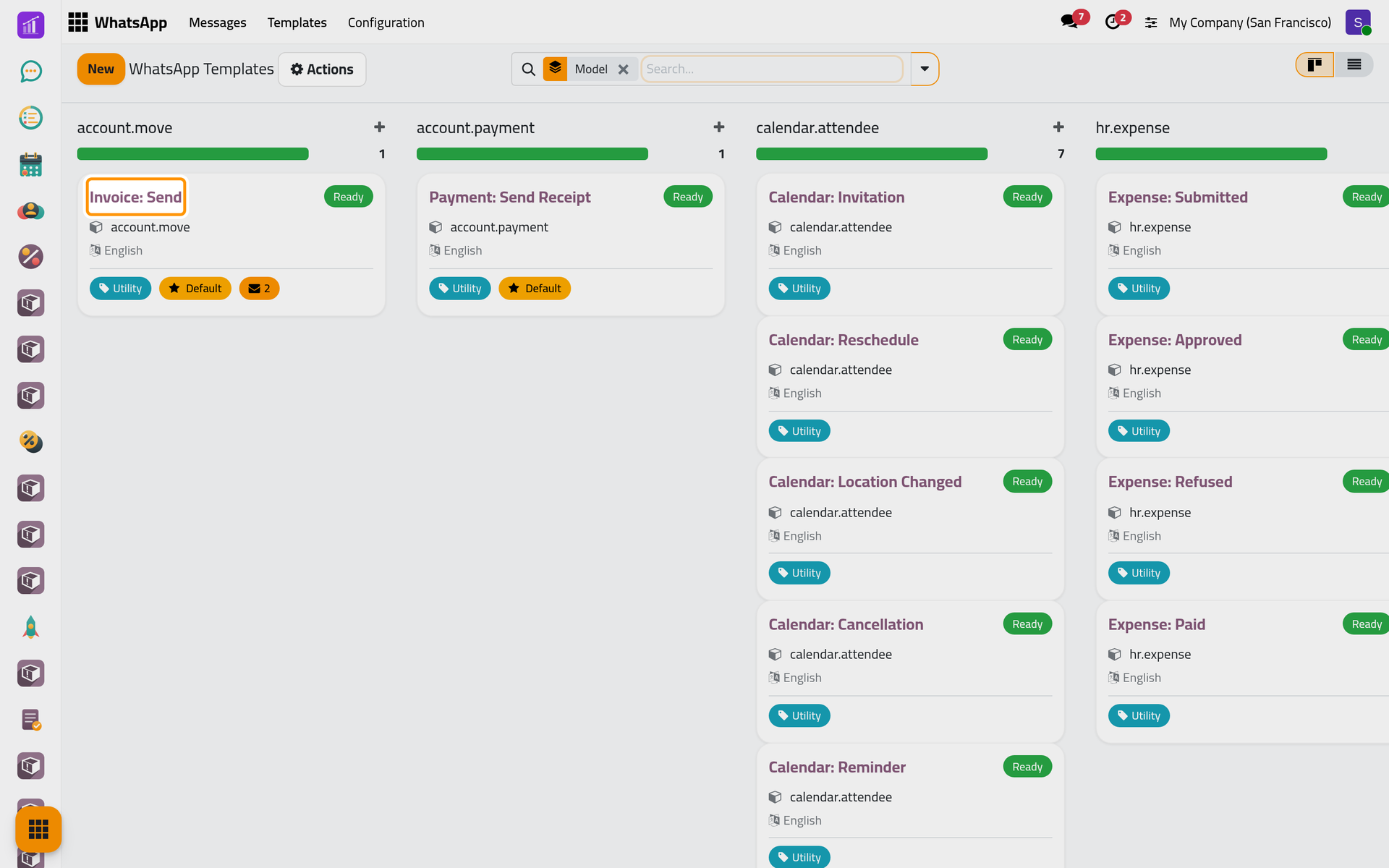
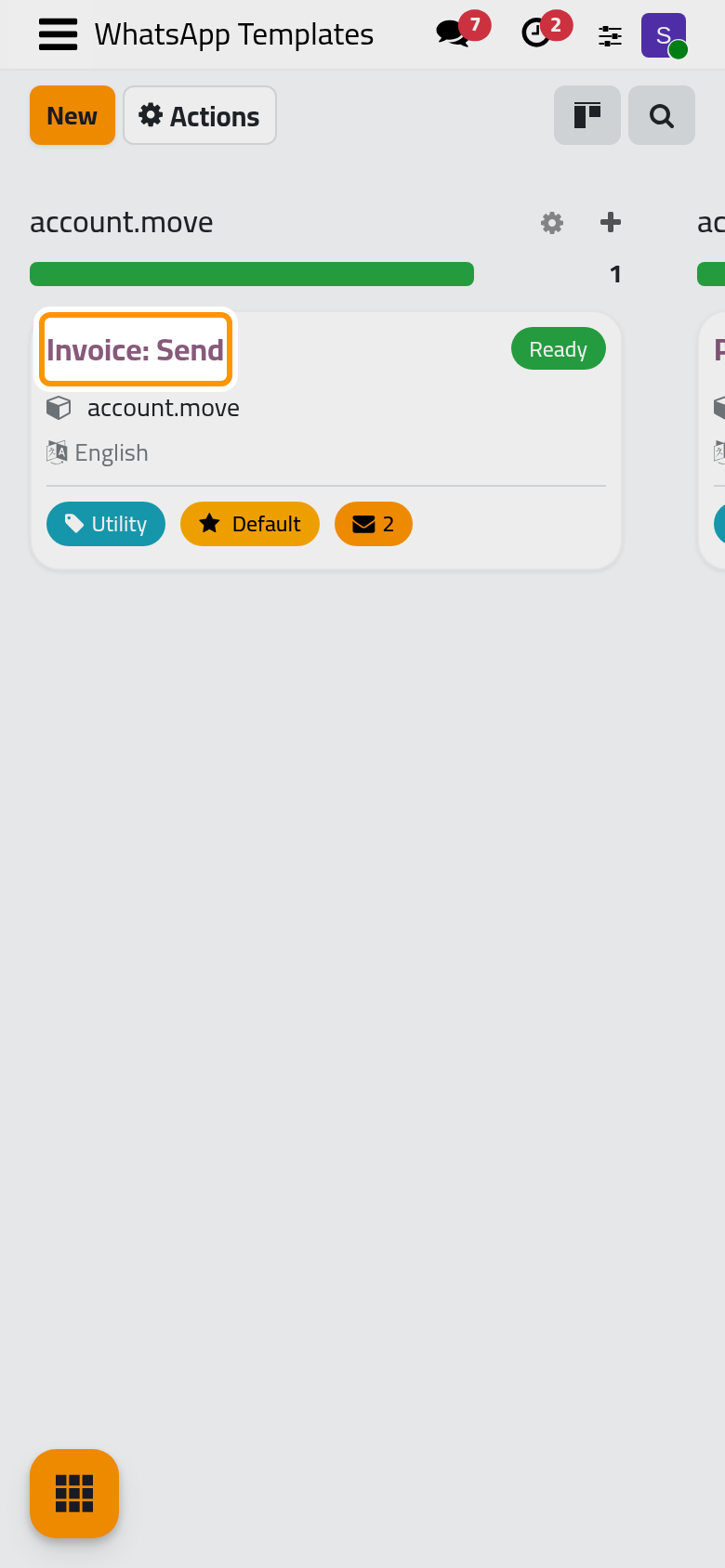
Open . The cards are grouped by the kind of record each template serves, named technically (sale.order for quotations, j.case for cases). Only active templates show: tick the Archived filter for those switched off.
Read and edit the form
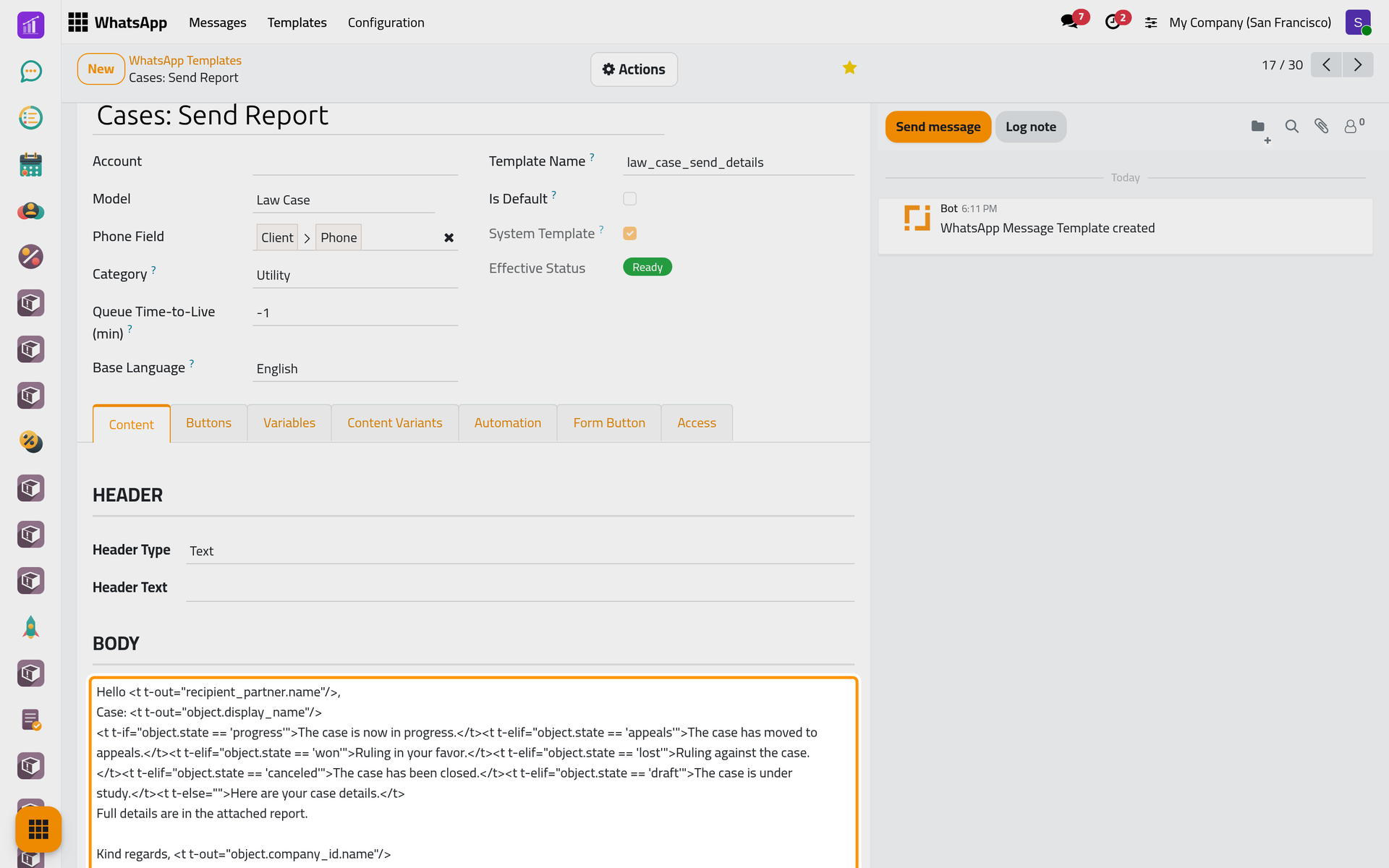
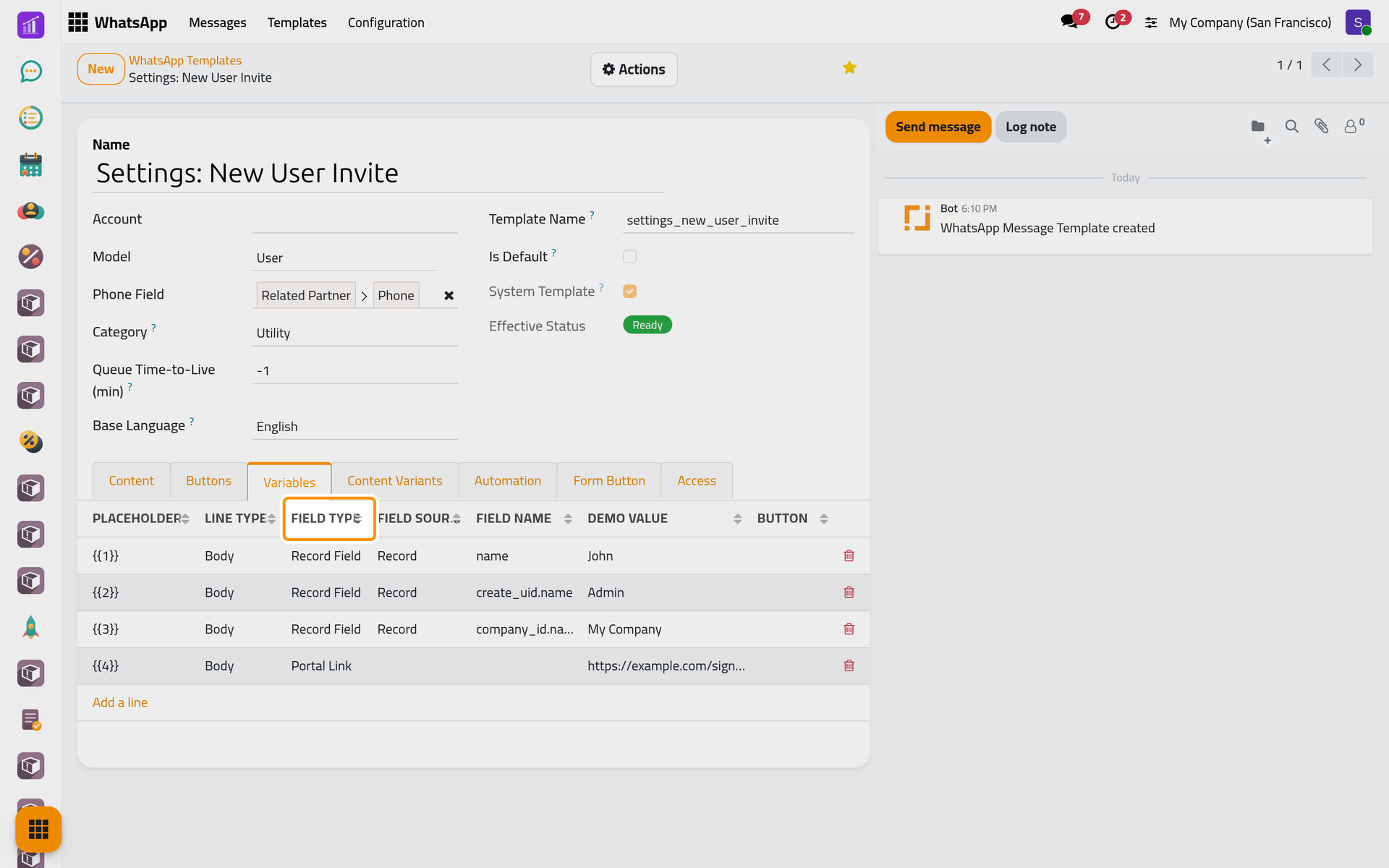
- Phone Field leads to the recipient, such as Client > Phone.
- Category: Utility for service messages; Marketing needs the recipient's consent (Consent and blacklist); Authentication is always sent word for word.
- Queue Time-to-Live (min): how long a message may wait for a connected line;
-1never expires (How WhatsApp sending works). - Is Default: preselected in the Send dialog. Account: the line a schedule sends from; the other two ways use the company's default line.
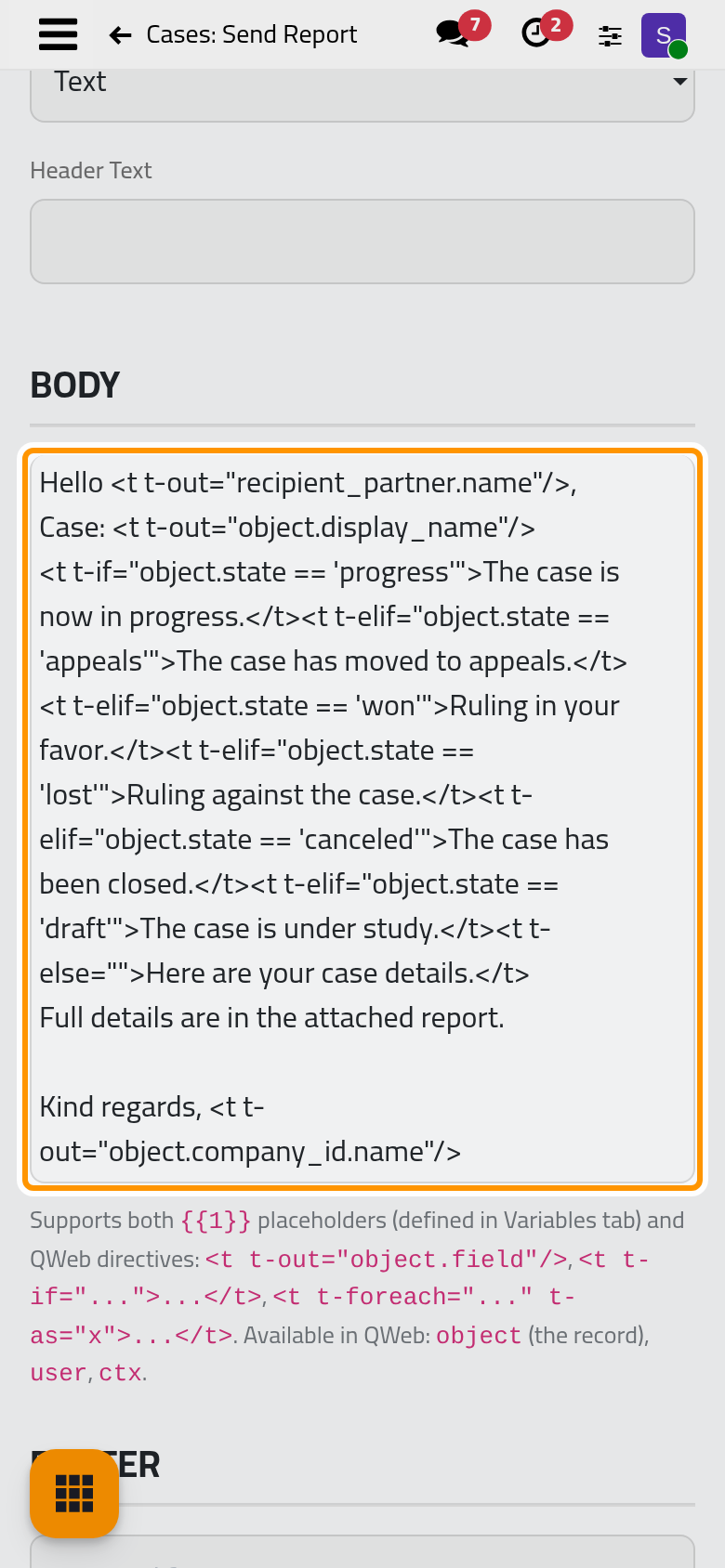
The Body, on the Content tab, is the message. Ready-made bodies fill in the record with parts such as <t t-out="object.name"/> and pick a sentence by the record's status: change the words around those parts, not the parts. Numbered placeholders such as {{1}} take their values from the Variables tab, one line each with its Field Type (Record Field, Portal Link, Free Text, the user's name or phone) and a Demo Value for the preview.
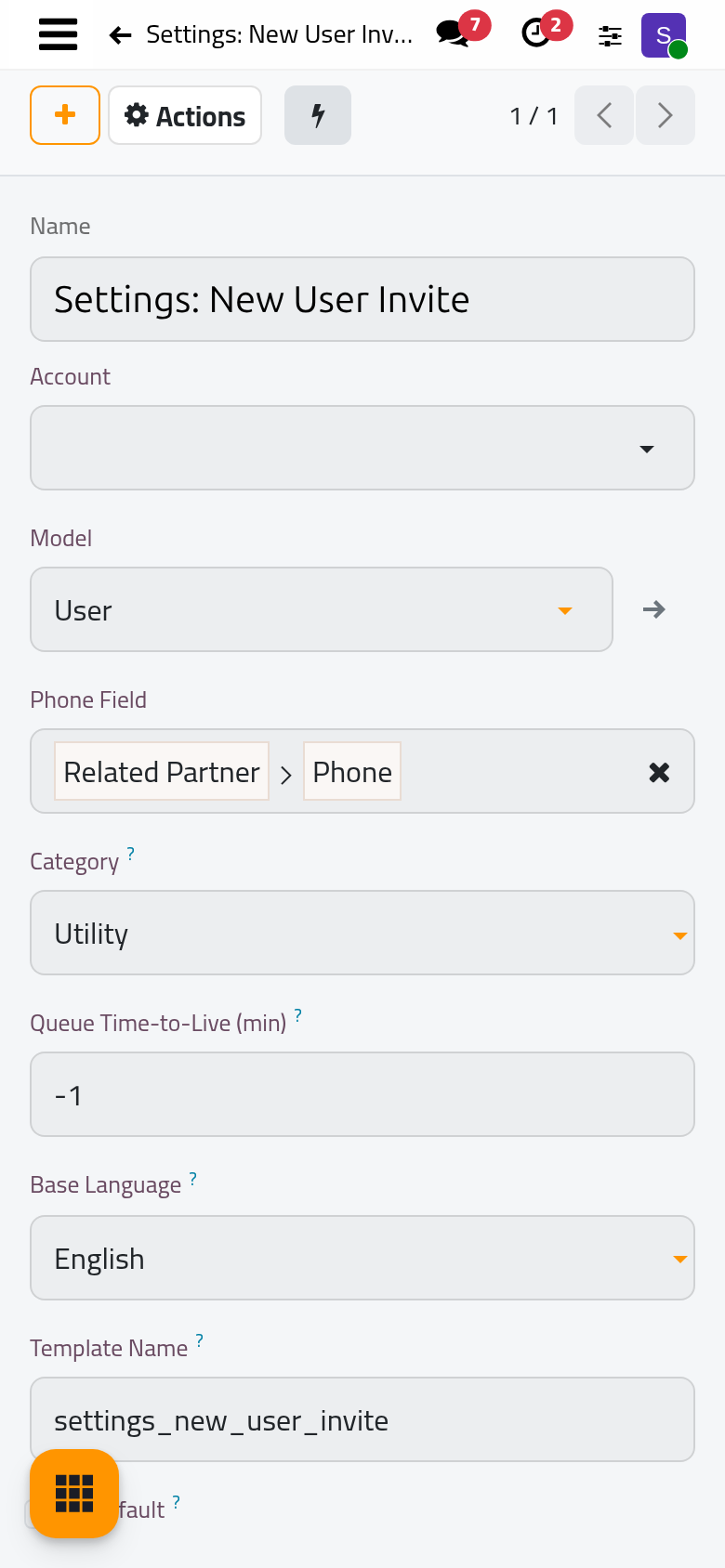
Auto-Attach Reports adds a PDF of the record. The Header, Footer and Buttons are kept with the template, but messages carry only the body and the attached files. A ready-made template is a System Template: edit or archive it; it cannot be deleted.
Translate the text
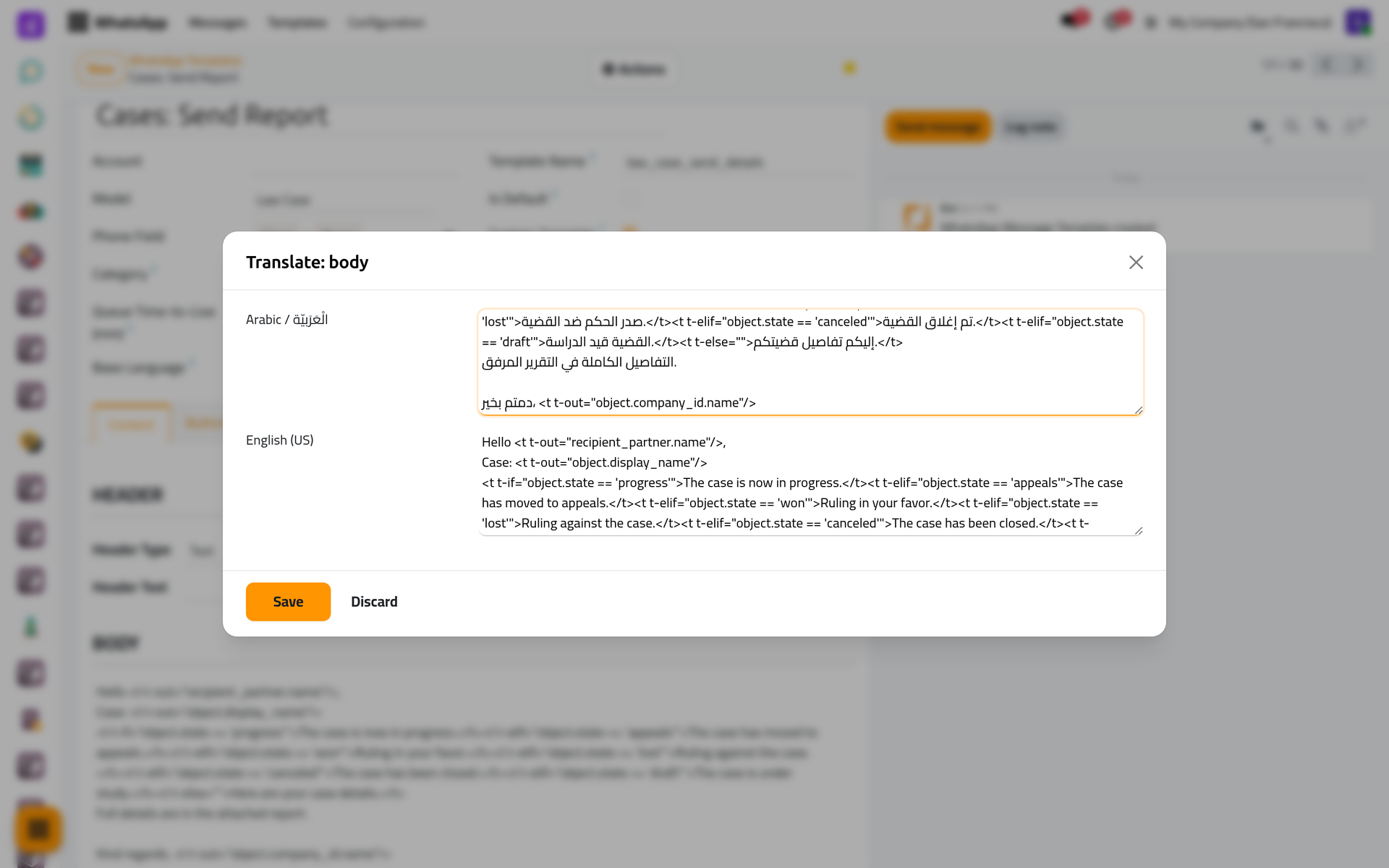
A message sent on an event or a schedule goes out in the recipient's language when the template has it; the Send dialog with one recipient shows it in yours. Click in the Body, then on the language code at its edge (EN): each active language shows side by side. Change a text, then Save. Languages and translations adds a language.
Preview
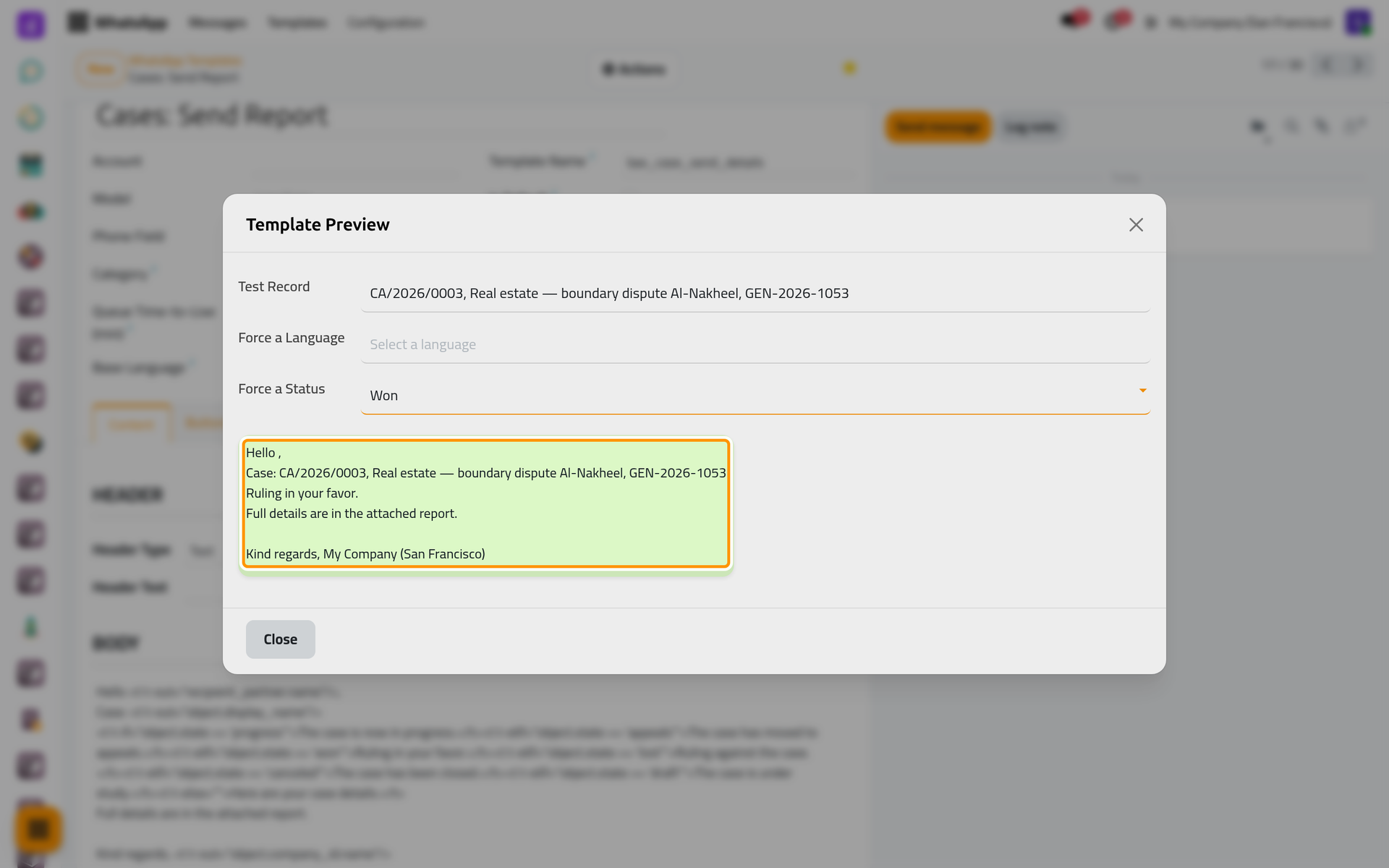
Actions > Preview renders the template for a Test Record. Force a Status shows the sentence another status gives, Force a Language another language; nothing is saved or sent. On a phone, both dialogs fill the screen.
The three ways a template is sent
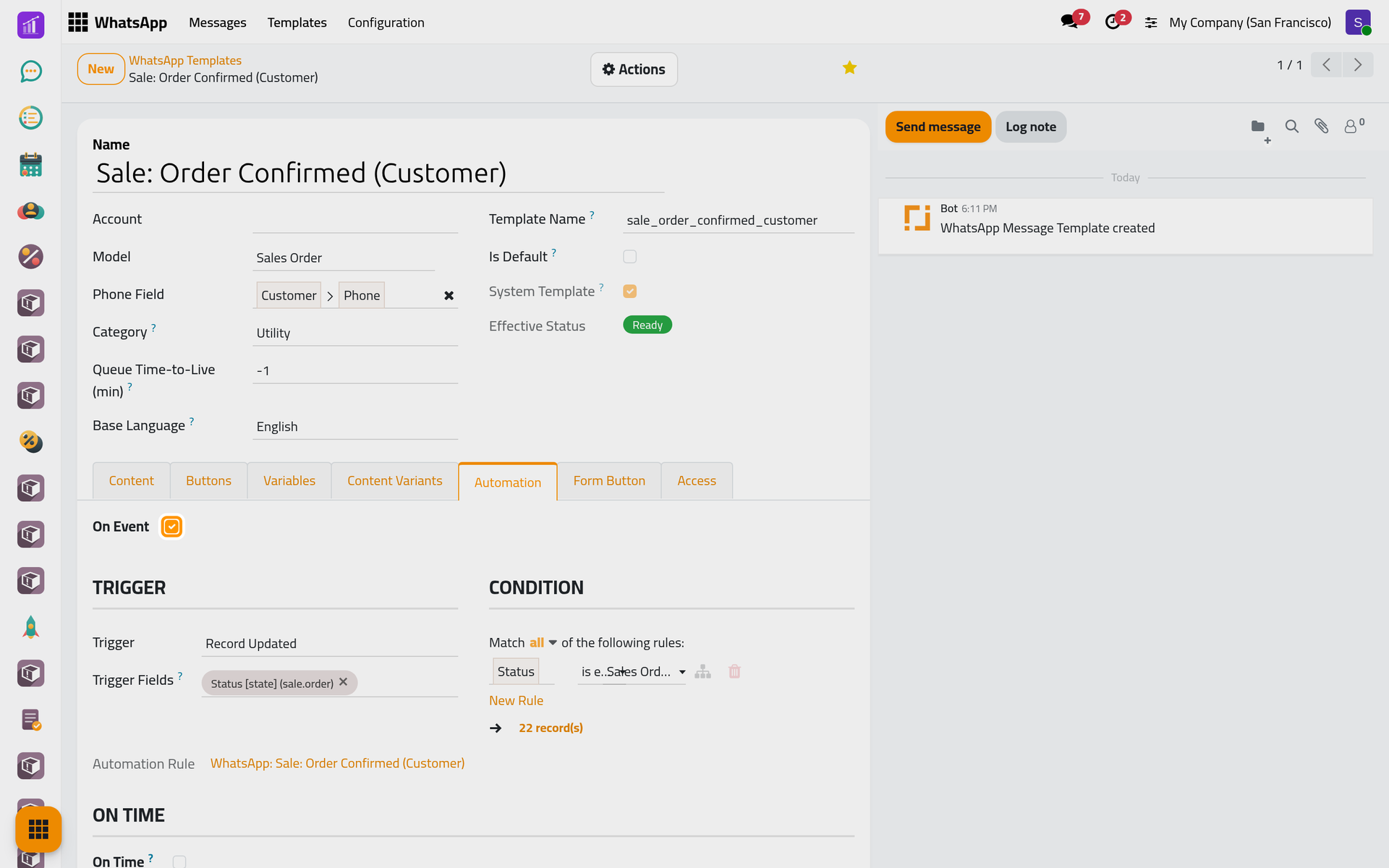
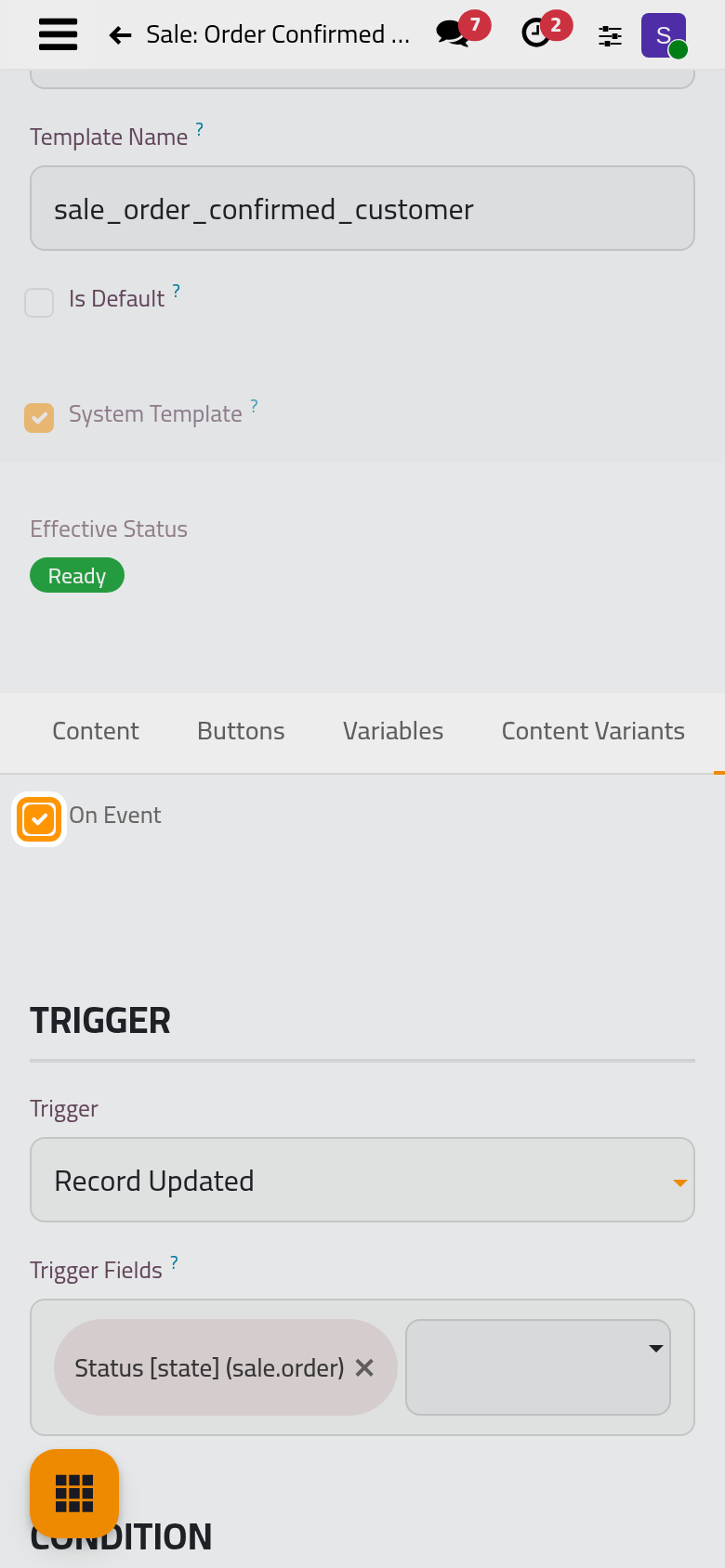
- On an event: on the Automation tab, tick On Event and pick the Trigger (Record Created, Record Updated, Stage Changed, Time-Based and others), the Trigger Fields and a Condition. Saving creates the Automation Rule shown below.
- On a schedule: tick On Time, choose the Mode (a recurring interval, daily at an hour, or once) and the Records Filter: each matching record gets one message. Fill Account: a scheduled send uses that line only and sends nothing without it.
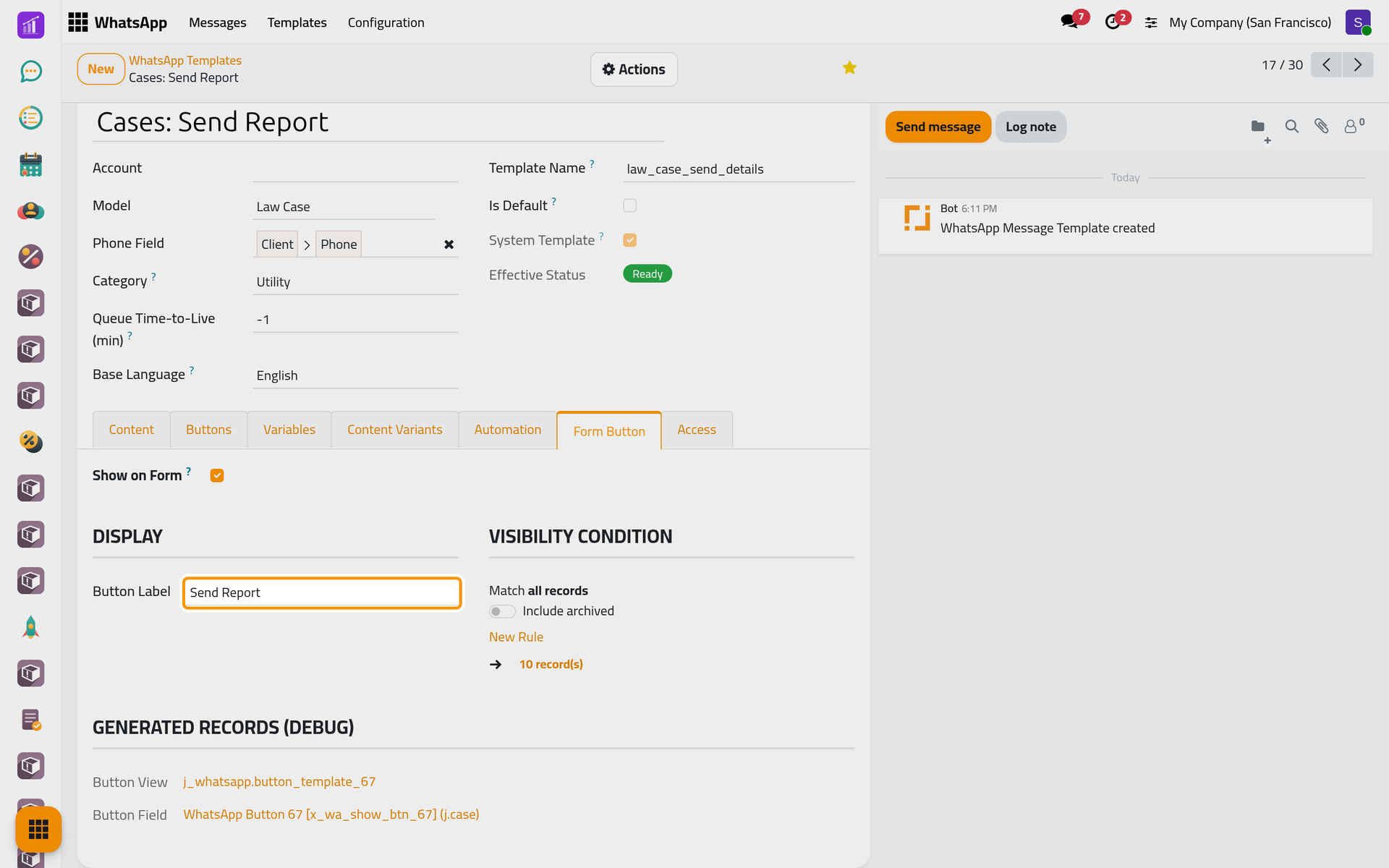
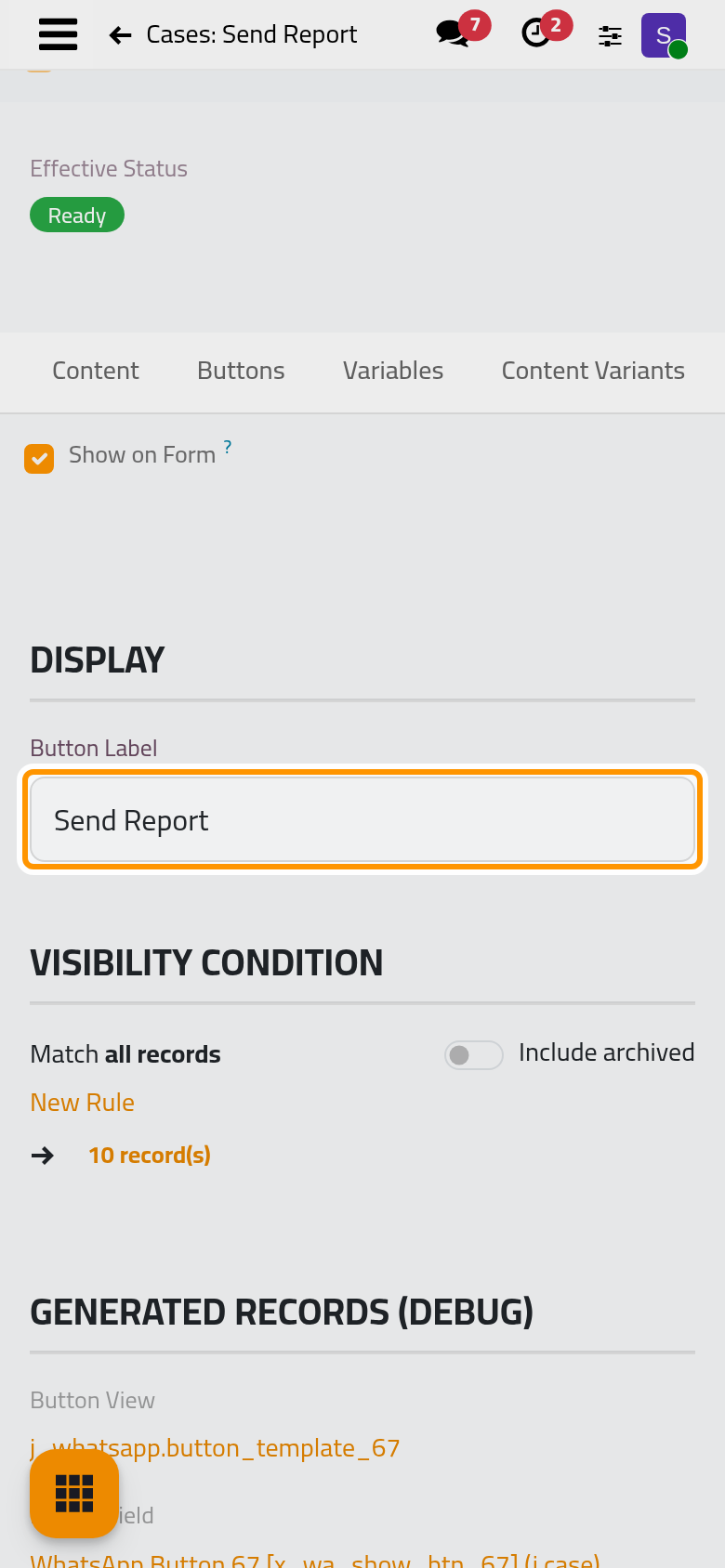
- By hand: on the Form Button tab, Show on Form adds the Button Label to the record's Actions menu, on records matching the Visibility Condition. It opens the Send dialog of Send from any record.
FAQ
Who can change templates?
The Administrator access right on WhatsApp; a User reads and sends them. Allowed Users, on the Access tab, limits a template to the people listed.
A scheduled template sends nothing. Why?
Fill Account, check the Records Filter, and read Cron Next Run in the Status group. The job behind it is in WhatsApp automations.
Why did my buttons not reach the customer?
Header, footer and buttons are not sent. Put the link or the phone number in the body.
Was this page helpful?
Thank you for your feedback.