WhatsApp in sales and invoicing
On this page
Sales and Invoicing come with thirteen ready-made WhatsApp templates. Ten leave by themselves, each with its own switch in the WhatsApp settings; three are sent by hand from the record.
Ready-made templates
| Template | When it is sent | To whom | Switched by |
|---|---|---|---|
| Quotation: Send | By hand, from a quotation or an order | The customer | No switch |
| Sale: Order Confirmed (Customer) | A quotation is confirmed | The customer | Order Confirmed, on |
| Sale: Order Confirmed (Internal) | A quotation is confirmed | The salesperson and the sales team leader | Order Confirmed (Internal), on |
| Sale: Quotation Cancelled | A quotation or an order is cancelled | The customer | Quotation Cancelled, on |
| Sale: Customer Viewed Quotation | The online quotation is opened, at most once an hour | The salesperson | Quotation Viewed, on |
| Sale: Quotation Expiry Warning | Daily, some days before the quotation expires | The customer and the salesperson | Expiry Warning, on |
| Sale: Quotations Expiring Soon Digest | Daily, one list of the quotations about to expire | Each salesperson and sales team leader | Expiring-Soon Digest, on |
| Invoice: Send | By hand, from an invoice, a credit note or a bill | The contact of the document | No switch |
| Payment: Send Receipt | By hand, from a payment in status Paid | The contact of the payment | No switch |
| Payment: Receipt (auto on post) | A customer payment moves to In Process | The customer | Payment Receipt on Post, off |
| Invoice: Auto Send Invoice on Fully Paid | A customer invoice becomes Paid | The customer | Invoice Fully Paid, off |
| Client Overdue Balances Reminder | Weekly | Each customer with unpaid invoices past due | Client Overdue Balances Reminder, off |
| Internal Total Overdue Reminder | Weekly, with the total all customers owe | The contacts in Send to: | Internal Total Overdue Reminder, off |
"On" and "off": the state after installation. Template names read in English in every language.
Before you start
- The switches need the Administrator right on WhatsApp; sending by hand needs the User right.
- A message leaves through a connected line (Connect a WhatsApp line), to a contact with a phone number who is not on the blacklist (Consent and blacklist).
Sales
Open and scroll to Automated Sale messages. Each checkbox switches one template; while it is ticked, the Template line under it opens that template.
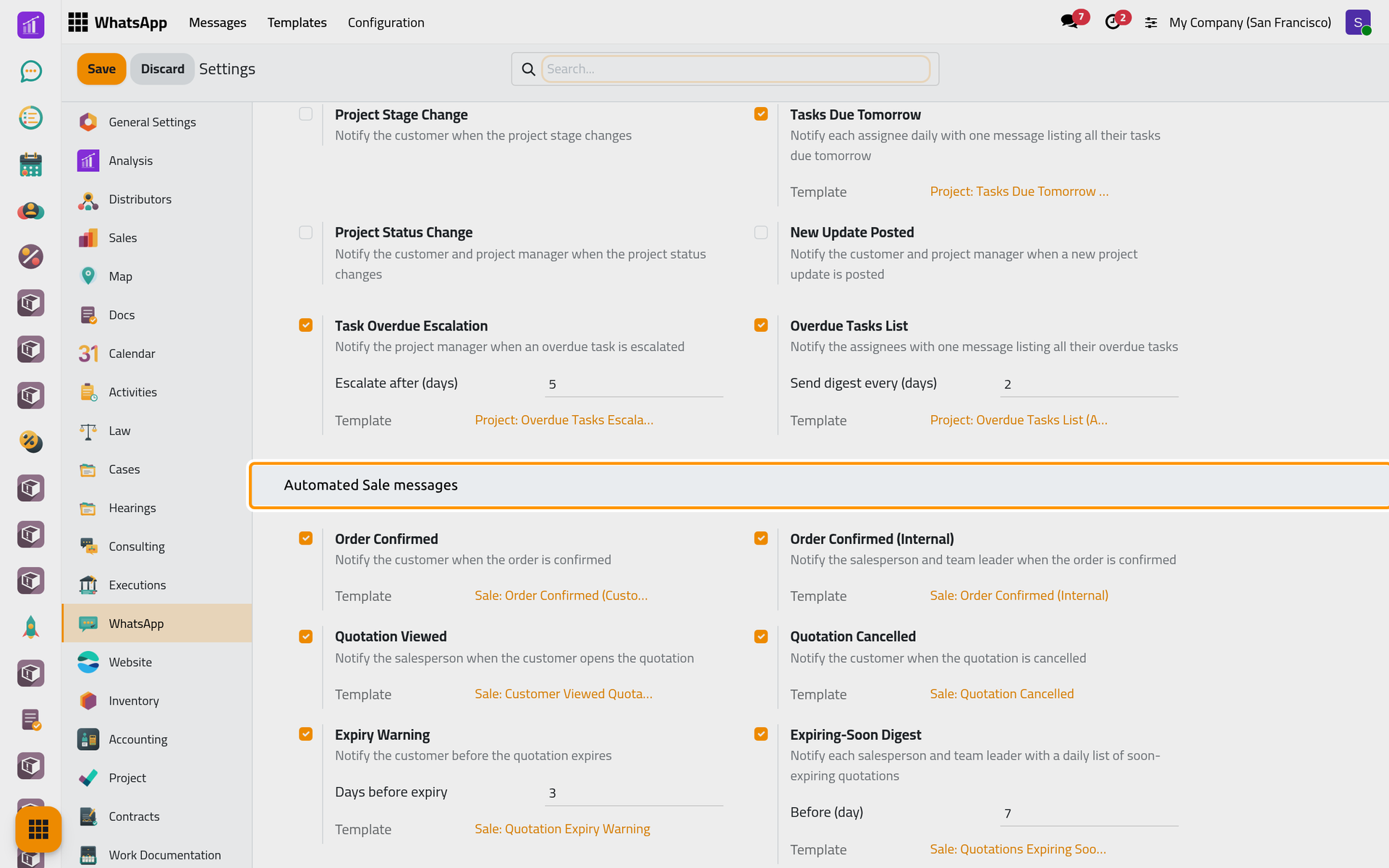
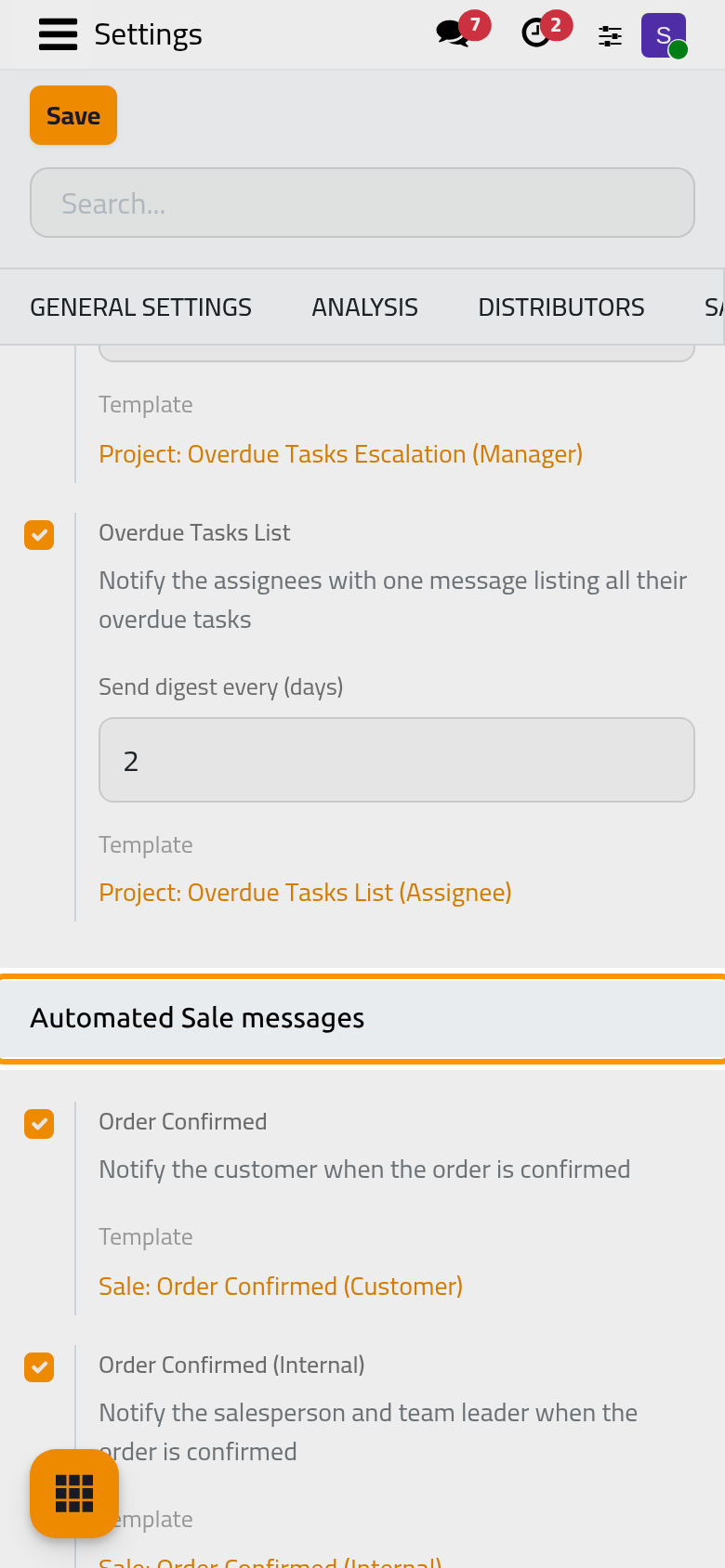
- Days before expiry (3): how many days before the quotation's Expiration the warning leaves; 0 means on the day itself. A quotation is warned once per expiration date.
- Before (day) (7): the window of the daily list. A salesperson receives their own quotations; a sales team leader receives the whole team's.
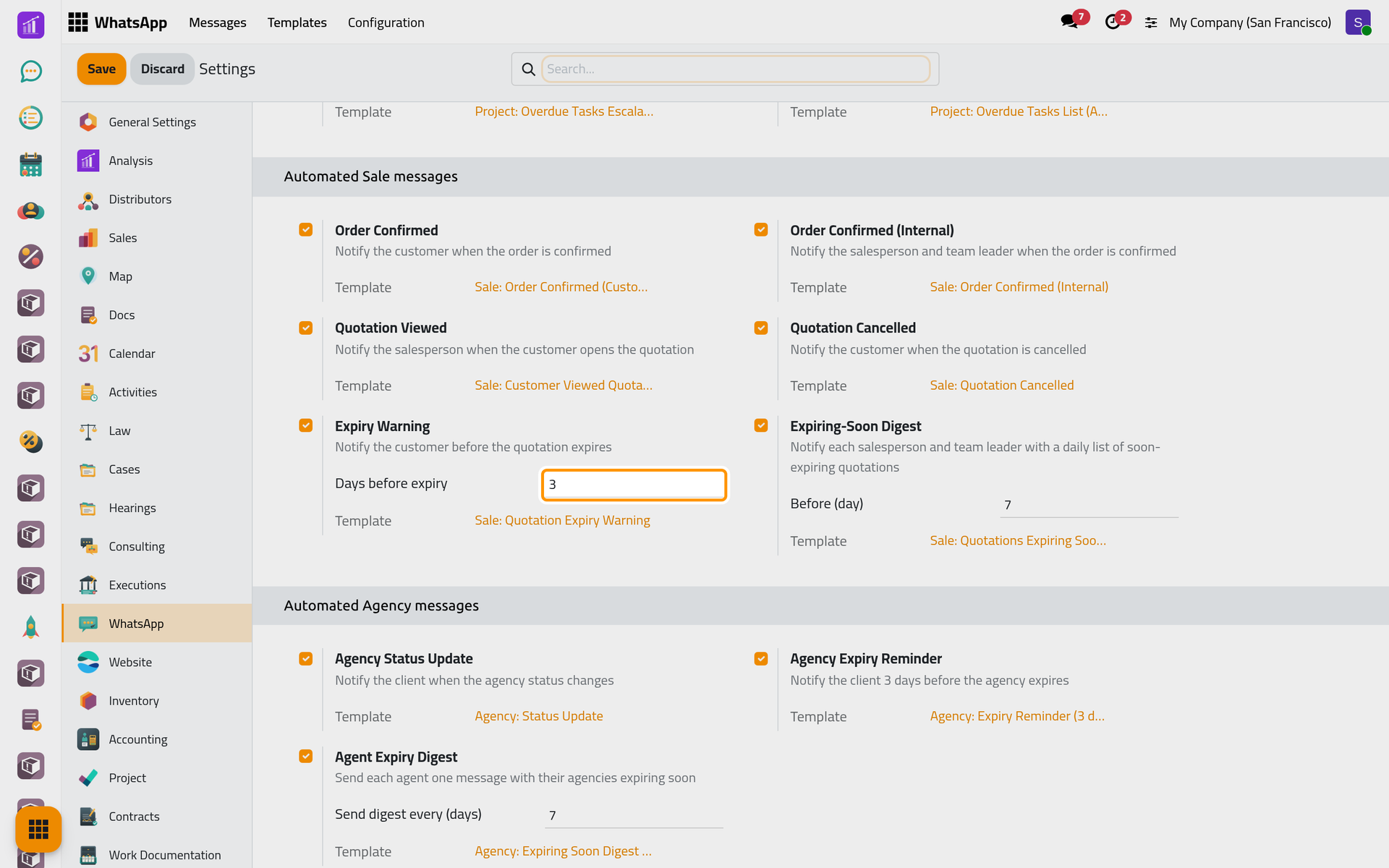
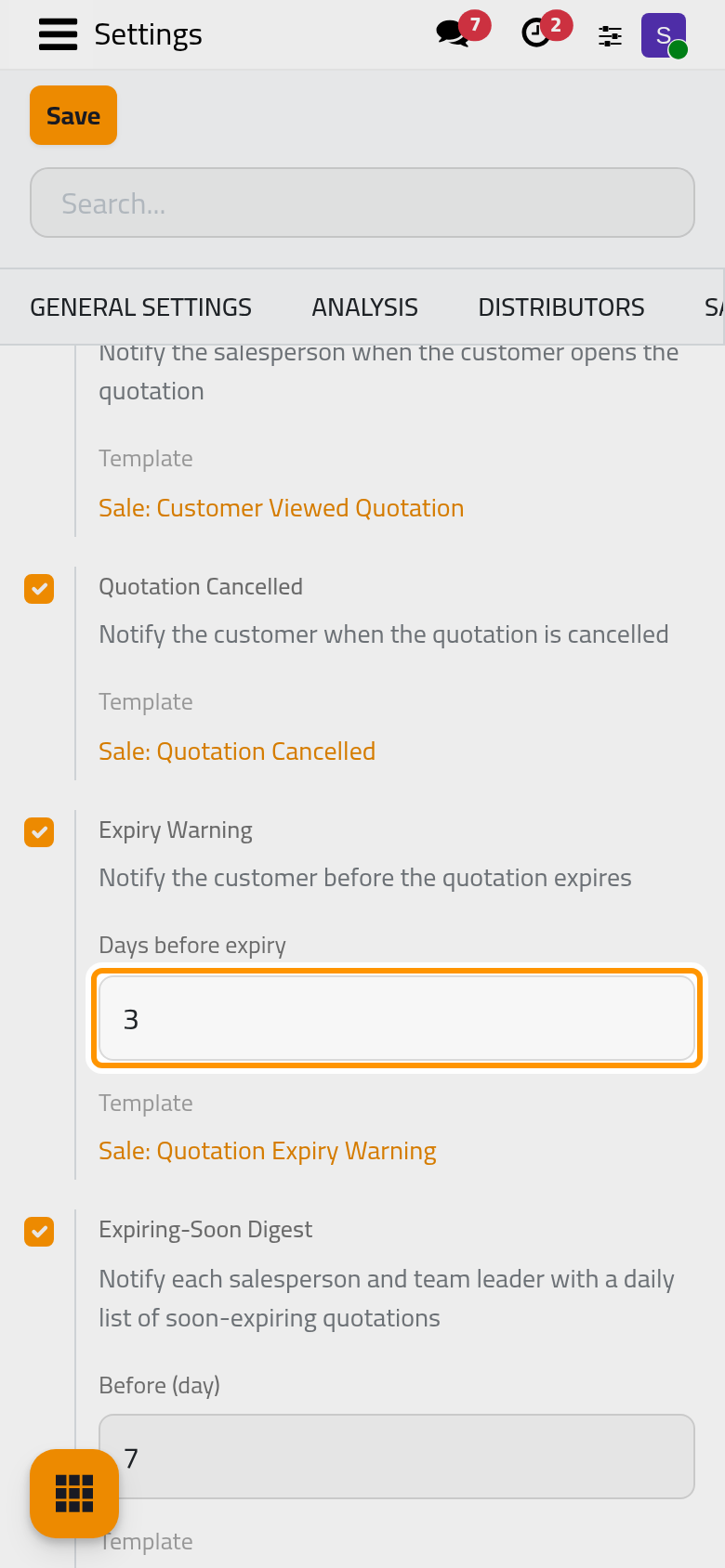
Click Save to apply. Switching a message off archives its template.
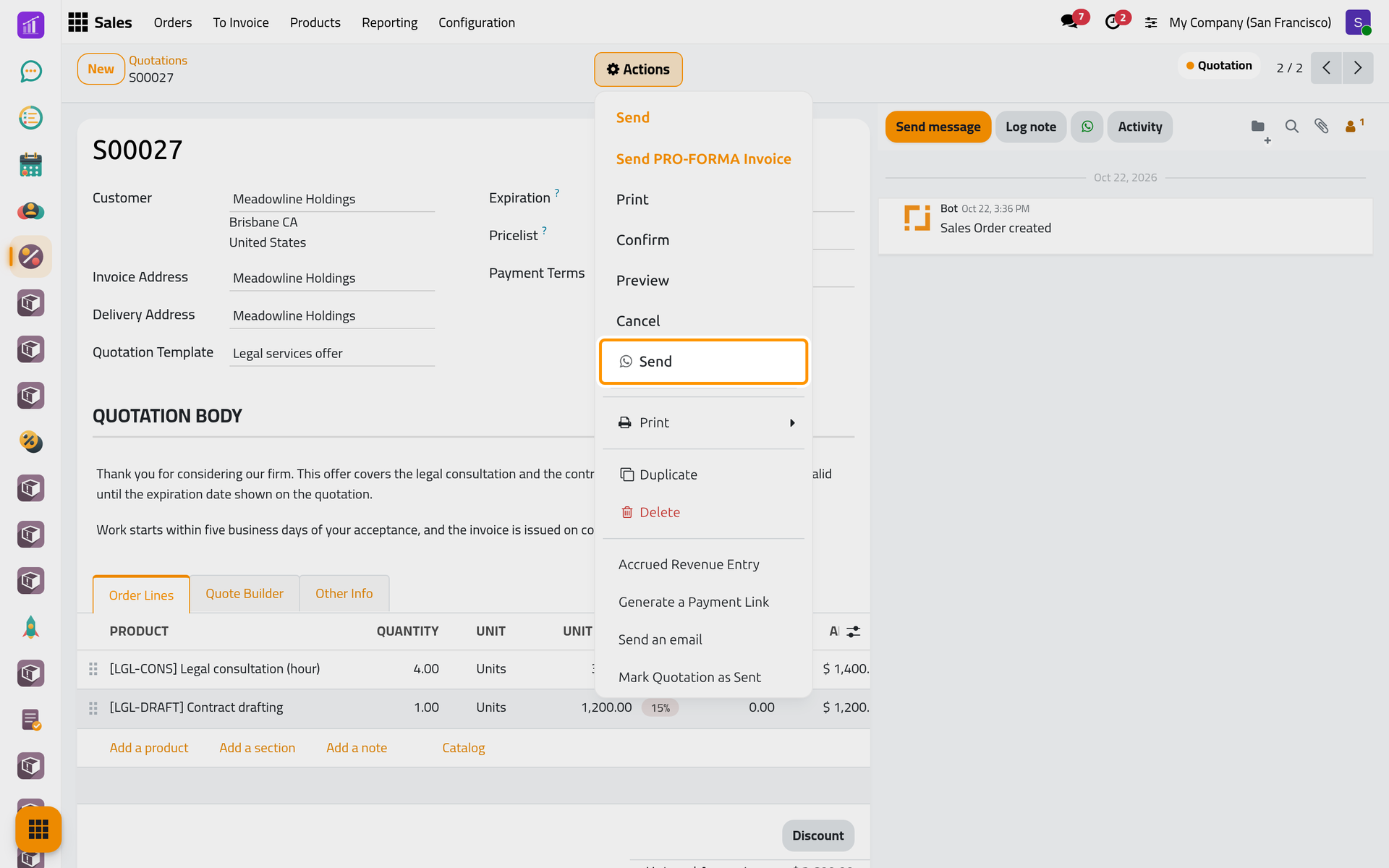
To send a quotation by hand, choose the Send with the WhatsApp icon in its Actions menu; the other Send is the e-mail. The composer opens with Quotation: Send and the PDF (Send from any record). A quotation carries the link to sign it online (Get the client's signature), an order a link to follow it. Once the message leaves, a quotation moves to Quotation Sent, as with an e-mail. On a phone, Actions sits at the top of the form, with the same entries.
Invoicing
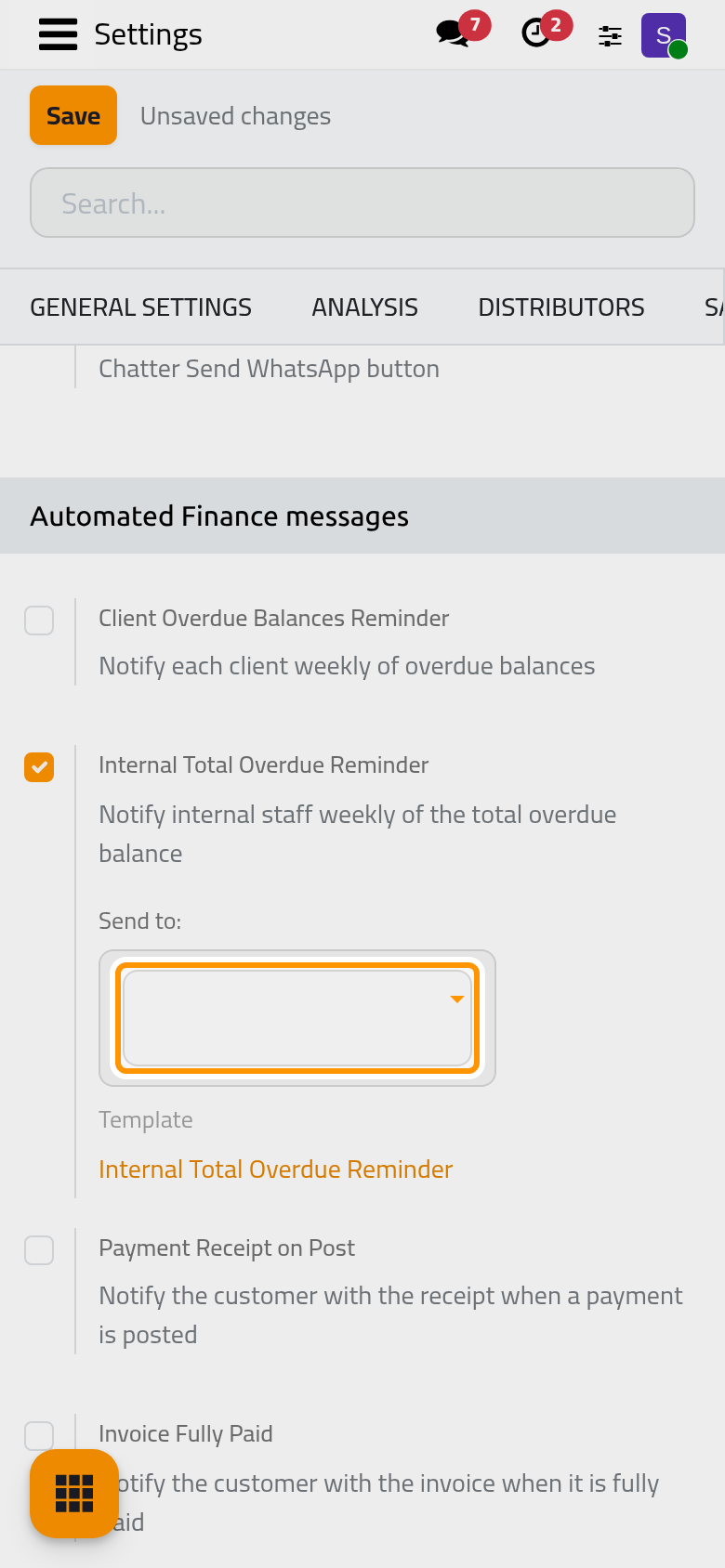
Automated Finance messages, in the same settings, holds the four automatic accounting messages.
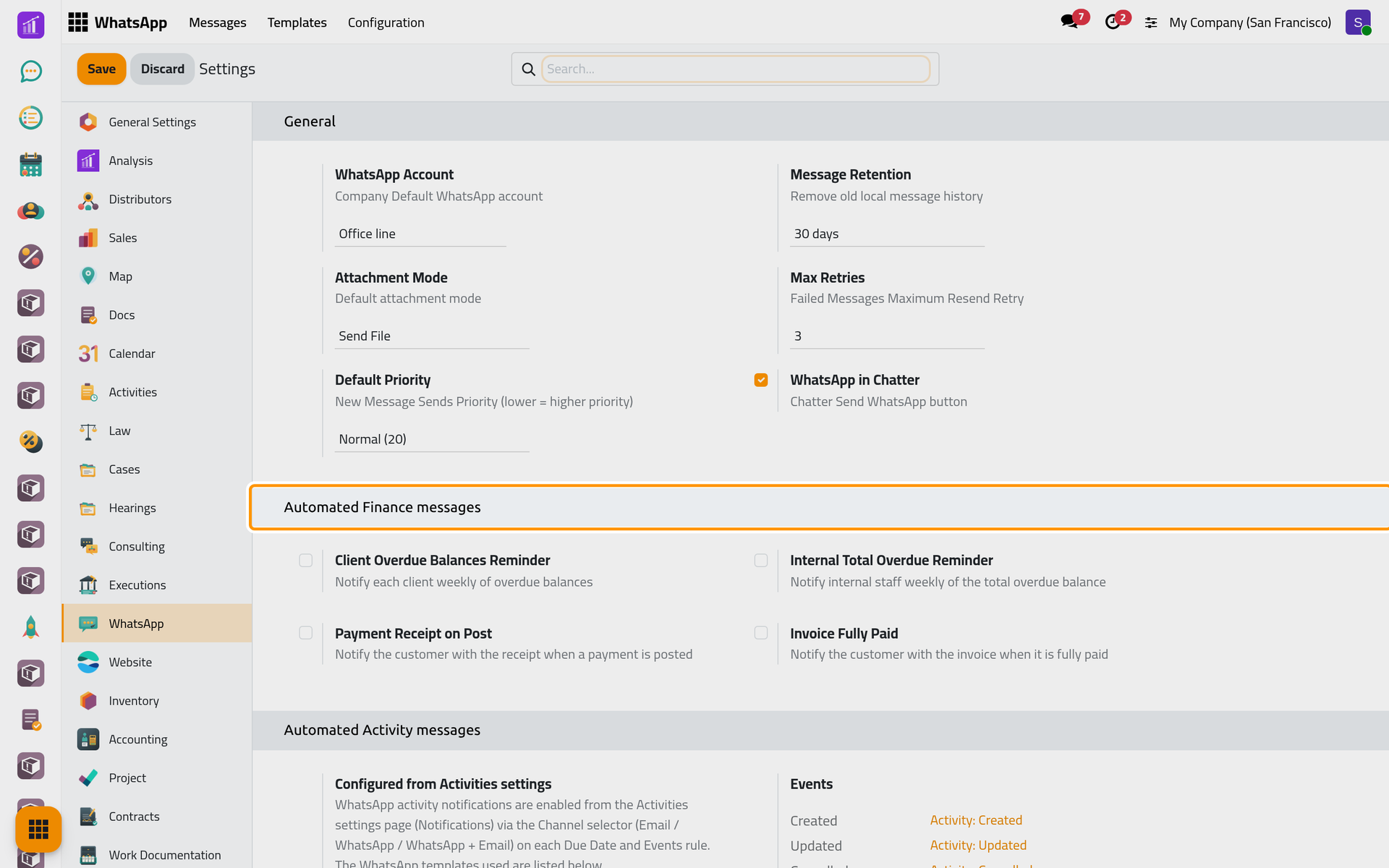
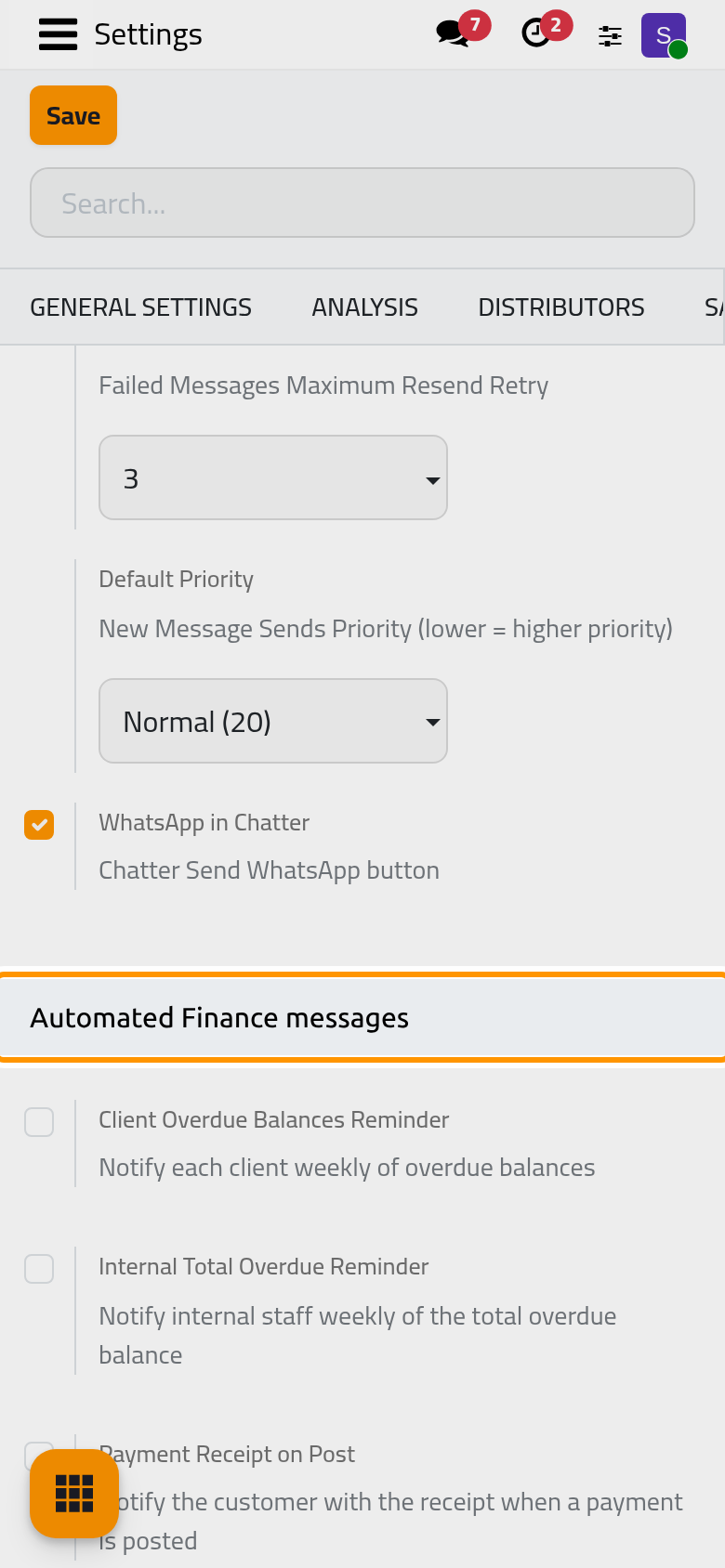
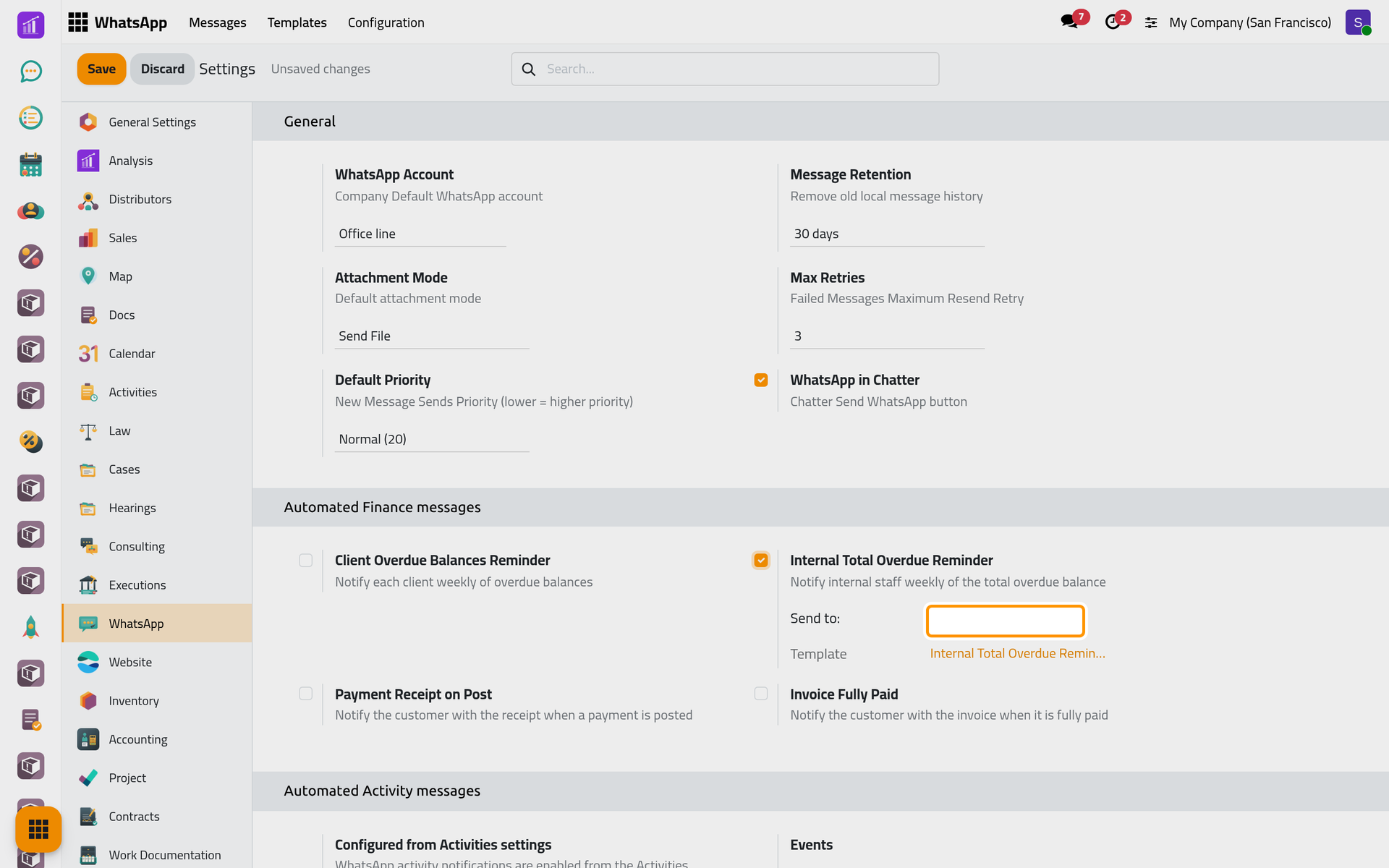
Internal Total Overdue Reminder asks for its recipients in Send to:. Both weekly reminders run on a schedule, and a scheduled template sends only from the line set in its own Account: open each one in and choose your line, or the weekly run sends nothing (see Why does a scheduled template send nothing?). With the line set, the first message leaves one week after you switch the reminder on.
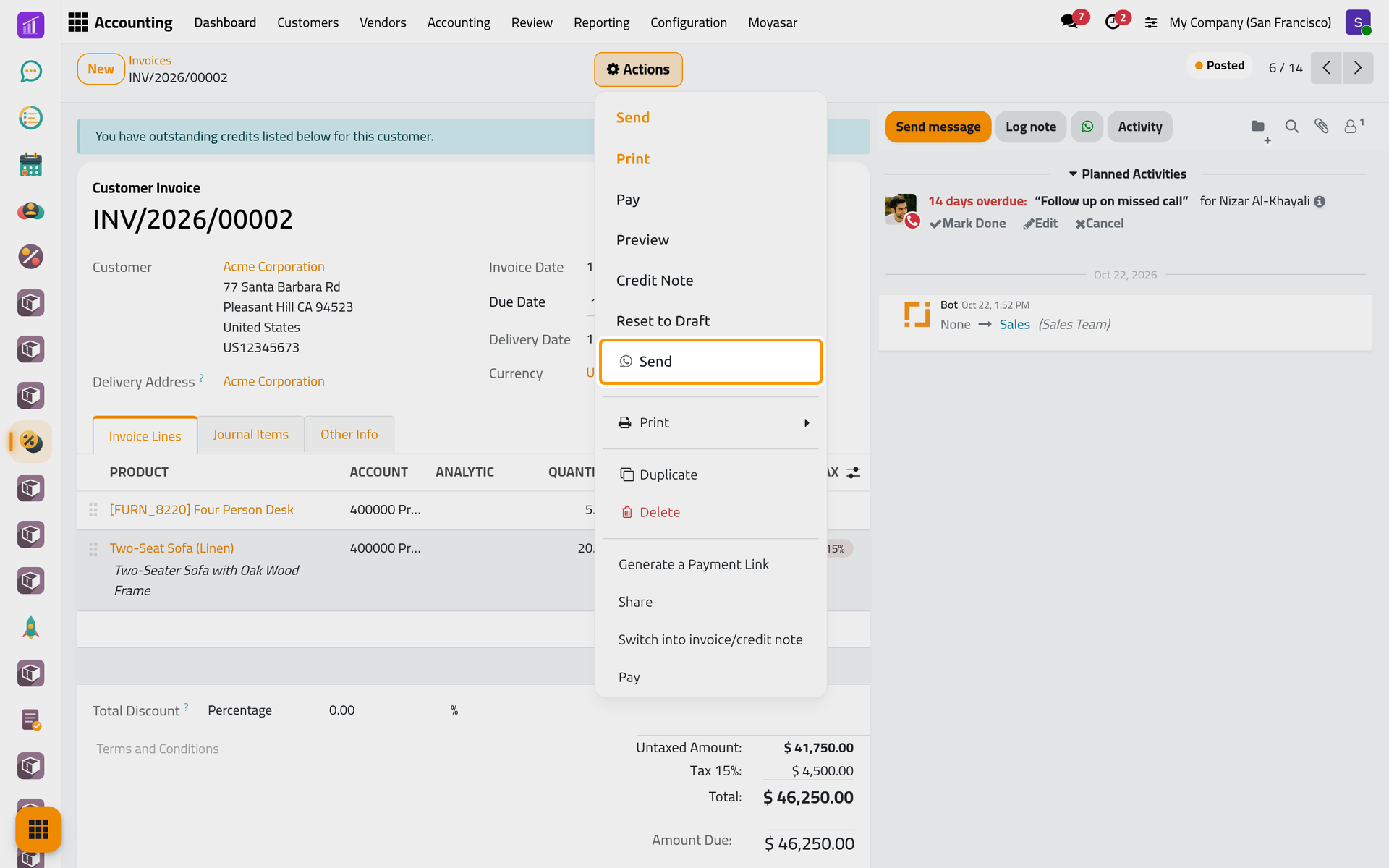
On an invoice, a credit note or a vendor bill, the Send with the WhatsApp icon of the Actions menu opens the composer with Invoice: Send and the PDF; the text tells a draft from a paid invoice. On a payment in status Paid, the same entry sends Payment: Send Receipt with the receipt. The e-mail way is in Send an invoice by e-mail.
Change the text
Each Template link opens the template; its wording is edited there, as WhatsApp templates explains.
FAQ
At what time do the daily messages leave?
The expiry warnings at 08:00 UTC (11:00 in Riyadh), the expiring-soon lists at 07:30 UTC.
Does our own preview count as a view?
Yes. Opening the quotation's online page, Preview included, tells the salesperson while it is still a quotation, at most once an hour.
A payment did not send its receipt.
Payment Receipt on Post reacts to a payment that moves to In Process. A payment recorded straight as Paid never does: send its receipt by hand.
Was this page helpful?
Thank you for your feedback.