Contracts and legal agencies
On this page
You accept the firm's contracts by signing them on the portal, and you check there the legal agencies (powers of attorney) in which you are a principal.
Before you start
- You need a portal account, sent by the firm as Give a client portal access shows.
- Contracts show when you, as a contact, are their client; agencies, when you are their principal or one of their other principals. Choose what a client sees has the details.
Your contracts
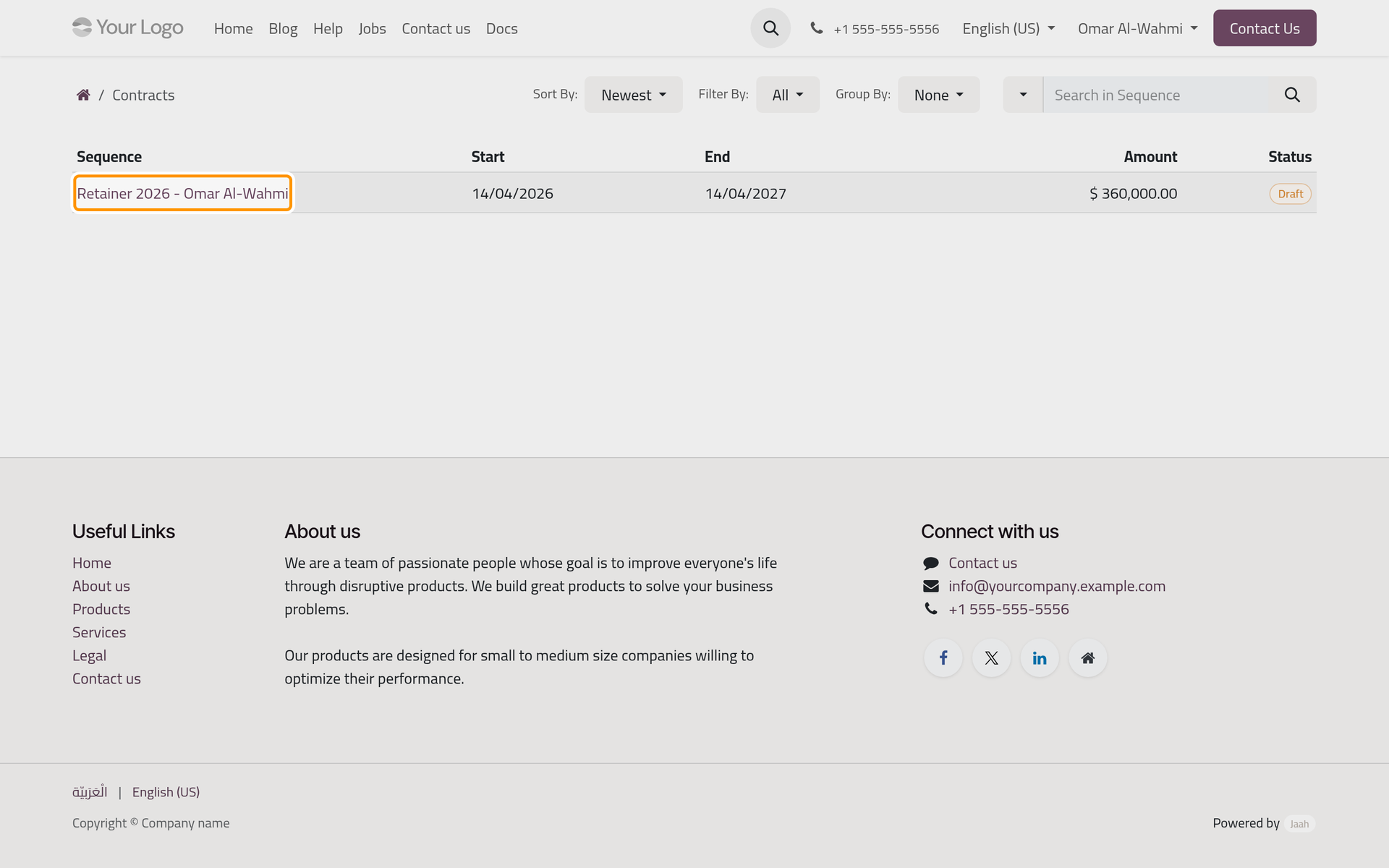
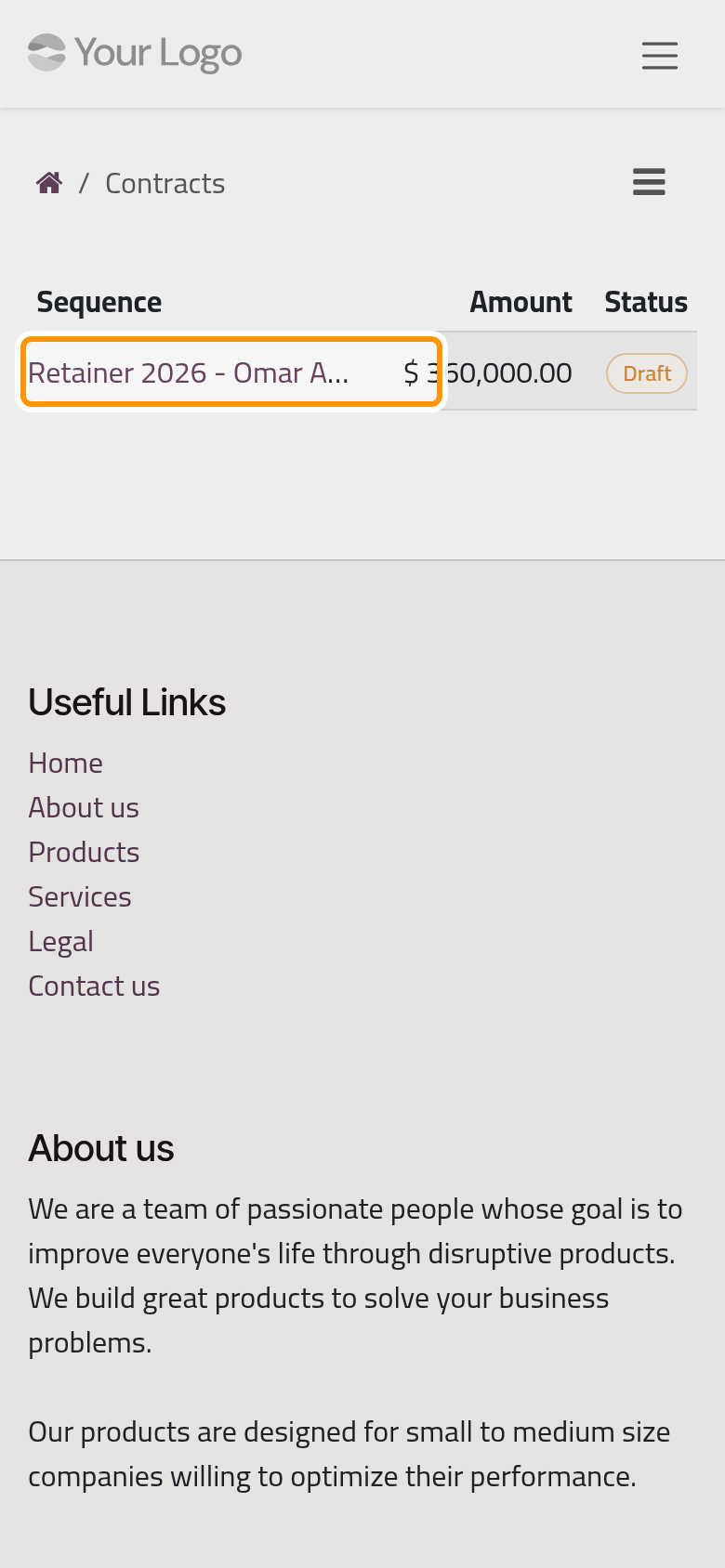
On the portal home, click Contracts. The list shows each contract's name under Sequence, its Start, End, Amount and Status. Filter By keeps Draft, Valid, Expired, Closed or Cancelled, Sort By orders by Newest, End Date or Sequence, and Group By groups by State. On a phone, these controls sit behind the ☰ button.
A contract reaches the list as Draft once the firm has finished drafting it, and waits there for the signatures. The firm's e-mail about a contract also carries a button that opens it here.
Read a contract
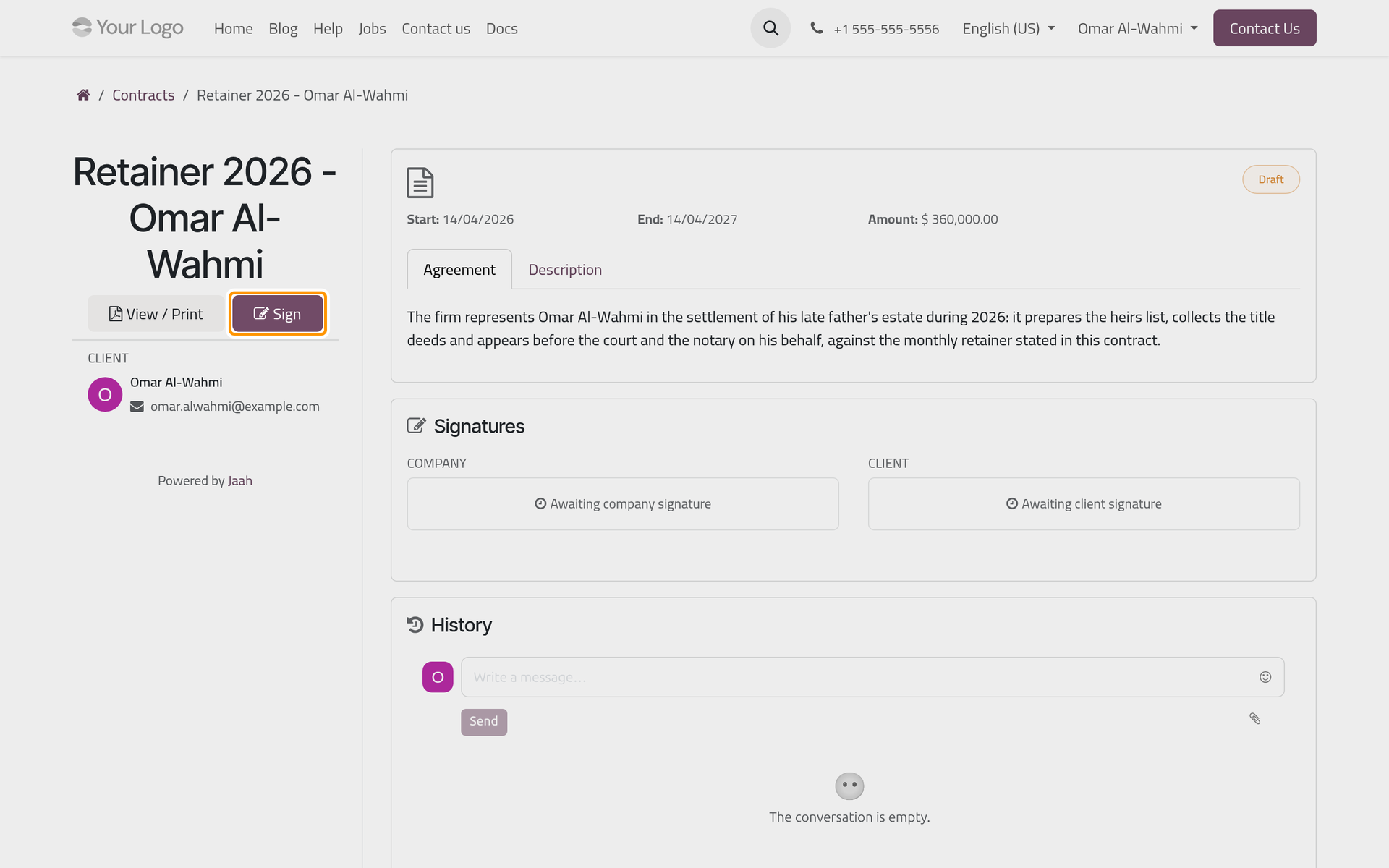
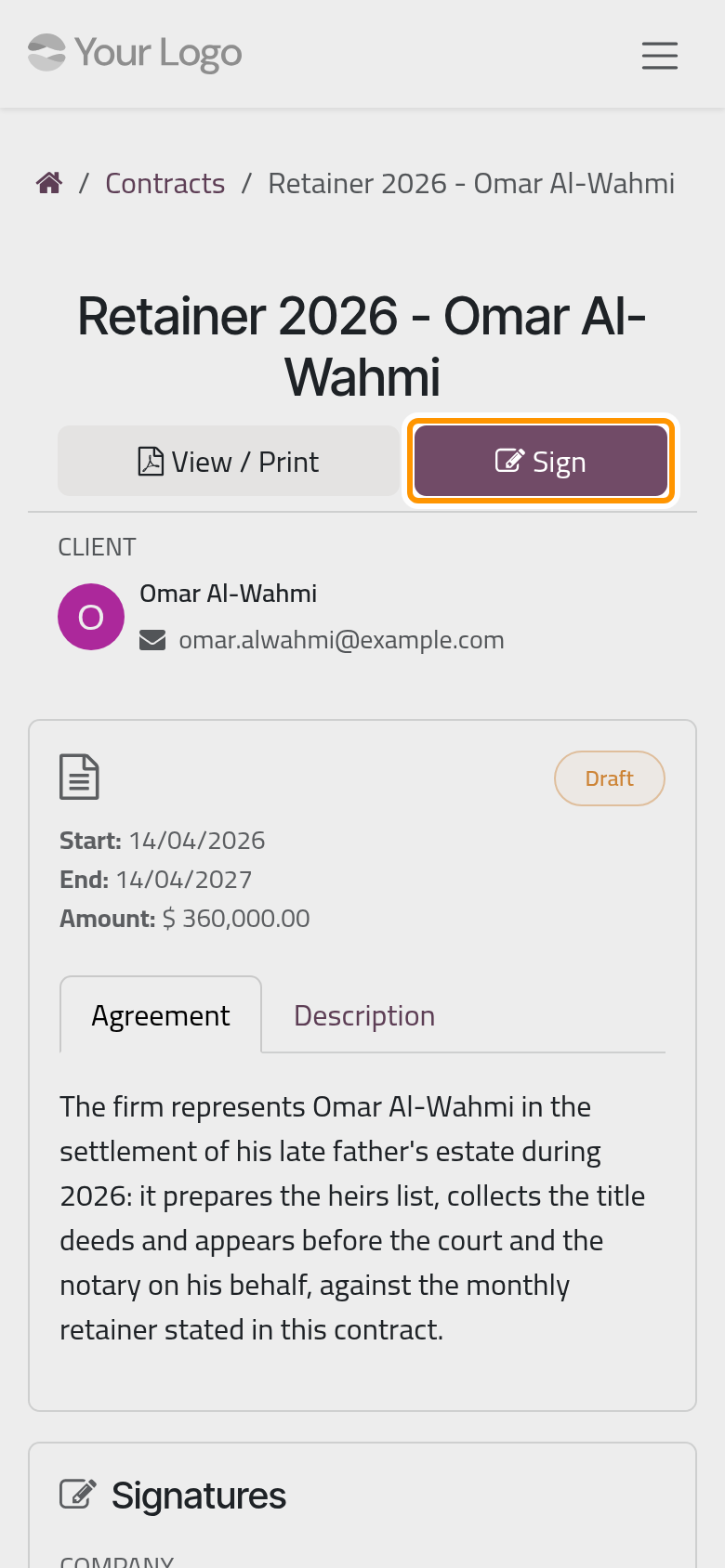
Click a contract in the list. The page gives:
- in the side column (at the top on a phone): View / Print, which opens the contract details as a PDF, and Sign while your signature is due;
- the contract's template as heading when the firm used one, its status, Start, End and Amount;
- the tabs Agreement, with the agreement's text, and Description;
- Signatures, with a Company and a Client side: each shows the signature and its date, or "Awaiting company signature" and "Awaiting client signature";
- History, the firm's messages on the contract, with a box to write back.
Accept a contract
Sign shows only on a Draft contract you have not signed yet.
- Read Agreement and Description, then click Sign.
- The Sign Contract dialog reminds you that signing confirms your acceptance. Check Full Name, then sign: Auto, the default, writes your name in a handwriting style, Draw lets you draw with the mouse or a finger, Load takes a picture of your signature.
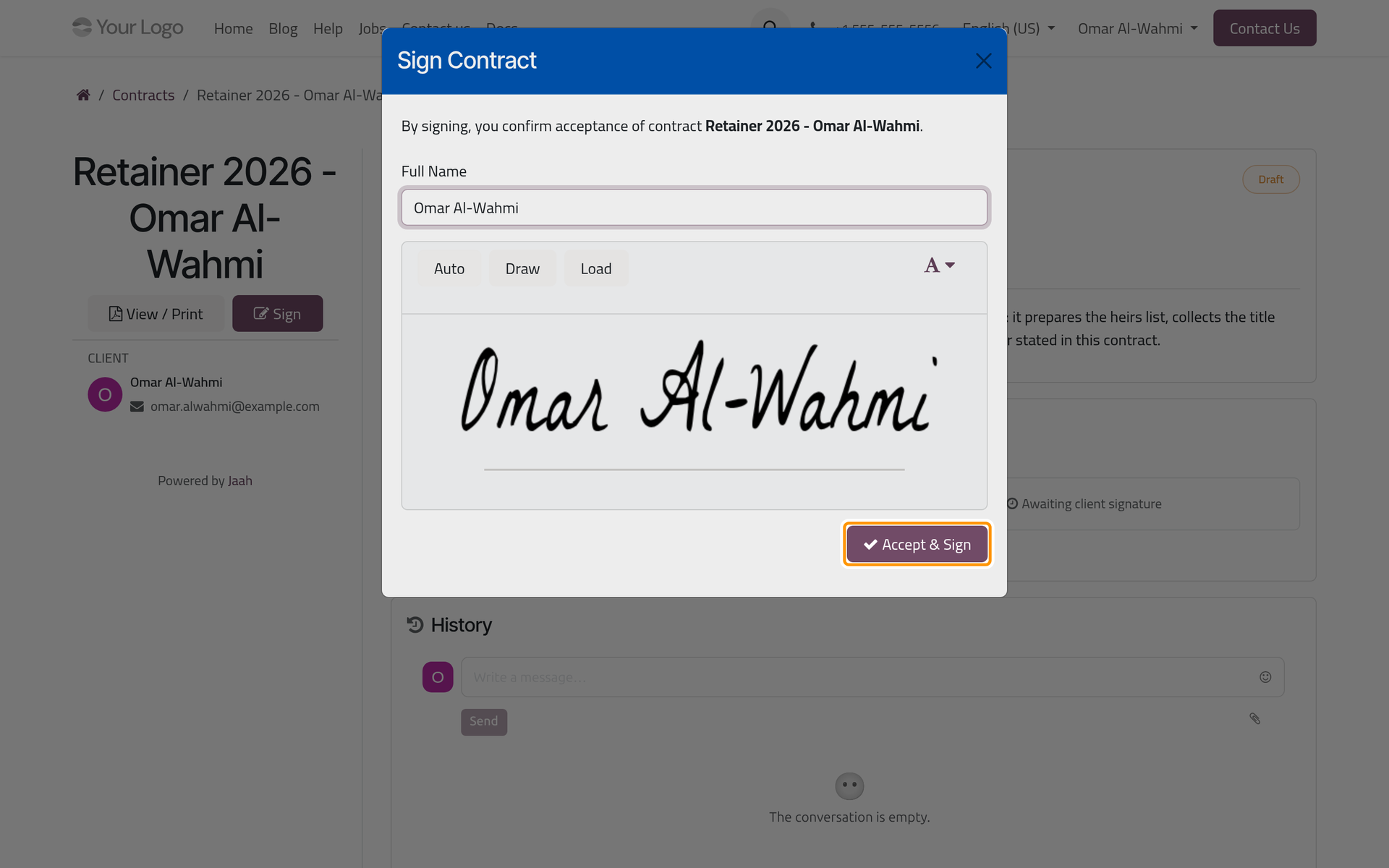
- Click Accept & Sign. The page reloads with your signature and its date under Signatures; a contract is signed once. To leave without signing, close the dialog with ×. On a phone the dialog opens the same way, over the page.
When the firm has signed too, the contract turns Valid on its own, and the firm may e-mail you an activation notice. The firm's side: Sign and validate a contract.
Your legal agencies
On the portal home, click Legal Agencies. The list gives each agency's Agency No, its Agents, Release Date, Expiry Date and Status. Filter By keeps Valid or Expired, Sort By orders them by Newest, Expiry Date or Agency No, and the search box looks in the number or the agents.
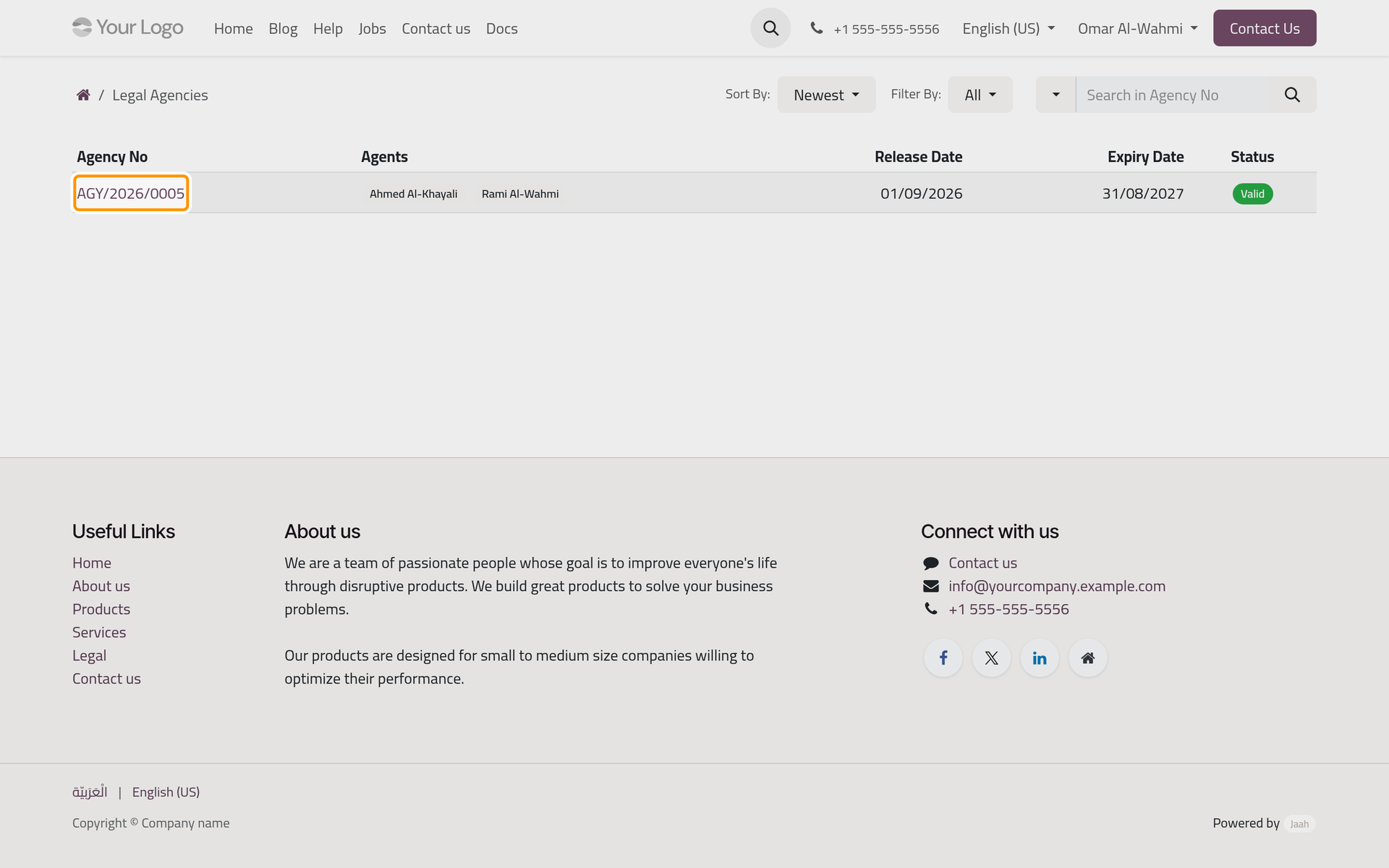
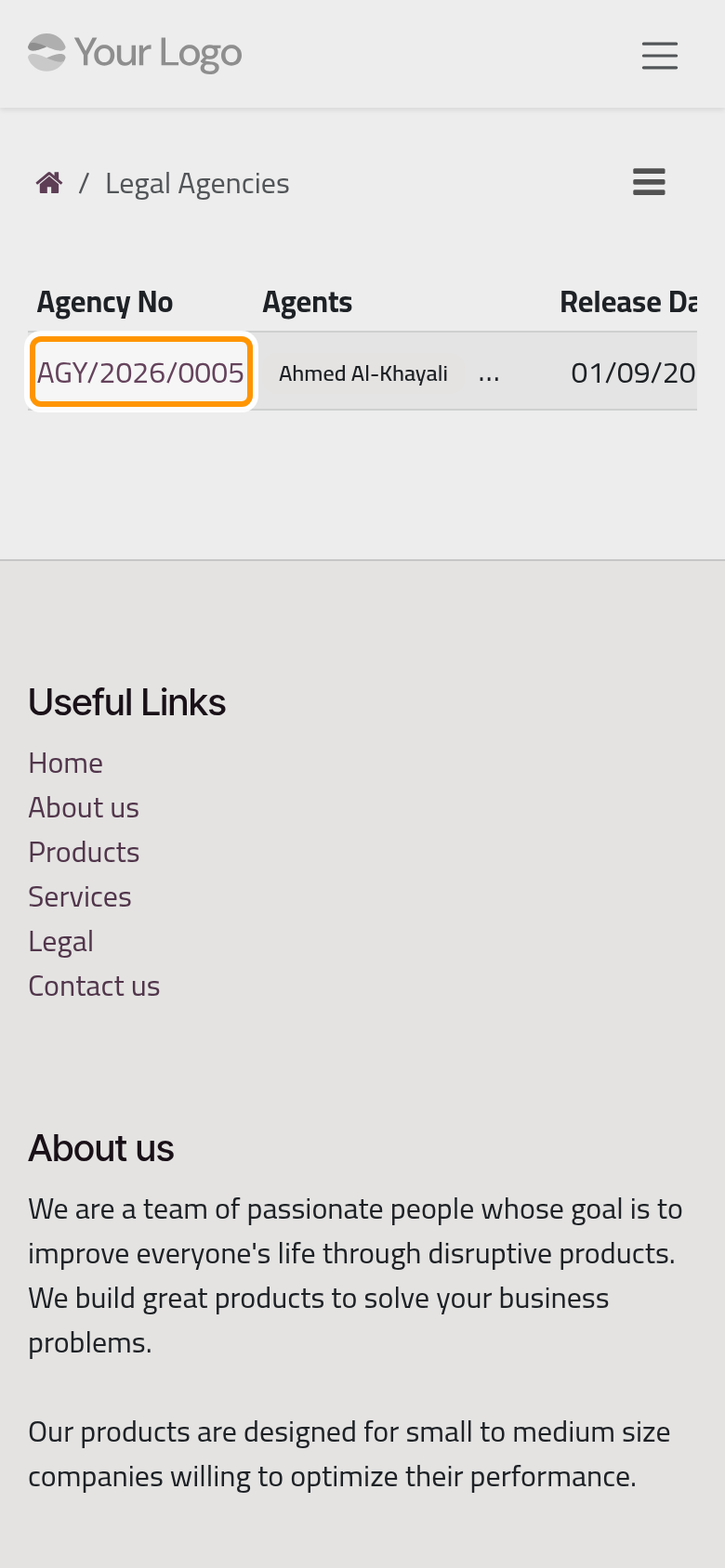
An agency is Valid from its release date to its expiry date included, and Expired outside them or while a date is missing; the status follows the calendar on its own.
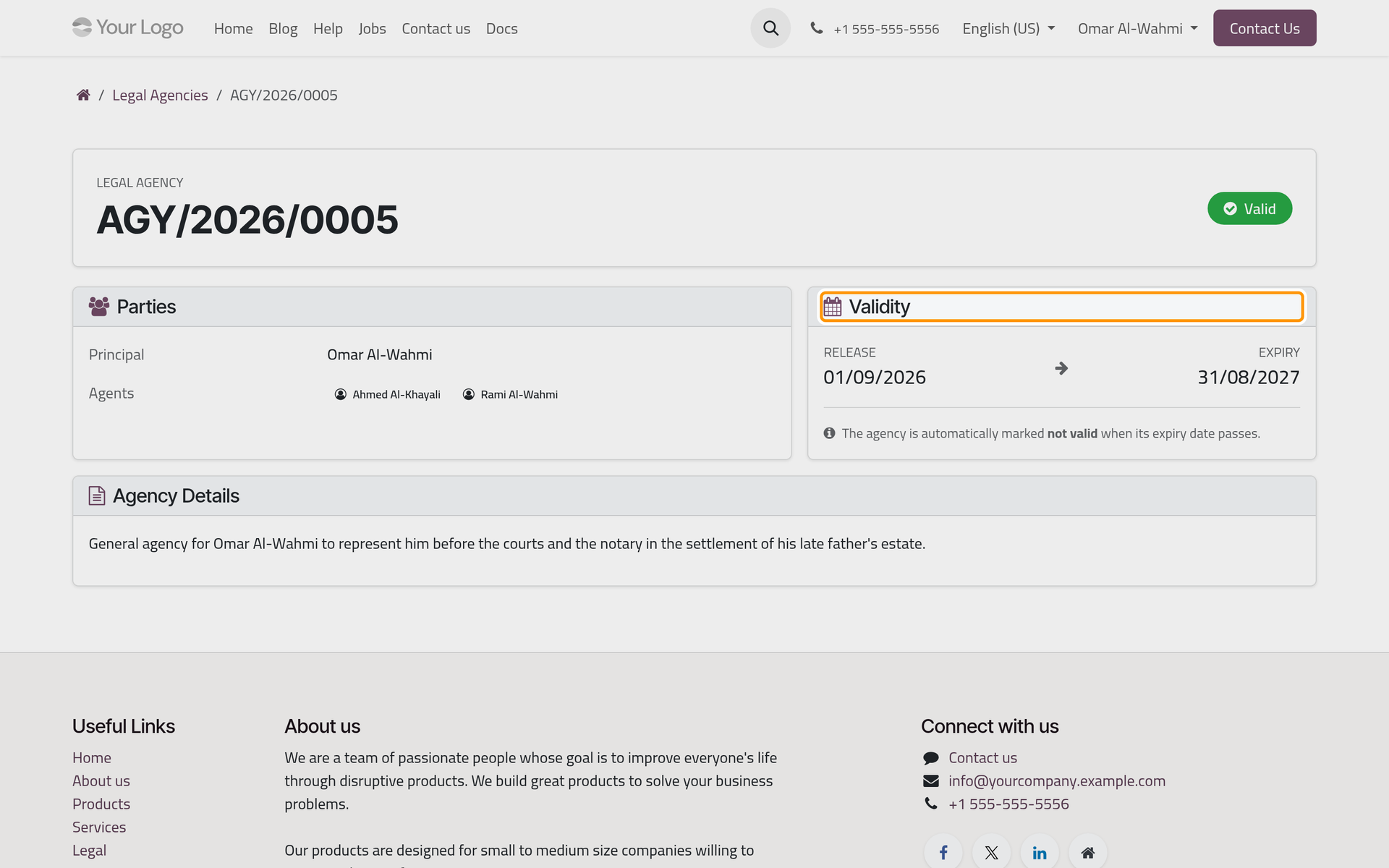
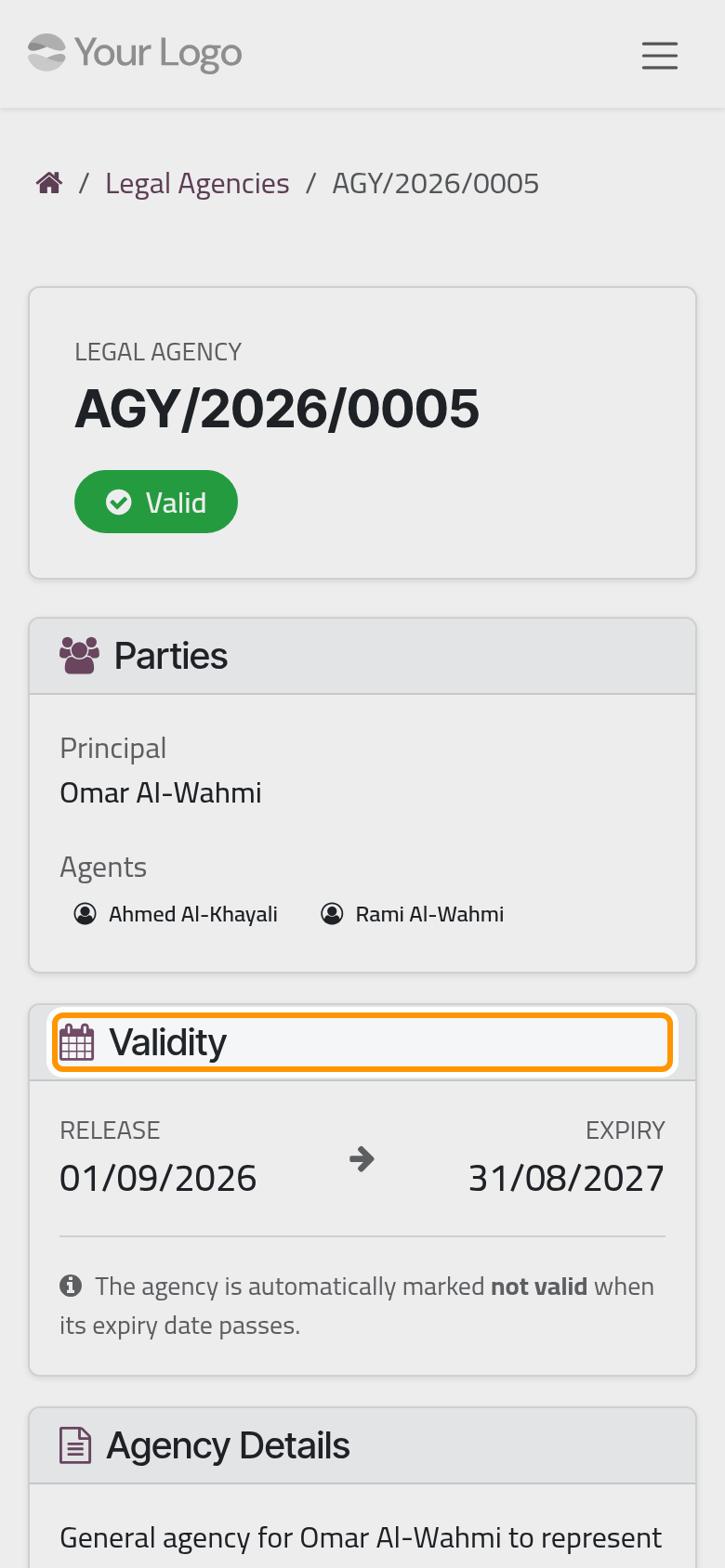
Click an agency's number. Its page gives the number and the status, here Valid until the expiry date, then Parties: the Principal, any Other Principals and the Agents. Validity gives the Release and Expiry dates, and Agency Details the agency's text when the firm has written it. The page has no print and no messages.
FAQ
A contract the firm told me about is missing. Why?
The firm is still drafting it, or its client is another contact, your company for example. Ask the firm to finish it, or to record you as its client.
I signed by mistake. Can I take my signature back?
Not from the portal: once given, the signature is locked. Write to the firm under History at once.
Why is my agency Expired when it was just issued?
Its release date or expiry date is missing, or its release date is still ahead. Ask the firm to complete the dates; it records renewals too.
Was this page helpful?
Thank you for your feedback.