Choose what a client sees
On this page
There is no list of documents to tick for each client: every kind of record has its own rule, and the firm steers it with the fields of the records themselves, the client named on them, their visibility and their followers.
Before you start
- The client needs a portal account: Give a client portal access.
- Changing a case needs your usual rights in its app: Open a case.
The rules, kind by kind
| Records | Shown to the contact who signs in when |
|---|---|
| Cases | their Privacy Visibility names portal users, the contact follows the case and is its Client |
| Hearings | as for their case, and the contact follows the hearing |
| Consultations | the same three conditions as cases |
| Contracts | the contact is the contract's Client; a contract still in Drafting stays out of the list |
| Executions | the contact is the execution's Client |
| Legal requests | the contact is its client, as for every request sent from the portal |
| Legal agencies | the contact is the Principal or one of the Other Principals |
| Invoices | the invoice or credit note is the contact's company's, and neither draft nor cancelled |
| Quotations and orders | the same company rule; quotations once sent, orders once confirmed |
| Projects and tasks | the project's Visibility lets portal users in and someone of the contact's company follows it (Share a project with a customer) |
| Help desk requests | the desk's Audience is Invited Portal Users and Internal Users, and the request is the company's or followed by the contact (Help Desk settings) |
| Collection | the contact is the debtor or the owner of a collection contract (Get the contract signed) |
The person or the company
The legal records follow the exact contact who signs in. A contract whose Client is a company does not reach a person of that company, even one with a portal account; only an account opened on the company's own contact sees it. The same goes for cases, consultations, executions, legal requests and agencies.
Invoices, quotations, orders, projects and help desk requests follow the company: every person of it who has an account sees them all. So when several people of a client company sign in, name on each legal record the contact who must see it.
Open a case to its client
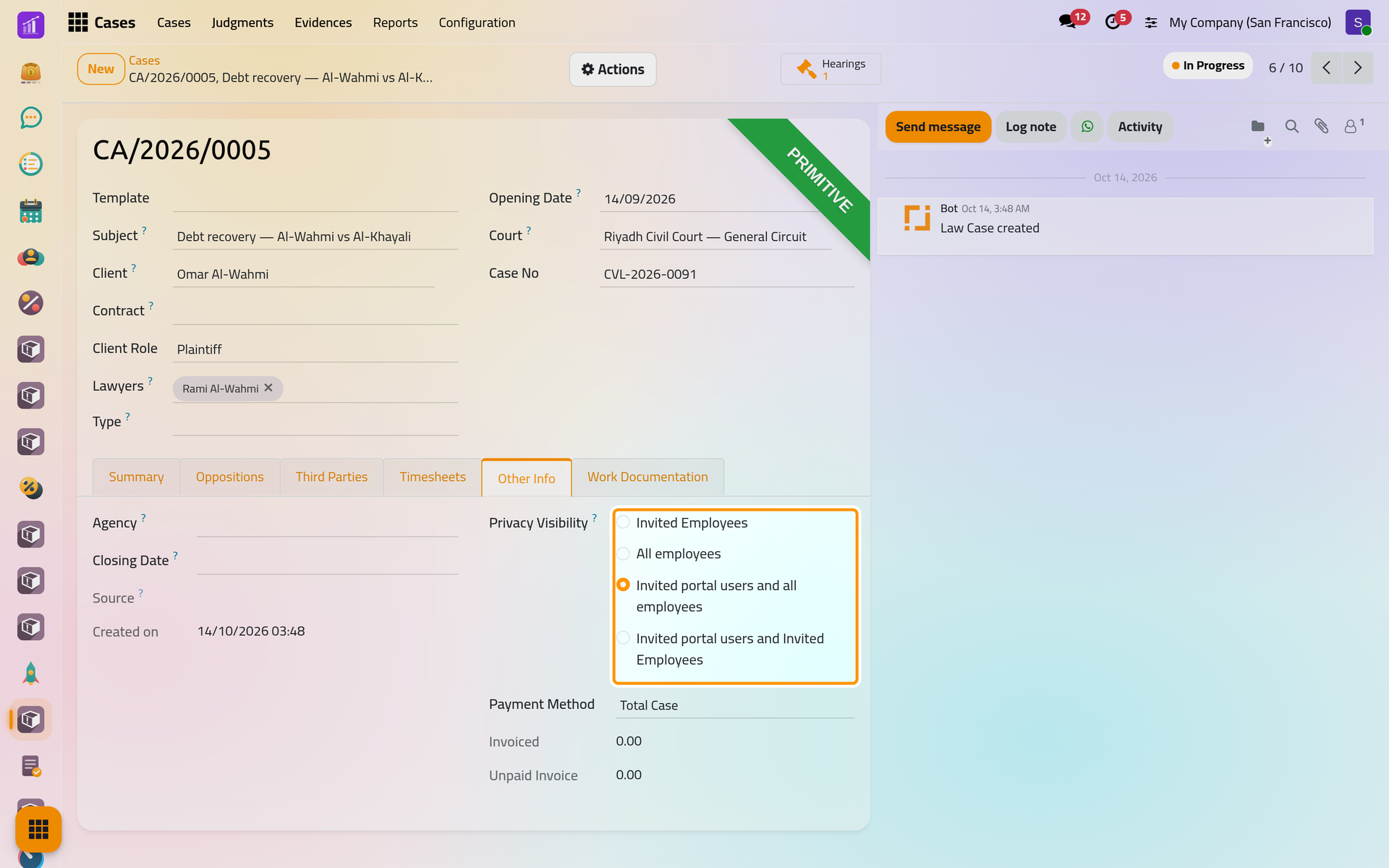
Open the case from , here CA/2026/0005, and its Other Info tab. Privacy Visibility offers four choices; the two that start with Invited portal users let the client in, with every employee or only the employees who follow the case. Invited portal users and all employees is the default.
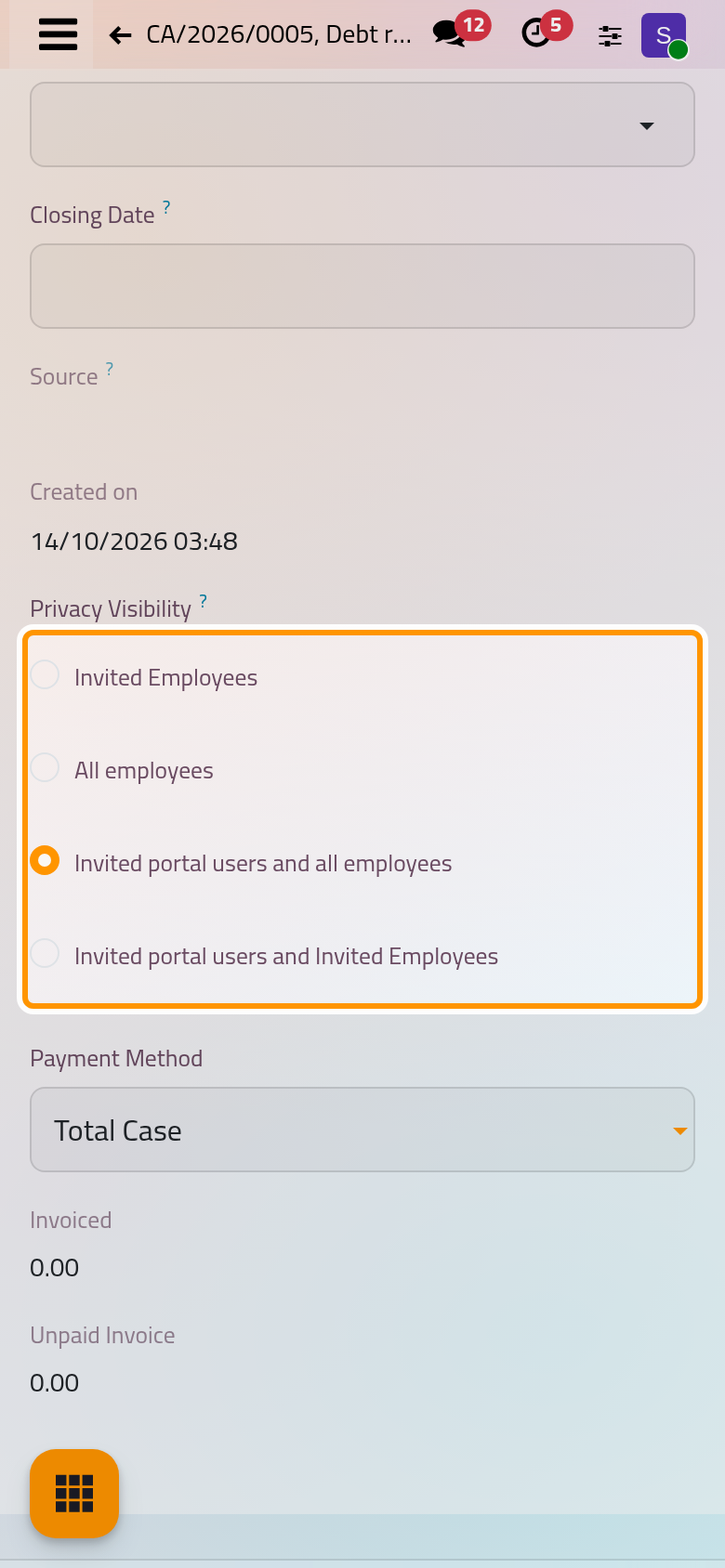
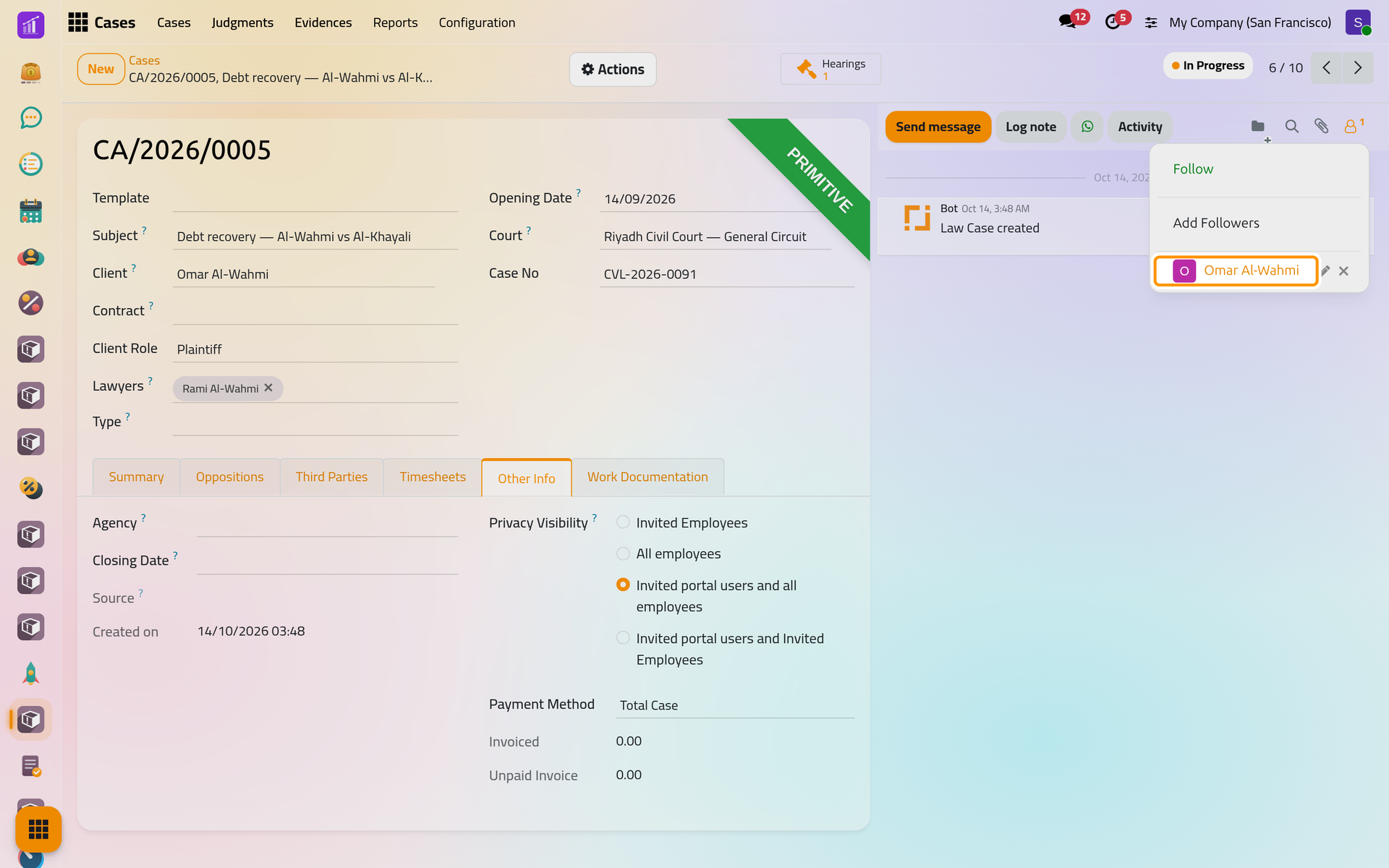
The client must also follow the case. The contact set as Client, the Other Clients and the users of the lawyers become followers when the case is saved, and each hearing of the case gets the same clients and lawyers as followers. The followers button at the top of the chatter lists them; removing the client there hides the case from them. On a phone the button sits at the top of the chatter, below the form.
A consultation carries the same field on its own Other Info tab: Record a consultation.
FAQ
A client does not see a case.
Check the three conditions: Privacy Visibility names portal users, the client follows the case, and the client is the case's Client, not only one of its Other Clients.
A person of a client company does not see the company's contract.
Contracts follow the exact contact. Either name that person as the contract's Client, or give the company's own contact a portal account.
Can I keep one invoice off the portal?
No. Every posted invoice of the client's company shows; only drafts and cancelled invoices stay out.
Was this page helpful?
Thank you for your feedback.